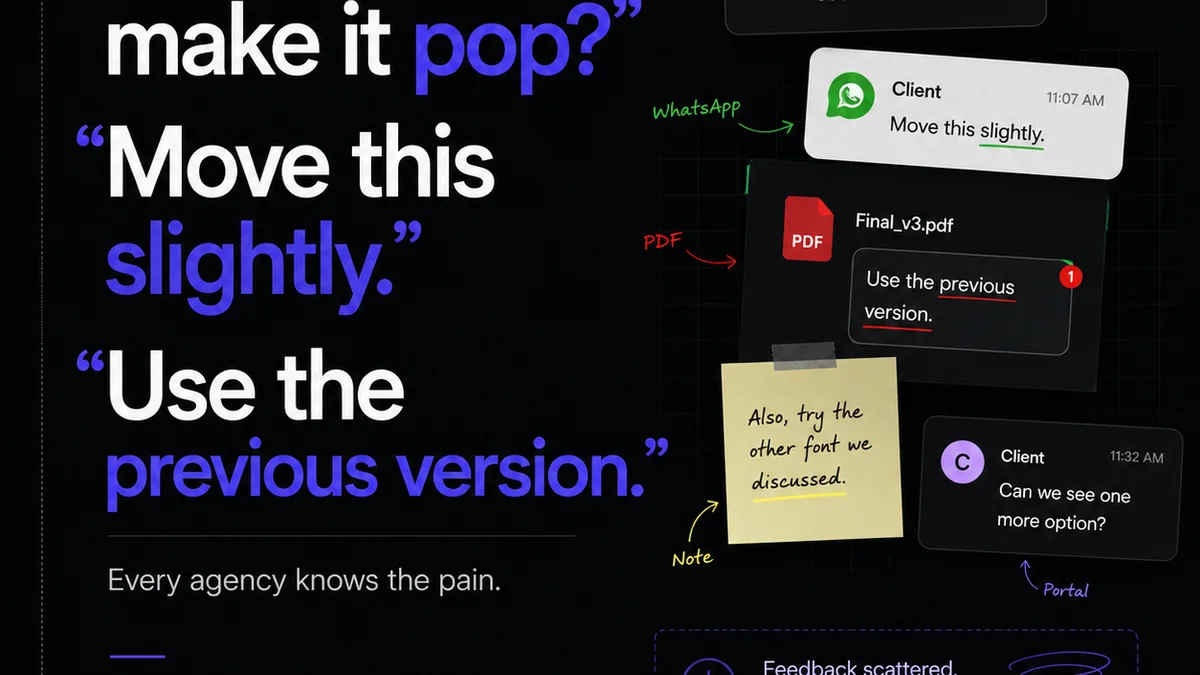
You’ve probably heard that Notion is the ultimate all-in-one workspace. It can manage projects, track tasks, build wikis, and even serve as a CRM. For creative agencies and in-house teams, the allure is obvious: one tool to rule them all.
None of that is wrong. But it’s incomplete.
The hard truth is that Notion, despite its flexibility, is a generalist tool. When it comes to the highly specific, often messy, and time-sensitive workflow of creative feedback and approvals, its generalized approach creates friction, not flow.
1. The Illusion of Centralization
Notion promises centralization. You can link documents, embed files, and create databases for almost anything. This sounds perfect for keeping client feedback in one place.
But what does that actually look like in practice?
- A client uploads a PDF to a Notion page.
- You manually extract comments, paste them into a separate document, or try to annotate directly on the PDF within Notion.
- You send that annotated document back to the client for review.
- Repeat.
This isn't centralization; it's just shuffling files within a sophisticated document manager. The core problem—the back-and-forth of feedback—remains unaddressed.
The Bottleneck is the Medium
Creative feedback isn't just text. It's visual. It's contextual. You need to see a comment *on* the specific element it refers to. Notion’s native file handling and annotation capabilities are rudimentary compared to tools built for visual review.
Trying to manage visual feedback in Notion often means:
- Exporting assets to another tool.
- Gathering feedback there.
- Importing those comments back into Notion.
- Or, worse, losing the visual context entirely and relying on vague text descriptions like “Make the logo bigger on slide 3.”
This disconnect kills efficiency and breeds misinterpretation. It’s a classic example of using the wrong tool for the job, no matter how powerful that tool is in other contexts.
2. Version Control Chaos
Creative projects evolve through iterations. Managing these versions is critical for tracking progress and ensuring everyone is working from the latest asset. Notion's file versioning is basic.
You can upload a new version of a file, but there's no built-in visual way to compare versions side-by-side or see a clear, auditable history of *all* changes and comments tied to each specific iteration.
The Approval Loop is Broken
How do you get a client sign-off on a specific version? In Notion, it’s often a manual process: sending an email, a Slack message, or updating a status field. There’s no clear, trackable audit trail of approval tied directly to the asset and its specific version.
This lack of clear approval status opens the door to:
- Working off outdated versions.
- Disputes about what was actually approved.
- Endless clarification emails.
This isn't just inconvenient; it’s a direct threat to project timelines and client relationships.
3. Task Management vs. Creative Workflow
Notion excels at task management. You can create lists, assign owners, and set due dates. This is valuable.
But creative feedback isn't just a task to be checked off. It's a dynamic conversation that requires specific context.
The Context Gap
When a designer gets feedback, they need more than just “Approved” or “Needs Revision.” They need to know:
- Who provided the feedback?
- When was it given?
- What specific part of the design does it relate to?
- What was the previous feedback on this item?
- Has this specific revision been approved by other stakeholders?
Notion can be *made* to store some of this information, but it requires extensive customization and manual data entry. The information isn't inherently linked to the visual asset or the feedback itself.
The
Frequently asked questions
Can Notion handle creative feedback?
Notion can store feedback, but it lacks the specialized tools for visual annotation, version comparison, and streamlined approval workflows that creative teams need. This often leads to manual workarounds and inefficiencies.
What is the main advantage of Revue over Notion for creative teams?
Revue is purpose-built for creative feedback and approvals. Its core strength lies in its ability to centralize visual feedback directly on assets, manage revisions clearly, and provide an auditable trail of approvals, which Notion lacks natively.
Is Notion bad for project management?
Notion is a powerful and flexible project management tool for many industries. However, for the specific demands of visual creative workflows—where context, iteration, and precise approval are paramount—its generalist nature becomes a limitation.
How does Revue improve client collaboration?
Revue streamlines client collaboration by providing a single source of truth for feedback. Clients can comment directly on visuals, see previous feedback, and approve specific versions, reducing miscommunication and speeding up the revision process.