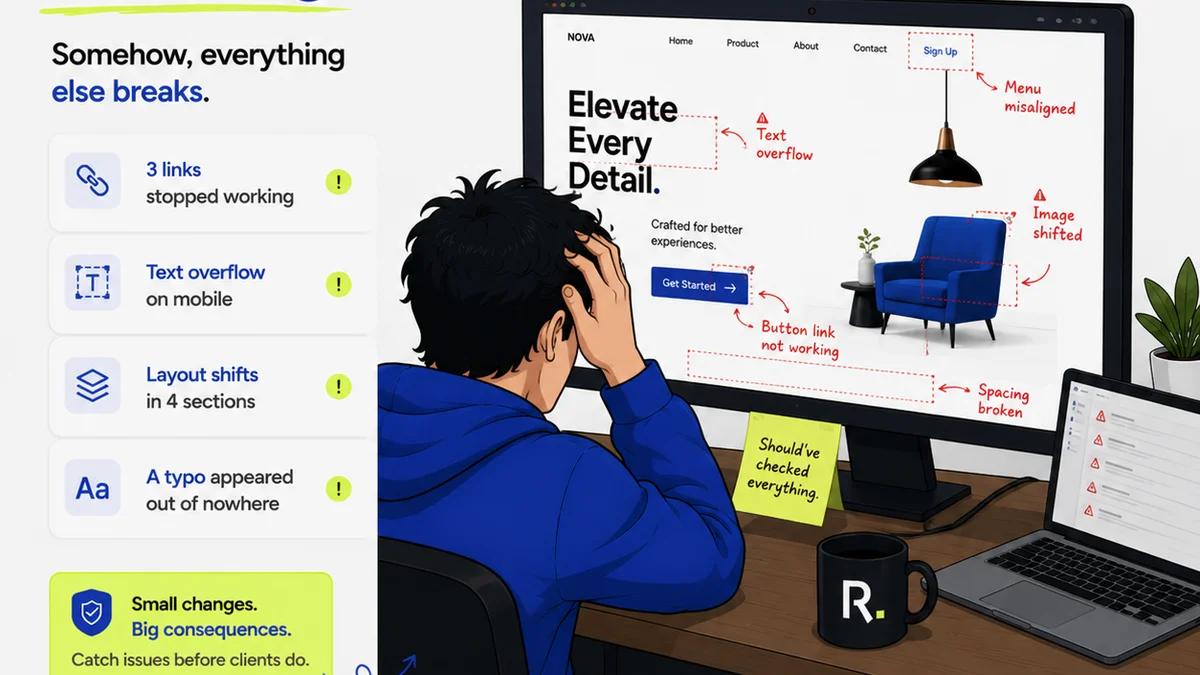
You're looking for a better way to manage client feedback and creative approvals. Maybe you've heard of Revue and Ziflow. You're comparing features, pricing, and user reviews. You think picking the right tool is about checking boxes.
None of that is wrong. But it’s incomplete.
The real cost of choosing the wrong feedback and approval tool isn’t just a bad UI or a missing integration. It’s the hidden operational friction that grinds projects to a halt, frustrates clients, and eats into your margins. It’s the workflow mistakes that cost you time and money, regardless of the software.
Let's cut through the noise and talk about the actual mistakes agencies make when evaluating tools like Revue and Ziflow.
1. Assuming 'Feature Parity' Means 'Workflow Parity'
Both Revue and Ziflow offer ways to upload creative assets, collect comments, and track revisions. On the surface, they seem similar. You can get feedback on a JPEG in either. You can see a version history.
But the *way* they handle these core functions, and the surrounding workflows they support, can be dramatically different. This is where the mistakes happen.
The Feedback Loop Illusion
It's easy to think that any tool with a comment feature solves your feedback problem. This is a dangerous assumption.
- Context is King: Where does feedback live? Is it tied directly to the pixel, or buried in a general chat?
- Actionability: Can you easily assign feedback to a specific team member? Can you mark it as 'resolved'?
- Client Experience: Is the feedback interface intuitive for non-designers, or does it require a tutorial?
A tool that just collects comments without structured workflows for acting on them creates more noise than signal.
Revision Tracking: More Than Just Versions
Sure, you can upload V2 over V1. But what about:
- Approval Status: Who approved what, and when? Is there a clear audit trail?
- Scope Creep: How do you differentiate between requested revisions and new scope hidden in feedback?
- Stakeholder Alignment: Can you manage feedback from multiple clients or internal stakeholders separately?
Treating revision tracking as a simple file-management task is a recipe for disputes.
2. Ignoring the 'Last Mile' of Quality Assurance
Most tools focus on getting feedback *in*. They’re good at the 'creative' part of creative feedback.
But what about the 'quality' part? This is where many agencies stumble.
The Slippery Slope of 'Good Enough'
It's tempting to sign off on a revision once the client says 'looks good'. But 'looks good' to a client isn't the same as 'meets spec' for development, or 'brand compliant' for marketing.
Mistakes here include:
- Cross-Discipline Checks: Did the designer's change break the functionality? Did the copywriter's edit mess up the layout?
- Compliance & Standards: Is the final asset meeting accessibility guidelines (WCAG)? Is it adhering to brand guidelines?
- Final Sign-Off Authority: Who has the final say? Is it the client, the CD, or the account manager? Is that process documented?
Skipping these checks, or doing them haphazardly, leads to costly rework down the line.
3. Underestimating the Impact on Internal Collaboration
Your tool isn't just for clients. It's for your team, too.
A clunky or inefficient internal workflow is just as damaging as a bad client experience.
The Silos of Communication
If your feedback tool doesn't integrate well with your existing project management or design tools, you create communication silos.
- Task Management: How does feedback translate into actionable tasks for designers, developers, or copywriters?
- Information Handoff: Is all the necessary context (feedback, approvals, version history) passed seamlessly to the next stage?
- Team Visibility: Does everyone on the team have clear visibility into the project status and outstanding action items?
This friction slows down delivery and increases the chance of errors.
The 'Who's Doing What?' Problem
Without clear ownership and tracking, feedback can get lost, ignored, or duplicated.
- Assigning Responsibility: Who is responsible for acting on specific feedback items?
- Tracking Progress: How do you know if feedback has been addressed, rejected, or is still pending?
- Accountability: When things go wrong, who dropped the ball?
This ambiguity is a breeding ground for missed deadlines and team frustration.
4. Overlooking Integration and Scalability
Your agency isn't static. Your tools shouldn't hold you back.
The 'Point Solution' Trap
A tool that only does one thing well, but doesn't connect to your other essential software, becomes a bottleneck.
- Design Software: Can you push/pull assets easily from Figma, Adobe Creative Cloud, etc.?
- Project Management: Does it sync with Asana, Jira, Monday.com, or your preferred PM tool?
- Communication: Does it integrate with Slack or Microsoft Teams for notifications?
Constantly copying and pasting or manually updating information between systems is a huge time sink and error source.
Planning for Growth
What works for a small team might break under the weight of larger projects or more clients.
- User Permissions: Can you control who sees and does what as your team grows?
- Project Volume: Can the system handle an increasing number of concurrent projects without performance degradation?
- Customization: Can you adapt the tool's workflows to your agency's unique processes?
Choosing a tool that can't scale means you'll be looking for a replacement sooner than you think.
Where Revue Fits In
The goal isn't just to manage feedback; it's to streamline the entire creative lifecycle from initial concept to final delivery. This means connecting the dots between client input, internal revisions, and quality assurance.
Revue is built for this. It acts as a central hub, ensuring that:
- Client Feedback is Centralized and Actionable: Comments are tied directly to the asset, clearly visible, and easy to organize. You can distinguish between quick notes and formal revision requests.
- Revision and Approval Workflows are Transparent: Every version is tracked, and every approval is logged with a clear audit trail. Stakeholders can see the history, reducing confusion and disputes.
- Quality Checks are Integrated: Revue facilitates the final review stages, ensuring assets meet technical specifications, brand guidelines, and accessibility standards before they go out the door.
- Internal Collaboration is Seamless: By integrating with existing tools and providing clear task management, Revue keeps your team aligned and efficient, reducing the 'who's doing what?' problem.
It’s about creating a single source of truth that supports both client communication and internal execution.
Final Thought
Comparing tools like Revue and Ziflow on features alone is like comparing cars based only on the number of cup holders. You miss the fundamental driving experience.
The real win is a workflow that's so smooth, so transparent, and so efficient that it becomes invisible. It’s the workflow that lets your creative team focus on creating, and your agency focus on growing, without getting bogged down in the mechanics of feedback and approvals.
Are you optimizing for features, or are you optimizing for flow?
Frequently asked questions
What's the biggest mistake agencies make when choosing feedback tools?
The biggest mistake is focusing solely on features and assuming 'feature parity' means 'workflow parity'. Tools can have similar comment functions but operate very differently, leading to hidden friction, miscommunication, and costly rework if the underlying workflow isn't a good fit for the agency's process.
How does Revue help avoid common revision mistakes?
Revue centralizes feedback, tracks every version with a clear audit trail, and facilitates formal approval steps. This transparency helps prevent scope creep, ensures all stakeholders are aligned, and provides a clear record of what was requested and approved, reducing disputes.
Is Ziflow or Revue better for internal team collaboration?
Both aim to improve collaboration, but Revue's strength lies in its integration capabilities and focus on making feedback actionable within broader project management workflows. This helps assign tasks, track progress, and ensure seamless handoffs between team members, reducing internal bottlenecks.
What role does quality assurance play in choosing a feedback tool?
Quality assurance is critical. A good tool shouldn't just collect feedback; it should support final checks for compliance, brand consistency, and technical specifications before delivery. Overlooking this 'last mile' can lead to expensive rework and damage client trust.