Everyone thinks the best software for art directors is packed with the latest bells and whistles. More filters, more AI tools, more integrations. None of that is wrong. But it’s incomplete.
The hard truth? The best creative software isn't about the tools themselves. It's about how those tools fit into your actual workflow, enabling better creative direction and smoother client collaboration.
1. Centralized Feedback, Not Scattered Notes
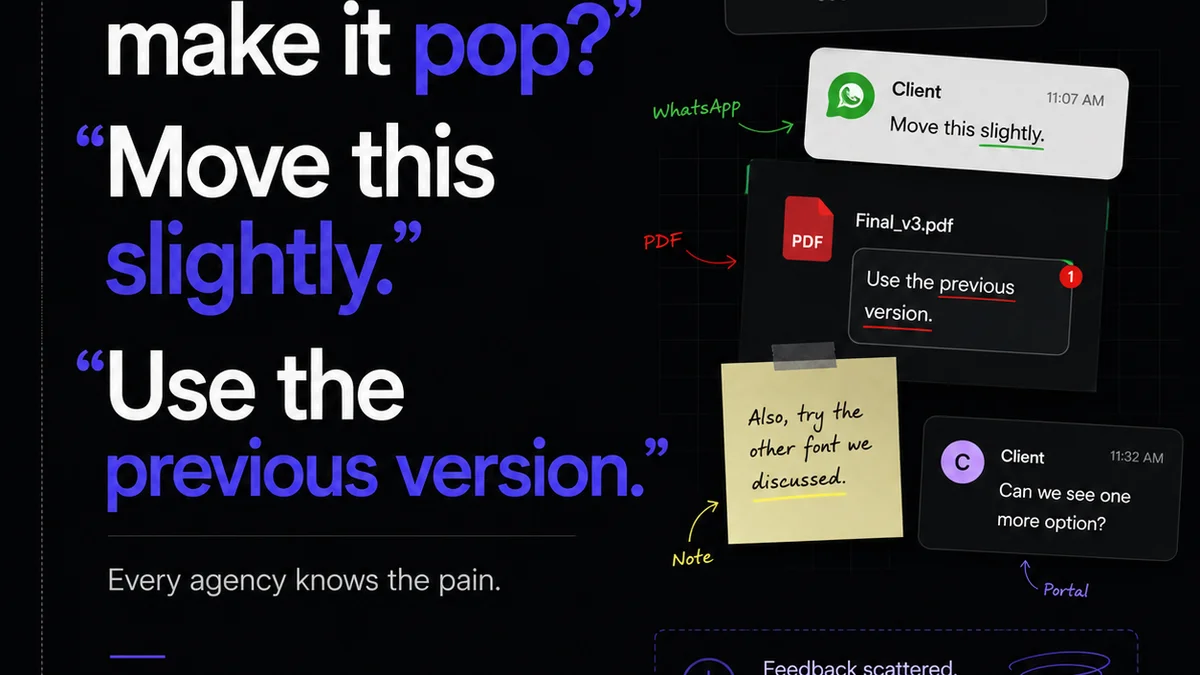
You've seen it. Client feedback buried in emails. Slack messages lost in the ether. Sticky notes on a monitor. This is the enemy of efficient creative direction.
Your software should be the single source of truth for all feedback. This means clear annotation tools, version control, and a system that doesn't require you to be a detective to find out what needs changing.
The Illusion of
Frequently asked questions
What is the most important feature in software for art directors?
While specific features vary, the most crucial aspect is its ability to centralize feedback and streamline revision workflows. This prevents lost comments, ensures clarity, and speeds up approvals.
How does software help with client collaboration?
Good software provides a clear, shared space for clients to view creative work, leave specific feedback, and track revisions. This transparency builds trust and reduces misunderstandings.
Should art directors use general project management tools or specialized creative software?
It depends on your team's needs. General PM tools offer broad functionality, but specialized creative software often provides features tailored to visual feedback, version control, and asset management, which are critical for art directors.
What are the risks of using outdated software for creative work?
Outdated software can lead to compatibility issues, lack of essential features (like robust collaboration tools), security vulnerabilities, and inefficient workflows, ultimately hindering creativity and productivity.