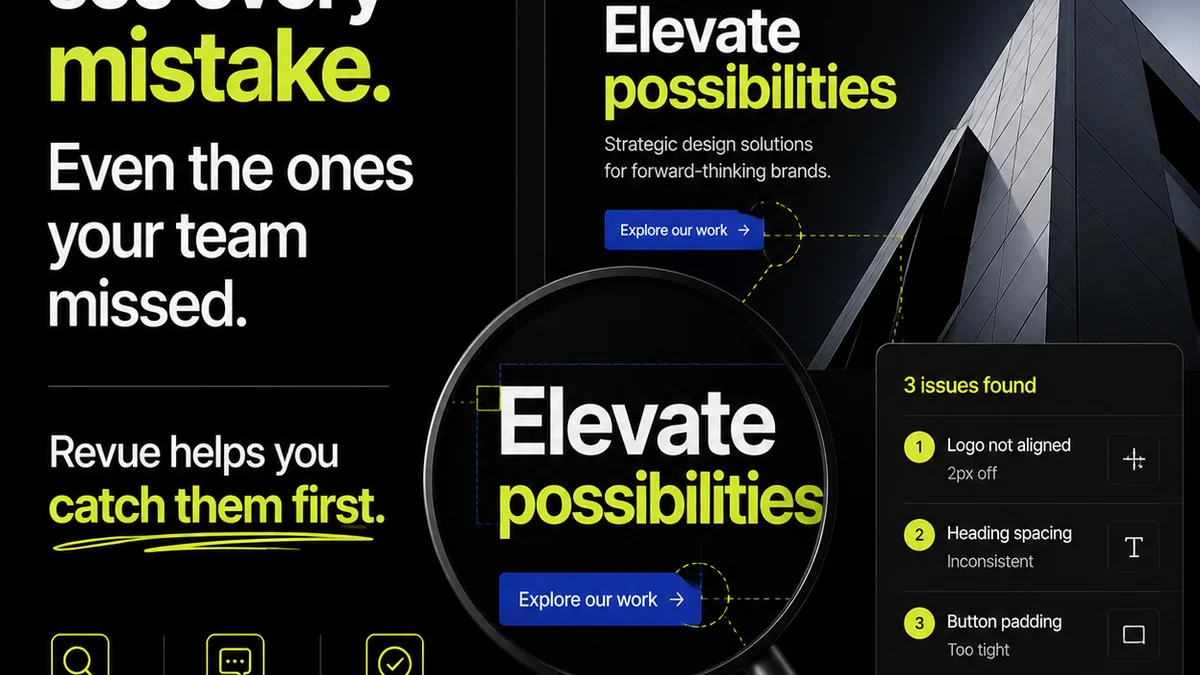
Everyone knows design review is critical. Getting stakeholder buy-in is the name of the game, right?
None of that is wrong. But it’s incomplete.
The real truth? Most design reviews are a chaotic mess. They drain hours, create confusion, and often lead to subpar work. The tools you use are often the bottleneck.
If you’re managing creative projects, you’ve likely felt the pain. Endless email threads, unclear feedback, version control nightmares. It’s enough to make anyone question their sanity.
This isn’t just about making clients happy. It’s about operational efficiency. It’s about delivering great work, on time and on budget. And that starts with choosing the right stakeholder design review software.
1. Centralized Feedback, Not Scattered Opinions
The biggest killer of design review efficiency is scattered feedback. When comments live in emails, Slack messages, and random documents, you’re doomed.
Your stakeholder design review software must be the single source of truth. Every comment, every annotation, every approval needs to live in one place.
Why This Matters
- Reduces Miscommunication: Everyone sees the same feedback, in context.
- Prevents Lost Comments: No more digging through old email chains.
- Improves Version Control: Feedback is tied to specific project versions.
- Creates an Audit Trail: Clear history of who said what, when.
Imagine a client pointing to a specific element on a mockup and typing their feedback directly there. No ambiguity. No “the thing next to the logo.” Just clear, contextual input.
2. Contextual Annotation is Non-Negotiable
Generic feedback is useless. “Make it pop” or “I don’t like it” doesn’t help anyone.
Good stakeholder design review software allows for precise, contextual feedback.
This means:
- Direct-to-Asset Annotation: Clicking on an image, a specific layer, or even text.
- Mark-up Tools: Drawing tools, shapes, and pointers to highlight areas.
- Screenshot Integration: Capturing issues directly from a live webpage or application.
When feedback is tied directly to the element it refers to, revisions become faster and more accurate. It’s the difference between a client saying “The button color needs changing” and “Change the primary CTA button color on the hero section from blue to green.”
3. Clear Revision and Approval Workflows
Feedback is only half the battle. Managing the revision and approval process is where most projects derail.
Your software needs to guide this process, not just collect comments.
Key Workflow Features
- Status Tracking: Clearly see which assets are pending review, approved, or require revisions.
- Task Assignment: Assign specific feedback items or revisions to team members.
- Version Comparison: Easily see what changed between revisions.
- Approval Gates: Formal sign-off points that must be met before proceeding.
- Automated Notifications: Alerting stakeholders to new feedback or status changes.
This structured approach prevents the dreaded “scope creep” and ensures that everyone understands the project’s current state. It brings order to the potential chaos of back-and-forth.
4. Version Control That Actually Works
How many times have you received feedback on an old version? Or worse, made revisions based on feedback that was already superseded?
Robust version control is a cornerstone of effective stakeholder design review software.
Look for:
- Automatic Versioning: Every save or upload creates a new version.
- Clear Version History: Easy access to all previous iterations.
- Side-by-Side Comparison: Visually comparing two versions to spot differences.
- Ability to Revert: Rolling back to a previous version if needed.
This isn’t just about keeping files organized. It’s about ensuring that everyone is working from and commenting on the most up-to-date asset. It eliminates a huge source of error and wasted effort.
5. User Experience for Everyone
You might be a power user, but your stakeholders might not be. If the software is too complex, they won’t use it effectively. Or worse, they’ll avoid it altogether.
Prioritize simplicity and intuitiveness.
Consider:
- Minimal Learning Curve: Can a client figure it out in minutes?
- Clean Interface: Uncluttered and easy to navigate.
- Accessibility: Does it meet accessibility standards?
- Cross-Platform Compatibility: Does it work on any device, in any browser?
A clunky interface leads to frustration and poorly executed feedback. If your stakeholders can’t easily add comments, they’ll revert to email. And then you’re back to square one.
6. Permissions and Role Management
Not all stakeholders are created equal. Some need to provide final approval, while others are just providing input.
Your software needs granular control over who can see what and do what.
Essential capabilities include:
- Viewer Roles: Can only see assets and comments.
- Commenter Roles: Can add comments and annotations.
- Approver Roles: Can formally approve or reject assets.
- Admin Roles: Can manage projects, users, and settings.
This ensures that the right people are providing the right level of input, and that critical decisions are made by those authorized to make them. It keeps the process focused and authoritative.
7. Integration Capabilities
Your design review tool doesn’t exist in a vacuum. It needs to play nicely with your existing tech stack.
Think about:
- Design Tools: Plugins or integrations with Figma, Adobe XD, Sketch.
- Project Management Tools: Connecting with Asana, Jira, Trello.
- Cloud Storage: Linking with Google Drive, Dropbox, Box.
Seamless integrations reduce manual work and prevent information silos. When your review tool talks to your other systems, your workflow becomes more fluid.
Where Revue Fits In
Managing client feedback and revisions is precisely what Revue is built for. We understand the friction points in creative workflows.
Revue provides a centralized hub for all your creative assets and feedback. Instead of juggling emails and spreadsheets, you have a single, clear system.
Our platform offers:
- Contextual Feedback: Pin comments directly to images, videos, and documents.
- Streamlined Approvals: Clear workflows for sign-offs and revisions.
- Version History: Track every iteration and compare changes easily.
- Role-Based Permissions: Control who sees and approves what.
This means less time spent managing the process and more time focused on creating exceptional work. It brings clarity and control to the often-messy world of client collaboration.
Final Thought
Choosing the right stakeholder design review software isn’t a technicality; it’s a strategic decision.
It directly impacts your team’s productivity, your project timelines, and the quality of your final output.
Are you still treating design review as a necessary evil, or are you equipping your team with the tools to make it a streamlined, efficient part of your creative process?
Frequently asked questions
What is stakeholder design review software?
Stakeholder design review software is a tool designed to streamline the process of gathering feedback and obtaining approvals on creative work from clients or internal stakeholders. It centralizes communication, provides contextual feedback mechanisms, and manages revision workflows.
Why is contextual feedback important in design reviews?
Contextual feedback, where comments are directly linked to specific elements within a design, is crucial because it eliminates ambiguity. It ensures that designers understand exactly what needs to be changed, leading to faster and more accurate revisions compared to general or vague comments.
How does version control benefit design reviews?
Effective version control ensures that all stakeholders are reviewing and commenting on the most current version of a design. It prevents confusion, reduces errors, and provides a clear history of iterations, making it easy to track progress and revert to previous states if necessary.
Can any stakeholder use this type of software?
Ideally, yes. Good stakeholder design review software prioritizes user experience with a simple interface and minimal learning curve, making it accessible for clients or stakeholders who may not be technically savvy. Role-based permissions also ensure they only interact with the relevant aspects of the project.