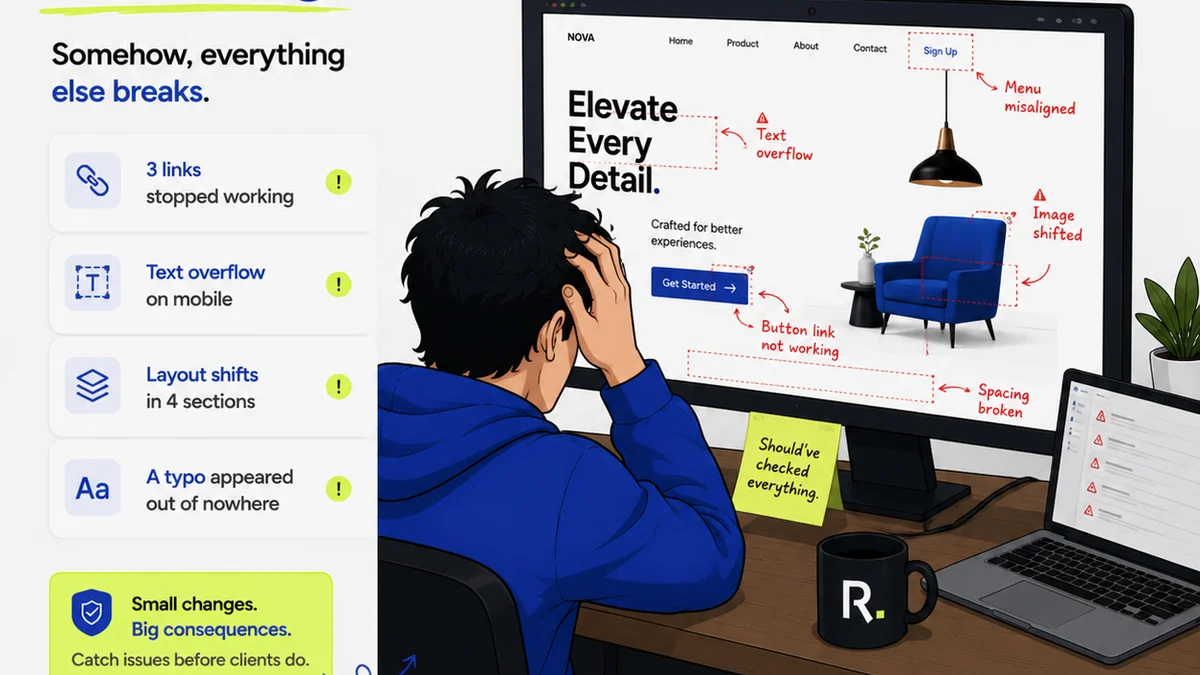
Stop Losing Creative Files: The Silent Project Killer
It’s 11 PM. The client presentation is at 9 AM. You pull up the final creative files, ready to export, and… it’s not the right version. The one with the client’s latest, most crucial feedback is still sitting on someone’s desktop, or worse, buried in an email chain from three days ago. Sound familiar? This isn't just an annoyance; it's a critical failure that costs time, money, and reputation. Losing track of the latest file is a common, yet devastating, problem for creative teams.
Why does this happen? It’s not usually due to malice or incompetence. It's the result of a chaotic system, or often, no system at all. When files are passed around via email, shared drives with confusing folder structures, or Slack messages, the trail goes cold fast. Everyone *thinks* they know which version is current, but without a central source of truth, it’s pure guesswork. This leads to wasted hours on revisions of revisions, panicked late-night sprints, and the dreaded scenario of presenting an outdated deliverable.
1. The Feedback Fragmentation Fiasco
Imagine a single design concept being worked on by a small team. Client feedback comes in via email, a quick Slack message, a phone call, and a scribbled note on a printed draft. Each piece of feedback is vital, but it’s scattered. The designer trying to implement these changes has to piece together a puzzle with missing pieces. They might miss a key point from the phone call, or misinterpret the scribbled note. This fragmentation is a breeding ground for errors and version confusion.
The usual approach is to have one person act as the “feedback collector.” This often becomes the project manager or account manager. While well-intentioned, this person can quickly become a bottleneck. They are responsible for receiving, interpreting, and then relaying feedback to the creative team. Miscommunication is almost inevitable. A subtle nuance in the client’s tone might be lost, or a specific instruction might be simplified to the point of being ineffective. This isn't a sustainable workflow for complex projects.
2. The Email Attachment Abyss
Email is the black hole where creative files go to die. You send out a PDF. The client replies with “Looks good, just a small tweak.” They attach a new PDF. Then you reply, “Here’s the updated version.” You attach *your* PDF. The client replies, “Actually, can we go back to the previous version and just change the headline?” Now you’re digging through sent items, trying to remember which PDF was which. The subject lines become a mess of “Final_v3_client_edits_final_REALLY_final.pdf” and “Final_v3_client_edits_final_REALLY_final_John_edits.pdf.”
This method is fundamentally flawed because email isn’t designed for collaborative creative review. It’s designed for communication. There’s no built-in way to track revisions, consolidate comments, or ensure everyone is looking at the same asset. Each attachment is a new, isolated copy. When multiple people are involved on the client side, each receiving and replying-in-turn, the number of disparate files explodes. You end up with a dozen slightly different versions, and no one is entirely sure which one is the *actual* final.
3. Shared Drive Shenanigans
Shared drives (like Google Drive, Dropbox, or network drives) seem like a step up from email. And they can be, if managed meticulously. But for creative teams, they often become a different kind of chaos. Folders get created with vague names. Files are saved with generic names like “Logo_Final.ai” or “Banner_v2.psd.” People forget to upload the latest version, or they save a new version in the wrong folder. Worse, multiple people might download the same file, make edits locally, and then try to upload their own versions, leading to accidental overwrites or duplicate files.
The problem with shared drives is that they are passive repositories. They store files, but they don’t actively manage the review and approval process. There’s no clear workflow for feedback. Who is responsible for uploading the latest version? How do you ensure everyone *sees* the new version and knows it’s the one to work from? Without a structured process, even a well-organized shared drive can devolve into confusion. It’s easy for the
Frequently asked questions
What is the biggest challenge creative teams face with file management?
The biggest challenge is version control and feedback fragmentation. Without a centralized system, it's easy for team members and clients to work on or refer to outdated files, leading to errors, wasted time, and missed deadlines.
How can I prevent clients from sending feedback via email attachments?
Implement a dedicated creative review and approval platform. Clearly communicate to clients that all feedback and file versions must go through this system. Educate them on its benefits, such as streamlined communication and clear audit trails.
Is a shared drive like Dropbox or Google Drive enough for creative file management?
While useful for storage, shared drives often lack the specific features needed for creative workflows. They don't inherently manage feedback loops, version comparisons, or approval statuses, making them prone to the same confusion as email or local storage without strict protocols.
How does a centralized platform help with accountability?
Centralized platforms create a clear audit trail. Every action – uploading a file, adding feedback, making an approval – is logged with a timestamp and user. This transparency ensures accountability and makes it easy to see who did what and when.