You probably think a UX audit is just for slick tech companies building apps or SaaS platforms. That it’s about button colors and navigation menus. That it’s… not for you.
None of that is wrong. But it’s incomplete.
The hard truth is that your construction company’s website is a critical sales tool. And if potential clients can’t find what they need, understand your services, or easily get in touch, you’re leaving money on the table. Every single day.
A UX audit isn't about aesthetics; it's about performance. It's about removing friction from the path to a qualified lead.
1. Understanding Your User’s Journey
Before you can audit anything, you need to know who you’re auditing for. Marketing teams in construction often make assumptions about what potential clients want to see. But do you actually know?
Think about the last time a client found you. What were they struggling with? What information did they need urgently? What questions did they have before picking up the phone?
Your website should answer these questions proactively. A UX audit helps you see if it’s succeeding.
Define Your Target Audience Segments
Who are you trying to reach? Homeowners? Commercial developers? Architects? Each group has different needs and priorities.
- Homeowners: often looking for inspiration, trust signals, and clear pricing/process information for renovations or new builds.
- Commercial Developers: need to see project portfolios, case studies, technical capabilities, and proof of scalability.
- Architects/Designers: might be focused on technical specifications, material options, and past collaborations.
Map Key User Journeys
What are the most common paths users take on your site? Identify the critical tasks they need to accomplish.
- Finding specific services (e.g., custom home building, commercial roofing).
- Researching your company’s experience and past projects.
- Understanding your process and timeline.
- Locating contact information or requesting a quote.
- Downloading spec sheets or brochures.
Identify Pain Points
Where do users get stuck or frustrated? This is where your audit begins.
- Too much jargon?
- Confusing navigation?
- Slow loading times?
- Mobile unfriendliness?
- Lack of clear calls to action?
2. Website Structure and Navigation Audit
This is the backbone of your website. If it’s broken, nothing else matters.
Users need to find information quickly and intuitively. Complex, confusing navigation is a death knell for lead generation.
Global Navigation Clarity
Is your main menu easy to understand and use?
- Are the labels clear and concise (e.g., “Services,” “Projects,” “About Us,” “Contact”)?
- Is it consistent across all pages?
- Is it easily accessible on mobile devices?
Information Architecture (IA)
How is your content organized? Is it logical?
- Can users predict where to find information based on the labels?
- Are related pieces of content linked together effectively?
- Is there a clear hierarchy of information?
Search Functionality
If you have a search bar, does it work well?
- Does it provide relevant results?
- Does it handle typos or misspellings gracefully?
- Is it prominent and easy to find?
Internal Linking Strategy
Do your pages link to each other in a way that guides users and search engines?
- Are links relevant to the content on the page?
- Do they use descriptive anchor text?
- Do they help users discover related services or projects?
3. Content Audit for Clarity and Conversion
Your content needs to speak directly to your audience’s needs and guide them toward the next step.
In construction, this means showcasing expertise, building trust, and clearly articulating value. Generic marketing speak won’t cut it.
Service Pages
Are your service pages detailed, benefit-oriented, and conversion-focused?
- Do they clearly explain what the service entails?
- Do they highlight the benefits for the client (e.g., cost savings, durability, efficiency)?
- Do they include relevant keywords for SEO?
- Is there a clear call to action on each service page?
Project Portfolio / Case Studies
This is where you prove your worth. Make it easy for prospects to see your best work.
- Are projects categorized logically (e.g., by industry, project type, size)?
- Are high-quality images and videos used effectively?
- Do case studies detail the challenge, solution, and outcome?
- Are client testimonials or quotes included?
About Us / Team Pages
Build trust by showing the people behind the projects.
- Is your company’s history and mission clear?
- Are key team members highlighted with photos and brief bios?
- Does it convey expertise and reliability?
Calls to Action (CTAs)
Are you telling users what to do next?
- Are CTAs clear, concise, and action-oriented (e.g., “Request a Quote,” “Download Our Brochure,” “Schedule a Consultation”)?
- Are they placed strategically on relevant pages?
- Are they visually distinct and easy to click/tap?
4. Mobile Responsiveness and Performance
Many potential clients will find you on their phones. If your site isn’t mobile-friendly, you’ve lost them.
This isn't just about looking good on a small screen; it's about usability and speed.
Mobile Layout and Readability
Does your site adapt seamlessly to different screen sizes?
- Is text readable without zooming?
- Are buttons and links large enough to tap easily?
- Is the navigation intuitive on mobile?
- Are forms easy to fill out on a mobile device?
Page Load Speed
Slow websites kill conversions. Especially on mobile.
- Test your site speed using tools like Google PageSpeed Insights.
- Optimize images (compress them without losing quality).
- Leverage browser caching.
- Minimize the use of large scripts or plugins.
A fast, responsive site signals professionalism and attention to detail – crucial in construction.
5. Accessibility Audit (WCAG Compliance)
Can everyone access your website, regardless of ability? This is not just good practice; it's often a legal requirement.
Ignoring accessibility excludes potential clients and can lead to legal trouble. Think about it: a client with a visual impairment might need to understand your services just as much as anyone else.
Perceivable Information
Is content presented in ways that users can perceive?
- Alt text for images: Do all meaningful images have descriptive alt text for screen readers?
- Color contrast: Is there sufficient contrast between text and background colors to ensure readability for users with low vision?
- Captions for videos: Do all videos have accurate captions?
Operable Interface
Can users navigate and interact with your site easily?
- Keyboard navigation: Can the entire site be navigated using only a keyboard?
- Focus indicators: Is it clear which element has keyboard focus?
- Time limits: Are there any time limits that could prevent users from completing tasks?
Understandable Content and Interface
Is your content clear and predictable?
- Clear language: Is the language used easy to understand, avoiding unnecessary jargon?
- Consistent navigation: Does the navigation behave in predictable ways across the site?
Robust Compatibility
Can your content be interpreted reliably by a wide variety of user agents, including assistive technologies?
- Test with different browsers and devices.
- Ensure compatibility with common screen readers.
Adhering to Web Content Accessibility Guidelines (WCAG) ensures you’re not shutting the door on potential clients.
6. Lead Generation and Conversion Points
Ultimately, your website needs to generate business. Are the paths to becoming a lead clear and effective?
This is where the rubber meets the road. Every element should be designed to move a potential client closer to engagement.
Contact Forms
Are your forms simple and effective?
- Only ask for essential information.
- Clearly label fields and indicate required ones.
- Provide clear confirmation messages upon submission.
- Ensure forms are mobile-friendly.
Quote Request Forms
Tailor these to your specific services.
- Break down complex requests into logical steps.
- Allow for file uploads if necessary (e.g., blueprints, site plans).
- Manage expectations about response times.
Phone Numbers and Click-to-Call
Make it easy for people to call you, especially on mobile.
- Ensure your phone number is prominently displayed.
- Use a click-to-call link (`tel:` URI) on mobile devices.
Live Chat / Chatbots
Consider if these tools fit your audience and workflow.
- Can they effectively answer common questions?
- Do they seamlessly hand off to a human when needed?
- Are they intrusive or helpful?
Lead Nurturing Integration
How do leads captured on the website feed into your sales process?
- Are forms integrated with your CRM?
- Is there a clear follow-up process in place?
Where Revue Fits In
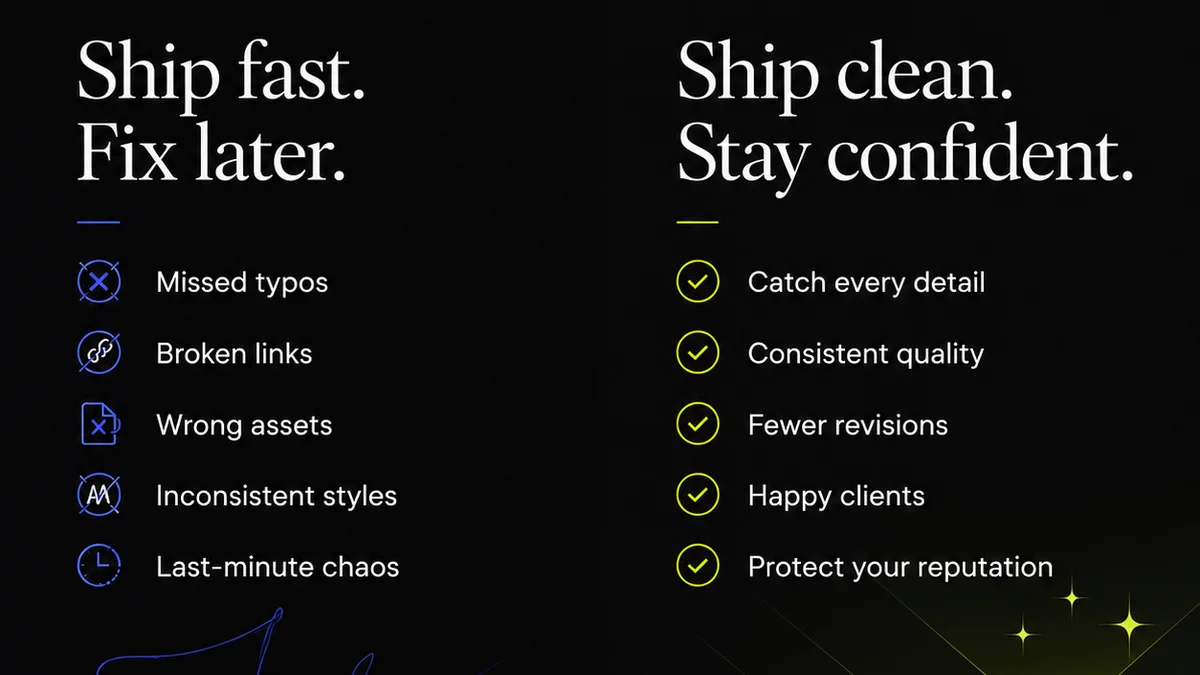
Managing client feedback and revisions can be a chaotic process, especially when dealing with large projects or multiple stakeholders. This chaos directly impacts your website’s effectiveness and your team’s ability to deliver.
Revue acts as the central nervous system for your creative workflow. When your marketing team is developing website content, landing pages, or even new service descriptions, feedback often comes from multiple sources: sales, project managers, even senior leadership.
Without a system, this feedback can get lost in email threads, Slack messages, or scribbled notes. Revisions are hard to track, and it’s unclear which version is the final approved one.
Revue centralizes all client and stakeholder feedback in one place. You can attach comments directly to specific versions of a design or document. This provides clear, actionable feedback, reducing misunderstandings and speeding up the revision process.
Furthermore, Revue offers clear visibility into the revision and approval stages. Everyone involved can see the status of feedback and approvals, ensuring that critical website updates or marketing collateral are never held up due to miscommunication. This streamlined process means your marketing team can launch updated content or campaigns faster, with greater confidence in quality.
7. Technical SEO and Performance Metrics
A great user experience is intertwined with good technical SEO. Google rewards sites that are fast, mobile-friendly, and easy to crawl.
Your UX audit should touch on these technical aspects, as they directly influence how users (and search engines) perceive your site.
Crawlability and Indexability
Can search engines easily find and understand your content?
- Check your `robots.txt` file for unintended blocks.
- Ensure your XML sitemap is up-to-date and submitted to search engines.
- Look for crawl errors in Google Search Console.
Structured Data (Schema Markup)
Help search engines understand the context of your content.
- Implement schema markup for services, local businesses, projects, etc.
- This can lead to rich snippets in search results, improving click-through rates.
HTTPS Security
Is your site secure? This is a basic expectation now.
- Ensure your entire site uses HTTPS.
- This builds trust with users and is a minor ranking signal.
Broken Links (Internal and External)
Broken links create a poor user experience and can harm SEO.
- Regularly audit your site for 404 errors.
- Fix internal links pointing to non-existent pages.
- Update or remove external links that no longer work.
Final Thought
You’re in the business of building tangible things. Your website should be built with the same precision and focus on user needs.
A UX audit isn’t a one-time task; it’s an ongoing commitment to ensuring your digital storefront is as reliable, accessible, and effective as your best construction project.
Are you truly making it easy for your next big client to find you, understand you, and hire you?
Frequently asked questions
What is a UX audit for a construction website?
A UX audit for a construction website is a process of evaluating your website's design and functionality from the perspective of your target users. It identifies usability issues, navigation problems, content clarity gaps, and performance bottlenecks to ensure potential clients can easily find information, understand your services, and become qualified leads.
Why is a UX audit important for construction marketing teams?
Construction marketing teams need a UX audit because a website is often the first point of contact for potential clients. A good user experience builds trust, showcases expertise, and guides visitors towards conversion. An audit helps uncover why potential clients might be leaving your site, failing to inquire, or choosing competitors.
What are the key areas to check in a UX audit for construction?
Key areas include understanding user journeys, auditing website structure and navigation, assessing content clarity and conversion focus (especially for services and portfolios), checking mobile responsiveness and speed, ensuring accessibility (WCAG compliance), optimizing lead generation points like forms and calls-to-action, and reviewing technical SEO aspects.
How does mobile responsiveness affect a construction website's UX?
Many potential clients research contractors on their mobile devices. If your site is not mobile-responsive, it will be difficult to read, navigate, and interact with. This leads to frustration, high bounce rates, and lost leads. A good mobile UX is crucial for capturing interest and driving inquiries.
How can Revue help with website content and feedback?
Revue centralizes feedback on website content and designs from all stakeholders, reducing confusion from scattered emails and messages. It provides clear version control and approval tracking, ensuring that website updates and marketing materials are revised efficiently and launched accurately, improving the overall quality and speed of content delivery.