Everyone talks about user experience, or UX, in the context of digital products. Apps, websites, software – that’s where the conversation usually stops. It’s easy to assume that for industries like construction, where tangible materials and physical spaces are king, UX is an afterthought, if it’s considered at all. None of that is wrong. But it’s incomplete.
The deeper truth is that the principles of good UX are universally applicable. In construction, a rigorous UX audit doesn't just improve a building's usability; it directly impacts efficiency, reduces costly errors, enhances client relationships, and drives measurable business growth.
1. The Invisible Costs of Poor UX in Construction
What does UX even mean for a construction project? It’s the sum total of how everyone involved – from the client and architect to the site crew and subcontractors – interacts with the project’s processes, information, and physical environment. When this experience is clunky, confusing, or inefficient, the costs add up faster than you might think.
Client Experience Breakdown
Clients expect clear communication, predictable timelines, and transparent budgeting. When project updates are sporadic, changes are poorly documented, or the final walkthrough reveals unmet expectations, the client experience suffers. This leads to:
- Increased client dissatisfaction and potential disputes.
- Damage to your firm’s reputation and future referral opportunities.
- Costly scope creep due to miscommunication.
- Extended payment cycles.
Operational Inefficiencies
Beyond the client, consider the daily grind for your teams. If site plans are hard to access, communication channels are fragmented, or change orders aren't managed systematically, work grinds to a halt. This translates to:
- Wasted time searching for information.
- Duplication of effort.
- Increased risk of errors and rework.
- Lowered team morale and productivity.
- Extended project timelines.
These aren’t just minor irritations. They are direct drains on your bottom line.
2. What a Construction UX Audit Actually Looks At
A UX audit in construction isn't about wireframing or usability testing in the digital sense. It’s a systematic review of all touchpoints and workflows that impact the project’s journey from conception to completion. It examines the 'how' and 'why' behind project interactions.
Client Communication & Onboarding
We scrutinize how clients are brought into the process. This includes:
- The clarity and completeness of initial proposals and contracts.
- The onboarding process – how well are client expectations set and understood?
- The channels and frequency of communication throughout the project.
- The ease with which clients can provide feedback or request changes.
Information Flow & Accessibility
Consider how critical project data moves:
- Are blueprints, specs, and revisions easily accessible to all necessary parties on-site and off-site?
- How are change orders documented, approved, and distributed?
- Is there a single source of truth for project documentation, or is information scattered across emails, drives, and physical paper?
- How is progress tracked and reported to stakeholders?
Site Experience & Safety
Even the physical site has a UX component:
- Is the site layout logical for efficient workflow?
- Are safety protocols clearly communicated and easily understood by all workers?
- Is there a clear process for reporting site issues or hazards?
Feedback & Revision Management
This is often the most chaotic part of a project:
- How is feedback collected from clients, architects, and inspectors?
- Is feedback specific, actionable, and clearly linked to project elements?
- How are revisions tracked, approved, and implemented?
- What is the process for ensuring the final product meets all specifications and client requirements?
The goal is to identify friction points – the moments where confusion, delay, or error is most likely to occur.
3. The Business Growth Multiplier Effect
Implementing changes based on a UX audit isn't just about fixing problems; it’s about unlocking potential. Better UX translates directly into tangible business benefits.
Enhanced Client Satisfaction & Retention
When clients feel informed, involved, and confident throughout the project, satisfaction skyrockets. This leads to:
- Repeat business.
- Stronger client loyalty.
- More positive testimonials and case studies.
- Increased likelihood of referrals.
Increased Operational Efficiency
Streamlined workflows and clear communication mean less wasted time and fewer mistakes. This results in:
- Faster project completion times.
- Reduced labor costs due to less rework.
- Better resource allocation.
- Improved profitability on each project.
Reduced Risk & Liability
Clear documentation, systematic change management, and improved communication minimize misunderstandings that can lead to disputes and costly legal battles. A well-audited process builds a stronger defense against potential claims.
Stronger Team Performance
When teams have the tools and processes to work efficiently, morale improves. Clear expectations and accessible information empower workers, leading to higher productivity and a more positive work environment.
Competitive Differentiation
In a crowded market, a reputation for exceptional client experience and smooth project execution is a powerful differentiator. It attracts higher-value clients and allows you to command premium pricing.
4. Implementing UX Improvements in Construction Workflows
An audit is only valuable if it leads to action. The key is to integrate UX thinking into your existing construction management processes.
Standardize Communication Protocols
Define clear channels and expectations for all project communication. Use templates for common updates and reports. Ensure all parties know who to contact for what, and when.
Centralize Project Documentation
Move away from scattered files. Implement a system where all project documents – plans, specs, RFIs, change orders, photos, reports – are stored, version-controlled, and accessible from anywhere.
Systematize Feedback and Approvals
Establish a formal process for collecting, reviewing, and approving feedback and change requests. This ensures nothing falls through the cracks and that decisions are clearly recorded.
Invest in User-Friendly Technology
Select project management software that prioritizes ease of use for all stakeholders, including field teams and clients. Look for platforms that centralize communication, documentation, and approvals.
Regularly Solicit Feedback (Internally and Externally)
Don’t wait for problems. Proactively ask clients and your team about their experience. Use post-project surveys and regular check-ins to identify areas for improvement.
Where Revue Fits In
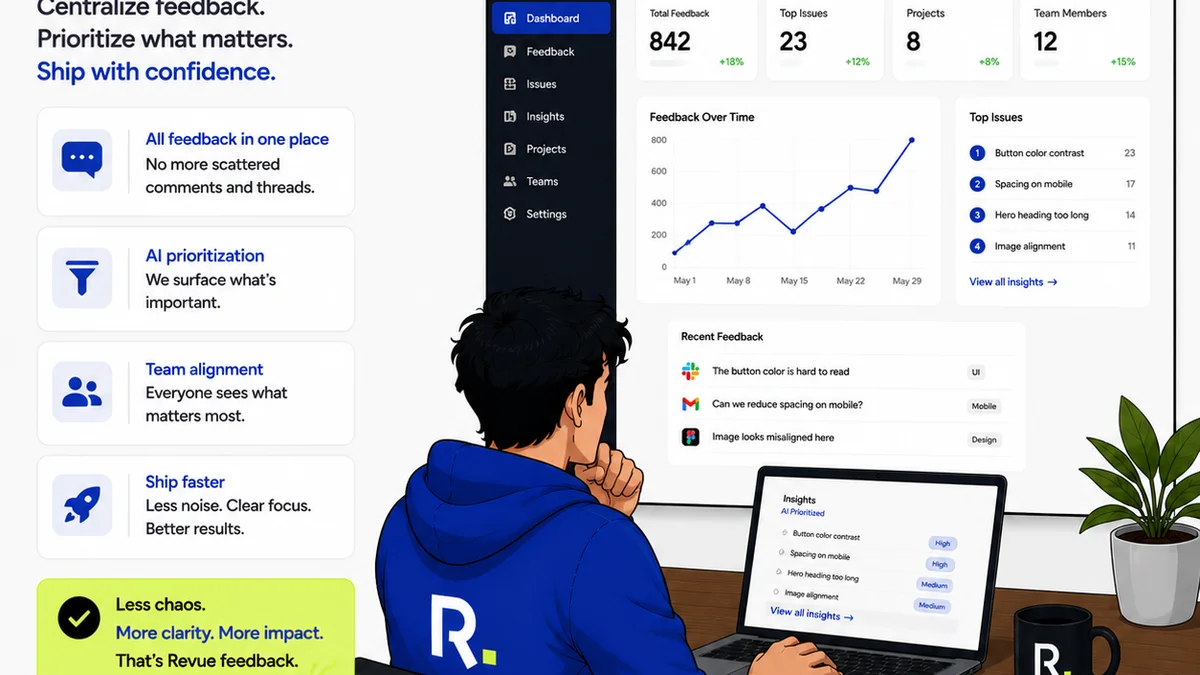
Managing the complex web of feedback, revisions, and approvals in construction projects is a significant UX challenge. Scattered emails, missed comments, and unclear sign-offs lead to delays, errors, and client frustration. This is precisely where a tool like Revue can transform your workflow.
Revue provides a centralized platform for managing all client feedback and design revisions. Instead of chasing down comments across multiple channels, you can see all feedback in one place, clearly linked to the specific project asset. This visibility ensures that no critical input is missed.
The platform streamlines the revision and approval process, making it clear what needs to be addressed, who is responsible, and when approvals are needed. This structured approach reduces ambiguity and speeds up decision-making.
Furthermore, by maintaining a clear, documented history of feedback and approvals, Revue acts as a crucial tool for quality control and accountability. It helps ensure that the final deliverable aligns perfectly with client expectations and project specifications, minimizing costly disputes and rework.
5. Measuring the ROI of a UX Audit
The impact of a UX audit and subsequent improvements can be quantified. Track key metrics before and after implementation:
- Project Completion Time: Are projects finishing faster?
- Number of Rework Instances: Is the need for corrections decreasing?
- Client Satisfaction Scores: Are clients happier with the process and outcome?
- Budget Adherence: Are projects staying closer to budget due to fewer unexpected issues?
- Team Productivity: Are teams reporting less time wasted on administrative tasks or confusion?
- Number of Disputes/Change Orders: Is the rate of contentious changes or disputes declining?
Demonstrating these improvements ties the abstract concept of UX directly to concrete business growth and profitability.
Final Thought
The construction industry is built on precision, planning, and execution. Yet, the human element – the experience of interacting with the project – is often left to chance. By applying the principles of UX auditing and continuous improvement, construction firms can move beyond simply building structures to building better, more profitable, and more satisfying project experiences. Is your firm ready to build a better experience?
Frequently asked questions
What is a UX audit in the context of construction?
A UX audit in construction systematically reviews all interactions and processes that stakeholders (clients, teams, subcontractors) have with a project. It identifies friction points in communication, information flow, feedback loops, and site experience to improve efficiency and satisfaction.
How does a UX audit contribute to business growth in construction?
By improving client satisfaction and retention, increasing operational efficiency (reducing costs and timelines), minimizing risks and disputes, and enhancing team performance, a UX audit directly leads to increased profitability and a stronger market position.
Is a UX audit only for digital aspects of construction?
No. While digital tools are part of it, a construction UX audit focuses on the entire project journey, including client onboarding, communication protocols, information accessibility (plans, specs), site logistics, and the feedback/revision process – both digital and physical touchpoints.
What are the key areas examined in a construction UX audit?
Key areas include client communication and onboarding, information flow and accessibility, site experience and safety, and the management of feedback and revisions. The goal is to find and fix points of confusion, delay, or error.