Everyone assumes UX design is only for consumer apps, sleek websites, or maybe enterprise software. That’s not wrong, but it’s incomplete.
The real truth? UX principles can and should apply to *any* digital tool where humans interact with information and processes. Especially in complex, high-stakes industries like construction.
1. Understanding the Construction User
Construction professionals aren’t sitting at desks all day. They’re on-site, in challenging environments, under pressure. Their digital tools need to reflect this reality.
Who are these users?
- Project Managers
- Site Superintendents
- Foremen
- Skilled Tradespeople
- Architects and Engineers (on-site or remote)
- Clients and Stakeholders
Their needs are distinct. They need quick access to critical information, simple data input, and clear visual cues. Complex workflows and dense interfaces are roadblocks, not accelerators.
The Mobile-First Imperative
A tablet or smartphone is often the primary digital device on a construction site. This isn't a secondary consideration; it's the core requirement.
Design for touch targets that are large enough for gloved hands. Ensure readability in bright sunlight. Prioritize offline functionality for areas with spotty connectivity.
2. Simplifying Complex Workflows
Construction projects involve intricate, multi-stage processes. Digitizing these without careful UX consideration can create more problems than it solves.
Think about common construction tasks:
- Daily reporting
- Material tracking
- Safety inspections
- RFI (Request for Information) management
- Change order processing
- Punch lists
Each of these can become a labyrinth of forms, approvals, and status updates. Good UX cuts through that.
Streamlining Data Entry
Minimize typing. Use dropdowns, pre-filled fields, and barcode scanning where possible. Allow for photo and video attachments to provide context.
Example: Instead of a free-text field for material status, use clear buttons like 'Delivered,' 'Installed,' or 'Backordered.' Add a quick option to snap a photo of the delivered materials.
Visualizing Progress
Construction thrives on visual progress. Gantt charts are standard, but on-site, simpler visual indicators are often more effective.
Consider dashboards that show:
- Overall project completion percentage (visual gauge)
- Upcoming critical tasks (color-coded by priority)
- Open issues or safety hazards (map-based or list view)
A clear, at-a-glance view prevents critical details from getting lost in lengthy reports.
3. Enhancing Collaboration and Communication
Construction is inherently collaborative. Digital tools should facilitate, not hinder, this.
Miscommunication leads to costly errors and delays. The goal of UX here is to ensure everyone is working with the same, up-to-date information.
Centralizing Information
Project plans, specifications, permits, and daily logs need to be accessible to the right people at the right time. A poorly organized digital repository is as bad as a lost paper file.
Ensure a clear information architecture. Use robust search functionality. Implement version control for documents.
Contextual Feedback Loops
When an issue arises—a discrepancy in plans, a safety concern—the feedback needs to be immediate and tied to the specific element.
Imagine a superintendent marking up a digital plan on a tablet, directly annotating a specific wall section with a note about a plumbing issue. That annotation should immediately flag the relevant subcontractor and project manager.
This is where a tool designed for clear feedback and revision tracking becomes invaluable.
4. Prioritizing Safety and Compliance
Safety is paramount in construction. Digital tools can play a crucial role in reinforcing safety protocols and ensuring compliance.
Think about:
- Mandatory safety checklists before starting certain tasks
- Easy reporting of near-misses or hazards
- Access to safety data sheets (SDS) for materials
- Real-time alerts for hazardous conditions (e.g., weather warnings)
The UX should make these critical functions impossible to ignore, but not overly burdensome.
Onboarding and Training
New team members or subcontractors need to quickly understand safety procedures and how to use site-specific digital tools. Intuitive design is key to effective, rapid onboarding.
If a tool is difficult to use, people will revert to old, less safe habits. Good UX reinforces good behavior.
5. Leveraging Data for Continuous Improvement
Construction generates a massive amount of data. UX design helps transform this raw data into actionable insights.
What can you track and analyze?
- Task completion times
- Material usage and waste
- Common safety violations
- RFI turnaround times
- Punch list item frequency
A well-designed dashboard can highlight trends that inform future project planning, resource allocation, and risk management.
Predictive Analytics
Over time, the data collected through user-friendly interfaces can feed predictive models. Identifying patterns associated with delays or cost overruns allows for proactive intervention.
This moves beyond just reporting what happened to predicting what *might* happen.
Where Revue Fits In
Managing the flow of information, feedback, and approvals in construction projects is notoriously difficult. Even with specialized software, gaps can emerge.
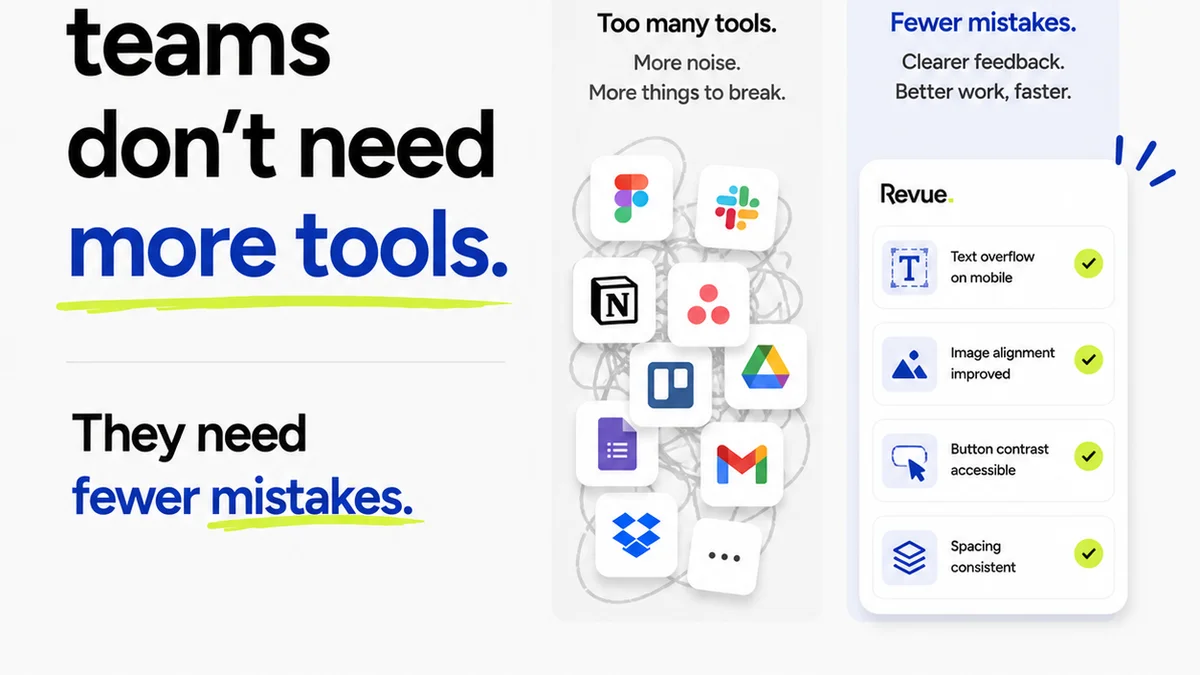
Revue acts as a central hub for creative and client feedback, streamlining the review and approval process. While not built specifically for construction blueprints, the core principles of centralized feedback, clear revision tracking, and quality control are universally applicable to managing digital assets and communication within any project.
Imagine using Revue to manage the feedback cycle on architectural renderings, marketing materials for a development, or even complex 3D models. It ensures that all comments are captured, addressed, and approved in one place, reducing the risk of miscommunication and ensuring all stakeholders are aligned.
This centralizes the often-chaotic communication surrounding project deliverables, ensuring that feedback isn't lost in email chains or scattered across multiple platforms.
Final Thought
The construction industry is rapidly digitizing. But simply putting paper processes online isn't enough. True digital transformation requires a focus on the people using the tools.
Are your digital tools built for the realities of the construction site, or are they forcing site realities into outdated digital molds?
Frequently asked questions
What is UX design and why is it relevant to construction?
UX (User Experience) design focuses on creating digital products that are easy, efficient, and enjoyable to use. In construction, this means designing software and digital tools that are intuitive for on-site professionals, simplifying complex tasks, improving communication, and enhancing safety and compliance.
How can UX design improve efficiency on a construction site?
By simplifying data entry, streamlining workflows, and providing quick access to critical information via mobile-friendly interfaces, UX design reduces the time spent on administrative tasks and minimizes errors. This allows teams to focus more on the actual construction work.
What are the key considerations for designing UX for construction professionals?
Key considerations include a mobile-first approach, designing for harsh environments (e.g., readability in sunlight, large touch targets), simplifying complex processes, prioritizing offline functionality, and ensuring clear visual communication of progress and issues.
How does UX design contribute to safety in construction?
UX design can make safety protocols more accessible and actionable. This includes designing mandatory safety checklists, simplifying hazard reporting, providing easy access to safety documentation, and using clear alerts for dangerous conditions, thereby reinforcing safe practices.