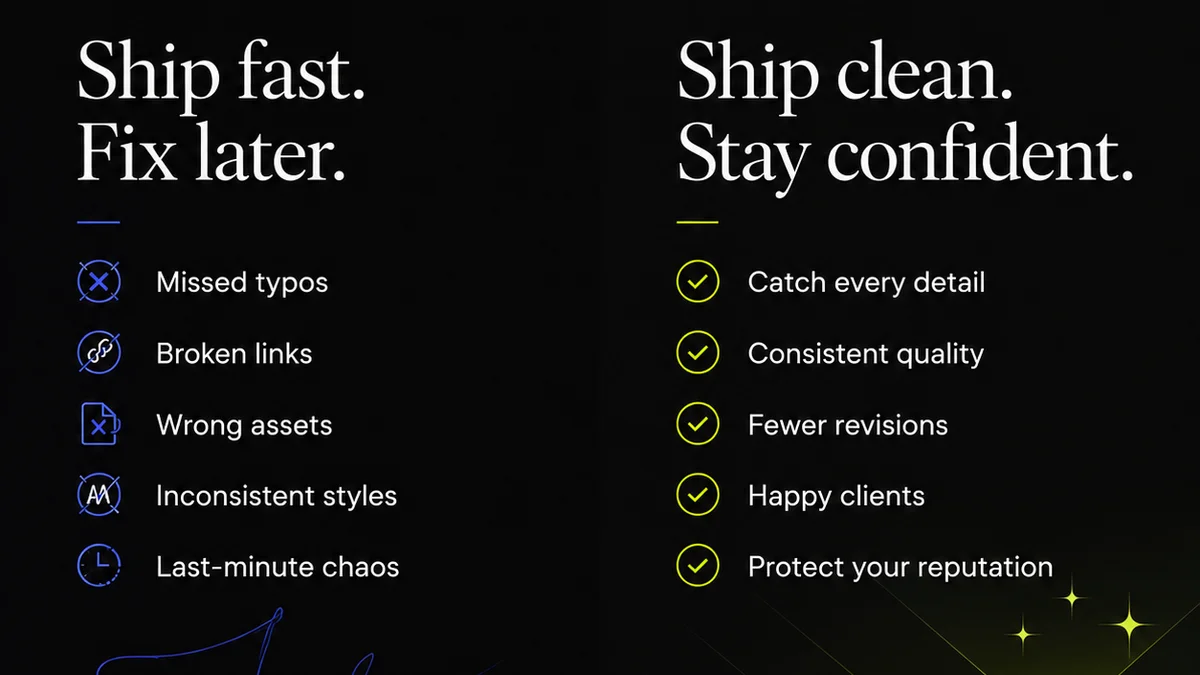
Everyone thinks visual annotation is just about drawing boxes and arrows on a screenshot. It’s about making comments visible, right? That’s part of it. But it’s not the whole story.
The hard truth? Poorly managed visual annotation creates more confusion than clarity. It becomes another bottleneck, not a solution. It’s a powerful tool, but only when wielded with strategy.
This isn’t about mastering a new piece of software. It’s about understanding how to integrate visual feedback into your workflow so it actually speeds things up, not slows them down.
1. Defining the Problem: Why Annotation Fails
Bad annotation habits kill projects. They bloat revision cycles and breed designer-client friction. Think about it:
- Vague comments that leave designers guessing.
- Too many cooks, each with their own annotation tool.
- Feedback buried in email threads or Slack channels, disconnected from the visual asset.
- No clear process for who annotates, when, and how.
This chaos leads to missed feedback, duplicated effort, and a general sense of frustration.
It makes the creative process feel more like an interrogation than a collaboration.
The Illusion of Clarity
A red circle on an image feels definitive. But without context, it’s just a mark. Is it a suggestion? A critical error? A typo? The intended meaning is lost.
This is where most teams stumble. They rely on the visual mark itself, forgetting the crucial need for clear, actionable text accompanying it.
2. The Core Principles of Effective Annotation
Effective visual annotation is about communication, not just marking up. It’s a bridge between client intent and creative execution. Here’s how to build that bridge strong:
2.1. Context is King
Every annotation needs context. Why is this change being requested? What problem does it solve? A simple comment like “Change this” is useless.
Instead, try:
- “This headline feels a bit long for the available space. Can we shorten it to improve readability on mobile?”
- “The button color here doesn’t meet accessibility contrast ratios. Let’s use a darker shade from our approved palette.”
- “This image feels a little generic. Can we explore options that better reflect the client’s brand personality?”
This level of detail ensures designers understand the 'why' behind the 'what'.
2.2. Be Specific, Not Vague
Vagueness is the enemy of efficient feedback. “Make it pop” is a classic offender. What does “pop” mean in this context?
Be precise. If you want something to be more prominent, state how: “Increase the font size of the H1 by 4px” or “Add a subtle drop shadow to the CTA button to make it stand out.”
2.3. Single Source of Truth
Multiple people annotating the same asset in different tools or documents is a recipe for disaster. It creates conflicting feedback and makes tracking revisions impossible.
Centralize your feedback. Use a platform where all comments and annotations live in one place, linked directly to the asset being reviewed.
2.4. Actionable Items Only
Not all feedback requires a visual mark. Some comments are general thoughts or questions. Reserve visual annotations for specific, actionable feedback that directly relates to the visual element.
If it’s a strategic question about the overall direction, that might be better handled in a separate conversation or comment thread not tied to a specific pixel. But if it’s about the placement of an element, its color, or its size, annotate it.
3. Structuring Your Annotation Workflow
A process makes annotation effective. Without one, it’s just noise. Think about these stages:
3.1. Pre-Annotation Briefing
Before clients or stakeholders even see an asset, establish clear review guidelines. What are they looking for? What’s out of scope for this round?
A quick kickoff call or a clear brief can prevent subjective, off-the-cuff remarks that derail the project.
3.2. Designated Annotators
Who is authorized to provide feedback? Not everyone needs to be a reviewer. Limit the number of people annotating to key stakeholders and decision-makers.
This prevents conflicting opinions and reduces the volume of feedback.
3.3. Scheduled Review Periods
Don’t let feedback requests drag on indefinitely. Set clear deadlines for review and annotation. This keeps the project timeline on track.
Communicate these deadlines clearly. Use tools that allow for timed review periods.
3.4. Annotation & Response Protocol
Once feedback is in, how is it processed? The design team needs a clear protocol for:
- Reviewing all annotations.
- Consolidating conflicting feedback.
- Responding to comments (accepting, rejecting with reason, or clarifying).
- Updating the asset and re-issuing for review.
This structured approach ensures nothing falls through the cracks.
4. The Right Tools for the Job
The tool is less important than the process, but the right tool makes the process smoother. Avoid the email-and-screenshot swamp.
Look for platforms that offer:
- Direct visual annotation on images, PDFs, and web pages.
- Comment threads tied to specific elements.
- Version control and revision history.
- Clear user roles and permissions.
- Integration with other project management tools.
Tools like Figma, Adobe XD, and dedicated proofing platforms offer robust annotation features. The key is consistency.
Standardizing Across Teams
If you’re an agency, ensure all your teams and clients are using the same system. If you’re an in-house team, get buy-in from all departments. A unified approach is critical.
5. Where Revue Fits In
Managing feedback, especially visual feedback, is a core challenge for creative teams. Scattered comments, endless email chains, and unclear revisions lead to wasted time and client frustration.
Revue helps centralize this chaos. It acts as a single source of truth for client feedback on creative assets. Instead of relying on disparate annotation tools or lengthy email threads, all feedback, annotations, and approvals live within Revue, directly linked to the specific version of the asset being reviewed.
This visibility ensures everyone is on the same page. Designers know exactly what needs to be revised, clients can track the progress of their feedback, and project managers have a clear overview of the entire revision and approval process. It streamlines quality checks by ensuring all feedback is captured and addressed before final delivery.
6. Common Annotation Pitfalls to Avoid
Even with the best intentions, teams fall into predictable traps. Watch out for these:
6.1. The “Everything is a Critical Error” Approach
Marking every minor nitpick as a high-priority issue dilutes the impact of truly critical feedback. Prioritize your comments.
6.2. Annotating Without Authority
Allowing anyone and everyone to add annotations leads to conflicting directions and scope creep. Stick to your approved reviewer list.
6.3. Forgetting About Accessibility
When annotating UI elements, consider accessibility standards. For example, ensure sufficient color contrast. WCAG guidelines provide a solid framework.
6.4. Infrequent or Delayed Feedback
The longer feedback sits, the colder it gets. Schedule regular review cycles and stick to them. Prompt feedback keeps momentum.
Final Thought
Visual annotation isn't just about pointing out what's wrong. It's about collaborative problem-solving. When done right, it transforms a potentially messy part of the creative process into a clear, efficient, and productive exchange.
Is your team using annotation as a tool for clarity, or is it just adding to the noise?
Frequently asked questions
What is the most important aspect of visual annotation?
Context. Every annotation needs accompanying text explaining the 'why' behind the mark, not just the 'what'. This ensures designers understand the intent and can execute the feedback effectively.
How can I prevent conflicting feedback from multiple reviewers?
Designate specific stakeholders as authorized reviewers. Limit the number of people providing feedback to key decision-makers and ensure all feedback is consolidated into a single source of truth before designers act on it.
What's the difference between a general comment and a visual annotation?
Visual annotations are best reserved for specific, actionable feedback directly related to a visual element on the asset (e.g., color, placement, size). General strategic questions or broader thoughts are often better handled in separate conversations or comment threads.
How often should feedback be provided?
Feedback should be provided regularly and within set review periods. Avoid delayed or infrequent feedback, as it can halt project momentum and make revisions more difficult to manage. Establish clear review deadlines.