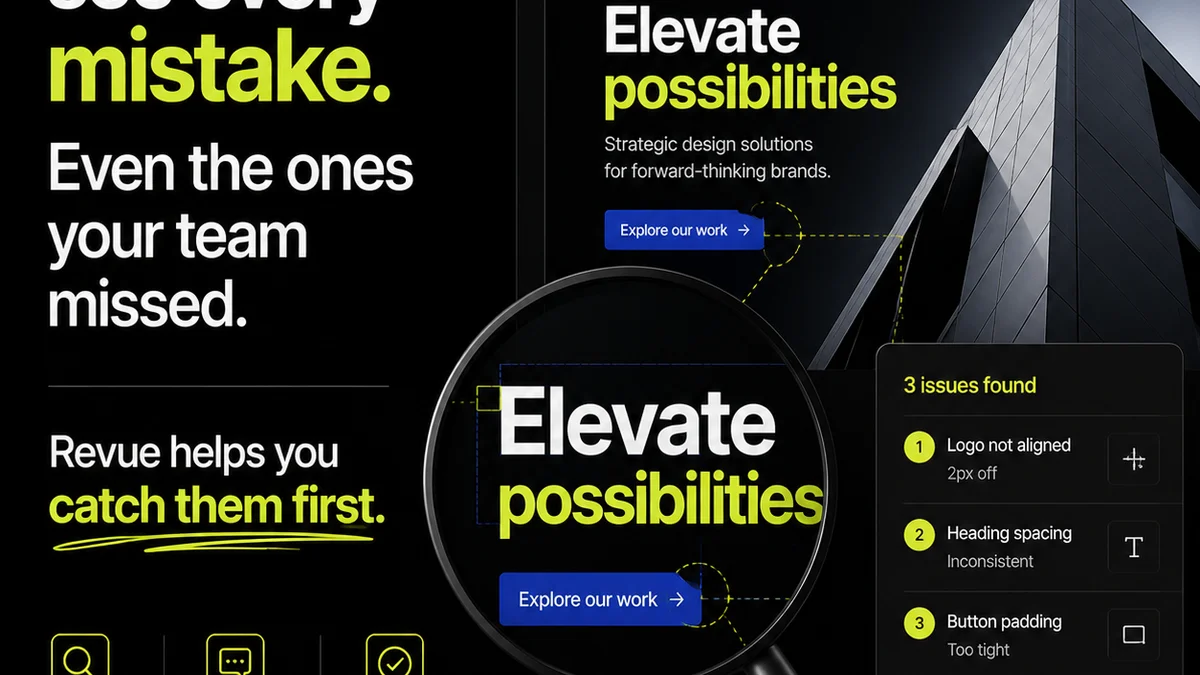
You think visual annotation software is just about drawing arrows and adding comments on images or videos. That’s what the marketing tells you, anyway. It’s about quick feedback, right?
None of that is wrong. But it’s incomplete.
For creative agencies and in-house teams, the real value of visual annotation software isn't the drawing tools. It's the operational efficiency it unlocks. It’s about turning messy feedback into clear, actionable tasks that move projects forward without breaking your workflow. That’s the hard truth.
1. Beyond the Markup: Version Control is Non-Negotiable
The most basic visual annotation tools let you scribble on a screenshot. Great for a quick Slack message, terrible for managing a client project with multiple revisions.
What you *really* need is robust version control. This means:
- Tracking every iteration of a creative asset.
- Clearly seeing which version is current, approved, and pending.
- Ability to compare different versions side-by-side or with overlays.
- Understanding the history of feedback and changes tied to specific versions.
Without this, you’re drowning in screenshots and emails, constantly asking, “Which version are we looking at?”
The 'Latest' Misconception
Clients often think the latest file they sent is the one you're working on. Your team knows the truth: the latest file might be superseded by a new round of feedback you haven't even processed yet.
Visual annotation software that handles versioning correctly acts as your single source of truth. It eliminates the ambiguity and saves hours of confusion per project.
2. Centralized Feedback: One Source to Rule Them All
Email threads, Slack DMs, Google Docs comments, scribbles on PDFs – feedback gets scattered. This is the death knell of efficient creative operations.
Your visual annotation tool *must* be the central hub for all feedback related to a specific creative asset.
This means:
- All comments and annotations are attached directly to the asset.
- Feedback is organized, searchable, and visible to the entire project team.
- Stakeholders know exactly where to go to leave and find feedback.
- No more hunting for that one crucial comment buried in an old email chain.
This centralization is key to managing client expectations and internal workflows.
The 'Easy' Way Out That Isn't
It’s easy to let feedback trickle in through various channels. It feels less confrontational, less like pushing back on a client. But the operational cost is immense.
A centralized system forces clarity. It shows clients the impact of their feedback and makes it easier for your team to process and act on it systematically.
3. Actionable Feedback Loops: From Comment to Task
A comment is just noise until it becomes an action. The best visual annotation software bridges the gap between feedback and execution.
Look for features that allow you to:
- Convert comments directly into actionable tasks.
- Assign tasks to specific team members.
- Set due dates for feedback resolution.
- Track the status of each comment/task (e.g., Open, In Progress, Resolved, Approved).
This transforms passive feedback into an active project management process.
The Illusion of Clarity
A client might leave a comment like “Make it pop more.” That’s not actionable. It’s a feeling, not a directive.
Good annotation tools encourage more specific feedback by providing context. When a comment is linked to a specific area of an asset and can be turned into a task, the client (and your team) is forced to be more precise. “Increase contrast by 15% in this section” is actionable. “Make it pop” is not.
4. Permissions and Roles: Keeping the Right People in the Loop
Not everyone needs to see or approve everything. Managing access is crucial for maintaining project integrity and avoiding scope creep.
Your visual annotation software should offer granular control over:
- Who can view assets.
- Who can leave comments.
- Who can resolve comments or mark them as approved.
- Different user roles (e.g., client, reviewer, designer, project manager).
This prevents unauthorized changes and ensures that only designated stakeholders provide final approval.
The 'Everyone's Invited' Trap
It’s tempting to CC everyone on feedback emails or grant broad access to review links. This seems inclusive, but it often leads to conflicting opinions and decision paralysis.
Controlled access ensures that feedback comes from the right channels and that approvals are definitive, not just a chorus of opinions.
5. Integration Capabilities: Connecting the Dots
Your annotation tool doesn't live in a vacuum. It needs to play well with your existing tech stack.
Consider integrations with:
- Project management tools (e.g., Asana, Trello, Jira).
- Cloud storage (e.g., Google Drive, Dropbox, Box).
- Communication platforms (e.g., Slack, Microsoft Teams).
- Design tools (e.g., Adobe Creative Suite, Figma).
Seamless integration means feedback automatically flows into your project tasks, and assets are easily accessible without constant uploading and downloading.
The Siloed System Problem
A standalone annotation tool that requires manual data transfer creates friction. It adds steps, increases the chance of errors, and slows down the entire process.
Think about how the feedback captured will translate into tasks in your PM tool. Can it happen automatically? If not, you're adding manual work.
Where Revue Fits In
Visual annotation is a critical part of the creative feedback loop. But it’s just one piece of a larger puzzle.
Revue is built to manage the entire process, from initial brief to final sign-off. Our platform centralizes client feedback – including that generated via annotation – and provides clear visibility into revision and approval stages.
We help you track every version, manage stakeholder approvals, and ensure quality checks are completed. It’s about taking the chaos out of creative production and putting clarity and control in.
Final Thought
The right visual annotation software isn't just a digital whiteboard. It's a linchpin of efficient creative operations. It’s about reducing friction, clarifying communication, and ensuring that every mark-up serves the ultimate goal: delivering great creative, on time and on budget. Are you using yours to its full potential, or is it just another tool gathering digital dust?
Frequently asked questions
What is the primary benefit of visual annotation software for agencies?
Beyond basic markup, the primary benefit is streamlining the feedback and approval process by centralizing comments, tracking versions, and turning feedback into actionable tasks, thereby reducing confusion and saving time.
Why is version control so important in annotation tools?
Version control is critical because it ensures everyone is referencing the same iteration of an asset, tracks the history of changes, and prevents confusion caused by multiple, overlapping feedback rounds on different file versions.
How can visual annotation software improve client communication?
By centralizing feedback on specific assets and allowing comments to be converted into clear, actionable tasks, it forces more precise communication from clients and provides a transparent record of discussions and decisions.
Should visual annotation software integrate with other tools?
Yes, integration with project management, cloud storage, and design tools is highly beneficial. It minimizes manual data transfer, reduces errors, and ensures feedback seamlessly flows into the broader project workflow.