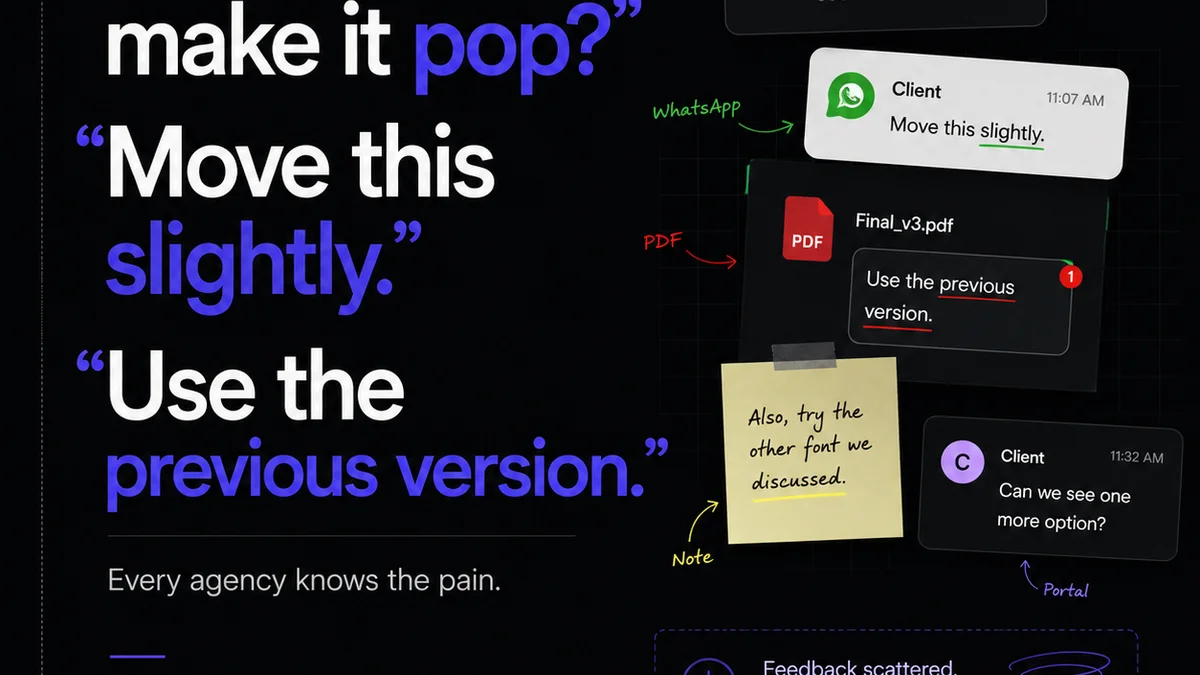
Everyone talks about feedback loops. They’re essential for creative projects, right? You get feedback, you make changes, you send it back. Rinse and repeat.
None of that is wrong. But it’s incomplete.
The hard truth is that most visual feedback processes are broken. They’re chaotic, inefficient, and frankly, a major source of stress for both agencies and clients. The assumption that simply *having* a feedback process is enough is a dangerous one.
A truly effective visual feedback loop isn’t just about collecting comments; it’s about clarity, context, and control. It’s about turning potentially messy communication into a streamlined, productive workflow.
1. The Problem With 'Good Enough' Feedback
What does a typical feedback process look like? Emails get lost. Comments are vague. Stakeholders step on each other's toes. Revisions pile up, and suddenly, you’re weeks behind schedule, arguing over tiny details that should have been ironed out on day one.
This isn’t a sign of bad people. It’s a sign of a bad system.
Common symptoms include:
- Endless revision rounds for minor tweaks.
- Client frustration over misunderstood feedback.
- Team members working on outdated versions.
- Difficulty tracking who said what and when.
- Scope creep disguised as 'just a small change'.
- Missed deadlines and budget overruns.
These issues aren't just annoying; they erode profitability and damage client relationships.
2. Defining the 'Visual' in Visual Feedback
Visual feedback needs to be just that: visual. Abstract comments like 'make it pop' or 'I don't like the vibe' are useless without context.
The best feedback connects directly to the asset being reviewed. This means:
Pinpointing Issues
Comments should be attached to specific elements. A system that allows users to click on an area of an image or design and leave a comment there is crucial. This eliminates ambiguity.
Contextual Clarity
Why is the feedback being given? Is it about brand guidelines, user experience, accessibility, or a specific client request? Providing context helps the creative team understand the 'why' behind the 'what'.
Clear Calls to Action
Feedback should imply a clear next step. Is it a suggestion, a mandatory change, or a question? This needs to be discernible.
3. Establishing a Centralized Hub
Scattered feedback is lost feedback. Relying on email chains, Slack messages, or even shared documents creates silos.
The core of an effective visual feedback loop is a single source of truth. This hub should:
- Aggregate all comments and revisions in one place.
- Allow multiple stakeholders to provide input without conflict.
- Maintain a version history of the creative asset.
- Provide clear visibility into the status of each review.
Think of it as mission control for your creative projects. Everything comes in, gets processed, and goes out from one central point.
4. Streamlining the Revision and Approval Process
Collecting feedback is only half the battle. Acting on it and getting formal approval is the other.
Organizing Feedback
Once feedback is centralized, it needs to be organized. This often means categorizing comments (e.g., by stakeholder, by priority, by type of change) and assigning them to specific team members.
Managing Revisions
Every change made should be tracked. This isn't just for historical purposes; it helps prevent accidental reintroductions of previously addressed issues. A clear workflow for marking revisions as complete is vital.
Securing Approvals
The final sign-off needs to be unambiguous. A formal approval status, ideally linked to the specific version of the asset, removes doubt and prevents 'he said, she said' scenarios later.
5. The Role of Quality Assurance
Before any creative asset goes to the client, or certainly before it goes live, it needs a quality check. This is where feedback loops often break down – they stop at 'approval' and miss the final validation step.
Check Against Brief
Did the final approved version actually meet the original project brief? Sometimes, in the thick of revisions, the core objectives can get lost.
Check Against Feedback
Were all the *agreed-upon* revisions implemented correctly? A quick QA pass can catch errors or omissions.
Check for Consistency
Across a project, or even within a single asset, consistency is key. QA ensures that all elements align with design systems and brand standards.
6. Where Revue Fits In
Building an effective visual feedback loop requires the right tools. Relying on a patchwork of generic communication platforms often leads to the chaos we’ve described.
Revue provides a centralized platform designed for creative workflows. It allows you to:
- Centralize Client Feedback: All comments are gathered in one place, attached directly to the visual asset, eliminating lost emails and scattered messages.
- Manage Revisions and Approvals: Track the status of each revision, see who has approved what, and maintain a clear history, preventing scope creep and misunderstandings.
- Run Quality Checks: Ensure that all feedback has been addressed and that the final output aligns with the project brief before final delivery.
This structured approach turns feedback from a bottleneck into a catalyst for better creative work.
Final Thought
Is your current feedback process a source of friction or a facilitator of creativity? The difference often lies not in the talent of your team, but in the rigor of your system. Rethink your approach to visual feedback – your projects, your clients, and your sanity will thank you.
Frequently asked questions
What is a visual feedback loop?
A visual feedback loop is a structured process for collecting, organizing, and acting upon feedback directly related to visual creative assets like designs, images, or videos. It ensures comments are specific, contextual, and lead to clear revisions and approvals.
Why are traditional feedback methods often ineffective?
Traditional methods, like email chains or scattered messages, often lead to lost comments, lack of context, version control issues, and difficulty tracking approvals. This results in wasted time, miscommunication, and project delays.
How can I make feedback more specific?
Use tools that allow commenting directly on specific areas of the visual asset. Encourage stakeholders to explain the 'why' behind their feedback and clearly state the desired action, rather than using vague statements.
What is the role of a centralized hub in feedback?
A centralized hub, like Revue, acts as a single source of truth for all feedback. It aggregates comments, manages versions, tracks revisions, and provides clear visibility to all stakeholders, preventing confusion and streamlining the entire process.
How does QA fit into the feedback loop?
Quality Assurance (QA) is the final step in a robust feedback loop. It involves checking the approved asset against the original brief, ensuring all agreed-upon revisions are correctly implemented, and verifying consistency before final delivery.