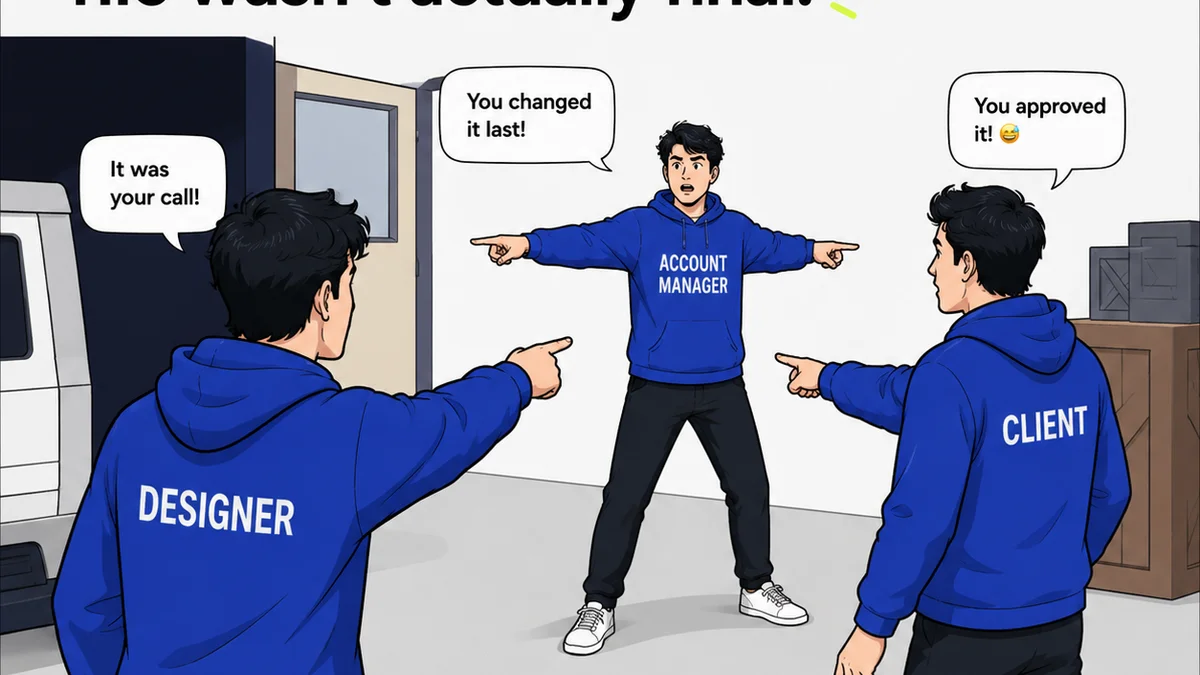
You’ve probably heard that good visual feedback workflow software is key to agency success. That it helps manage revisions, keep clients happy, and speed up project delivery. None of that is wrong. But it’s incomplete.
The hard truth? Most agencies get bogged down in the *wrong* features, or they misunderstand what *truly* makes a workflow tool effective. They chase shiny objects instead of focusing on the operational bedrock that prevents chaos.
1. Centralized Feedback: The Single Source of Truth
Scattered feedback is the death knell of efficient creative projects. Emails, Slack messages, random Word docs, scribbled notes on printouts – it’s a recipe for missed details and endless back-and-forth.
The primary function of any visual feedback software must be to consolidate all stakeholder input into one accessible place. This isn't just about convenience; it's about establishing a single, verifiable record.
Why Centralization Matters
- Eliminates Duplication: No more hunting for the latest version of feedback.
- Reduces Misinterpretation: Context is preserved when comments are tied directly to the visual asset.
- Improves Accountability: Clear who said what, when, and about which version.
- Streamlines Revisions: Designers work from a definitive list, not a patchwork of messages.
Think of it as the difference between a disorganized pile of sticky notes and a meticulously organized project binder. Which one would you rather work from?
Key Features to Seek
- Direct Annotation: Ability to click on an image, video, or PDF and leave a comment.
- Version Control Integration: Automatic versioning so feedback is always linked to the correct iteration.
- User Role Management: Differentiate between client, internal team, and stakeholder feedback.
- Comment Threading: Keep conversations organized and focused on specific points.
If your current system requires copying and pasting feedback from one tool to another, you’re already fighting a losing battle.
2. Revision and Approval Visibility: Clarity Over Confusion
Beyond just collecting feedback, the workflow software must provide crystal-clear visibility into the revision and approval process. This is where many tools fall short, offering basic status updates that don’t reflect the reality of agency work.
True visibility means understanding not just *if* something is approved, but *who* approved it, *when*, and *what* revisions were made as a result. It’s about building trust and managing expectations proactively.
The Problem with Opaque Workflows
When approvals are murky, blame often lands on the creative team. “The client hated it” becomes the easy excuse. But often, the issue is a lack of structured communication leading up to that point.
Confusion breeds delays. Delays breed frustration. Frustration breeds unhappy clients and burned-out teams.
What Real Visibility Looks Like
- Clear Approval Status: Beyond 'Pending' or 'Approved,' show 'Needs Revision,' 'Approved with Notes,' etc.
- Audit Trails: A complete history of every action taken, every comment made, every approval given.
- Automated Notifications: Keep all parties informed of status changes without manual chasing.
- Deadline Tracking: Integrate feedback and revision timelines to manage project momentum.
This level of transparency is crucial for managing client relationships and protecting your team from unreasonable demands or scope creep.
3. Quality Assurance Checks: Preventing Rework
Many agencies view QA as a final, often rushed, step. But the best visual feedback workflow software integrates QA *into* the process, catching issues before they become costly rework.
This means more than just a final sign-off. It’s about embedding checks and balances throughout the creative lifecycle, ensuring accuracy, brand consistency, and technical correctness.
The Cost of Skipping QA
A missed typo in a headline. A logo used incorrectly. A button that doesn’t meet accessibility standards. These aren't minor oversights; they're potential brand damage and wasted billable hours.
Proactive QA saves money. It saves time. It saves face.
Integrating QA into Workflow
- Brand Guideline Checks: Can the system flag incorrect logo usage or color palette violations?
- Accessibility Verifiers: Tools that can check contrast ratios or alt text compliance.
- Cross-Browser/Device Testing Integration: Links or views that facilitate checking across platforms.
- Proofreading Tools: Built-in or integrated spell-check and grammar tools.
Think of your feedback tool as a gatekeeper, not just a messenger. It should actively help you uphold standards.
4. Integration Capabilities: Connecting Your Stack
No software exists in a vacuum. The most effective visual feedback workflow solutions don't try to be everything; they integrate seamlessly with the tools you already use.
This means connecting with project management platforms, design software, and communication channels. It’s about creating a cohesive ecosystem, not another silo.
The Silo Problem
If your feedback tool requires manual data transfer to your PM tool, or if designers have to constantly switch to check comments in a separate app, efficiency plummets. Context switching is a productivity killer.
The goal is frictionless workflow, not adding more steps.
Essential Integrations
- Design Software: Plugins for Adobe Creative Suite, Figma, Sketch.
- Project Management: Connections to Asana, Jira, Monday.com, Trello.
- Cloud Storage: Links to Google Drive, Dropbox, OneDrive.
- Communication: Notifications to Slack or Microsoft Teams.
A tool that plays well with others amplifies the value of your entire tech stack.
5. User Experience (UX): For Everyone Involved
This is often overlooked. A tool can have all the features in the world, but if it's clunky, confusing, or difficult to use, adoption will fail. This applies to both your internal team and your clients.
A clean, intuitive interface reduces the learning curve, minimizes errors, and actually encourages people to use the system correctly.
The UX Impact
- Client Adoption: If clients find it difficult, they’ll revert to email.
- Team Efficiency: A slow or confusing interface wastes valuable time.
- Reduced Errors: Intuitive design minimizes mistakes in feedback or approvals.
Don't underestimate the power of a well-designed user interface. It’s not just about aesthetics; it’s about operational efficiency.
Where Revue Fits In
This is why we built Revue. We saw agencies drowning in scattered feedback, struggling with opaque approval processes, and losing time to inefficient workflows.
Revue is designed from the ground up to address these core operational challenges. It provides a centralized hub for all visual feedback, directly annotated onto your creative assets.
Our platform offers clear revision and approval tracking, giving you an undeniable audit trail and keeping everyone aligned. No more guesswork about who signed off on what.
Furthermore, Revue incorporates features that aid in quality assurance, helping to catch inconsistencies before they escalate. And it integrates smoothly with your existing tools, reducing friction and boosting productivity.
Ultimately, Revue streamlines the entire creative review process, allowing your team to focus on what they do best: creating exceptional work.
Final Thought
The right visual feedback workflow software isn't just a nice-to-have; it's a fundamental operational tool. It’s the difference between a smooth, profitable project and one plagued by miscommunication and costly delays.
Are you looking for software that simply collects comments, or are you seeking a system that actively enhances your agency’s efficiency, clarity, and quality?
Frequently asked questions
What is the main benefit of visual feedback workflow software?
The primary benefit is centralizing all feedback on visual assets into a single source of truth. This eliminates confusion, reduces misinterpretation, and streamlines the revision process by ensuring everyone works from the same, clear set of comments and approvals.
How does this software help with client approvals?
It provides clear visibility into the approval process with audit trails, status updates, and notifications. This transparency helps manage client expectations, confirms who approved what and when, and reduces disputes over sign-offs.
Can visual feedback tools improve the quality of creative work?
Yes, by integrating quality assurance checks into the workflow. Features like brand guideline verification, accessibility checks, and proofreading tools can help catch errors early, preventing costly rework and ensuring higher quality output.
Why is integration with other tools important for feedback software?
Integration connects your feedback tool with your existing design, project management, and communication software. This creates a seamless workflow, reduces manual data transfer, minimizes context switching, and prevents feedback from becoming isolated in another silo.
What does 'user experience' mean in the context of feedback software?
User experience refers to how easy and intuitive the software is to use for everyone involved – your team and your clients. A good UX reduces the learning curve, minimizes errors, encourages adoption, and ultimately makes the entire feedback and approval process more efficient.