You're looking for a creative proofing tool. Maybe you've heard of Ziflow or GoVisually. It's easy to assume the best tool is the one with the most features, the slickest UI, or the lowest price tag. None of that is wrong. But it’s incomplete.
The real difference between Ziflow and GoVisually for US creative and marketing teams isn't just *what* they do, but *how* they fit into your existing workflow and the hidden operational costs they introduce.
1. The Illusion of Feature Parity
Ziflow and GoVisually both offer core proofing functionalities: file uploads, annotation tools, version control, and basic approval workflows. On the surface, they look similar.
Many teams get stuck here, comparing feature lists like comparing specs on a new laptop. Does it have real-time collaboration? Yes. Can it handle video proofs? Yes. Does it integrate with Slack? Yes.
But this view misses the crucial operational context.
The Hidden Costs of 'Free' or 'Cheap'
GoVisually often positions itself as a more affordable or even free alternative for smaller teams. This can be incredibly attractive. However, the 'free' or 'low-cost' tier often comes with limitations that push you towards paid plans faster than you anticipate.
- Limited user seats
- Restricted storage space
- Fewer integrations
- Basic reporting
When you outgrow these limits, the upgrade path can feel abrupt. The cost isn't just the subscription fee; it's the time spent migrating data, retraining users, and reconfiguring workflows.
The Enterprise Complexity Trap
Ziflow, on the other hand, often targets larger organizations with more complex needs. Their feature set can be more extensive, offering deeper customization, advanced reporting, and enterprise-grade security.
But this power comes with its own set of challenges:
- Steeper learning curve
- More complex setup and administration
- Potentially higher TCO (Total Cost of Ownership)
- Overkill for simpler needs
The risk here is investing in a system that's too complex for your actual day-to-day operations, leading to underutilization and frustration.
2. Workflow Integration: The Real Bottleneck
The most significant differentiator isn't the annotation tool itself, but how seamlessly it integrates into your *entire* creative process. This includes client communication, internal reviews, and final asset delivery.
Client Onboarding and Adoption
How easy is it for a client – especially one who isn't tech-savvy – to use the tool? This is critical for adoption and reducing internal support overhead.
GoVisually, with its simpler interface, might offer a quicker client onboarding experience for basic reviews. Ziflow, with its broader feature set, might require more client training but could offer more robust controls for larger, more demanding clients.
Consider the typical client you work with. Are they comfortable with a slightly more involved platform, or do they need point-and-click simplicity?
Internal Collaboration and Handoffs
Think about your internal team. Does the tool facilitate quick handoffs between designers, copywriters, and account managers? Does it integrate with your project management software? Does it provide clear audit trails for internal sign-offs?
This is where the deeper operational truth lies. A tool that creates friction in your internal process, even if it's great for client feedback, becomes a net negative.
Revision Management Clarity
Both tools handle revisions, but the *clarity* of that process matters. Can you easily see the delta between versions? Is it obvious which comments have been addressed and which are still open?
This isn't just about tracking; it's about reducing miscommunication. A muddy revision history leads to missed feedback and costly rework.
3. Scalability and Long-Term Value
Your agency or team isn't static. You'll grow, your client roster will change, and project complexity will evolve. How does each tool support this trajectory?
Pricing Models and Predictability
Understand the pricing tiers inside and out. Are you paying per user, per project, or a flat fee? How do overage charges work? Predictable costs are essential for budgeting.
GoVisually's tiered approach might seem budget-friendly initially, but watch out for the cost creep as your usage increases. Ziflow's enterprise focus might offer more predictable bulk pricing but requires a higher initial commitment.
Feature Evolution and Support
What is the vendor's track record for updates and customer support? A tool that's stagnant won't meet your future needs. Conversely, a tool with constant, disruptive updates can be equally problematic.
Look at their product roadmap (if available) and read reviews specifically about their customer support responsiveness. For US creative and marketing teams, timely support can be the difference between launching on time and missing a critical deadline.
Integration Ecosystem
Beyond basic integrations (like Slack or Google Drive), consider the deeper integrations. Does the tool play well with your DAM (Digital Asset Management) system? Your CRM? Your design software ecosystem (Adobe Creative Cloud, Figma)?
A tool that becomes another silo, requiring manual data transfer, is a drain on resources. The goal is a connected workflow, not another standalone application.
Where Revue Fits In
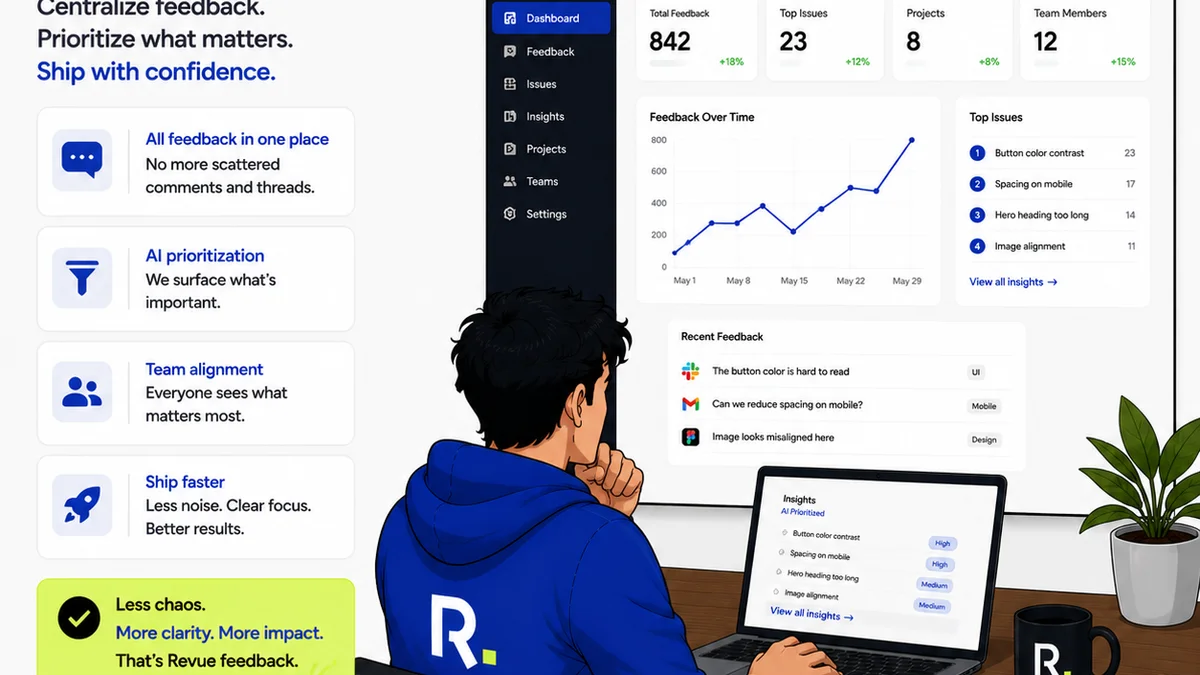
While Ziflow and GoVisually excel at the specific task of creative proofing and feedback, they don't address the entire spectrum of creative operations. This is where a platform like Revue becomes essential.
Revue is built to centralize *all* client feedback, whether it comes through email, chat, or even directly from a proofing tool. It provides a single source of truth, eliminating the chaos of scattered comments across multiple platforms.
Imagine this:
- Client feedback arrives in an email. Revue captures it.
- A stakeholder leaves a comment on a Ziflow or GoVisually proof. Revue syncs it.
- A quick Slack message clarifies a revision. Revue logs it.
This centralization gives you unparalleled visibility into the revision and approval process. You can track the status of every piece of feedback, understand the history of changes, and ensure quality checks are performed systematically before final delivery.
Revue doesn't replace your proofing tool; it complements it by bringing order to the feedback lifecycle, reducing the operational drag that often bogs down creative teams.
4. The Human Element: Culture and Adoption
Technology is only as good as the people using it. The best proofing tool in the world will fail if your team or clients resist adopting it.
Change Management
Implementing any new tool requires change management. How much effort will it take to get your team and your clients comfortable with Ziflow or GoVisually? This effort is an operational cost.
A tool that requires significant training or battles user resistance will never reach its full potential. Look for intuitive interfaces and clear benefits that outweigh the hassle of learning something new.
Feedback Culture
Does the tool encourage constructive feedback, or does it facilitate nitpicking and subjective commentary? The way feedback is captured and presented can influence the quality of the revisions.
A tool that makes it easy to add context to feedback, or to distinguish between critical issues and minor suggestions, fosters a healthier feedback culture.
Accountability and Ownership
Clear feedback loops create accountability. When comments are logged, assigned, and tracked, it’s easier to see who is responsible for what. This reduces the chances of feedback falling through the cracks.
Both Ziflow and GoVisually offer features to aid accountability, but the implementation and clarity of these features vary. Consider how well each tool maps to your existing accountability structures.
Final Thought
Choosing between Ziflow and GoVisually isn't just about checking boxes on a feature list. It’s about understanding the operational impact on your specific US creative or marketing team. Consider the client experience, the internal workflow friction, the true cost of scalability, and the crucial human element of adoption.
Which tool will genuinely streamline your process, reduce errors, and free up your team to do their best creative work, rather than adding another layer of complexity?
Frequently asked questions
What are the main differences between Ziflow and GoVisually for creative teams?
While both offer core proofing features, Ziflow often targets larger teams with more complex needs and a richer feature set, potentially leading to a steeper learning curve. GoVisually typically appeals to smaller teams with a simpler interface and a lower entry cost, but may have limitations that lead to quicker upgrade needs. The key difference lies in how each integrates into your specific workflow and the associated operational costs and complexities.
Which tool is better for client adoption?
GoVisually's simpler interface might offer easier adoption for less tech-savvy clients. Ziflow, while potentially requiring more client training, offers more robust controls that might be necessary for larger clients or more complex projects. The best choice depends on your typical client profile and their comfort level with digital tools.
How do these tools impact internal creative team workflows?
The impact depends on integration capabilities. A tool that seamlessly connects with your existing project management software, DAM, or design tools will reduce friction. Both Ziflow and GoVisually handle internal reviews, but the clarity of revision history, ease of handoffs, and audit trails are critical factors. A tool that adds complexity or silos feedback becomes a bottleneck.
What are the hidden costs to consider beyond the subscription price?
Hidden costs include the time and resources spent on client and team training, potential data migration if you outgrow lower tiers, the cost of integrations not included in the base plan, and the operational overhead of managing a complex tool that might be underutilized. For cheaper tools, watch out for limitations that force upgrades. For more complex tools, consider the total cost of ownership, including implementation and ongoing administration.
How does Revue complement tools like Ziflow or GoVisually?
Revue centralizes all client feedback, regardless of its source (email, chat, or proofing tools like Ziflow/GoVisually), into a single source of truth. It provides visibility into the entire revision and approval process, tracks feedback status, and ensures quality checks. It enhances, rather than replaces, proofing tools by bringing order to the feedback lifecycle and reducing operational drag.