Everyone’s talking about Adobe vs. Canva. The narrative usually goes: Adobe is for pros, Canva is for beginners. Adobe has power, Canva has ease of use. Simple, right?
None of that is wrong. But it’s incomplete.
The deeper truth is that the battle between Adobe and Canva in 2026 isn't about which tool has more filters or a fancier interface. It’s about fundamentally different approaches to creative workflow, team collaboration, and, ultimately, who owns the creative process.
1. The 'Pro' vs. 'Easy' Fallacy
For years, the line was clear. Adobe Creative Cloud—Photoshop, Illustrator, InDesign—was the industry standard. These are deep, complex applications built for professional control and pixel-perfect output. You need training. You need time. You need a powerful machine.
Canva, on the other hand, exploded by democratizing design. Drag-and-drop simplicity. Pre-made templates. Anyone could create something that *looked* decent, fast.
But that’s a historical view. Today, both platforms are blurring those lines. Adobe is pushing simpler tools like Adobe Express. Canva is adding more advanced features, aiming higher.
The Real Divide: Workflow Integration
The critical distinction isn't features; it's how these tools integrate into the broader creative ecosystem. And this is where agencies and in-house teams often get tripped up.
Are you looking for a standalone design tool, or a hub for your entire creative operation?
2. The Ecosystem Play: Cloud vs. Platform
Adobe's strategy is a sprawling ecosystem. Creative Cloud is a suite of powerful, interconnected applications. They talk to each other, but often require a certain level of technical proficiency to bridge the gaps effectively.
Think of it like a high-end workshop. You have specialized tools, each with its own purpose and learning curve. To get the best results, you need to master each one and understand how they fit together.
Canva's approach is different. It’s built as a unified platform. Everything is designed to work within that single environment. It’s more like a well-organized studio where everything is readily accessible and designed for immediate use.
Control vs. Accessibility
This difference impacts everything:
- Asset Management: Adobe’s libraries and cloud documents are powerful but can feel fragmented across different apps. Canva’s brand kits and design libraries are centralized and immediately usable within its platform.
- Collaboration: Adobe’s collaboration features are improving, but often rely on file sharing and version control external to the core design apps. Canva was built with real-time, in-app collaboration as a core tenet.
- Onboarding: Training for Adobe tools can take weeks or months. Onboarding for Canva is measured in hours or days.
The choice here isn't just about *making* the design; it's about how the design *process* flows.
3. The Scale of Operation
Agencies and large in-house teams operate at a different scale than individual freelancers or small businesses. This is where the Adobe vs. Canva debate often misses the mark.
For a solo designer or a small startup, Canva’s all-in-one platform might be a perfect fit. It streamlines the entire process from concept to final asset without needing deep technical expertise.
But for an agency juggling multiple clients, complex projects, and diverse teams, the limitations of a single-platform approach start to show.
The Agency Workflow Challenge
Consider the typical agency workflow:
- Client Briefing: Often done outside design tools.
- Concepting & Ideation: Might involve mood boards, sketches, wireframes.
- Design Production: This is where Adobe's suite traditionally shines for high-fidelity work.
- Internal Reviews: Iterations and feedback loops.
- Client Approvals: Formal sign-off stages.
- Production Hand-off: Delivering final assets in various formats.
- Asset Archiving: Storing and retrieving work for future use.
Canva can handle parts of this, especially the design production and some collaboration. Adobe’s suite, when integrated correctly, can manage more complex, high-fidelity production. But neither platform, on its own, perfectly orchestrates the entire symphony.
The real question is: which toolset better supports the *entire* workflow, not just the creation phase?
4. Beyond Pixels: The Role of Feedback and Approvals
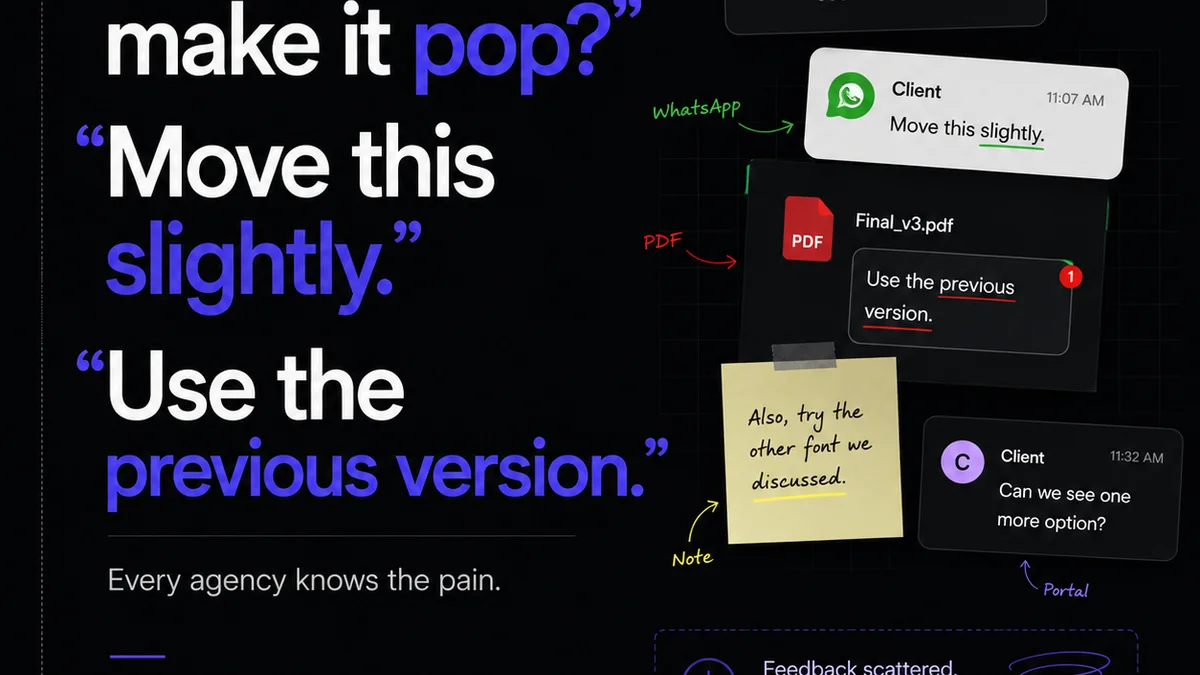
This is where most comparisons fall flat. Design tools are often evaluated purely on their creation capabilities. But the messy reality of agency work is the constant churn of feedback, revisions, and approvals.
Adobe’s ecosystem has historically been more focused on the individual creator's output. Collaboration is often an add-on, or relies on external tools. Getting clear, actionable feedback directly on a complex Photoshop file can be cumbersome.
Canva, with its simpler, web-based nature, has always been better at sharing and getting quick feedback. Its platform is designed for this kind of lightweight interaction.
The Gap in Control and Visibility
However, neither tool inherently provides a robust system for managing the *entire* feedback and approval lifecycle, especially for complex projects with multiple stakeholders and revision rounds.
This is the operational bottleneck. It's not about whether you can make a button look pretty. It's about whether you can track who said what, when, and ensure the right version gets approved before moving to the next stage.
This lack of centralized visibility leads to:
- Endless email chains and Slack messages.
- Misunderstandings about scope and revisions.
- Wasted time hunting for the latest approved version.
- Frustration for designers, account managers, and clients.
The tools that excel in 2026 will be those that integrate seamlessly with creation *and* provide clarity and control over the feedback loop.
5. Where Revue Fits In
This is precisely the operational challenge Revue was built to solve. We don't replace your design tools, whether you're deep in Adobe's suite or leveraging Canva's platform.
Instead, Revue acts as the central nervous system for your creative projects.
- Centralized Feedback: Upload any creative asset—a Photoshop comp, a Canva design, a video render, a web prototype. All stakeholders provide feedback in one place, directly on the asset. No more scattered comments across emails, Slack, or disparate cloud storage.
- Revision & Approval Visibility: Track every version, every comment, and every approval status. Know exactly where a project stands and who needs to act next. This eliminates ambiguity and speeds up sign-offs.
- Quality Control: Ensure creative work meets brand guidelines and project requirements before it’s finalized. Streamline your quality assurance process.
By centralizing these critical, often chaotic, stages, Revue frees up your designers to focus on creating and your account teams to manage client relationships, rather than chasing feedback.
6. The Future: Integrated Workflows, Not Just Tools
So, Adobe vs. Canva in 2026? It's not a simple
Frequently asked questions
Is Canva good enough for professional agency work in 2026?
Canva is increasingly capable for many agency tasks, especially for social media, presentations, and simpler marketing collateral. However, for highly complex, print-intensive, or pixel-perfect vector work, Adobe's professional suite often remains the preferred choice due to its depth and control. The best tool depends on the specific project requirements and team expertise.
How does Adobe's ecosystem compare to Canva's platform for teams?
Adobe's Creative Cloud offers a powerful suite of specialized tools that integrate, but can have a steeper learning curve and sometimes fragmented asset management. Canva provides a more unified, accessible platform designed for ease of use and integrated collaboration, making it simpler to onboard and manage cross-functional teams.
Which tool is better for client collaboration and feedback?
Canva was built with easier sharing and feedback in mind, offering a more streamlined experience for non-designers. Adobe's collaboration tools are evolving, but often require more setup or external integrations. However, neither platform fully replaces a dedicated feedback and approval management system for complex projects.
Should agencies abandon Adobe for Canva, or vice versa?
It's rarely an 'either/or' decision. Many agencies use a hybrid approach, leveraging Canva for speed and accessibility on certain projects or for specific team members, while relying on Adobe for high-fidelity, complex design work. The key is integrating these tools into a cohesive workflow.