Everyone talks about Adobe vs. Canva. The narrative is simple: Adobe is for pros, Canva is for beginners. Or maybe, Adobe is complex, Canva is easy. None of that is wrong. But it’s incomplete.
The deeper truth? It’s not about the tools themselves. It’s about how they fit into your agency’s operational DNA. And that’s where the real decision lies for any creative director.
1. The 'Professional' Perception Problem
Adobe Creative Cloud—Photoshop, Illustrator, InDesign—is the industry standard for a reason. These are powerful, deeply technical applications built for granular control. They offer unparalleled depth and flexibility, essential for high-stakes creative work where every pixel matters.
But 'professional' often gets conflated with 'complex' or 'expensive'. This perception creates a false dichotomy.
The Assumption: Pro Tools = Pro Results
Many assume that simply using Adobe tools guarantees professional output. This ignores the human element: skill, process, and workflow.
You can hand a beginner Photoshop and they’ll produce amateur work. You can give a seasoned designer a simpler tool, and they’ll often surprise you with polished, effective results. The tool is only as good as the hand that wields it, and the system that supports it.
The Hard Truth: Workflow Dictates Output
The real differentiator isn't Photoshop's layers vs. Canva's drag-and-drop. It's about how efficiently your team can move from brief to final asset, with clear feedback and approvals along the way. This is where operational friction kills creative momentum, regardless of the software.
2. Canva's Rise: Beyond 'Easy'
Canva didn't just get popular because it's easy to use. It tapped into a massive unmet need: democratizing design for non-designers and streamlining quick-turnaround collateral for businesses.
For many marketing teams and small businesses, Canva is a revelation. It provides a structured way to create on-brand assets quickly, without needing a dedicated designer for every social post or simple flyer.
The Appeal: Speed and Accessibility
Canva's strength lies in its template-driven approach, curated asset libraries, and intuitive interface. This allows users to produce decent-looking graphics rapidly.
Its collaborative features, while different from Adobe's, enable teams to work together on visual content in a more accessible way than traditional enterprise software.
The Limitation: Scalability and Control
However, for an agency handling complex client projects, campaign-level branding, or intricate design systems, Canva hits its limits fast. Customization can become cumbersome. Maintaining strict brand consistency across diverse applications becomes a challenge. And managing client feedback and revisions within a purely Canva-centric workflow can become chaotic.
3. The Core Creative Director's Dilemma
As a creative director, your focus isn't just on the aesthetic quality of the final output. It's on the *process* that gets you there, and the *business outcomes* that result.
Efficiency vs. Depth
This is the fundamental tension. Do you prioritize the speed and accessibility that tools like Canva offer, potentially at the cost of deep creative control and complex problem-solving? Or do you lean into the power of Adobe, accepting a steeper learning curve and potentially higher costs, for that granular control?
Client Collaboration and Feedback Loops
Consider the client. How are they involved? Are they expected to understand complex software interfaces? Or do they need a simple, clear way to provide input? Misunderstandings here lead to endless revisions and strained relationships.
Brand Integrity at Scale
How do you ensure brand consistency across a vast array of deliverables, from a single social graphic to a full website redesign? Maintaining this integrity is paramount, and the tools you use directly impact your ability to do so.
4. Beyond the Tool: The Workflow Imperative
The real battle isn't Adobe vs. Canva. It’s about building a robust, efficient, and transparent creative workflow. The software you choose is a component of this, not the entire solution.
The Briefing Process
Clarity starts here. A well-defined brief, regardless of the tool, is the bedrock of successful creative work. Ambiguity at this stage guarantees problems later.
Revision and Approval Cycles
This is often the most painful part of agency life. How is feedback gathered? Is it consolidated? Is it actionable? Are stakeholders clearly identified? Without a system, feedback becomes a muddled mess, leading to scope creep and frustration.
Quality Assurance
Before anything goes to the client or goes live, it needs a final check. Is it on-brand? Does it meet technical specs? Are there typos? This QA step is critical for maintaining professional standards.
Where Revue Fits In
Tools like Adobe Creative Cloud and even, in specific contexts, Canva, are where the *creation* happens. But managing the *process* around that creation is a different challenge entirely.
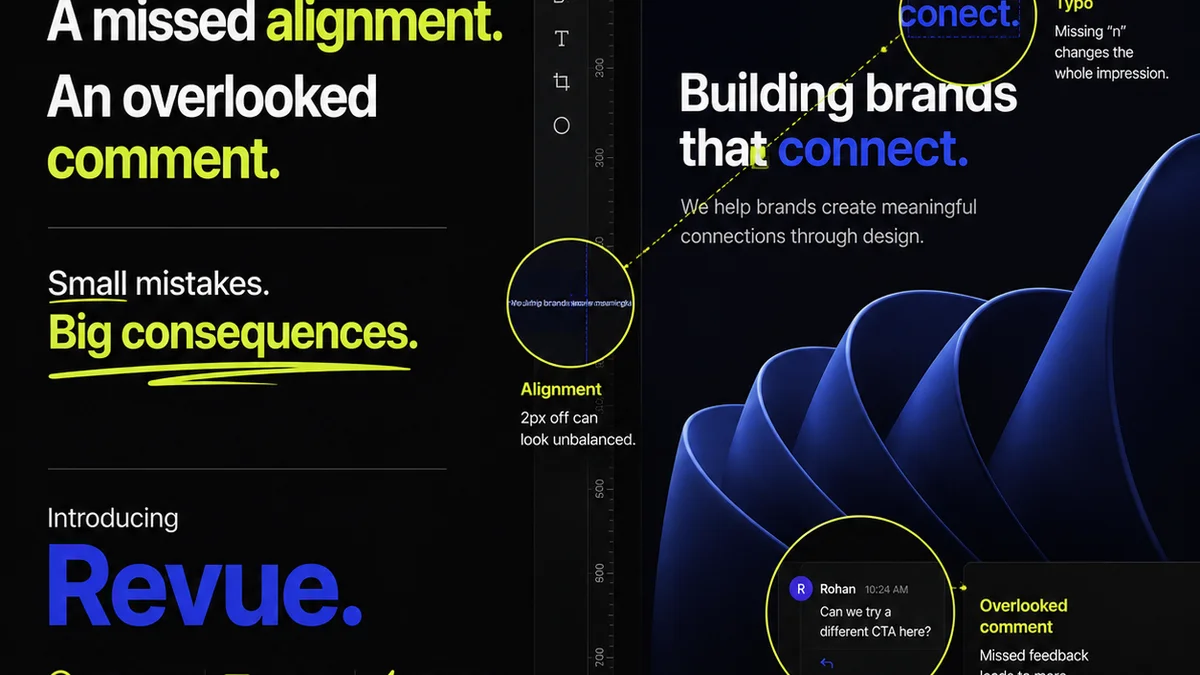
Revue is built for the operational side of creative production. It’s where you centralize all client feedback, making it impossible for crucial comments to get lost in email threads or Slack messages.
You gain clear visibility into revision and approval stages. Everyone knows where a project stands, who needs to act, and what the history of changes is. This transparency drastically reduces miscommunication.
And it helps ensure quality checks happen systematically, not as an afterthought. By having a single source of truth for feedback and approvals, you can be confident that the final asset meets all requirements before it’s delivered.
It’s not about choosing Photoshop over Canva, or vice versa. It’s about having a system that makes whichever tool your team uses work *better* within a structured, professional agency environment.
5. Integrating Your Stack
The most effective agencies don't live in a single tool. They build a stack where different applications serve specific purposes.
Specialized Tools for Specialized Tasks
For deep design work, Adobe remains king. For rapid social media graphics or internal marketing collateral, Canva might be sufficient, perhaps even preferable for non-designers on the team.
The key is seamless integration. Can assets created in Photoshop be easily passed to a project management system? Can feedback on a Canva design be consolidated with feedback on a motion graphic from After Effects?
The Role of Project Management
Project management software is crucial for tracking tasks, timelines, and resources. But it often falls short on the nuances of creative feedback and visual iteration.
This is why dedicated creative workflow tools are becoming essential. They bridge the gap between the creative tools and the project management backbone.
6. Making the Right Choice for Your Agency
The decision isn't binary. It's strategic.
Assess Your Needs
What kind of work does your agency primarily do? Who are your clients? What are their technical capabilities and expectations? What is your team's skill set and budget?
If you're doing high-fidelity UI/UX design, intricate branding, or complex print layouts, Adobe's suite is almost certainly non-negotiable. If you're a marketing agency needing to churn out dozens of social graphics and simple web banners daily, and your clients are primarily marketing managers, Canva might play a significant role.
Consider the Full Workflow
Don't just look at the design features. Look at the entire lifecycle of a creative project: briefing, creation, feedback, revision, approval, and delivery. Where are your bottlenecks? Which software or process contributes most to delays and errors?
The Hybrid Approach
Many successful agencies operate a hybrid model. Core design work happens in Adobe. Simpler, templated assets might be produced in Canva, perhaps by junior designers or even by marketing teams under strict brand guidelines. The critical factor is how these disparate activities are managed and integrated.
Final Thought
Is the debate over Adobe vs. Canva really about the software, or is it a proxy for a deeper conversation about agency efficiency, client collaboration, and the true cost of creative production? And how much is your agency losing daily to operational friction, regardless of the pixels on the screen?
Frequently asked questions
Can Canva replace Adobe Creative Cloud for agencies?
For highly specialized, complex design tasks requiring granular control (like intricate UI/UX, advanced print layouts, or detailed illustration), Canva generally cannot replace the full capabilities of Adobe Creative Cloud. However, for simpler collateral, marketing materials, and rapid content creation, it can be a valuable complementary tool or even a primary solution for certain needs.
What is the main advantage of Adobe Creative Cloud for professional designers?
Adobe Creative Cloud offers unparalleled depth, flexibility, and control over creative output. Tools like Photoshop, Illustrator, and InDesign provide advanced features essential for professional-grade design, complex workflows, and maintaining brand integrity across diverse and demanding projects.
How does client feedback differ between Adobe and Canva workflows?
Client feedback management is less about the design tool itself and more about the workflow system. While Canva might offer simpler interfaces for non-designers to comment, neither tool inherently solves the problem of consolidating, tracking, and acting on feedback effectively. Dedicated platforms like Revue are designed to manage this across any design tool.
Is a hybrid approach using both Adobe and Canva viable for agencies?
Yes, a hybrid approach is often the most practical and efficient for agencies. Core design work requiring deep functionality can be done in Adobe, while simpler, template-based assets or quick social media graphics can be handled in Canva, especially by marketing teams or junior designers. The key is managing these different outputs within a unified workflow.