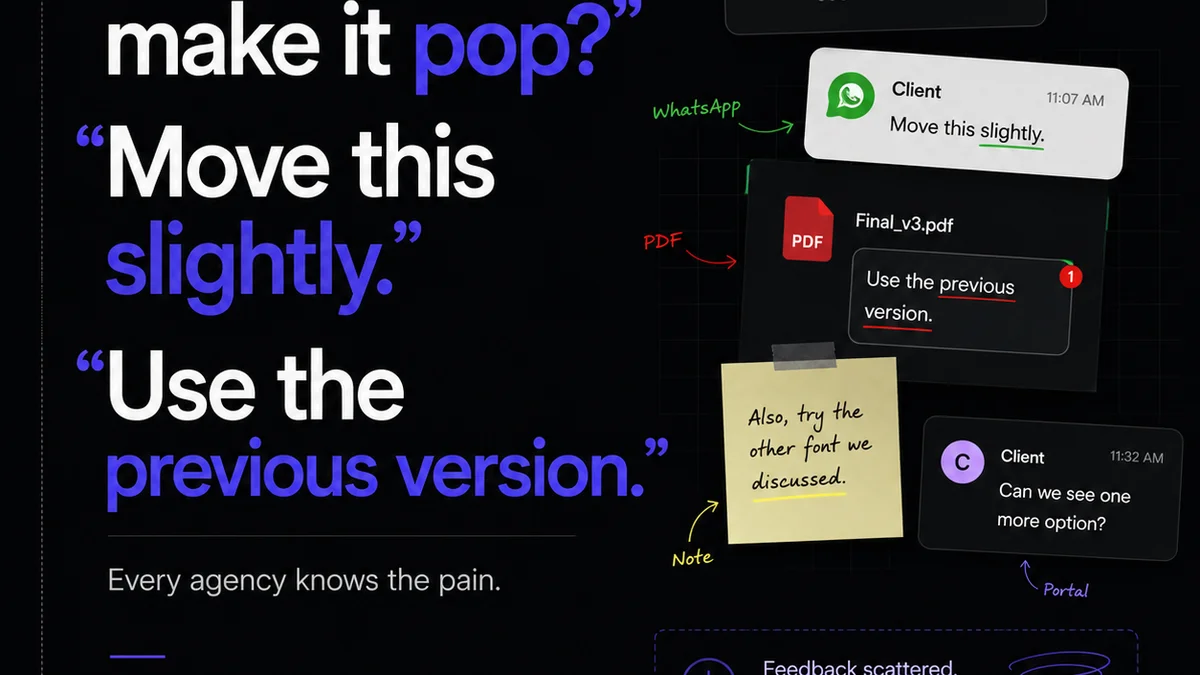
Everyone thinks design handoff is just about handing over a finished file. A quick export, a brief chat, and then you’re done. Right?
None of that is wrong. But it’s incomplete.
The hard truth is that effective design handoff isn't a single event. It's an ongoing, iterative process that bridges the gap between creative vision and flawless execution. And when it goes wrong, it’s not just a minor inconvenience. It’s a direct hit to your bottom line.
Poor handoffs lead to endless developer cycles, missed deadlines, frustrated clients, and ultimately, a product that doesn't live up to its potential. It’s where brilliant designs go to die in the execution phase.
1. Beyond the Export: What Handoff Really Means
Handoff isn't just about delivering assets. It's about transferring understanding. It's about ensuring the development team has every piece of context, every nuance, and every specification needed to build the design accurately.
Think of it less like dropping a package on someone's desk and more like a guided tour of a complex blueprint.
The Assumptions vs. The Reality
- Assumption: Handoff happens once, at the end of the design phase.
- Reality: Handoff is a series of touchpoints, often starting much earlier in the process.
- Assumption: Specs and assets are all that’s needed.
- Reality: Context, rationale, and ongoing communication are critical.
- Assumption: The designer’s job is done after handoff.
- Reality: Designers often need to support development with clarifications and minor adjustments.
This shift in perspective is crucial. It moves handoff from a passive delivery to an active collaboration.
2. The Anatomy of a Flawless Handoff
A truly effective handoff process is built on several pillars. Neglect even one, and you risk significant downstream problems.
2.1. Comprehensive Documentation: The Single Source of Truth
This goes far beyond just style guides. It includes:
- Visual Specs: Dimensions, spacing, typography, color palettes, iconography.
- Interaction Specs: Animation details, micro-interactions, hover states, loading indicators.
- User Flow Context: How this specific screen or component fits into the larger user journey.
- Accessibility Guidelines: Color contrast ratios, focus states, ARIA labels.
- Content Guidelines: Tone of voice, character limits, placeholder text rationale.
Every element needs to be clearly defined. Ambiguity is the enemy here.
2.2. Asset Management: Organized and Accessible
Developers shouldn't have to dig for assets. They need:
- Organized Folders: Logical structure for icons, illustrations, images.
- Correct Formats: SVGs for icons, optimized JPEGs/PNGs for raster images, appropriate formats for animations (Lottie, GIF, etc.).
- Naming Conventions: Consistent and descriptive file names.
- Scalable Assets: Assets provided at multiple resolutions or in vector formats for different screen densities.
This saves developers hours of searching and reformatting.
2.3. Interactive Prototypes: Bringing Designs to Life
Static mockups can only convey so much. Interactive prototypes are invaluable for:
- Demonstrating user flows and navigation.
- Showcasing transitions and animations.
- Testing usability before development even begins.
- Providing a tangible feel for the user experience.
Prototypes act as a living specification, far more intuitive than a dense PDF.
2.4. Clear Communication Channels: The Human Element
Technology can automate much of handoff, but it can’t replace human connection.
- Dedicated Handoff Meetings: Walkthroughs of the designs and prototypes.
- Q&A Sessions: Dedicated time for developers to ask questions.
- Design Support: An agreed-upon process for designers to answer developer queries during the build.
- Feedback Loops: Mechanisms for developers to report unexpected issues or suggest improvements based on implementation constraints.
This isn’t about a micromanagement approach; it’s about fostering a shared understanding and ownership.
3. Common Handoff Pitfalls and How to Avoid Them
Even with the best intentions, handoff processes can falter. Recognizing these common pitfalls is the first step to preventing them.
3.1. Inconsistent Design Systems
If your design system isn't rigorously maintained and properly documented, it becomes a source of confusion, not clarity.
The Fix: Invest in a robust, accessible design system. Ensure components are well-defined, documented, and version-controlled. Make it the single source of truth for both design and development.
3.2. Outdated Prototypes or Mockups
Presenting designs that don't reflect the latest iterations is a recipe for disaster.
The Fix: Implement a clear version control system for all design files and prototypes. Establish a mandatory review process before any handoff, ensuring all parties are looking at the most current version.
3.3. Lack of Developer Involvement Early On
Bringing developers in only at the final handoff stage means missing opportunities for valuable technical input.
The Fix: Involve developers in design reviews early and often. Their insights into technical feasibility, performance implications, and potential challenges can save significant rework later.
3.4. Unclear Responsibilities
When it's not clear who owns what part of the handoff process, things fall through the cracks.
The Fix: Define roles and responsibilities clearly. Who is responsible for creating the documentation? Who signs off on the final assets? Who fields developer questions? Document this process.
3.5. Ignoring Edge Cases and States
Focusing only on the
Frequently asked questions
What is the most common mistake in design handoff?
The most common mistake is treating design handoff as a singular event rather than an ongoing process. This often leads to incomplete context, missing assets, and a lack of clarity for the development team.
How can I ensure developers have all the necessary information?
Provide comprehensive documentation including visual specs, interaction details, user flow context, accessibility guidelines, and content rules. Use interactive prototypes and maintain open communication channels.
When should developers be involved in the handoff process?
Developers should be involved as early as possible, ideally during design reviews, not just at the final handoff. This allows for technical input and feasibility checks before designs are finalized.
What role does a design system play in handoff?
A well-maintained design system acts as a single source of truth for design elements and patterns, significantly streamlining the handoff process by providing consistent, documented, and reusable components for developers.