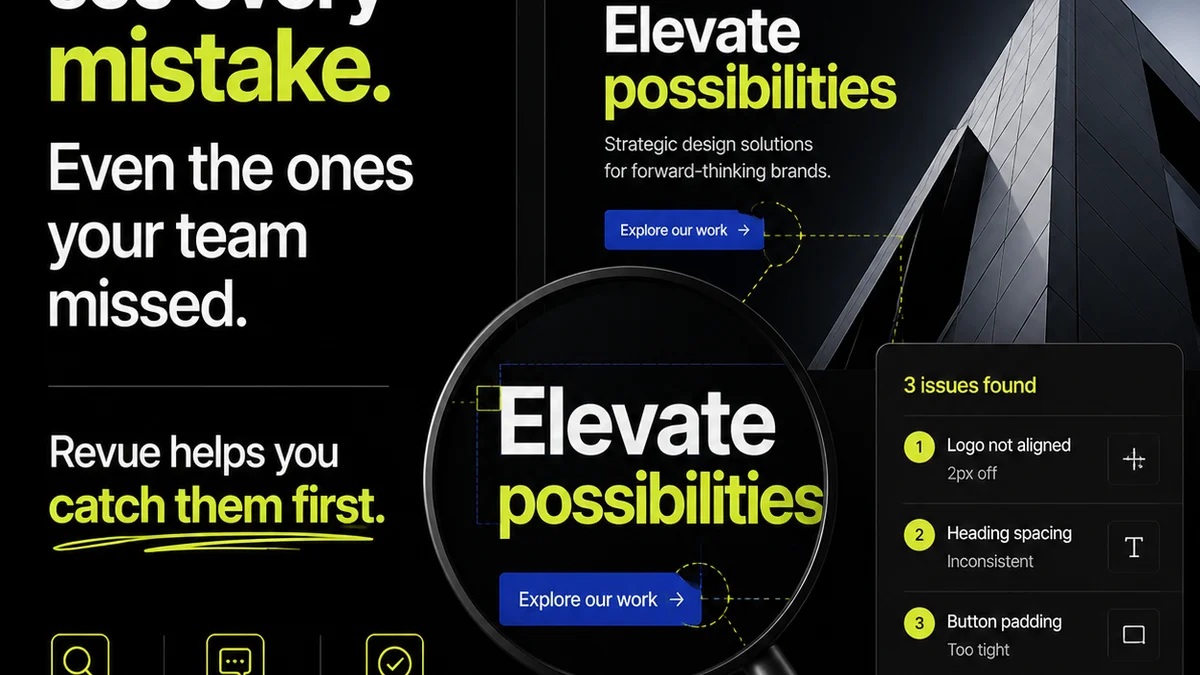
Everyone talks about UI/UX design. They pull out personas, user flows, and wireframes like sacred texts. It’s all about mapping the user journey and crafting pixel-perfect interfaces.
None of that is wrong. But it’s incomplete.
The hard truth? Great UI/UX isn’t a phase you “do” at the beginning of a project. It’s a continuous, integrated process that needs to live and breathe within your team’s daily operations. It’s not about the artifacts; it’s about the *impact* they have on workflow, client collaboration, and the final product.
1. The Myth of the Static Design System
Many agencies treat design systems like a one-and-done setup. You build it, you document it, you deploy it. Done.
This static approach is a recipe for obsolescence. A design system is a living entity. It needs constant care, feeding, and evolution. If it doesn’t actively inform and streamline your team’s day-to-day work, it’s just a pretty PDF.
The Real Work: System Maintenance as Workflow
Advanced teams understand that maintaining a design system is not a separate task; it’s baked into the design and development sprints. This means:
- Regular reviews of components for usability and accessibility.
- Proactive updates based on new project needs or emerging best practices.
- Clear processes for contributing new components or variations.
- Training sessions that aren’t just about *what* the system is, but *how* to use it effectively in real-time.
Think of it like tending a garden. You don’t just plant the seeds and walk away. You weed, water, and prune. Your design system needs the same consistent attention to truly thrive and deliver ongoing value.
2. Feedback Loops: From Black Holes to Breakthroughs
Client feedback is the lifeblood of any project. But too often, it becomes a bottleneck, a source of frustration, and a breeding ground for misinterpretation.
The assumption is that collecting feedback is the hard part. The deeper truth is that *managing* and *actioning* feedback effectively is the real challenge.
From Email Chains to Actionable Insights
Scattered feedback across emails, Slack messages, and random meeting notes is a disaster waiting to happen. Advanced UI/UX integration means creating structured, centralized feedback channels.
- Centralized Commenting: All feedback lives in one place, linked directly to the design elements it refers to.
- Version Control for Feedback: Track revisions and understand the evolution of decisions.
- Clear Ownership: Assign feedback items to specific team members for resolution.
- Contextual Clarity: Ensure reviewers have all necessary context (e.g., user goals, previous decisions) when providing input.
This isn’t just about being organized. It’s about reducing ambiguity, speeding up iteration cycles, and ensuring that every piece of feedback contributes constructively to the final product, rather than causing delays and confusion.
3. The Human Element: Beyond the Persona
Personas and user journeys are vital tools. But they can sometimes create a false sense of understanding. We build archetypes, but we forget the messy reality of human behavior.
The assumption is that a well-researched persona covers all bases. The deeper truth is that real users are nuanced, often contradictory, and their context is fluid.
Designing for Real Contexts, Not Just Archetypes
Advanced UI/UX teams go beyond static personas to design for the *contexts* in which users operate. This involves:
- Contextual Inquiry: Observing users in their natural environment.
- Empathy Mapping (Beyond the Basics): Digging into what users *do*, *say*, *think*, and *feel* in specific situations, not just general attitudes.
- Edge Case Prioritization: Actively considering users with different abilities, technical proficiencies, or unusual usage patterns.
- Behavioral Analysis: Looking at actual user data and analytics to understand real-world interactions, not just predicted ones.
It’s about understanding the ‘why’ behind the ‘what,’ and recognizing that user needs can shift based on their immediate environment, mood, or task.
4. Performance as a Core UX Metric
Speed. Load times. Responsiveness. These are often seen as technical concerns, left to the developers. The assumption is that if it *looks* good, the UX is fine.
This is a dangerous oversight. Performance *is* a critical component of user experience. A beautiful interface that crawls to a halt is a failed interface.
Integrating Performance into the Design Process
Advanced teams don’t treat performance as an afterthought. It’s integrated from the ground up:
- Asset Optimization: Designing with image sizes, file formats, and video compression in mind from the start.
- Lazy Loading Strategies: Planning for how off-screen content will load.
- Component Efficiency: Choosing UI elements that are performant by default.
- Accessibility & Performance: Recognizing that many accessibility features (like complex animations) can impact performance if not handled carefully.
- Regular Performance Audits: Making performance testing a standard part of the QA process.
A fast, fluid experience is a hallmark of thoughtful design. It respects the user's time and attention.
5. Iteration Isn't Just About Design Changes
We often think of iteration solely in terms of tweaking UI elements or adjusting user flows based on feedback. That’s part of it, but it’s a narrow view.
The assumption is that iteration is a design-centric activity. The deeper truth is that iteration applies to the *entire project lifecycle* and involves the whole team.
Holistic Iteration: Process, Tools, and Outcomes
Advanced teams iterate on everything:
- Project Management Workflows: Are stand-ups effective? Is task allocation clear?
- Communication Channels: Is client communication efficient? Is internal debriefing productive?
- Tooling: Are we using the right software to manage feedback, track progress, and ensure quality?
- Team Collaboration: How can we improve handoffs between designers, developers, and project managers?
- The Product Itself: Beyond UI, iterating on features, functionality, and even the underlying business logic based on user data and market shifts.
This continuous cycle of review, adaptation, and improvement ensures that the project remains agile and responsive to both internal efficiencies and external user needs.
Where Revue Fits In
Managing these advanced UI/UX strategies requires a platform that supports continuous integration, not just isolated phases. This is where Revue becomes indispensable.
Instead of juggling feedback across a dozen different tools and channels, Revue centralizes it. All client comments, stakeholder approvals, and internal review notes are housed within a single, organized system. This provides unparalleled visibility into the revision process.
You can track the evolution of creative assets, see exactly who approved what and when, and ensure that no feedback falls through the cracks. This structured approach is crucial for effective iteration and maintaining the integrity of your design system.
Furthermore, Revue’s quality check features help ensure that the final output meets both client expectations and your own rigorous standards, directly tying into the performance and user-centric metrics that define truly advanced UI/UX.
Final Thought
Is your UI/UX process a static blueprint, or a dynamic, living system woven into the fabric of your team’s daily work? The distinction isn’t just semantic; it’s the difference between good design and great, impactful design that drives business results.
Frequently asked questions
What’s the difference between basic and advanced UI/UX?
Basic UI/UX focuses on creating artifacts like personas and wireframes. Advanced UI/UX integrates these principles into the continuous workflow, emphasizing live design systems, structured feedback management, context-aware design, performance as a UX metric, and holistic iteration across the entire project lifecycle.
How can a design system be more than just documentation?
A living design system actively informs and streamlines daily design and development. It requires ongoing maintenance, proactive updates, clear contribution processes, and regular training to remain effective and evolve with project needs.
Why is client feedback management crucial for advanced UI/UX?
Scattered feedback leads to confusion and delays. Centralizing feedback on design assets, tracking revisions, assigning ownership, and providing context ensures that feedback is actionable, speeds up iteration, and leads to a better final product.
How does performance relate to user experience?
Performance is a critical UX metric. A beautiful but slow interface frustrates users. Advanced UI/UX integrates asset optimization, efficient component design, and performance testing from the outset to ensure a fast and fluid experience.
What is 'holistic iteration' in UI/UX?
Holistic iteration means continuously improving not just the design itself, but also the project management workflows, communication channels, tooling, and team collaboration processes. It’s about adapting and refining every aspect of how a project is delivered.