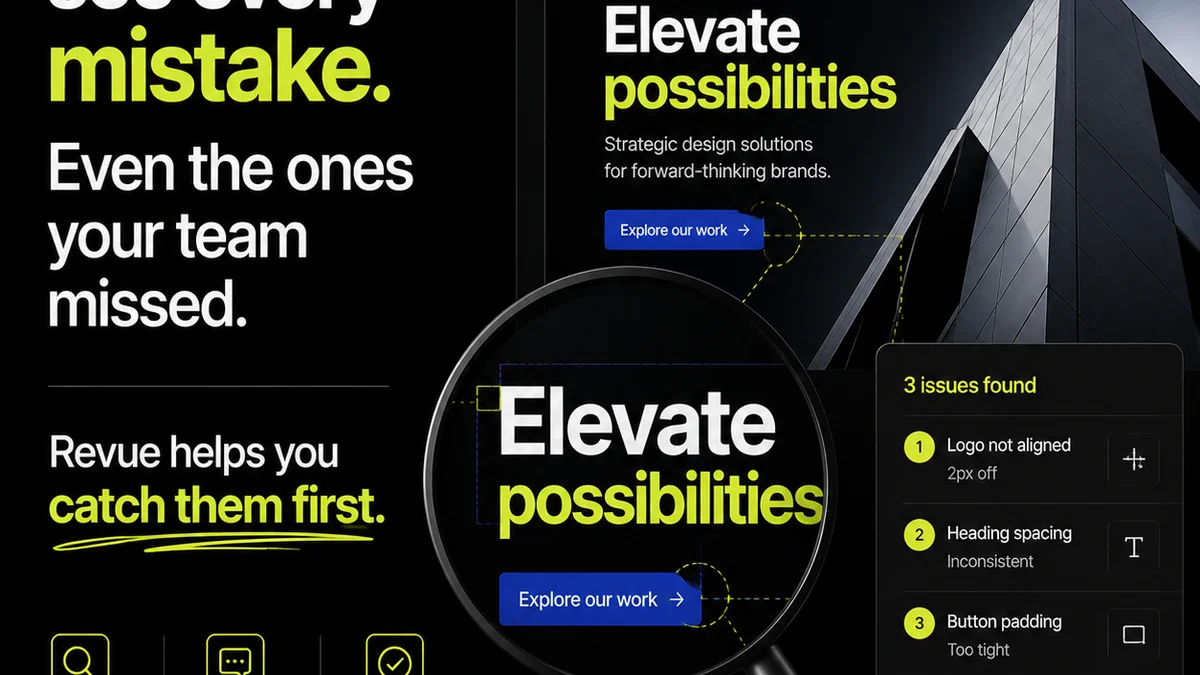
Everyone’s talking about AI transforming creative workflows. It’s the buzziest tech since the cloud. And when it comes to annotating creative assets, the narrative often focuses on AI’s ability to automatically identify issues, suggest improvements, or even generate feedback. None of that is wrong. But it’s incomplete.
The deeper truth? AI’s real power in annotation isn't just about automation; it's about augmenting human judgment, streamlining communication, and ultimately, making the feedback process less painful and more productive for everyone involved.
1. The Automation Myth: AI as a Magic Wand
The assumption is that AI will simply *do* the annotation for us. Feed it a design, and it spits out perfect feedback. It’s a compelling vision, but it misses the nuance of creative work.
Creative feedback is rarely black and white. It’s subjective, contextual, and often relies on understanding client goals, brand voice, and market positioning. AI can help surface potential problems, but it can’t (yet) replace the strategic thinking of a creative director or the nuanced understanding of a client.
AI's Current Strengths in Annotation
- Pattern Recognition: Identifying common UI/UX flaws, accessibility issues (like contrast ratios), or deviations from design systems.
- Data Aggregation: Pulling together feedback from multiple sources into a single view.
- Preliminary Checks: Flagging obvious errors before human review, saving time on the mundane.
Think of AI as an incredibly efficient junior team member. It can do a lot of the legwork, identify obvious red flags, and organize information. But it still needs direction, validation, and strategic oversight from experienced professionals.
2. Augmenting Human Judgment, Not Replacing It
The true value of AI in annotation lies in its ability to *augment* human capabilities. It frees up your team to focus on the higher-level strategic and creative decisions, rather than getting bogged down in repetitive tasks.
Instead of AI replacing your creative director, it empowers them. It provides data-driven insights that inform their qualitative judgment. This partnership is where the real transformation happens.
How AI Augments Creative Teams
- Faster Identification of Issues: AI can scan dozens of variations or screens in seconds, highlighting potential problems that might take a human reviewer much longer to find. This is crucial for large projects or when dealing with multiple assets.
- Objective Data Points: For things like contrast ratios, font sizes, or alignment, AI can provide objective measurements that remove subjectivity and potential arguments.
- Consistency Across Teams: AI can be trained on specific brand guidelines or accessibility standards, helping to enforce consistency across a large team or multiple projects. This is a significant win for brand integrity.
- Prioritization: By flagging critical issues, AI can help teams prioritize their review efforts, focusing on what matters most first.
This isn't about surrendering creative control; it's about enhancing it with intelligent assistance.
3. Streamlining the Feedback Loop
Annotation is inherently about communication. It’s the bridge between creation and approval. AI can significantly improve the clarity, speed, and efficiency of this communication.
The traditional feedback loop is often fraught with misinterpretation, lost comments, and endless back-and-forth. AI-powered tools can bring structure and intelligence to this chaotic process.
AI's Impact on Feedback Communication
- Contextualized Feedback: AI can help ensure that feedback is tied directly to the specific element being reviewed, reducing ambiguity. Imagine an AI that understands a comment about 'button color' and automatically links it to the precise button element on the screen.
- Summarization of Feedback: For large projects with many annotators, AI can help summarize the key feedback points, making it easier for designers to digest and act upon.
- Sentiment Analysis: While still evolving, AI can offer insights into the general sentiment of feedback, helping to gauge client satisfaction or potential areas of concern early on.
- Automated Reporting: Generating reports on annotation status, common issues, and resolution times can be automated, freeing up project managers.
This leads to fewer misunderstandings and faster iteration cycles.
4. Integrating AI into Existing Workflows
The challenge for agencies and in-house teams isn't just adopting AI tools, but integrating them seamlessly into their existing processes. It's about enhancing, not overhauling.
The most effective AI implementations are those that complement current tools and practices, rather than forcing a radical departure.
Practical Integration Strategies
- Start Small: Implement AI for a specific, well-defined task first, like accessibility checks or basic layout validation.
- Pilot Programs: Test new AI annotation tools with a small, receptive team before a wider rollout. Gather feedback and iterate.
- Focus on Integration Points: Look for AI tools that integrate with your existing project management, design, or DAM systems. This minimizes disruption.
- Training is Key: Ensure your team understands how to use the AI tools effectively and, more importantly, how to interpret and act on the AI-generated insights. Teach them to see AI as a collaborator.
- Define Clear Roles: Establish who is responsible for validating AI findings, who makes the final decisions, and how AI outputs are incorporated into task assignments.
The goal is to make AI a natural part of the creative production pipeline.
Where Revue Fits In
While AI tools can automate and analyze, the core challenge in creative workflows remains managing the *entire* feedback and revision process effectively. This is where a platform like Revue becomes indispensable.
AI might identify a contrast issue, but Revue ensures that feedback is seen, understood, and acted upon within a structured environment. It centralizes all communication, making sure no comment—whether AI-generated or human-provided—gets lost.
- Centralized Feedback Hub: All annotations, whether flagged by AI or entered manually, live in one place, linked to the specific asset version.
- Revision and Approval Visibility: Track the progress of feedback from initial annotation through to final approval, providing a clear audit trail.
- Quality Control Assurance: By systematically managing feedback and revisions, Revue helps ensure that all critical points, including those flagged by AI for quality checks, are addressed before final delivery.
Revue provides the essential framework for managing the human element of creative collaboration, powered by the insights that AI can help uncover.
5. The Future: Collaborative Intelligence
Looking ahead, the most exciting prospect isn't just AI *doing* annotation, but AI and humans working together in a truly collaborative intelligence model. This means AI that not only identifies issues but also learns from how humans resolve them, becoming more insightful over time.
Imagine an AI that can:
- Propose multiple solutions to a design problem, each with potential pros and cons based on past project data.
- Analyze client interaction patterns to predict potential points of friction or misunderstanding in feedback.
- Automatically update design system documentation based on recurring annotation themes.
This symbiotic relationship promises to elevate creative output and client satisfaction.
Final Thought
AI is not a silver bullet for annotation woes. It’s a powerful tool that, when integrated thoughtfully, can significantly enhance efficiency and decision-making. The real transformation comes not from the algorithm itself, but from how we leverage it to improve collaboration, clarify communication, and elevate the strategic role of creative professionals. Are you ready to move beyond the hype and integrate AI where it truly matters—in the day-to-day reality of your team’s workflow?
Frequently asked questions
Can AI fully automate the creative annotation process?
While AI can automate many tasks like identifying contrast issues or basic layout errors, it cannot fully replace human judgment. Creative feedback is often subjective and requires understanding context, client goals, and brand strategy, which AI currently cannot replicate.
How does AI augment human judgment in annotation?
AI augments human judgment by quickly identifying potential issues, providing objective data points, and ensuring consistency. This frees up creative professionals to focus on higher-level strategic decisions and qualitative feedback, rather than getting bogged down in repetitive checks.
What are the practical steps for integrating AI into annotation workflows?
Practical steps include starting with small, well-defined tasks, running pilot programs, focusing on integration with existing tools, providing thorough team training, and defining clear roles for AI outputs.
How does a platform like Revue complement AI in annotation?
Revue complements AI by providing a centralized hub for all feedback, whether AI-generated or human. It ensures clear communication, tracks revisions and approvals, and maintains visibility throughout the process, managing the human element of collaboration.