Everyone’s talking about AI in design. They say it’s going to automate the boring stuff, speed up workflows, and maybe even replace junior designers. None of that is wrong.
But it’s incomplete.
The real revolution isn’t just about faster renders or smarter mood boards. It’s about how AI is fundamentally changing the messy, human-driven process of design collaboration.
The hard truth? AI isn't just a tool for individual designers. It’s a new operating system for creative teams, forcing us to rethink how we share, critique, and approve work together.
1. From Static Feedback to Dynamic Conversation
Remember the old days? Email chains longer than your arm, vague client comments like “make it pop,” and endless rounds of jpegs attached to messages.
This was the status quo for decades. Feedback was a bottleneck, often lost in translation or buried under new versions.
AI is starting to change that by turning passive feedback into active, contextual input. Think AI that can:
- Identify specific elements in a design that are receiving the most comments.
- Summarize lengthy client feedback into actionable bullet points.
- Even flag potentially conflicting feedback from different stakeholders.
This isn't about replacing human judgment. It's about augmenting it, making sure the right feedback gets to the right person at the right time, stripped of ambiguity.
The Problem with Passive Feedback
Passive feedback is slow. It’s prone to misinterpretation. And it creates a paper trail that’s impossible to navigate.
When feedback is just text in an email or a comment on a static PDF, context is king. But context gets lost.
Who said this? When? What version were they looking at? These questions plague every agency.
AI as the Contextualizer
AI can analyze the *entire* conversation around a design asset. It can tie feedback directly to specific versions, specific elements, and even the original brief.
Imagine an AI that flags a client's comment about typography and links it directly to the specific font file and usage on the page.
This level of contextual awareness was impossible before.
2. Streamlining Revisions: Beyond Simple Iterations
Designers often get stuck in revision loops that feel more like a hamster wheel than a creative process.
A client asks for a change. The designer makes it. The client asks for another tweak. Repeat.
AI can help break this cycle by identifying opportunities for more efficient revisions or even predicting potential follow-up requests.
Predictive Revision Needs
Some AI tools can analyze design changes and predict common next steps. If a logo is resized, an AI might prompt the designer to check its legibility at smaller scales or on different backgrounds.
This proactive approach reduces the need for back-and-forth.
Automated A/B Testing and Variant Generation
Need multiple versions of a banner ad or social post? AI can generate variations based on parameters you set, allowing for rapid testing and client selection without manual duplication.
This frees up designers to focus on the core creative concept rather than the grunt work of creating dozens of similar assets.
Smart Redlining and Annotation
Instead of manually drawing red lines, AI can interpret design files and suggest annotations for specific changes, or even automatically apply certain approved adjustments.
This makes the revision process clearer and faster for everyone involved.
3. Enhancing Quality Assurance and Consistency
Maintaining brand consistency and adhering to technical specs across a large project or a growing team is a monumental task.
Human error is inevitable. Small deviations can snowball into significant brand dilution over time.
AI offers a powerful layer of automated quality control.
Automated Brand Guideline Checks
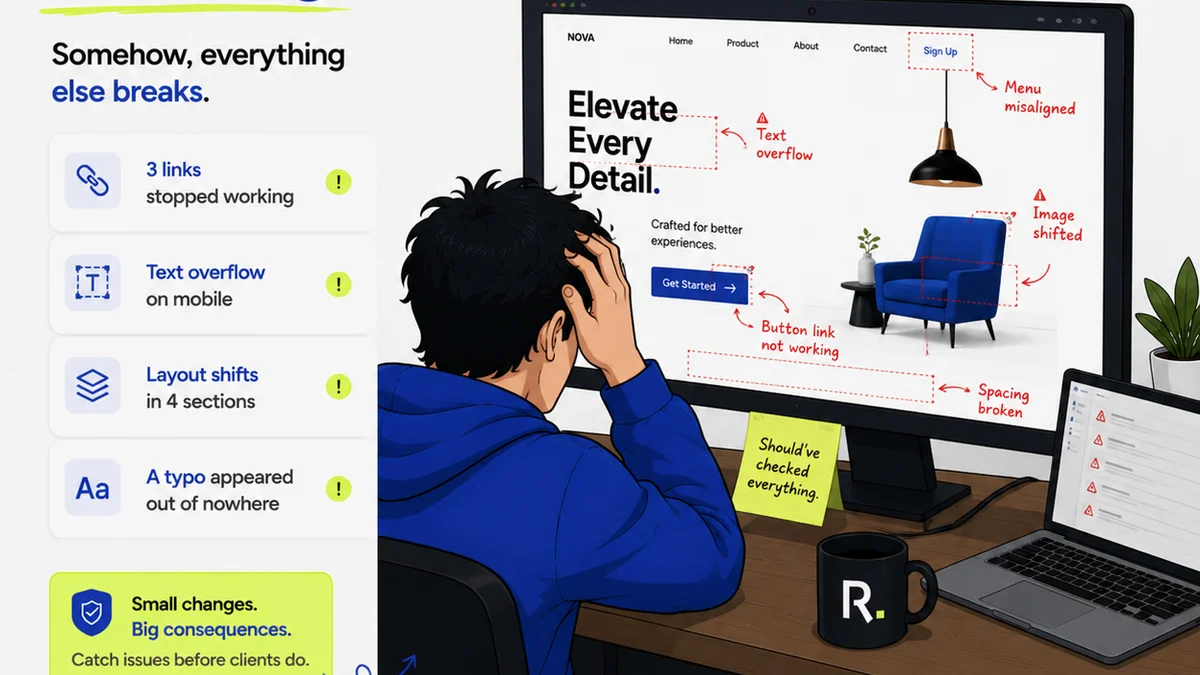
AI can be trained on your brand guidelines—colors, fonts, spacing, logo usage, tone of voice. It can then scan new designs and flag any deviations before they ever reach a client.
This ensures brand integrity is maintained, project after project.
Technical Specification Compliance
For digital assets, AI can check for adherence to technical requirements: color profiles, file formats, resolution, accessibility standards (like contrast ratios), and even code snippets.
This proactive check prevents costly re-exports and production delays.
Consistency Across Teams and Projects
As teams grow and projects multiply, maintaining a consistent visual language becomes harder. AI can act as an objective arbiter, ensuring that all work aligns with established standards, regardless of who created it.
It provides a baseline of quality that human reviewers can then build upon.
4. Facilitating Cross-Functional Collaboration
Design doesn't happen in a vacuum. It touches marketing, development, sales, and product teams.
But these teams often speak different languages. Design jargon can confuse non-designers, leading to misunderstandings and friction.
AI can bridge these communication gaps.
Translating Design Concepts
Imagine AI that can translate a designer's detailed technical notes into plain language for a marketing manager, or explain the user experience implications of a design choice to a sales team.
This fosters better understanding and alignment across departments.
AI-Powered Briefing and Brief Analysis
AI can help synthesize project requirements from multiple sources, identify potential conflicts in briefs, and even suggest design approaches based on the stated goals.
This ensures everyone starts from a shared understanding of the objective.
Democratizing Design Input
While core design decisions remain with the creative team, AI can help gather and process input from non-design stakeholders in a structured way, making their contributions more valuable and less disruptive.
It can surface valuable insights that might otherwise be missed.
Where Revue Fits In
All this talk of AI-powered collaboration sounds great. But how do you manage it all in practice?
The underlying challenge remains: centralizing communication and ensuring visibility.
AI tools can provide insights and automation, but they need a robust platform to integrate with.
This is where Revue comes in.
Revue acts as the central nervous system for your design feedback and approval process. It’s where AI insights can be applied to a structured workflow.
- Centralized Feedback: All comments, annotations, and discussions live in one place, tied directly to the asset. No more digging through emails.
- Version Control Visibility: Easily track every iteration and understand the evolution of a design, making AI-driven comparative analysis more effective.
- Clear Approval Workflows: Define who needs to review and approve, ensuring accountability and preventing bottlenecks that AI alone can't solve.
- Integrated Quality Checks: Use Revue to implement the automated checks and balances that AI facilitates, ensuring your team consistently delivers high-quality work.
Revue doesn't replace the AI. It amplifies it by providing the structure and clarity needed to harness its power effectively. It ensures that the dynamic conversations and automated checks driven by AI are seamlessly integrated into your team’s daily workflow.
Final Thought
AI is not a magic wand. It's a powerful catalyst that demands a shift in how we think about creative teamwork.
Are we ready to move beyond viewing AI as just a personal productivity booster and embrace it as the foundation for a more integrated, intelligent, and efficient collaborative design process?
Frequently asked questions
How does AI improve client feedback on designs?
AI can analyze and summarize lengthy client comments, identify specific elements receiving the most feedback, and flag conflicting input, reducing ambiguity and speeding up the revision process.
Can AI help reduce revision cycles in design projects?
Yes, AI can predict potential next steps in revisions, automate variant generation for A/B testing, and streamline annotation, which helps break inefficient iteration loops.
How does AI contribute to design quality assurance?
AI can automatically check designs against brand guidelines, technical specifications, and accessibility standards, ensuring consistency and catching errors before they become major issues.
What is the role of platforms like Revue in AI-driven design collaboration?
Platforms like Revue provide the essential structure for AI. They centralize feedback, manage version control, and streamline approval workflows, enabling teams to effectively integrate AI insights into their daily operations.