Everyone’s talking about AI in design. You see the shiny new tools, the mind-blowing generative outputs, and the promises of massive efficiency gains. It’s easy to assume that just adopting these AI tools is the key to unlocking a new era of productivity for your enterprise creative team.
None of that is wrong. But it’s incomplete.
The hard truth is that the real impact of AI in enterprise design isn't about the tools themselves. It’s about how you integrate them into your existing, complex workflows. It’s about managing the chaos, not just creating more of it faster.
1. The Illusion of Autonomy: Why AI Needs Guardrails
Your enterprise team isn't a startup. You have established processes, brand guidelines thicker than a phone book, and a dozen stakeholders who need to sign off on everything. Introducing AI without thinking about how it fits into this ecosystem is a recipe for disaster.
Many teams jump in, excited by AI’s speed. They generate concepts, copy, and even full layouts in minutes. But then what?
The Bottlenecks AI Doesn't Solve
- Client feedback loops that are already slow.
- Internal review processes that are Byzantine.
- Brand consistency checks that are manual and error-prone.
- Integration with existing DAMs and project management systems.
- Legal and compliance reviews for AI-generated content.
AI can accelerate the *creation* part, but it often slams right into the existing friction points of your *process*. The real work is in smoothing those out.
2. Mastering the Prompt: The Human Element in AI
The quality of AI output is directly proportional to the quality of the input. And that input is your prompt. This isn't just typing a sentence and hoping for the best. It’s an art and a science.
For enterprise teams, this means developing standardized prompting frameworks. Think of it like a creative brief, but for an AI.
Key Prompting Strategies for Enterprise
- Define the Objective Clearly: What problem are you trying to solve? What is the desired outcome?
- Specify Brand Constraints: Include keywords related to brand voice, tone, visual style, and forbidden elements.
- Provide Context: What is this for? Who is the audience? What campaign is it part of?
- Iterate and Refine: Treat AI generation as a first pass. Use follow-up prompts to steer the output.
- Test Different Models: Not all AI tools are created equal. Experiment to find what works best for specific tasks.
This requires training your team. It’s not just about teaching them *how* to prompt, but *why* certain prompts work better.
3. The Human-AI Collaboration Spectrum
AI isn't here to replace your designers. It's here to augment them. The most successful enterprise teams understand this and build collaborative workflows.
This isn't about AI doing 100% of the work. It's about AI handling the repetitive, time-consuming tasks so humans can focus on strategy, creativity, and critical thinking.
Examples of Human-AI Collaboration
- Ideation: AI generates a dozen initial concepts, designers select and refine the strongest.
- Copywriting: AI drafts ad copy variations, copywriters edit for nuance and brand voice.
- Asset Creation: AI generates background elements or initial mockups, designers integrate and polish.
- Content Summarization: AI summarizes long reports for creative briefs, saving research time.
- Personalization: AI suggests content variations for different audience segments, designers ensure quality.
The goal is to create a partnership where AI enhances human capabilities, not replaces them.
4. Data, Ethics, and Governance: The Enterprise Imperative
When you’re operating at enterprise scale, the stakes are higher. You can’t afford to ignore the implications of using AI.
This means establishing clear policies around data privacy, intellectual property, and ethical AI usage.
Critical Governance Areas
- Data Privacy: Ensure no sensitive client or company data is fed into public AI models. Use enterprise-grade, secure AI solutions where possible.
- IP and Copyright: Understand the legal landscape around AI-generated content. Who owns it? What are the risks of using it?
- Bias Mitigation: AI models can inherit biases from their training data. Actively work to identify and correct biased outputs.
- Transparency: Be clear internally and externally (where appropriate) about when AI is being used.
- Training and Upskilling: Equip your team with the knowledge to use AI responsibly and ethically.
Ignoring these aspects is not just risky; it’s negligent.
5. Integration is King: Making AI Stick
The biggest killer of new technology in enterprise is poor integration. If AI tools live in a silo, they’ll be forgotten.
Your AI strategy must be embedded within your existing project management, asset management, and communication tools. This is where the real operational gains are made.
Seamless AI Integration Looks Like This
- Centralized Feedback: All AI-generated assets and iterations are housed in a single platform.
- Version Control: Track AI-assisted revisions alongside human ones.
- Approval Workflows: AI outputs go through the same review gates as any other creative work.
- Asset Management: AI-generated assets are tagged, categorized, and stored for future use.
- Cross-Team Collaboration: Marketing, legal, and creative can all access and comment on AI-assisted projects in one place.
Without this integration, AI becomes just another tool that adds complexity, not efficiency.
Where Revue Fits In
This is where a platform like Revue becomes indispensable for enterprise creative teams adopting AI.
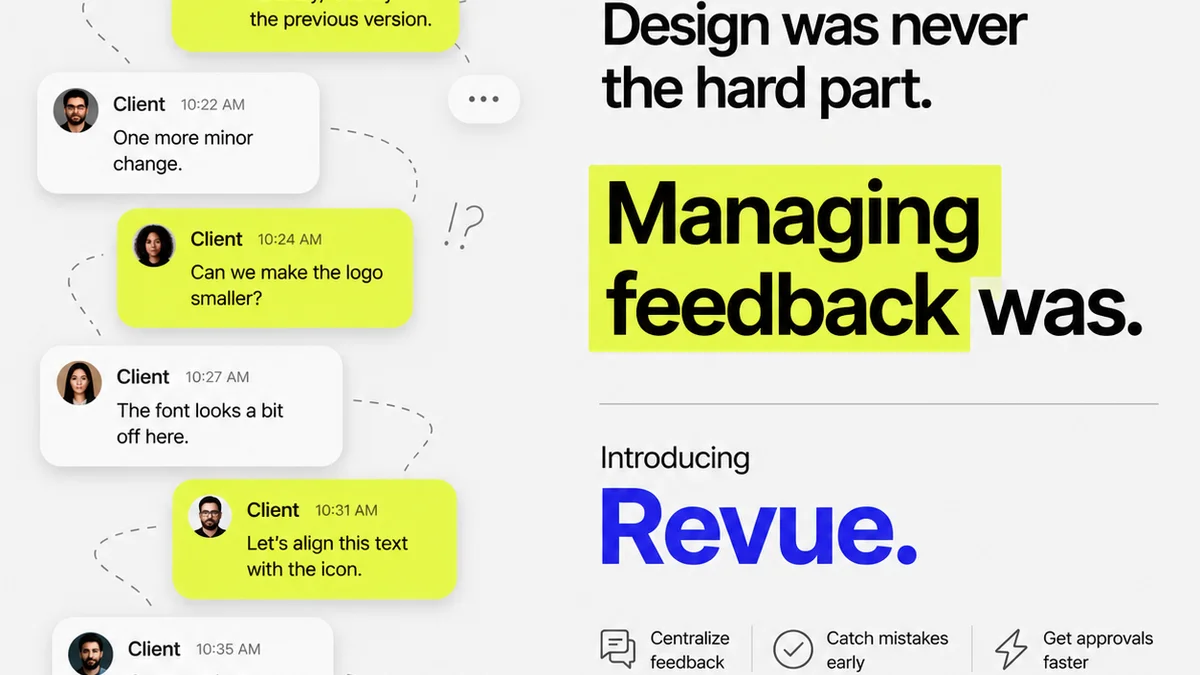
AI accelerates creation, but it can also flood your workflow with new assets and iterations. Revue provides the central hub to manage this influx.
- Centralized Feedback: Upload AI-generated concepts or drafts to Revue. Gather consolidated feedback from all stakeholders in one place, reducing the chaos of scattered comments.
- Revision and Approval Visibility: Track every AI-assisted iteration. See who approved what, and when. This clarity is crucial when AI output needs to align with brand standards and client expectations.
- Quality Checks: Ensure that AI-generated content meets your team's quality bar before it goes to final approval. Use Revue’s structured review process to catch errors or inconsistencies introduced by AI.
Revue helps you bridge the gap between AI’s rapid generation and your enterprise’s need for control, visibility, and accountability.
Final Thought
AI in design is no longer a futuristic concept; it's a present-day operational challenge and opportunity for enterprise teams. The question isn’t whether to adopt AI, but how to integrate it intelligently. Are you building AI into your workflow, or just adding it on top?
Frequently asked questions
How can enterprise teams ensure brand consistency with AI-generated content?
Integrate brand guidelines directly into AI prompts, use AI tools that allow for style training, and implement rigorous human review processes to check for brand alignment before final deployment.
What are the biggest risks of using AI in enterprise design?
Key risks include data privacy breaches, intellectual property disputes, the propagation of biases, and a lack of integration leading to workflow chaos rather than efficiency.
Should AI replace human designers in enterprise settings?
No, AI should augment human designers. It excels at repetitive tasks and rapid ideation, freeing up designers to focus on strategy, complex problem-solving, and creative direction.
How can we manage feedback on AI-generated assets effectively?
Utilize a centralized feedback platform like Revue to gather all comments on AI-generated assets in one place. This ensures clarity, tracks revisions, and streamlines the approval process.
What's the first step for an enterprise creative team looking to adopt AI?
Start by identifying specific pain points in your current workflow that AI could address, then pilot an AI tool for that particular task. Focus on integration and training, not just the technology itself.