Everyone’s talking about AI in design. It’s going to automate the boring stuff, spark creativity, and make your agency ten times faster. Sounds great, right?
None of that is wrong. But it’s incomplete.
The real story isn’t about the magic of AI; it’s about the messy reality of integrating it into your agency workflow. Most teams are so focused on the *what* of AI tools that they’re ignoring the *how* – and that’s where the costly mistakes happen.
The Hard Truth: AI Amplifies Your Existing Processes
AI isn’t a magic wand. It’s a powerful amplifier. Throw disorganized feedback, unclear briefs, or chaotic revision cycles at an AI, and you’ll get amplified chaos. It’s brilliant at tasks, but it has no inherent understanding of your agency’s unique culture, client relationships, or strategic goals.
The real challenge isn’t mastering the AI. It’s mastering your own internal processes so the AI can actually help, rather than hinder.
1. Treating AI as a Black Box
Many teams dive into AI image generators or content tools without understanding the underlying principles. They type in a prompt and hope for the best. This is like hiring a junior designer and giving them no brief, no context, and no guidance.
The Mistake: Blindly accepting AI output without critical evaluation or understanding its limitations. This leads to generic, off-brand, or even nonsensical results.
- Expecting photorealism from a stylized AI without specifying parameters.
- Using AI-generated copy that lacks brand voice or factual accuracy.
- Generating visuals that don't align with the client's established brand guidelines.
The Fix: Understand the AI's strengths and weaknesses. Learn prompt engineering basics. Treat AI output as a first draft, not a final product. Integrate human oversight at every stage.
Prompt Engineering is Your New Briefing Skill
Think of prompt engineering as advanced briefing. The more specific, contextual, and iterative you are, the better the output. This isn't about magic words; it's about clear communication.
Human Oversight is Non-Negotiable
Your creative directors and senior designers are more important than ever. They need to review, refine, and validate AI-generated assets. Their expertise is the filter that prevents brand dilution and strategic missteps.
2. Over-Reliance on Generative AI for Core Creative Concepts
The allure of instant, unique visuals or copy is powerful. But relying solely on generative AI for foundational creative concepts is a fast track to mediocrity.
The Mistake: Using AI to generate the *entire* creative idea, rather than using it to augment human ideation.
- Generating campaign visuals without strategic direction.
- Relying on AI for headline ideas without understanding the target audience's psychographics.
- Automating the entire design process from concept to final asset.
The Fix: Use AI as a brainstorming partner, a mood board generator, or a tool for exploring variations on a human-led concept. Let AI accelerate the execution of a strong, strategically sound idea.
AI for Exploration, Humans for Strategy
Use AI to rapidly explore different visual styles or copy angles *after* the core strategy and concept are defined by your team. This speeds up iteration, not replaces critical thinking.
The Danger of the Echo Chamber
AI models are trained on existing data. If you feed them only generic inputs, they'll produce generic outputs. This can lead to a creative echo chamber, where your agency's work starts to look like everyone else's.
3. Neglecting Data Privacy and Copyright
This is a minefield. Many agencies are using AI tools without a clear understanding of the data they're feeding into them or the ownership of the output.
The Mistake: Uploading client-confidential information, proprietary data, or sensitive assets into public AI models. Assuming AI-generated output is automatically copyright-free.
- Using client logos or internal documents in prompts for public AI tools.
- Generating marketing copy based on unverified AI research.
- Believing that any image created by AI is free to use commercially without licensing.
The Fix: Establish strict guidelines on what data can and cannot be used with AI tools. Prioritize enterprise-grade AI solutions with clear data privacy policies. Consult legal counsel on AI output usage rights.
Know Your AI's Data Policy
Understand where your prompts and uploads are going. Are they used for model training? Is the data anonymized? Publicly available tools often have opaque policies that could put client data at risk.
Copyright is Still Murky
The legal landscape around AI-generated content is evolving. Don't assume you own the copyright to AI output. Tread carefully, especially with commercial use cases.
4. Ignoring the Human Element in Client Communication
AI can streamline workflows, but it shouldn't replace the human touch in client relationships. The nuances of client feedback, the art of managing expectations, and the building of trust are inherently human.
The Mistake: Letting AI tools mediate client interactions or automate feedback interpretation without human oversight. This can lead to misunderstandings and erode client confidence.
- Sending AI-generated status reports directly to clients.
- Automating client feedback summaries without human review.
- Using AI to draft client responses without a senior team member's input.
The Fix: Use AI to *support* your client management, not replace it. Automate internal tasks, but keep client-facing communication personal and professional. Ensure human judgment is always the final filter on client interactions.
AI for Internal Efficiency, Humans for External Trust
Your clients hired *you*, not an algorithm. They value your expertise, your strategic partnership, and your ability to understand their business. Ensure AI enhances these relationships, rather than distancing you from them.
The Nuance of Feedback
AI can process text, but it can't always grasp the emotional subtext, the unspoken concerns, or the strategic implications behind a client's feedback. Human interpretation is crucial here.
5. Failing to Integrate AI into Existing Workflows
The biggest pitfall? Treating AI as a separate, bolted-on feature rather than an integrated part of your existing creative process. This leads to fragmented work, duplicated effort, and missed opportunities for efficiency.
The Mistake: Implementing AI tools in isolation, without considering how they connect to project management, asset management, client approvals, and quality assurance.
- Having designers use AI tools that don't sync with the agency's DAM.
- Using AI for content generation without a clear handoff to the editing team.
- Generating AI visuals without a system for tracking revisions and client approvals.
The Fix: Map out your current creative workflow. Identify specific touchpoints where AI can genuinely add value and integrate it seamlessly. Ensure AI tools work *with* your existing systems, not against them.
Workflow Mapping is Key
Before you adopt any new AI tool, draw out your current process. Where are the bottlenecks? Where is time wasted? Then, see how AI fits into that map. Does it streamline a step? Does it automate a tedious task? Does it improve collaboration?
The Integration Imperative
The goal is a cohesive workflow. AI should feel like a natural extension of your team's capabilities, not an alien addition. This requires thoughtful planning and often, a platform that can bridge the gap between disparate tools and processes.
Where Revue Fits In
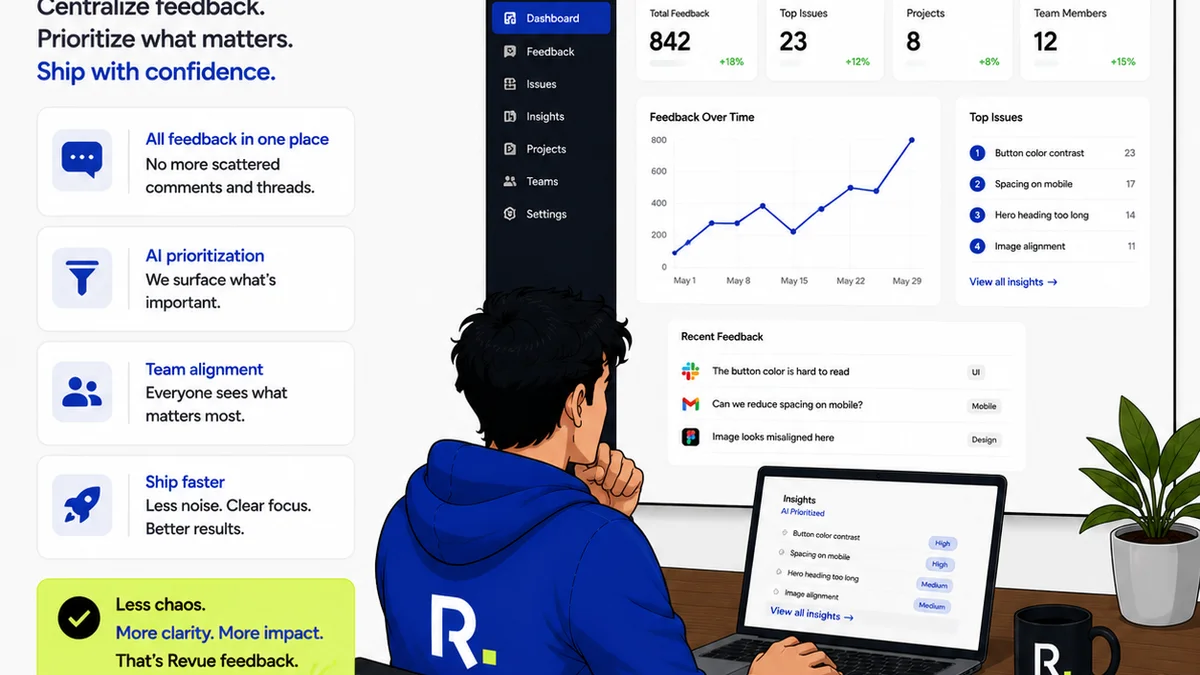
This is precisely why platforms like Revue exist. You're not just looking for AI tools; you're looking for a way to manage the *entire* creative process more effectively, with or without AI.
AI can generate assets faster, but managing the feedback on those assets, tracking revisions, and ensuring quality checks are still critical operational challenges. That’s where centralized feedback platforms shine.
- Centralized Feedback: AI-generated concepts or assets still need client review. A platform like Revue consolidates all feedback in one place, preventing lost emails and version control nightmares.
- Revision Visibility: AI might iterate quickly, but you need a clear record of every change, every approval, and every stakeholder's input. This is vital for accountability and avoiding scope creep.
- Quality Assurance: Before any AI-assisted work goes to a client, it needs a rigorous QA process. Revue helps ensure all necessary checks are completed, maintaining your agency's standards.
AI amplifies your process. Revue helps you ensure that process is solid, transparent, and manageable, especially when dealing with the complexities AI introduces.
Final Thought
AI in design isn't about replacing creatives; it's about augmenting their capabilities. The agencies that win won't be the ones with the most AI tools, but the ones that have the most robust, human-centric workflows that leverage AI intelligently.
Are you building an AI-augmented agency, or just a faster way to make mistakes?
Frequently asked questions
Can AI replace human creativity in design?
No, AI is best viewed as a powerful tool to augment human creativity. It can handle repetitive tasks, explore variations, and assist in ideation, but strategic thinking, emotional nuance, and final creative direction remain human domains.
What are the biggest risks of using AI in design workflows?
The biggest risks include data privacy and copyright issues, over-reliance leading to generic output, neglecting the human element in client communication, and failing to integrate AI into existing workflows, leading to chaos instead of efficiency.
How can I ensure AI-generated content aligns with my brand?
Thorough prompt engineering, using AI as a starting point rather than a final solution, and having human creative directors review and refine AI output against brand guidelines are crucial steps. AI output should always be seen as a draft requiring expert validation.
Is it safe to upload client data into AI tools?
It's generally not safe to upload sensitive or confidential client data into public AI tools due to potential data privacy breaches and unclear usage policies. Opt for enterprise-grade AI solutions with strong data security and privacy guarantees, and establish clear internal guidelines.