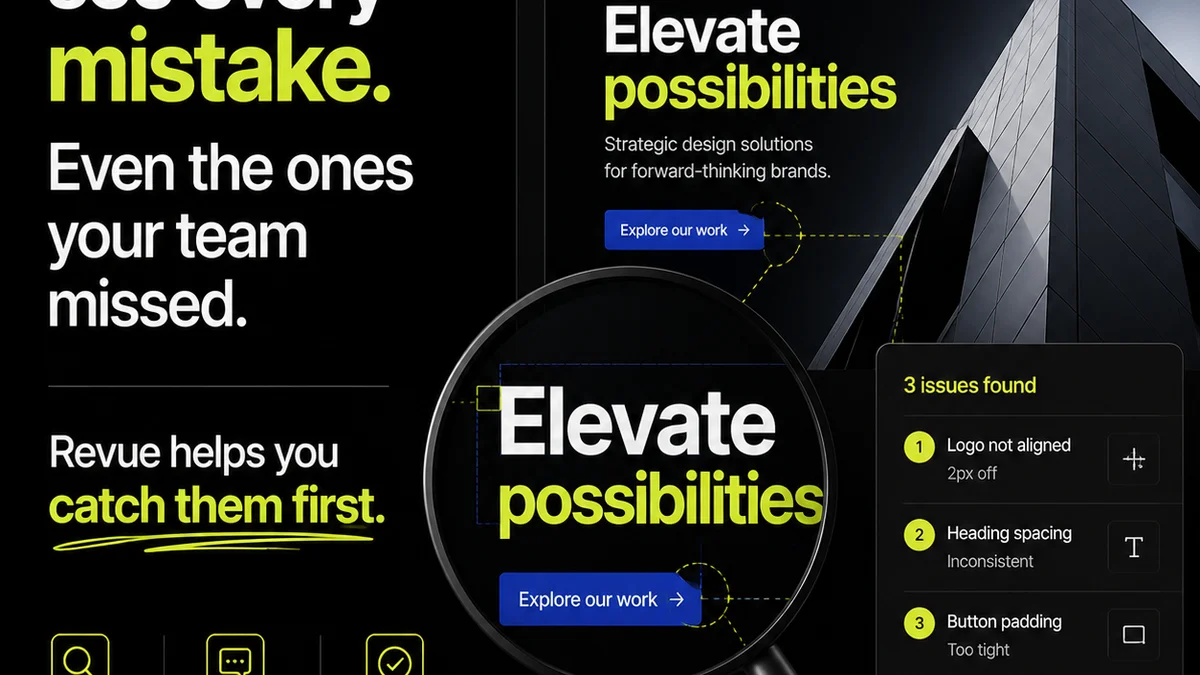
Everyone’s talking about AI transforming creative workflows. You hear it in every boardroom, every agency pitch, every design team meeting. AI will automate everything, they say. It’ll speed up processes, cut costs, and make human input obsolete.
None of that is wrong. But it’s incomplete.
The real story of AI in design Quality Assurance isn’t about replacement. It’s about augmentation. It’s about giving your QA team superpowers they never had before, allowing them to focus on the strategic, nuanced aspects of quality that machines can’t touch.
The Hard Truth: AI Isn't Your New QA Team
AI tools are powerful. They can spot inconsistencies, check against brand guidelines, and even flag accessibility issues at lightning speed. But they lack context, intuition, and the deep understanding of client goals that a human QA specialist brings.
Your human QA team is still essential. AI is simply a tool to make them more effective, more strategic, and ultimately, more valuable.
1. Supercharged Inconsistency Detection
Design QA has always been about catching the small stuff. A misplaced pixel. A slightly off-brand color. A font weight that’s not quite right.
Traditionally, this involves painstaking manual review. Teams scroll through screens, compare versions, and cross-reference style guides. It’s tedious, time-consuming, and prone to human error.
Automated Visual Audits
AI-powered tools can automate large parts of this. They can:
- Compare new designs against approved versions to detect unintended visual changes.
- Scan entire design systems for adherence to established rules (color palettes, typography, spacing).
- Identify elements that deviate from a pre-defined template or layout.
This isn't about AI *deciding* if something is wrong. It's about AI flagging potential deviations for a human to review. Think of it as a hyper-efficient first pass.
The Human Layer: Context and Nuance
But what if the deviation is intentional? What if a slight color shift is a deliberate creative choice to evoke a specific emotion? What if a different font is used for a special campaign, with client approval?
An AI can’t know that. It just sees a difference. Your QA specialist can. They can ask: Is this deviation intentional? Was it approved? Does it serve the project’s goals?
This is where human judgment becomes critical. AI identifies the *what*; humans understand the *why*.
2. Brand Governance at Scale
Maintaining brand consistency across all touchpoints is a constant battle. Especially for large clients with multiple campaigns, channels, and agencies involved.
Brand guidelines are often dense documents, easily misinterpreted or overlooked. Manual checks against these guidelines are laborious and often incomplete.
AI as a Brand Guardian
AI can be trained on your client’s brand guidelines. It can then:
- Scan marketing collateral, website elements, and social media assets for brand compliance.
- Flag incorrect logo usage, off-brand colors, or incorrect messaging.
- Ensure consistent application of brand voice and tone in copy (though this is more nascent).
This frees up brand managers and QA teams from the grunt work of manual audits.
The Human Layer: Strategic Brand Interpretation
A brand is more than just a set of rules. It’s an ethos, a feeling, a promise. AI can check if the logo is the right color, but it can’t assess if the overall execution *feels* on-brand.
Your QA team, armed with AI’s initial findings, can:
- Assess the strategic intent behind brand elements.
- Understand how deviations (if any) align with evolving brand strategy or specific campaign objectives.
- Provide qualitative feedback on the overall brand perception, which AI cannot replicate.
AI enforces the letter of the brand law; humans uphold its spirit.
3. Enhanced Accessibility Checks
Accessibility is no longer a nice-to-have; it’s a legal and ethical imperative. Ensuring digital products are usable by everyone, including people with disabilities, is a core part of quality.
Manual accessibility testing is complex, requiring specialized knowledge and tools. It’s often a bottleneck in the design and development process.
AI for Accessibility Audits
AI tools can significantly speed up initial accessibility checks by identifying common issues such as:
- Insufficient color contrast ratios.
- Missing alt text for images.
- Improper heading structures.
- Potential keyboard navigation issues.
These tools can scan websites, apps, and documents, providing reports on potential violations of WCAG (Web Content Accessibility Guidelines).
The Human Layer: Empathy and Usability
While AI can spot technical accessibility violations, it cannot fully grasp the user experience for someone with a disability.
Your QA specialists can:
- Conduct real-world testing with assistive technologies (screen readers, keyboard navigation).
- Evaluate the *usability* of accessible features – are they intuitive and easy to use?
- Provide empathetic insights into how users with different needs will actually interact with the product.
- Understand the legal and business implications of specific accessibility findings.
AI finds the code-level issues; humans ensure genuine inclusivity.
4. Streamlined Feedback and Revision Cycles
The back-and-forth between design, client, and QA is where projects often get bogged down. Unclear feedback, missed revisions, and endless clarification loops kill productivity.
AI can help organize and clarify this chaos, but it’s not a magic bullet for communication.
AI in Feedback Management
Some AI tools are emerging that can:
- Categorize feedback based on type (e.g., stylistic, functional, copy).
- Identify duplicate feedback points.
- Potentially summarize lengthy feedback threads.
This can help surface critical issues faster and reduce the noise.
The Human Layer: Strategic Interpretation and Communication
Feedback is rarely black and white. A client’s vague comment might hint at a deeper strategic concern. A designer’s proposed solution might have unintended consequences.
Your QA team acts as a crucial bridge:
- Interpreting ambiguous feedback and seeking clarification.
- Prioritizing revisions based on project goals and client impact.
- Ensuring that AI-identified issues are communicated clearly and constructively to the design team.
- Validating that revisions have actually addressed the feedback.
AI can process the data. Humans must facilitate the understanding and collaboration.
Where Revue Fits In
All these AI capabilities generate more data, more flags, more potential issues. The challenge then becomes managing this influx of information effectively.
This is precisely where a platform like Revue becomes indispensable. It’s not about replacing the human element that AI enhances, but about providing the structured environment for that enhanced human element to thrive.
Revue centralizes client feedback, making it easy to track, categorize, and act upon – whether that feedback is initially flagged by an AI tool or directly from a client. It provides a clear audit trail for revisions and approvals, ensuring that every change, every sign-off, is visible and accounted for. This visibility is critical for QA specialists to understand the context behind any design element, a context AI alone cannot provide.
By integrating AI insights into a centralized workflow like Revue, you empower your QA team. They can move faster, catch more, and focus their expertise on the strategic aspects of quality assurance, rather than getting lost in the weeds of manual checks or fragmented communication.
Final Thought
AI isn’t here to make your design QA team redundant. It’s here to make them indispensable.
The future of QA lies not in automation alone, but in the intelligent collaboration between human expertise and artificial intelligence. Are you ready to equip your team with the tools they need to excel?
Frequently asked questions
Can AI replace human QA specialists in design?
No, AI is best used to augment human capabilities. While AI can automate repetitive checks and identify inconsistencies rapidly, it lacks the context, intuition, and strategic understanding that human QA specialists provide. The future is collaborative.
What are the main benefits of using AI in design QA?
AI significantly speeds up tasks like visual consistency checks, brand guideline adherence, and initial accessibility audits. This allows human QA specialists to focus on more complex, nuanced issues and strategic quality considerations.
How can AI improve brand consistency?
AI tools can be trained on brand guidelines to automatically scan assets for compliance, flagging incorrect logo usage, off-brand colors, or deviations from established rules. This ensures a higher level of consistency across all client deliverables.
What is the role of human judgment when using AI in QA?
Human judgment is crucial for interpreting AI findings within the project's strategic context. Humans decide if flagged deviations are intentional, approved, or align with client goals, providing the nuance AI cannot.
How does a platform like Revue integrate with AI in QA?
Revue centralizes feedback and manages revisions, providing a structured environment to incorporate and act on AI-generated insights. It ensures that AI-flagged issues are tracked, communicated, and resolved within a clear workflow.