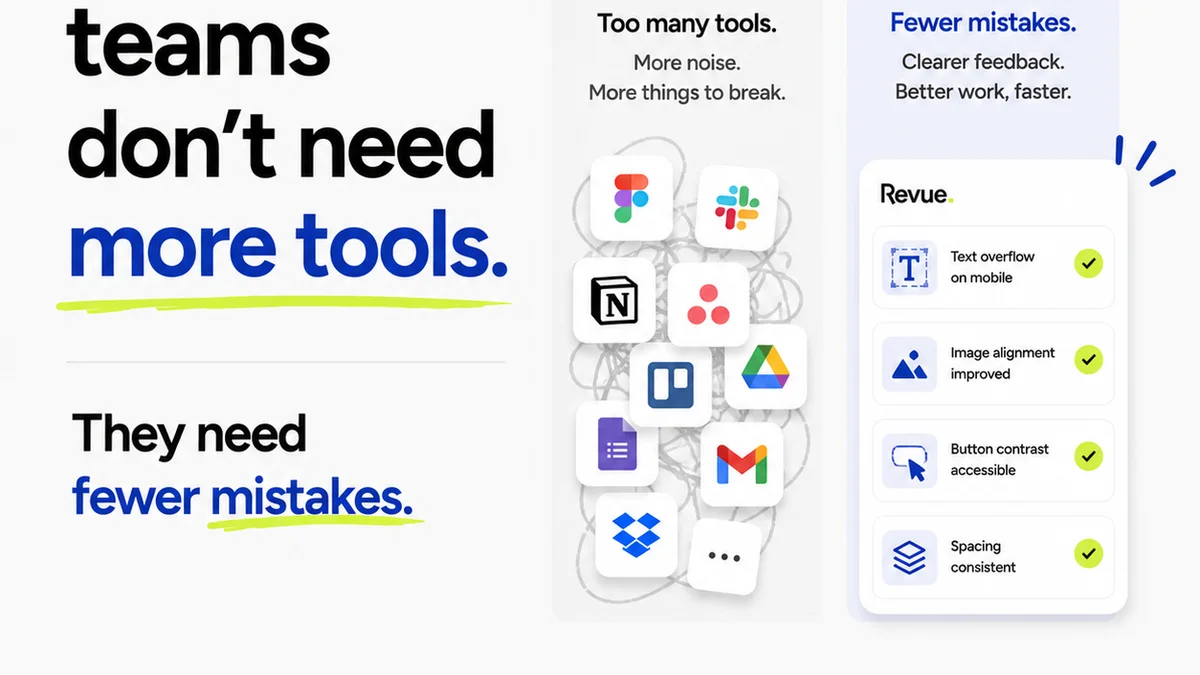
The common wisdom is that AI is here to automate creative tasks. Think image generation, content ideation, maybe even basic layout suggestions. And that’s all true. But it’s incomplete.
The deeper, harder truth? AI is rapidly becoming indispensable for the unglamorous, yet critical, work of quality assurance. Specifically, for spotting design errors before they ever reach a client.
For too long, design error detection has been a manual, subjective, and often frustrating process. It’s a game of ‘spot the difference’ that’s prone to human fatigue and oversight. This isn’t just an inconvenience; it’s a drain on resources and a risk to client relationships.
1. The Myth of Perfect Human Oversight
We like to think our design teams, especially senior reviewers, have eagle eyes. That they can catch every stray pixel, every misaligned element, every font inconsistency. And sometimes, they can. But relying solely on human review for error detection is a losing battle.
The Cognitive Load is Real
Reviewing creative work is mentally taxing. It requires intense focus, pattern recognition, and a deep understanding of brand guidelines, technical specs, and project requirements. After hours of deep work, or when juggling multiple projects, even the best designers miss things.
This isn't a knock on talent. It's a reality of cognitive function.
Subjectivity Creeps In
What one designer flags as an error, another might see as a stylistic choice. Brand guidelines can be interpreted differently. Technical specifications can be ambiguous. This leads to inconsistent QA and can even spark internal disagreements.
The Sheer Volume
Modern projects involve dozens, if not hundreds, of assets. Websites, apps, social campaigns, print collateral – each with multiple states, screen sizes, and variations. Manually checking every permutation is a monumental task, often rushed under tight deadlines.
2. AI's Unblinking Eye: Beyond Human Limits
AI doesn't get tired. It doesn't have off days. It doesn't get bored. When trained correctly, AI can perform repetitive, detail-oriented tasks with a consistency that humans simply cannot match. This is where its power in design error detection truly shines.
Automated Visual Comparison
AI can be trained to compare different versions of a design asset with incredible precision. It can detect subtle differences in:
- Pixel-level deviations
- Color variations (even slight shifts)
- Alignment and spacing
- Font rendering and consistency
- Image resolution or compression artifacts
- Element placement across different screen sizes
This goes far beyond simple file comparison. It’s about understanding the visual composition.
Rule-Based Validation
AI can enforce predefined rules with zero deviation. Think:
- Brand guideline compliance (e.g., correct logo usage, approved color palettes)
- Accessibility standards (e.g., contrast ratios, minimum font sizes)
- Technical constraints (e.g., file size limits, image dimensions)
- Consistency checks across a suite of assets
It’s like having a perfectly programmed, infinitely patient brand guardian.
Pattern Recognition for Anomalies
Beyond direct comparison, AI can learn what ‘normal’ looks like for your specific projects and flag deviations. This could be an unusual layer structure in a PSD file, a file naming convention that’s gone awry, or an asset that doesn’t fit the established pattern for a campaign.
3. Practical Applications: AI in Your Workflow
Integrating AI for error detection isn't about replacing designers or QA specialists. It’s about augmenting their capabilities and freeing them up for higher-level strategic thinking and creative problem-solving.
Pre-Flight Checks for Print
Before sending designs to print, AI can perform automated pre-flight checks. It can verify:
- Correct color modes (CMYK vs. RGB)
- Bleed and trim settings
- Resolution of embedded images
- Font embedding status
- Presence of overprint issues
This drastically reduces the likelihood of costly print errors.
Web and App UI/UX Audits
For digital projects, AI can:
- Compare staging environments against approved mockups
- Identify broken links or missing assets
- Check for responsive design inconsistencies across devices
- Flag accessibility violations
- Detect visual bugs that QA testers might miss
It’s like having a tireless automated user.
Consistency Across Campaigns
Launching a multi-channel campaign? AI can ensure that all assets—social posts, banners, email headers, landing pages—adhere to the same visual standards, using the correct logos, fonts, and color treatments. It catches the small variations that can dilute a brand’s message.
Code Linting and Asset Management
While not strictly ‘design’ errors, AI can also help ensure that associated code is clean and that assets are correctly named, organized, and versioned, preventing downstream issues.
4. Where Revue Fits In
AI tools are powerful for *detection*, but managing the *workflow* around those detections is crucial. This is where a centralized feedback and approval platform becomes essential.
When AI flags a potential issue, that information needs to be captured, communicated, and acted upon efficiently. Revue provides the environment for this:
- Centralized Feedback Hub: AI-generated reports or flagged issues can be logged directly within Revue, attached to specific versions or assets. This ensures that the context of the error is never lost.
- Clear Revision Tracking: Once an issue is identified and assigned for correction, Revue’s version control makes it easy to track the revision process. Stakeholders can see exactly what was changed and why.
- Streamlined Approvals: After corrections are made, the updated asset can be reviewed and approved within Revue, providing a clear audit trail. This prevents debated or forgotten sign-offs.
- Quality Check Integration: AI can act as an initial quality gate. If it finds errors, the asset might not even progress to human review until those issues are resolved, saving valuable reviewer time. If AI passes, it can be noted as part of the QA process within Revue.
Revue doesn't perform the AI analysis itself, but it’s the crucial connective tissue that ensures AI-driven insights translate into actionable improvements and efficient project progression.
5. The Future is Proactive, Not Reactive
The shift from reactive bug fixing to proactive error prevention is a game-changer for creative operations. It means fewer last-minute scrambles, happier clients, and more time for creative teams to focus on what they do best: creating great work.
Embracing AI for quality control isn't about chasing the latest tech trend. It's about building more robust, efficient, and reliable creative processes.
Final Thought
As AI capabilities grow, what’s the one design-adjacent task you’d be most excited to see it automate or assist with, purely to reduce friction and error?
Frequently asked questions
Can AI really catch subtle design errors?
Yes. When trained on specific project parameters and brand guidelines, AI can detect subtle deviations in color, spacing, alignment, and even font rendering that might be missed by the human eye, especially under deadline pressure.
Does using AI mean I don't need human QA testers?
No. AI acts as a powerful first line of defense or an augmentation tool. It handles repetitive, detail-oriented checks, freeing up human QA testers to focus on more complex usability, user experience, and subjective creative quality aspects.
What types of design errors is AI best at finding?
AI excels at identifying visual inconsistencies, deviations from brand guidelines, technical specification violations (like incorrect file formats or dimensions), accessibility issues (like poor contrast ratios), and pixel-level discrepancies between versions.
How do I integrate AI error detection into my current workflow?
Start by identifying the most common or costly errors your team faces. Research AI tools that specialize in visual comparison, rule-based validation, or automated pre-flight checks. Integrate these tools into your pre-production or pre-delivery pipeline, and use platforms like Revue to manage the feedback and revision process around AI-flagged issues.