Everyone’s talking about AI in design. You hear it’s going to automate tasks, generate assets, maybe even replace designers. All that’s true, in a way. But it’s not the whole story.
The real impact of AI on your Figma workflow isn’t about magic buttons. It’s about fundamentally changing how you manage the design process, from ideation to final handoff.
1. Beyond Basic Automation: AI as a Co-Pilot
Forget the idea of AI as just a faster paintbrush. The current wave is about intelligence. It’s about tools that understand context, predict needs, and augment your decision-making.
This isn’t about replacing your creative judgment. It’s about freeing it up.
Ideation & Exploration
AI can rapidly generate mood boards, explore countless layout variations, or even suggest color palettes based on a brief. This isn't about hitting ‘generate’ and accepting the first result. It’s about kickstarting your creative process with a wider range of possibilities than you could manually explore in hours.
Think of it as a hyper-efficient brainstorming partner.
- Rapid concept visualization
- Exploration of unconventional ideas
- Data-driven design suggestions
Content Generation
Need placeholder text that actually makes sense? Or a set of icons that fit a specific style? AI tools can now generate realistic copy, images, and even code snippets directly within or alongside Figma.
This dramatically speeds up the production phase, allowing you to focus on the strategic and creative aspects.
Component Management & Consistency
AI is starting to analyze your design system. It can identify inconsistencies, suggest refactors, and even help automate the creation of new components based on existing patterns.
This ensures your design system remains robust and scalable, a critical factor for larger projects and teams.
2. The Data Underneath: AI Needs Context
AI tools are only as good as the data they’re trained on. For Figma, this means your design files, your design system, and your project history.
The more structured and consistent your Figma files are, the more powerful AI becomes.
Structured Design Systems
A well-defined design system with clear naming conventions and component properties is fertile ground for AI. AI can learn your design language and apply it consistently across new designs.
If your system is a mess, AI will struggle. Garbage in, garbage out.
Project History & Feedback
AI can analyze past projects, identifying successful patterns, common revision cycles, and client preferences. This data can inform future design decisions and even predict potential roadblocks.
The key here is having a centralized, accessible record of your work and the feedback it received.
User Data Integration
Connecting AI tools to user analytics or A/B testing results can help validate design choices. Imagine AI suggesting UI changes based on real user behavior data directly from your live product.
3. Workflow Integration: Beyond the Plugin
The real game-changer isn't just a new AI plugin. It’s how these capabilities integrate into your existing, day-to-day workflow. We’re moving beyond standalone AI tools to AI embedded within the platforms we use.
This makes adoption seamless.
Automated Documentation
AI can help generate design specifications, user flow diagrams, and even basic handover documentation automatically from your Figma files. This reduces the manual effort and ensures accuracy.
Think of the hours saved on tedious documentation.
Smart Handoffs
AI can assist in preparing assets for development, ensuring all necessary information—specs, states, interactions—is clearly communicated. Some tools can even generate basic code snippets.
This bridges the gap between design and development more effectively.
Intelligent Review Processes
AI can flag potential accessibility issues, check for design inconsistencies against brand guidelines, or even summarize lengthy feedback threads. This makes the review process more efficient and data-driven.
4. The Human Element: Where You Still Shine
AI excels at pattern recognition, data processing, and rapid generation. It’s not good at nuanced strategy, understanding client emotions, or making subjective creative leaps.
Your role is evolving, not disappearing.
Strategic Thinking
AI can present options, but you decide which options align with the client’s business goals and target audience. This requires a deep understanding of strategy that AI currently lacks.
Creative Direction
AI can generate variations, but you provide the vision. You set the tone, the emotional resonance, and the overall creative direction that makes a design truly compelling.
Client Relationships
Design is a service. Building trust, understanding unspoken needs, and navigating complex client dynamics are uniquely human skills that AI cannot replicate.
5. Where Revue Fits In
All these AI advancements in Figma rely on one critical foundation: well-managed project data. Centralized feedback, clear revision histories, and organized approvals are essential for AI to learn and operate effectively.
This is where Revue becomes indispensable.
- Centralized Feedback: AI can analyze feedback more effectively when it’s all in one place, not scattered across emails, Slack messages, and random documents. Revue consolidates client comments, stakeholder input, and internal reviews, providing a single source of truth for AI to process.
- Revision & Approval Visibility: AI can help track design iterations, but it needs a clear history to understand what changed and why. Revue’s structured version control and approval tracking provide this essential context, allowing AI to learn from past decisions and predict future needs more accurately.
- Quality Checks: As AI assists in identifying inconsistencies or potential issues, a platform like Revue ensures these checks are integrated into a transparent, auditable process. It helps ensure that AI-driven suggestions are properly reviewed and implemented, maintaining creative integrity.
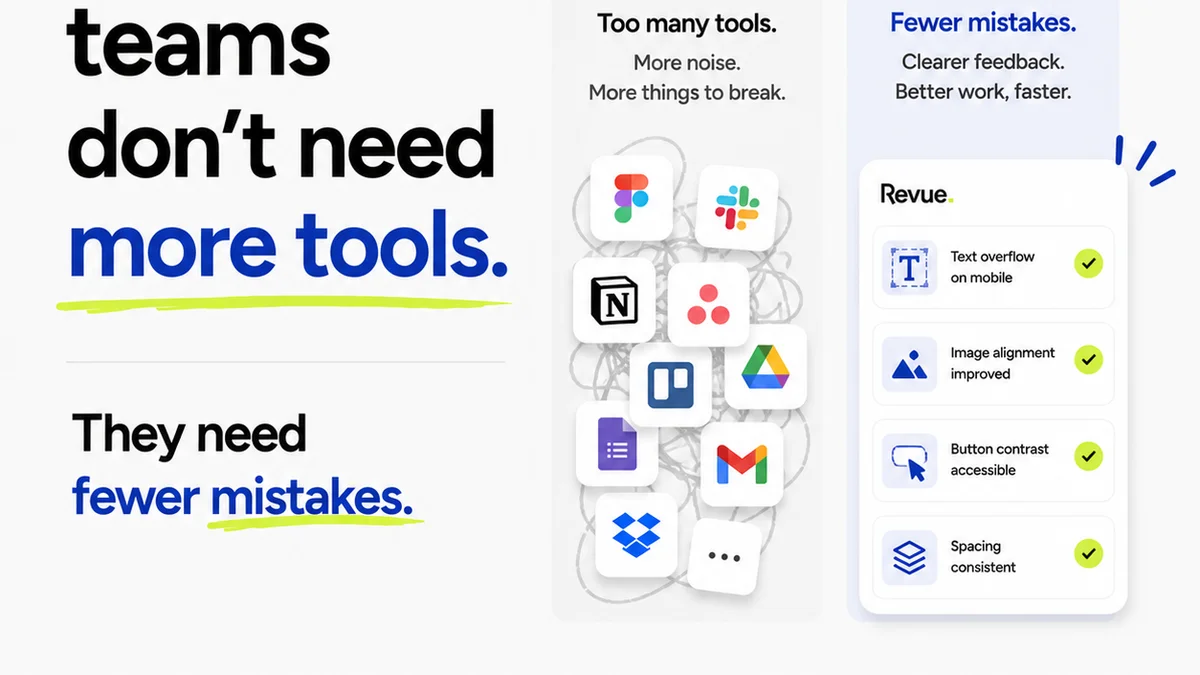
By organizing your creative workflow, Revue ensures that the data feeding your AI tools is clean, contextual, and actionable. This amplifies the benefits of AI, rather than creating more noise.
Final Thought
The integration of AI into Figma isn’t a distant future; it’s happening now. It’s not about replacing designers, but about augmenting their capabilities. The agencies and teams that thrive will be those who embrace AI not as a threat, but as a powerful new tool for creative problem-solving and operational efficiency. The question isn't *if* AI will change your workflow, but *how* you will lead that change.
Frequently asked questions
Will AI replace designers in Figma?
No, AI is more likely to augment designers' capabilities. It can automate repetitive tasks, generate ideas, and analyze data, freeing up designers to focus on strategic thinking, creative direction, and client relationships.
How can I prepare my Figma files for AI tools?
Ensure your Figma files are well-organized with clear naming conventions, a structured design system, and consistent component usage. The cleaner and more structured your data, the better AI tools can interpret and assist your workflow.
What are the benefits of using AI in Figma?
Benefits include faster ideation and exploration, automated content generation (text, icons, images), improved component management and consistency, streamlined documentation and handoffs, and more efficient review processes.
How does a platform like Revue help with AI in Figma?
Revue centralizes feedback, organizes revisions, and tracks approvals, creating clean, contextual data that AI tools need to function effectively. This ensures AI suggestions are based on accurate project history and client input.