Everyone’s talking about AI for design. Image generators. AI-powered editing tools. The promise of infinite creative output with zero effort. It sounds like a magic wand.
None of that is wrong. But it’s incomplete.
The real story of AI in design isn't about replacing creatives. It’s about augmenting them. It’s about process. And it’s about the operational shifts that make AI truly valuable, not just a novelty.
1. AI Isn't a Replacement, It's an Amplifier
The most common fear? AI taking designers’ jobs. This narrative is overblown. AI excels at specific, repetitive tasks. It can generate variations, clean up images, suggest layouts, and even write basic copy. What it *can’t* do is understand nuanced brand strategy, empathize with a target audience, or make intuitive leaps based on years of experience.
Think of AI as a super-powered junior designer. It can execute tasks at lightning speed, freeing up your senior talent to focus on what humans do best:
- Strategic thinking and problem-solving
- Deep client understanding and relationship building
- Conceptualizing novel ideas and unique brand voices
- Complex creative direction and nuanced feedback interpretation
- Ethical considerations and cultural sensitivity
The operational truth is that AI, when implemented correctly, *increases* the value of your human designers. It allows them to be more strategic, more conceptual, and ultimately, more impactful.
2. The Data Dilemma: Garbage In, Garbage Out
AI models are trained on data. Vast amounts of it. For AI to be useful in a specific design context, it needs relevant, high-quality data. This means your agency’s own past projects, brand guidelines, style guides, and client feedback are goldmines.
But here’s the catch: that data needs to be organized. Accessible. Clean.
If your project assets are scattered across servers, your brand guidelines are buried in old PDFs, and client feedback is a mess of email chains, your AI tools will struggle. They’ll produce generic, uninspired results. Or worse, results that are off-brand and inaccurate.
The Operational Reality
This isn't a tech problem; it's a workflow problem. The effectiveness of AI hinges on your internal data hygiene.
- Are your brand assets consistently tagged and versioned?
- Is client feedback centralized and searchable?
- Are your style guides easily digestible by both humans and machines?
Investing in a robust DAM (Digital Asset Management) system and a clear feedback process isn't just good practice; it's essential infrastructure for leveraging AI effectively.
3. Workflow Integration: The Real ROI
Buying the latest AI tool is the easy part. The hard part is integrating it into your existing workflows without causing chaos. Simply overlaying AI onto broken processes won't fix anything.
Consider the typical design process:
- Briefing
- Ideation/Concepting
- Design Production
- Internal Review
- Client Feedback
- Revisions
- Final Approval
- Delivery
Where does AI fit? It can help with:
- Briefing: Analyzing briefs for key themes, suggesting initial directions.
- Ideation: Generating mood boards, exploring visual styles rapidly.
- Production: Automating asset resizing, creating image backgrounds, refining layouts.
- Feedback: Summarizing long feedback threads, identifying key action items.
- Revisions: Generating variations based on specific comments.
The ROI comes not from the AI itself, but from how it streamlines these steps. If an AI tool adds more clicks, more context switching, or more manual data wrangling than it saves, it’s a net negative. True value is found in seamless integration that accelerates the entire project lifecycle.
4. The Skill Shift: From Execution to Curation and Strategy
As AI takes over more of the execution-heavy tasks, the skills required of your design team will evolve. The emphasis will shift from pure craft to higher-level competencies.
Your designers will need to become:
- Expert Prompters: Crafting precise instructions to guide AI effectively.
- Skilled Curators: Evaluating AI-generated outputs, selecting the best options, and refining them.
- Strategic Thinkers: Ensuring AI-assisted work aligns with overarching business goals and brand strategy.
- Ethical Guardians: Understanding the implications of AI-generated content, including copyright and bias.
- Process Innovators: Identifying new ways AI can improve workflows.
This isn't about learning to code. It's about developing a deeper understanding of how to leverage technology strategically. It requires training, experimentation, and a willingness to adapt.
5. AI and Client Collaboration: New Frontiers, New Challenges
How do you involve clients in an AI-augmented workflow? This is where things get interesting.
Presenting raw AI outputs can be confusing or even alarming for clients. They might not understand the process or trust the results. Transparency is key.
Instead of showing a dozen AI-generated logos, show a curated selection of the strongest concepts, explaining how AI was used to explore possibilities rapidly. Focus on the *outcomes* and the *strategic rationale*, not just the tool.
This also opens up new forms of collaboration:
- Co-creation: Using AI tools in live sessions with clients to explore ideas together.
- Data-driven insights: Leveraging AI to analyze client data for better creative recommendations.
- Personalization at Scale: Using AI to tailor creative assets for specific audience segments.
The challenge is managing client expectations and educating them on the value AI brings, ensuring it enhances, rather than detracts from, the collaborative process.
Where Revue Fits In
The operational truth about AI is that its power is unlocked by robust, streamlined workflows. This is precisely where Revue excels.
AI tools can generate ideas and variations at breakneck speed. But managing the feedback, revisions, and approvals on that work? That’s where chaos can ensue.
Revue provides the essential connective tissue:
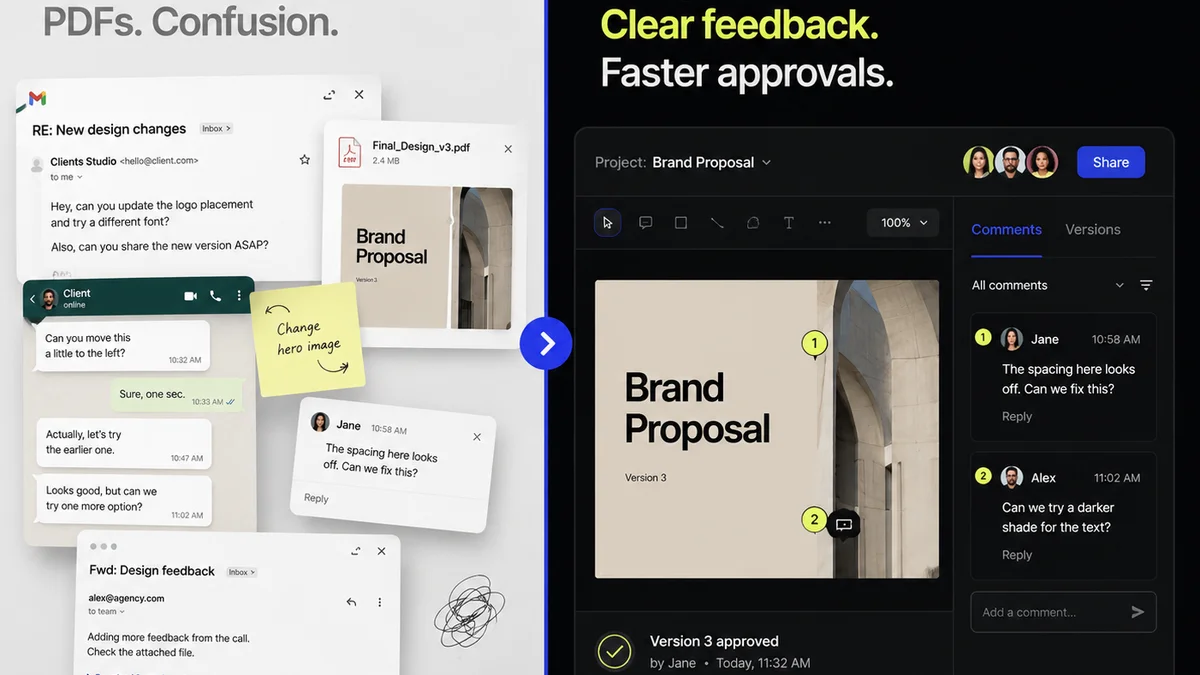
- Centralized Feedback: No more hunting through emails or Slack channels. All client comments live on the asset, providing clear context for AI-generated revisions.
- Revision Visibility: Track every iteration, understand the changes made, and see how AI-assisted adjustments align with client requests.
- Streamlined Approvals: Get clear sign-offs, reducing ambiguity and speeding up the delivery process, even with complex AI-driven creative exploration.
- Quality Control: Ensure that AI-generated elements meet brand standards and strategic objectives before final delivery.
By organizing your creative workflow, Revue ensures that the speed and scale AI offers translate into tangible business value, not just more noise.
Final Thought
AI isn't a fad. It's a fundamental technological shift that will reshape the creative industries. The agencies and teams that thrive won't be the ones who adopt the most AI tools, but the ones who thoughtfully integrate them into their processes, empowering their human talent to do their best strategic and creative work.
How are you preparing your team and your workflows for this new reality?
Frequently asked questions
Will AI replace graphic designers?
It's highly unlikely AI will replace designers entirely. AI excels at repetitive tasks and generating variations. Human designers are crucial for strategic thinking, conceptualization, client empathy, and nuanced creative direction. AI acts as an amplifier, freeing up designers to focus on higher-value work.
What is the biggest challenge in implementing AI for design?
The biggest challenge is often operational, not technological. AI's effectiveness depends on the quality and organization of your data (past projects, brand guidelines, feedback). Poor data hygiene leads to poor AI output. Integrating AI seamlessly into existing, often fragmented, workflows is also a significant hurdle.
How can agencies ensure AI-generated work is on-brand?
This requires robust internal processes. Ensure your brand guidelines are clear, accessible, and well-structured. Train your team on how to prompt AI effectively and, crucially, how to curate and refine AI outputs. Centralized feedback and approval systems like Revue help ensure AI-assisted work aligns with strategic goals and client expectations.
What new skills do designers need in the age of AI?
Designers need to shift from pure execution to curation and strategy. Key skills include expert prompting, critical evaluation of AI outputs, strategic alignment with business goals, understanding ethical implications (bias, copyright), and identifying workflow improvements. It's about leveraging AI as a tool, not being replaced by it.