Everyone’s talking about AI in design. You hear it’ll automate tasks, spark creativity, and make your team faster than ever. Sounds great, right?
None of that is wrong. But it’s incomplete.
The hard truth? Simply throwing AI tools at your team without a strategy is a fast track to *more* process, *more* confusion, and ultimately, *slower* delivery. The promise of speed only materializes when adoption is deliberate.
1. AI Won't Replace Your Creative Director. It Needs Direction.
The biggest misconception is that AI is a magic wand. You feed it a prompt, out pops a masterpiece. That’s a fantasy.
Real creative leadership still dictates the vision, the strategy, and the critical judgment calls. AI is a powerful assistant, not the boss.
Think of it like this:
- A junior designer needs guidance. AI needs even more.
- A brief sets the stage. AI needs a detailed script.
- A client's ask is a problem. AI needs a well-defined problem statement.
Without clear input and defined goals, AI-generated assets are often generic, off-brand, or simply unusable. Your team’s role shifts from pure creation to expert curation and refinement.
The Prompt is the New Brief
The quality of AI output is directly proportional to the quality of the prompt. This isn't about typing a few keywords. It’s about understanding the AI’s capabilities and limitations, and translating creative intent into precise instructions.
This requires skill. And that skill needs to be cultivated within your team.
Guardrails Are Essential
Brand guidelines, tone of voice, target audience – these aren't suggestions. They are non-negotiable. AI needs to be trained or prompted with these guardrails in mind, or you’ll spend more time correcting its mistakes than you would have spent creating from scratch.
2. Integrate, Don't Isolate.
The next pitfall is treating AI tools as separate, special projects. Teams end up with a dozen new apps that don’t talk to each other, or to your existing workflow.
This creates silos. It adds friction. It kills momentum.
Effective AI integration means embedding it into your existing processes, not bolting it on as an afterthought.
Where Does AI Fit *Naturally*?
Consider the typical design lifecycle:
- Ideation & Concepting: AI can rapidly generate mood boards, explore visual styles, or create initial roughs. This speeds up the *exploration* phase.
- Asset Generation: Need 50 variations of a social media graphic? AI excels here. It can produce these at a scale humans can't.
- Repurposing Content: Turning a long-form article into social snippets, or a video into stills? AI can handle the heavy lifting of format conversion.
- First Pass of Copy/Messaging: Generating headline options or descriptive text can be a starting point for copywriters.
The key is identifying tasks that are repetitive, time-consuming, or benefit from rapid iteration, and then finding the AI tool that addresses that specific need within your workflow.
Avoid the Tool Sprawl
It’s tempting to try every new AI tool that hits the market. Resist this urge.
Focus on a few core tools that solve your most pressing problems. Ensure they integrate with your existing stack where possible. A single, well-integrated AI assistant is far more valuable than ten standalone toys.
3. Training is Not Optional. It's the Engine.
You wouldn't hire a graphic designer and expect them to know your agency’s specific systems and client roster on day one. You onboard them. You train them.
AI is no different. In fact, it requires *more* upfront investment in training.
This isn't just about teaching them *how* to use the tool. It’s about teaching them *how to use the tool effectively for your agency*.
Skill Up Your Prompters
Prompt engineering is a real skill. Your team needs to learn how to:
- Deconstruct creative briefs into AI-understandable instructions.
- Iterate on prompts to refine output.
- Identify and correct AI biases or hallucinations.
- Combine AI outputs with human creativity.
- Understand the legal and ethical implications of AI-generated content.
This training should be ongoing. AI models evolve rapidly, and so should your team's proficiency.
Define Your AI Workflow
Document how and when specific AI tools should be used. Who is responsible for what? What are the review stages for AI-assisted work?
Without documented processes, AI adoption becomes chaotic. Different team members will use tools differently, leading to inconsistent results and wasted effort.
4. Quality Control: The Unsung Hero of AI Design
This is where many teams stumble. They embrace AI for speed, then forget the crucial step of quality assurance.
AI can generate a lot of *stuff*. But is it good stuff? Is it on-brand? Is it error-free?
The human element in quality control becomes even *more* critical when AI is involved.
The Human Review is Paramount
Every piece of AI-generated or AI-assisted work needs a human eye. This isn't just a final check; it's integrated throughout the process.
- Initial Output Review: Does the AI output align with the prompt and creative brief?
- Mid-Process Refinement: Are the AI-generated elements being used effectively?
- Final Polish: Are there any AI artifacts, inconsistencies, or errors that need fixing?
Your team’s expertise in design principles, brand consistency, and client needs is the ultimate filter.
Beware of AI Hallucinations
AI models can sometimes
Frequently asked questions
How can AI help a design team be more productive?
AI can accelerate repetitive tasks like asset generation, content repurposing, and initial ideation, freeing up designers to focus on higher-level strategy, creative problem-solving, and client communication.
What are the biggest risks of adopting AI in design?
The main risks include poor integration leading to workflow slowdowns, lack of proper team training causing misuse, over-reliance on AI without human oversight leading to quality issues, and potential brand inconsistency if guardrails aren't maintained.
Do I need to hire prompt engineers?
While dedicated prompt engineers are an option, it's more practical for most agencies to train existing designers and creative leads in prompt engineering. This skill allows them to effectively guide AI tools within their specific creative context.
How does Revue help with AI-assisted design workflows?
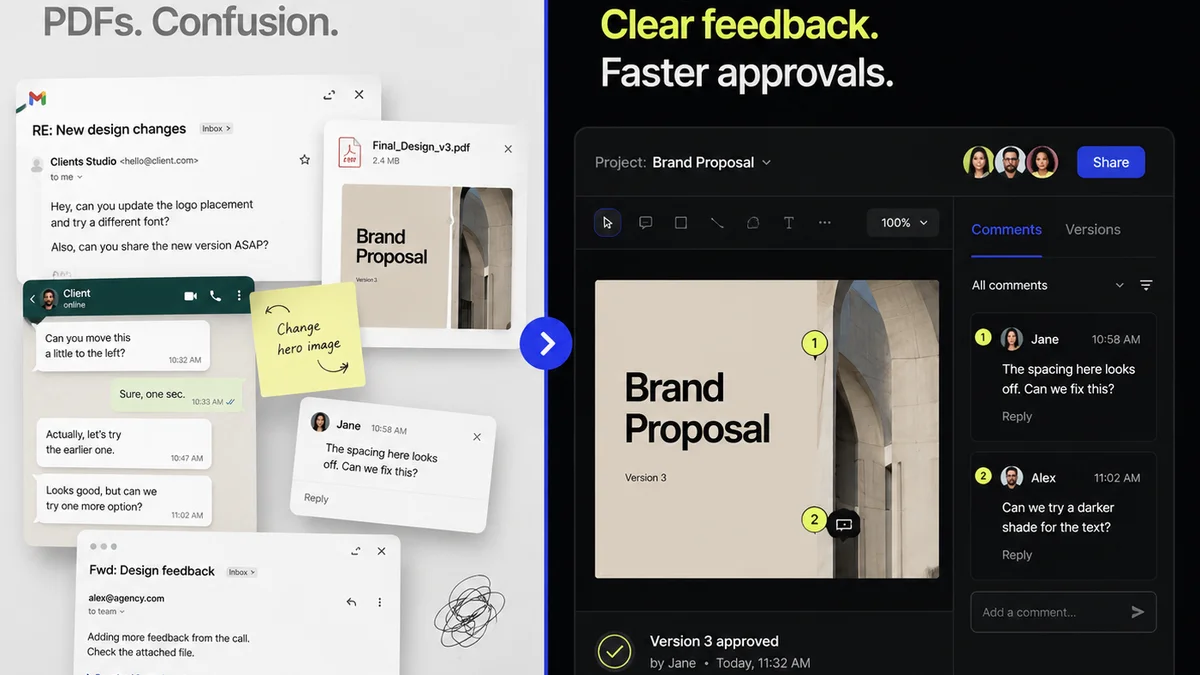
Revue centralizes client feedback and revision tracking, which is crucial when working with AI-generated assets. It ensures that AI outputs are reviewed against client requirements and that revisions are clearly managed, preventing miscommunication and maintaining project momentum.