Everyone’s talking about AI creating stunning visuals, copy, and even code. It’s easy to assume that because a machine generated it, the creative review process becomes simpler. Just click ‘approve’ and move on, right?
None of that is wrong. But it’s incomplete.
The hard truth is that AI-generated creative introduces a new layer of complexity to review. It’s not about *if* you need to review, but *how* you review AI outputs effectively. Without a clear process, you risk client dissatisfaction, wasted revisions, and a diluted brand identity. This isn’t about replacing human judgment; it’s about augmenting it with smarter workflows.
1. Define AI’s Role and Scope Upfront
Before any AI tool touches a project, define its purpose. Is it a brainstorming partner? A first-pass generator? A tool for specific asset types (e.g., background textures, placeholder copy)?
This clarity prevents scope creep and manages expectations. Your client needs to know where AI fits in, not just that it’s being used.
Client Communication is Key
Be transparent with clients about AI’s involvement. Explain the benefits (speed, cost-efficiency) and the limitations. Outline how AI outputs will be integrated and reviewed.
Many clients are curious but cautious. A well-defined approach builds trust.
Setting the Right Prompts
The quality of AI output is directly tied to the quality of the prompt. This is where human expertise becomes critical.
- Develop detailed, iterative prompts.
- Include brand guidelines, tone of voice, and visual style.
- Test multiple prompt variations to explore creative directions.
- Document successful prompts for future use.
Think of prompt engineering as a new form of art direction. It requires skill, iteration, and a deep understanding of the desired outcome.
2. Establish AI-Specific Quality Control Gates
AI can hallucinate, produce generic results, or miss nuanced brand requirements. Your review process must catch these issues before they reach the client.
This means moving beyond a simple ‘looks good’ check. You need structured evaluation criteria tailored to AI outputs.
Fact-Checking and Accuracy
For any AI-generated text or data, rigorous fact-checking is non-negotiable. AI models can confidently present incorrect information. Never assume accuracy.
Brand Consistency Check
Does the AI output align with your established brand guidelines, tone, and visual identity? This requires a human eye trained on the brand. AI often needs explicit instructions to adhere to specific brand nuances.
Originality and Uniqueness
While AI can generate novel combinations, true originality is still a human domain. Review AI outputs for distinctiveness. Does it stand out, or does it look like every other AI-generated piece?
Technical Viability
For design assets, check for technical issues. Are the dimensions correct? Is the file format appropriate? Are there any rendering errors or artifacts introduced by the AI?
Ethical and Legal Review
Consider the ethical implications and potential legal issues. Does the AI output inadvertently incorporate copyrighted material or perpetuate biases? This is an evolving area requiring careful consideration.
3. Integrate AI Review into Existing Workflows
Don't create a separate, siloed process for AI-generated content. Integrate it seamlessly into your existing review and approval cycles.
The goal is efficiency, not added bureaucracy.
Leverage Your Creative Team
Your most experienced designers and copywriters are crucial. They understand the brand, the client, and the nuances that AI might miss. Train them on AI tools and the review process.
Iterative Feedback Loops
AI generation is often iterative. Your review process should mirror this. Provide specific, actionable feedback to refine AI outputs, rather than just accepting or rejecting them outright.
- Identify elements that need adjustment.
- Suggest specific prompt modifications.
- Request alternative AI generations based on refined criteria.
This approach turns AI into a more powerful collaborator.
Version Control for AI Outputs
Just like human-generated work, keep track of different AI iterations. This helps in understanding the evolution of an asset and reverting to previous versions if necessary.
4. Understand AI Limitations and Bias
AI is a tool, not a magic wand. It reflects the data it was trained on, which can lead to inherent limitations and biases.
Recognizing these is key to effective review.
Data Bias in AI Models
AI models can perpetuate societal biases present in their training data. This can manifest in representation, language, or even aesthetic choices. Be vigilant in identifying and correcting these biases.
Lack of True Understanding
AI doesn’t ‘understand’ context, emotion, or cultural nuance in the way humans do. It can generate technically correct but emotionally hollow or contextually inappropriate content.
Human oversight is essential to inject empathy and genuine understanding.
Over-reliance and Stagnation
The temptation to rely too heavily on AI can stifle human creativity and lead to a homogenous output across projects. Ensure AI serves as a supplement, not a replacement, for original thought.
Where Revue Fits In
Managing feedback on any creative asset, AI-generated or not, is where structured workflows shine. Revue provides the centralized platform to streamline this complex process.
When dealing with AI-generated creative, Revue helps by:
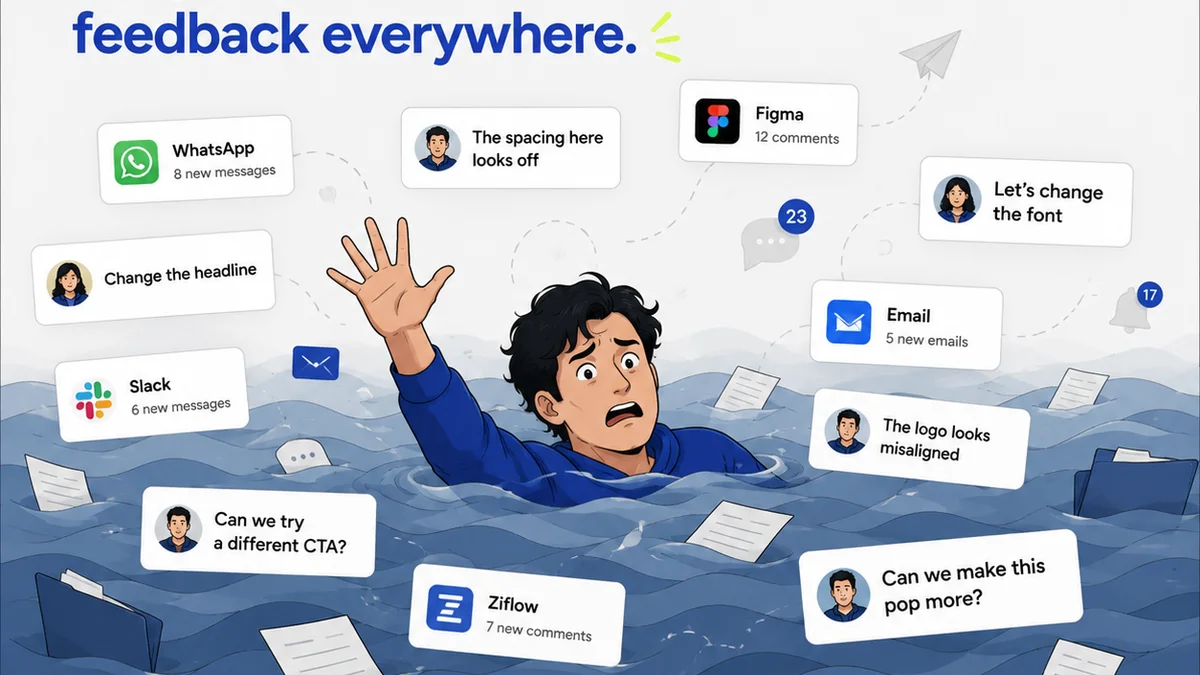
- Centralizing all feedback: Whether from internal teams or clients, all comments and annotations on AI assets live in one place. No more hunting through emails or chat threads.
- Providing clear revision history: Track every iteration of an AI-generated asset. Understand what changed, who requested it, and when. This visibility is crucial for managing complex AI refinement cycles.
- Streamlining approvals: Define clear approval stages for AI-generated content, ensuring it meets all quality gates before final sign-off.
- Maintaining brand integrity: By having all feedback and revisions documented, you ensure that the final AI output strictly adheres to brand guidelines and client requirements.
Revue brings order to the creative chaos, even when AI is involved.
5. Train Your Team for the AI Era
Your team needs to be equipped to handle AI tools and outputs. This requires training beyond traditional creative skills.
Prompt Engineering Basics
Train your team on how to write effective prompts. This is a fundamental skill for leveraging AI tools.
Critical Evaluation of AI Output
Develop training modules focused on identifying AI-specific issues: bias, hallucinations, lack of nuance, and technical glitches.
Ethical AI Usage Guidelines
Establish clear guidelines for the ethical use of AI in creative work. Cover data privacy, intellectual property, and bias mitigation.
Familiarity with AI Tools
Ensure your team is comfortable using the specific AI tools relevant to your agency’s needs. Hands-on experience is the best teacher.
Final Thought
AI is undeniably reshaping creative production. The tools are advancing at a dizzying pace. But the core principles of quality, brand integrity, and client satisfaction remain paramount.
Are we adapting our review processes fast enough to harness AI’s potential without compromising the very quality we strive for?
Frequently asked questions
How do I ensure AI-generated content aligns with my brand?
Define brand guidelines explicitly in your prompts. Your team must then critically review AI outputs against these guidelines, checking for tone, style, and visual consistency. Documenting successful prompts tied to your brand is also key.
What are the biggest risks of using AI-generated creative?
The main risks include factual inaccuracies (hallucinations), perpetuating biases from training data, lack of originality or nuanced understanding, and potential ethical or legal issues. Over-reliance can also lead to creative stagnation.
Should clients be informed about AI usage?
Yes, transparency is crucial. Inform clients about where and how AI is being used, explaining the benefits and limitations. This builds trust and manages expectations regarding the creative output.
How can I keep AI review processes efficient?
Integrate AI review into your existing workflows rather than creating separate ones. Use tools like Revue to centralize feedback, track revisions, and streamline approvals. Train your team on prompt engineering and critical evaluation to speed up the process.