The big question on everyone's lips: Will AI replace graphic designers? You see the headlines, the AI-generated art, the tools promising instant logos. It’s easy to think the creative industry is on the brink of obsolescence.
None of that is wrong. But it’s incomplete.
The deeper truth for enterprise teams is that AI isn't about replacement; it's about augmentation. It’s a powerful new tool, yes, but the human element—strategy, empathy, critical thinking—remains paramount. The real shift is in workflow, efficiency, and how creative teams integrate these tools to deliver better, faster.
1. Understanding the AI Spectrum in Design
AI in graphic design isn't a monolith. It ranges from simple automation to complex generative capabilities. For enterprise teams, this means understanding what AI can *actually* do today versus what’s still experimental.
Generative Tools
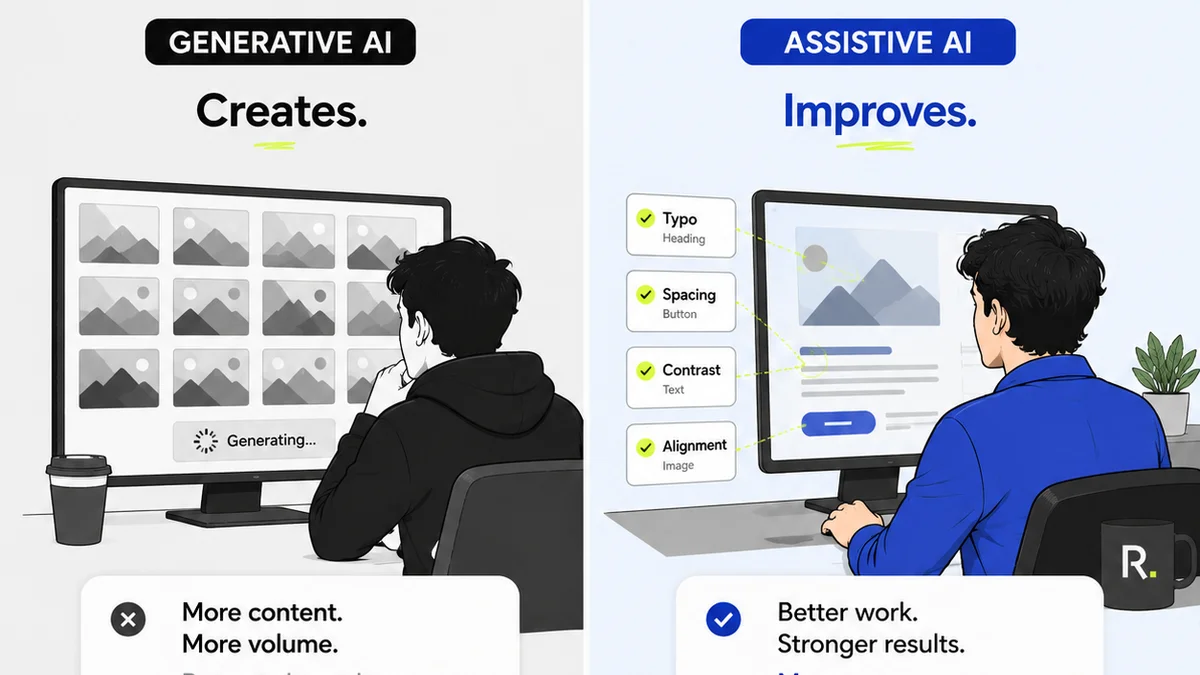
These are the headline-grabbers. Tools like Midjourney, DALL-E, and Stable Diffusion can create novel images from text prompts. They excel at ideation, mood boards, and generating variations quickly.
Automation and Enhancement
Beyond generation, AI powers tools for:
- Automated background removal
- Image upscaling and enhancement
- Smart resizing and content-aware fill
- Predictive design elements based on data
- Personalization at scale
The Designer's Role Evolution
AI doesn't *create* strategy. It doesn't understand brand nuances or target audience psychographics inherently. That’s where the designer steps in. The role shifts from pure execution to:
- Prompt engineering: Crafting effective inputs for AI.
- Curation and refinement: Selecting and polishing AI outputs.
- Strategic oversight: Ensuring AI-generated assets align with brand goals.
- Ethical considerations: Navigating copyright, bias, and originality.
Think of it like a highly sophisticated intern. It can do a lot, but it needs direction, context, and a discerning eye.
2. The Enterprise Challenge: Scale and Consistency
Enterprise creative teams face unique pressures. They need to produce vast amounts of creative assets across numerous campaigns, markets, and platforms. Maintaining brand consistency and quality at this scale is a monumental task.
This is where AI offers a compelling advantage, not as a replacement, but as an efficiency multiplier.
The Bottleneck of Manual Tasks
Consider the sheer volume of repetitive tasks:
- Resizing assets for dozens of social media ad formats.
- Creating simple variations of banners or email graphics.
- Generating placeholder images for early mockups.
- Ensuring color palette compliance across thousands of assets.
These are time sinks that divert skilled designers from higher-value strategic work.
AI as a Scalability Engine
AI tools can automate many of these low-level tasks, freeing up designers to focus on:
- Complex conceptualization
- Brand strategy development
- User experience design
- Client and stakeholder communication
- Creative direction
The goal isn't to have AI do the *thinking*, but to have it handle the *doing* where it excels, allowing humans to focus on where *they* excel.
3. Bridging the Gap: Integrating AI into Enterprise Workflows
Simply adopting AI tools isn't enough. For enterprise teams, the real win comes from integrating them seamlessly into existing workflows. This requires strategic planning and a clear understanding of potential pitfalls.
Defining AI's Purpose
Not every design task is suited for AI. Start by identifying the specific bottlenecks AI can address:
- Ideation: Rapid mood board generation, exploring visual styles.
- Production: Automating repetitive asset creation, resizing, background removal.
- Personalization: Dynamically generating variations for targeted campaigns.
- Quality Assurance: AI-powered checks for consistency and compliance.
The Human-AI Collaboration Model
Establish clear processes for how designers will interact with AI:
- Prompting Guidelines: Develop best practices for effective AI prompts.
- Review and Approval: Define stages for human review of AI-generated content.
- Tool Selection: Choose AI tools that integrate with your existing stack.
- Training: Equip your team with the skills to use AI effectively and ethically.
This isn't about designers becoming AI operators; it's about designers leveraging AI as an advanced assistant.
Addressing Concerns
Be prepared for common challenges:
- Quality Control: AI outputs can be unpredictable. Robust review is essential.
- Brand Dilution: Over-reliance can lead to generic or off-brand visuals.
- Ethical and Legal Issues: Copyright, bias, and data privacy require careful consideration.
- Team Adoption: Some designers may be resistant. Clear communication and training are key.
The key is controlled implementation, not blind adoption.
4. The Strategic Advantage: Beyond Efficiency
While efficiency gains are significant, the true value of AI for enterprise design teams lies in strategic advantages.
Faster Iteration Cycles
AI dramatically speeds up the ability to explore multiple creative directions. This allows teams to test more concepts, gather feedback earlier, and arrive at optimal solutions faster.
Enhanced Personalization
For large organizations, delivering personalized experiences at scale is a holy grail. AI can generate dynamic creative assets tailored to individual user preferences, behaviors, and demographics, something human designers alone struggle to achieve at scale.
Data-Driven Design Insights
AI can analyze vast datasets to identify visual trends, predict campaign performance, and offer insights into what resonates with specific audience segments. This empowers designers with data to inform their creative decisions.
Democratizing Basic Design Tasks
In some contexts, AI can empower non-designers (e.g., marketing teams) to create basic, on-brand assets using pre-approved templates and AI assistance. This further frees up professional designers for complex strategic work.
This isn't about lowering the bar; it's about elevating the designer's role to where strategic impact is greatest.
5. Where Revue Fits In
Integrating new tools like AI into enterprise workflows often creates new challenges in managing feedback, revisions, and approvals. This is precisely where Revue provides critical value.
When AI is generating multiple design options or variations, having a centralized system to:
- Collect and organize client feedback becomes essential.
- Track revisions and approvals across numerous AI-assisted assets ensures clarity and accountability.
- Maintain a clear audit trail for creative decisions, especially when AI is involved, prevents confusion.
- Ensure final quality checks are performed consistently, even on assets produced with AI assistance.
Revue helps manage the *output* and *process*, regardless of whether the initial draft was human-led or AI-augmented. It keeps the human oversight and strategic decision-making firmly in control.
6. Final Thought
AI is not a magic wand that replaces creativity. It's a powerful amplifier. For enterprise graphic design teams, the future isn't about fearing AI, but about mastering it. It's about understanding its capabilities and limitations, integrating it strategically into workflows, and ultimately, using it to elevate the human element of design—strategy, empathy, and innovation.
The question isn't *if* AI will change design, but *how* your team will lead that change.
Frequently asked questions
Can AI tools fully replace human graphic designers?
No. While AI can automate tasks, generate assets, and assist in ideation, it lacks the strategic thinking, emotional intelligence, and nuanced understanding of brand and audience that human designers provide. AI is best viewed as a powerful augmentation tool, not a replacement.
How can enterprise teams best integrate AI into their design workflow?
Enterprise teams should focus on identifying specific bottlenecks AI can address, such as repetitive tasks or rapid ideation. Establish clear guidelines for AI use, prompt engineering, and human review processes. Training teams on AI tools and ethical considerations is crucial for successful integration.
What are the main benefits of using AI in enterprise graphic design?
AI offers significant benefits like increased efficiency through automation, faster iteration cycles, enhanced personalization capabilities for campaigns, and data-driven insights to inform design decisions. It helps scale creative output while freeing up designers for more strategic work.
What are the risks or challenges of using AI in design?
Risks include maintaining quality control and brand consistency, potential ethical and legal issues (copyright, bias), and team adoption challenges. Over-reliance can lead to generic outputs. Careful planning, robust review processes, and ethical guidelines are necessary to mitigate these risks.