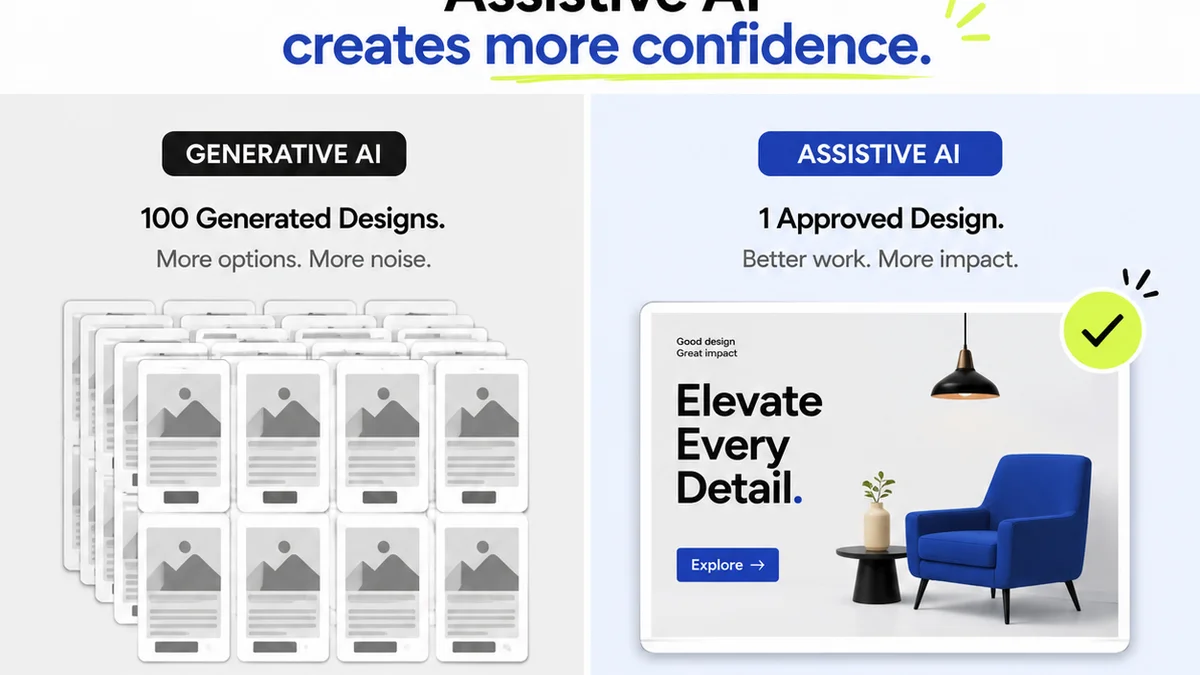
Everyone thinks marketing annotation is about speed. Get the feedback, make the changes, get the sign-off. Done. It’s a race to the finish line. That’s the assumption. None of that is wrong. But it’s incomplete.
The hard truth is that most marketing teams aren't struggling with slow feedback loops. They're drowning in bad feedback. Unclear, contradictory, and untrackable comments that turn revisions into guesswork. The real bottleneck isn't speed, it's clarity.
1. The Cost of Vague Feedback
Ambiguous feedback kills creative momentum. It forces unnecessary back-and-forth, erodes trust, and adds hours of wasted effort to every project. Think about it: what happens when a stakeholder says, “Make it pop more”?
Does anyone on the creative team know what that actually means? Probably not. It’s subjective. It’s unquantifiable. It’s a recipe for scope creep and designer burnout.
The symptoms are everywhere:
- Endless revision rounds for the same minor tweaks.
- Team members guessing at intent, leading to more rework.
- Frustration and tension between creative and non-creative stakeholders.
- Delays caused not by approvals, but by deciphering comments.
- Deliverables that miss the mark despite multiple sign-offs.
This isn't just annoying; it's expensive. Every hour spent chasing clarity is an hour not spent on strategy, creative development, or client acquisition.
2. Defining Actionable Annotations
What makes feedback truly actionable? It needs to be specific, objective, and contextual. Actionable annotations answer key questions:
What needs to change?
Instead of “This headline is weak,” try: “The headline ‘New Product Launch’ is too generic. Let’s try something that highlights the key benefit, like ‘Boost Productivity by 30%’.”
Why does it need to change?
Explain the reasoning. “This button isn't clear” is less helpful than “This button uses an unfamiliar icon, and the color doesn't contrast enough with the background, making it hard for users to identify as clickable.”
Where does it need to change?
Pinpoint the exact location. This is where digital annotation tools shine, allowing comments directly on the asset. No more “Page 3, paragraph 2” when you're looking at a dynamic web banner.
What is the desired outcome?
If possible, suggest a solution or desired state. “Consider moving the logo to the top-left corner to align with our brand guidelines and improve visual hierarchy.”
3. Establishing an Annotation Workflow
A robust annotation workflow isn’t about adding more steps; it’s about making each step count. It requires clear roles, defined processes, and the right tools.
Assign Clear Roles
Who is authorized to provide feedback? Who has final approval? Define this upfront. Often, a single point person for feedback from each stakeholder group streamlines the process immeasurably.
Set Feedback Guidelines
Educate stakeholders on what good feedback looks like. Provide a simple checklist or template. Emphasize specificity and constructive criticism.
Choose the Right Tools
Spreadsheets, email chains, and random sticky notes are the enemy of clear annotation. You need a system designed for visual feedback.
- Context is key: Comments should be tied directly to the element being discussed.
- Centralized: All feedback in one place, visible to the relevant team members.
- Trackable: Ability to mark feedback as addressed, resolved, or disputed.
- Version control: Easily compare revisions and understand feedback evolution.
Schedule Feedback Windows
While real-time feedback can be useful, structured feedback sessions can prevent constant interruptions. Define specific times for stakeholders to review and comment, ensuring the creative team has focused work blocks.
4. The Power of Contextual Comments
The biggest leap in feedback quality comes from context. When a comment is attached to a specific element—a headline, an image, a button—its meaning is instantly clearer.
Imagine reviewing a website mockup. A vague email might say, “The CTA button needs work.” But a contextual annotation, placed directly on the button itself, could state: “CTA button color doesn't meet WCAG AA contrast ratios (4.5:1 required, currently 3.2:1). Recommend changing to #0056b3 for better accessibility and click-through.”
This level of detail transforms feedback from an opinion into a directive.
Key elements of contextual feedback:
- Visual anchoring: Comments are linked to specific pixels or design elements.
- Annotation types: Ability to distinguish between comments, tasks, or bug reports.
- Stakeholder identification: Knowing who provided which piece of feedback.
- Status tracking: Visual indicators for feedback that is pending, resolved, or requires further discussion.
This precision reduces ambiguity and ensures everyone is working from the same understanding.
5. Where Revue Fits In
This is where a dedicated platform for creative collaboration and feedback makes a difference. Trying to manage annotations via email or generic project management tools is like trying to build a house with a butter knife.
Revue isn't just another tool; it's a central hub designed to streamline the entire creative review process. It tackles the core problems of unclear feedback head-on.
- Centralized Feedback: All comments live directly on the creative asset. No more hunting through email threads or disparate documents.
- Clear Ownership: See exactly who left each comment and when. This accountability fosters better quality feedback.
- Revision Visibility: Track every version of a creative piece and the feedback associated with each iteration. Understand the evolution of the design and the rationale behind changes.
- Quality Checks: Beyond subjective comments, ensure technical requirements like contrast ratios or file sizes are met before final delivery.
By providing a structured environment for feedback, Revue helps marketing teams move beyond subjective opinions to objective, actionable insights. This minimizes rework, speeds up approvals (the right way), and ultimately leads to better creative output.
Final Thought
Are you managing feedback, or is feedback managing you? The difference lies in the quality and context of the annotations driving your revisions. It’s time to stop chasing speed and start demanding clarity.
Frequently asked questions
What is the main problem with typical marketing feedback?
The biggest issue is usually not the speed of feedback, but its quality. Vague, subjective, and contradictory comments lead to confusion, wasted time, and rework, rather than clear direction.
How can I make feedback more actionable?
Actionable feedback is specific, objective, and contextual. It clearly states what needs to change, why it needs to change, where the change is needed, and ideally, suggests a desired outcome.
What are the benefits of using a dedicated annotation tool?
Dedicated tools anchor comments directly to the creative asset, provide version control, centralize all feedback, and offer clear visibility into who provided what feedback and its status. This drastically reduces ambiguity and streamlines the revision process.
How does Revue help with annotation workflows?
Revue provides a centralized platform for visual feedback, allowing comments to be placed directly on assets. It tracks revisions, clarifies feedback ownership, and helps ensure quality checks are integrated, turning subjective opinions into objective, actionable insights.