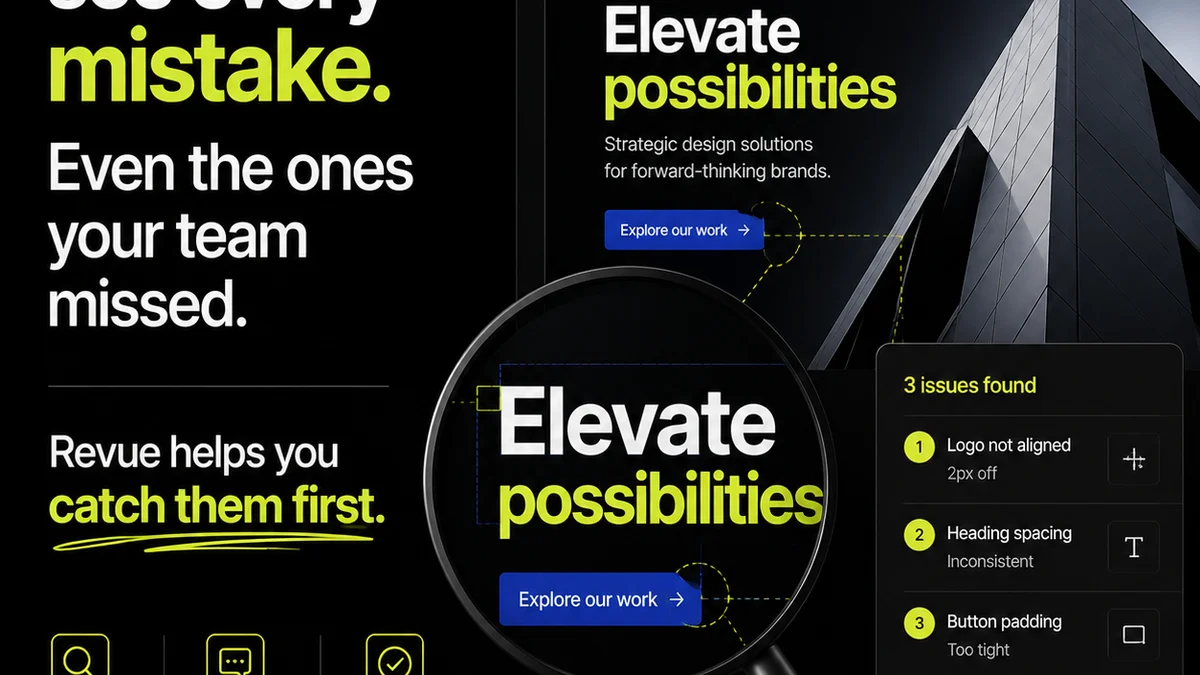
Everyone agrees that asset approval software is a good idea. You upload a creative asset, clients comment, you revise, they approve. Simple. Efficient. Streamlined.
None of that is wrong. But it’s incomplete.
The real value of asset approval software isn’t just a digital whiteboard for notes. It’s about transforming a chaotic, time-sucking bottleneck into a predictable, manageable workflow.
1. Centralized Feedback: The Single Source of Truth
Email chains. Slack DMs. Text messages. Sticky notes on a printout. This is how feedback often gets scattered to the winds. Then someone has to manually collate it all. Sound familiar?
Good asset approval software eliminates this mess.
It consolidates all client feedback, comments, and annotations into one single, accessible location. No more hunting for that one crucial email.
Why This Matters
When feedback lives in one place:
- There’s zero ambiguity about what needs to be changed.
- Every stakeholder can see the full context of the conversation.
- It’s easy to track the evolution of an asset.
This single source of truth is foundational. Without it, you’re just digitizing disorganization.
2. Version Control: Knowing Which File is Which
“Is this the final final version?”
This question haunts creative teams. It’s a symptom of poor version control.
Asset approval software must handle revisions gracefully. Uploading a new version shouldn’t overwrite the old one. It should stack them, clearly indicating which is the latest and allowing easy comparison with previous iterations.
Key Features to Seek
Look for software that:
- Automatically versions assets when a new file is uploaded.
- Clearly displays version history.
- Allows side-by-side comparison of different versions.
- Maintains a clear audit trail of all changes and approvals per version.
This prevents costly mistakes and endless clarification loops.
3. Clear Decision-Making: Beyond 'Looks Good'
What does “looks good” actually mean? Is it approval? Or just a positive comment?
Effective asset approval software forces clarity around decisions. It needs distinct states: Draft, Needs Revision, Approved.
Granular Status Tracking
Beyond high-level approval, you need to know:
- Who provided the feedback?
- What specific elements require changes?
- When was the asset approved?
- Who gave the final approval?
This level of detail is critical for project management and accountability. It moves beyond subjective feelings to objective project status.
4. Workflow Automation: Reduce Manual Overhead
The promise of software is to automate tedious tasks. Asset approval is ripe for this.
Think about the notifications. When a client comments, who gets notified? When a revision is uploaded, who needs to see it? When an asset is approved, what happens next?
Automation here is key.
Automate These Processes
Your software should automate:
- Notifications for new feedback, comments, or approvals.
- Assignment of tasks based on feedback.
- Status updates as assets move through the workflow.
- Reminders for pending approvals.
This frees up your team to focus on creative work, not chasing down stakeholders.
5. Role-Based Permissions: Control Who Sees What
Not every client stakeholder needs to see every internal comment or every draft iteration. Granular control is essential.
Your asset approval system must allow you to define user roles and permissions.
Essential Permissions Include
You need to control:
- Who can upload assets.
- Who can comment or annotate.
- Who can approve assets.
- Who can see version history.
- Who can manage users and settings.
This ensures that the right people are involved at the right stage, maintaining project integrity and confidentiality.
6. Integrations: Connecting Your Creative Stack
Asset approval software doesn’t live in a vacuum. It needs to talk to your other tools.
Think about where your assets originate and where they end up. Do you need to push approved assets to a DAM? Or pull assets from cloud storage?
Seamless integration saves significant time.
Look for Integrations With
Consider common tools like:
- Cloud storage (Google Drive, Dropbox, Box)
- Creative tools (Adobe Creative Cloud, Figma)
- Project management software (Asana, Monday.com, Trello)
- Digital Asset Management (DAM) systems
When your tools work together, your workflow becomes significantly smoother.
7. Security and Compliance: Protecting Your Work
Creative assets are valuable intellectual property. Protecting them is non-negotiable.
Your asset approval software needs robust security measures.
Security Considerations
Ensure the platform offers:
- Secure data transmission (SSL/TLS).
- Secure data storage.
- User authentication and authorization.
- Regular security audits and compliance certifications (e.g., SOC 2).
- Data privacy controls aligned with regulations like GDPR.
A breach can be catastrophic for your agency’s reputation and your clients’ trust.
Where Revue Fits In
Review is built for creative teams who are tired of the approval merry-go-round. It’s not just about uploading files; it’s about creating a transparent, efficient, and accountable review process.
Revue centralizes all client feedback directly on the creative assets. No more digging through emails or chat logs. Every comment, every annotation, lives right there, attached to the specific version it pertains to.
Our system provides clear version control, allowing you to stack revisions and easily compare them. Stakeholders can see the progression of the work, and you can track exactly who said what and when.
Automated notifications keep everyone in the loop without manual chasing. Roles and permissions ensure that only the right people can provide feedback or give final approval. This streamlines communication and reduces the risk of unauthorized changes.
Ultimately, Revue helps you manage revisions and approvals with clarity, transforming a source of friction into a point of efficiency. It’s about getting to that final sign-off faster, with confidence.
Final Thought
Is your current asset approval process a source of stress or a smooth, predictable part of your workflow?
The right software doesn't just manage files; it manages expectations, communication, and ultimately, your agency's profitability.
Frequently asked questions
What is the primary benefit of asset approval software?
The primary benefit is centralizing all client feedback and revision history into a single, accessible location. This eliminates confusion, reduces manual collation of comments, and ensures everyone is working from the same information, leading to a more efficient and less error-prone approval process.
Why is version control crucial in asset approval software?
Version control is crucial because it prevents costly mistakes. It ensures that the latest iteration of an asset is clearly identifiable and that previous versions are preserved and accessible. This allows for easy comparison, tracking of changes, and maintains an audit trail, avoiding situations where outdated files are worked on or approved.
How can asset approval software improve client communication?
It improves client communication by providing a transparent and structured platform for feedback. Clients can see exactly what needs to be revised, track the progress of their requests, and provide input in a clear, contextual manner. Automated notifications also keep them informed without requiring constant manual follow-up from the agency.
What security features should I look for in asset approval software?
You should look for robust security features such as secure data transmission (SSL/TLS), secure data storage, strong user authentication, regular security audits, and compliance with data privacy regulations like GDPR. Protecting your agency's and clients' intellectual property is paramount.