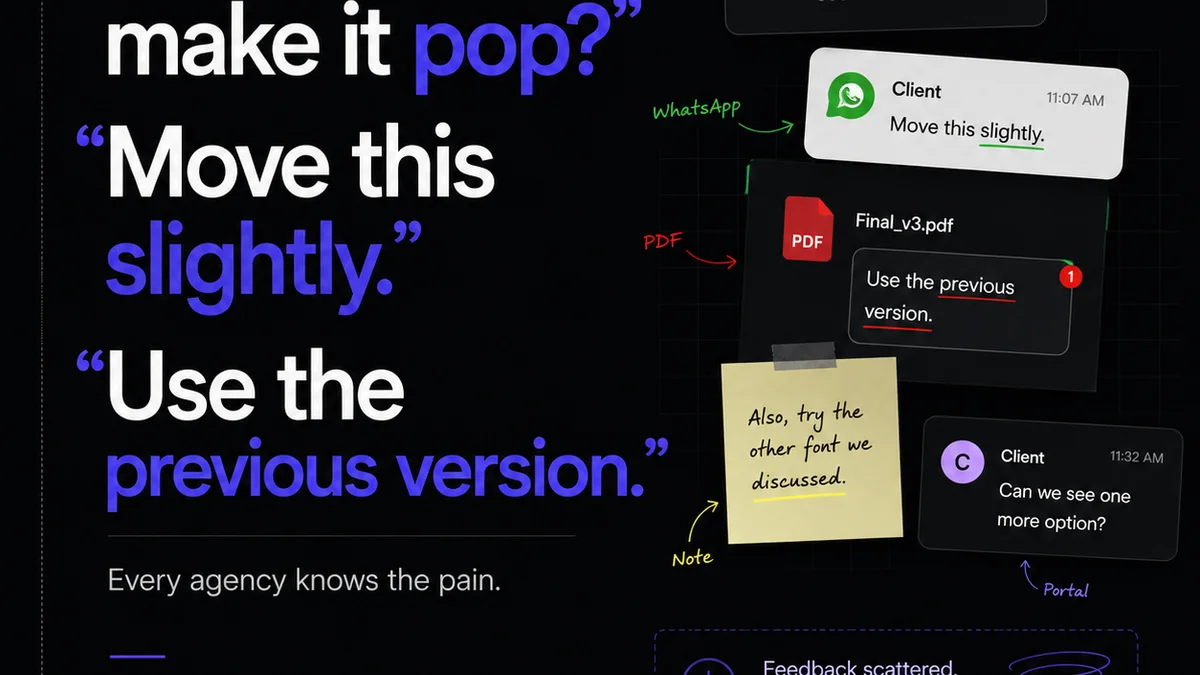
You probably think of asset management as a job for librarians or IT guys. Something about organizing files, maybe a shared drive that’s *mostly* up-to-date. It’s boring. It’s tactical. It’s not where the real magic happens in a creative agency.
None of that is wrong. But it’s incomplete.
The hard truth? For a growing agency, robust asset management isn’t just about tidiness. It’s a strategic imperative. It’s the invisible engine that drives profitability, client satisfaction, and your team’s sanity.
1. The Cost of Chaos: What Happens When Assets Go Rogue
Every agency owner knows the feeling. A client needs a logo variation from a project two years ago. The designer who worked on it is gone. The files are scattered across old hard drives, cloud storage accounts, and email threads. The clock is ticking.
This isn't an isolated incident. It's a symptom of a larger problem: a lack of centralized, organized, and accessible creative assets.
The consequences ripple outwards:
- Endless hours wasted searching for files.
- Inconsistent brand application across projects.
- Missed deadlines due to version control nightmares.
- Frustrated clients who see their brand treated carelessly.
- Team members reinventing the wheel on existing assets.
- Lost revenue opportunities because you can’t quickly find or repurpose work.
Think about the billable hours lost. Think about the potential for errors. It adds up faster than you think.
The Myth of the 'Good Enough' Folder Structure
Many agencies operate with a basic folder structure. Maybe it’s by client, then by project, then by year. It feels functional. It works, sort of. Until it doesn’t.
This approach breaks down when you scale. It relies on tribal knowledge, individual discipline, and a lot of luck. It’s a house of cards built on a shaky foundation.
2. Beyond Folders: The Pillars of Effective Asset Management
True asset management goes far beyond a simple directory structure. It’s about creating a system that empowers your team and safeguards your work. It has to be more than just storage; it needs to be intelligent.
Centralization is Non-Negotiable
The first step is consolidating all your creative assets into a single, accessible location. This could be a dedicated Digital Asset Management (DAM) system, a well-configured cloud storage solution with robust tagging, or a combination.
The key is that it’s the *single source of truth*. No more hunting across multiple platforms or asking colleagues if they have the latest version.
Metadata: The Secret Sauce
This is where the real power lies. Metadata is the data about your data. For creative assets, this means tagging files with relevant information:
- Client name
- Project name and ID
- Date created/modified
- Asset type (logo, image, video, presentation)
- Usage rights and expiry
- Brand guidelines link
- Keywords for searchability
- Responsible team member
When done correctly, metadata transforms a static library into a dynamic, searchable database. Finding a specific asset becomes a matter of seconds, not hours.
Version Control That Actually Works
How do you know you’re using the *right* version of a logo? Or the latest approved website banner? Good asset management systems track revisions automatically. They show you the history of an asset and clearly mark the current, approved version.
This prevents costly mistakes and ensures brand consistency. No more accidentally using a draft from six months ago.
Access Control and Permissions
Not everyone needs access to everything. You need to control who can view, download, edit, or delete assets. This protects sensitive client information and prevents accidental overwrites.
Granting specific permissions ensures that team members only interact with the assets relevant to their role and current projects.
Integrations: Connecting the Dots
The best asset management solutions integrate with the tools your team already uses. Think Adobe Creative Cloud, project management software, and client communication platforms. This streamlines workflows and reduces manual data transfer.
3. The ROI of Organization: Tangible Benefits for Your Agency
Investing in proper asset management isn't an expense; it’s an investment with a clear return.
Boosted Team Productivity
When your team spends less time searching and more time creating, productivity skyrockets. They can quickly access the files they need, reducing bottlenecks and speeding up project delivery.
Imagine a new team member onboarding. Instead of spending weeks learning where everything is, they can access a well-organized library from day one.
Enhanced Client Satisfaction
Delivering work on time, consistently, and without errors builds trust. When you can quickly pull up previous assets or brand elements for new campaigns, you show clients you have a handle on their business.
Responding to client requests for assets becomes a quick, professional interaction, not a frantic scavenger hunt.
Stronger Brand Governance
For agencies working with multiple clients, maintaining brand consistency is paramount. A centralized, well-managed asset library ensures that all approved brand elements are used correctly, every time.
This protects your clients' brands and, by extension, your agency’s reputation for excellence.
Reduced Risk and Liability
Asset management systems can track licensing information and usage rights for stock photos, fonts, and other third-party assets. This helps you avoid expensive legal issues down the line.
Knowing exactly what assets you have rights to use, and for how long, is critical risk management.
Scalability and Growth
As your agency grows, so does the volume of your creative output. A disorganized system will cripple your ability to scale. A robust asset management strategy provides the foundation for sustainable growth.
It ensures that your operational capacity keeps pace with your client acquisition.
Where Revue Fits In
While Revue isn’t a full-blown Digital Asset Management (DAM) system, it plays a crucial role in the *lifecycle* of creative assets, particularly around feedback, revision, and approval.
Think about the assets you're working on. When they’re being reviewed, they need context. They need clear feedback. They need a clear approval status.
Revue centralizes client feedback directly on the asset itself. This eliminates the scattered email threads and confusing Slack messages that often lead to misinterpretation. Every comment, every revision request, is tied to the specific version of the asset being reviewed.
Furthermore, Revue provides clear visibility into the revision and approval process. You can see at a glance which assets are pending review, which have been approved, and which require further revisions. This clarity is essential for managing workflows and keeping projects on track.
By ensuring that feedback is consolidated and approvals are tracked, Revue helps maintain the integrity of your creative assets *during* the active project phase. It prevents the chaos that often leads to outdated or incorrect versions being used downstream, complementing the foundational organization provided by a DAM.
4. Implementing Asset Management: Practical First Steps
Getting started doesn’t have to be overwhelming. Focus on progress, not perfection.
Audit Your Current Assets
Before you can organize, you need to know what you have. Take stock of where your assets are currently stored. Identify duplicates, outdated files, and orphaned projects.
Define Your Taxonomy and Tagging Strategy
Decide on a consistent naming convention and a set of core tags that will apply across all your assets. Keep it simple to start. You can always refine it later.
What are the essential pieces of information you *always* need to find a file?
Choose the Right Tools
Evaluate your needs. Do you need a full DAM? Or can a robust cloud storage solution with advanced features suffice for now? Consider your budget, team size, and technical capabilities.
Train Your Team
A system is only as good as the people using it. Ensure everyone understands the importance of asset management and how to use the chosen system correctly. Make it part of your onboarding process.
Start Small, Iterate
Don't try to migrate and tag every single file you've ever created overnight. Start with new projects or a specific client. Learn from the process and gradually expand.
Final Thought
Your creative assets are more than just files; they are the building blocks of your agency’s value. They represent hours of talent, client relationships, and your collective output. Treating them with the respect they deserve through intelligent management isn't just good practice—it's fundamental to building a resilient, profitable, and respected creative business.
Are you managing your assets, or are your assets managing you?
Frequently asked questions
What is Digital Asset Management (DAM)?
Digital Asset Management (DAM) is a system for organizing, storing, retrieving, and sharing digital assets. For creative agencies, this includes logos, images, videos, brand guidelines, presentations, and more, ensuring they are easily accessible and used correctly.
How does asset management improve agency efficiency?
By centralizing assets and implementing clear tagging and version control, asset management drastically reduces the time spent searching for files. This frees up your team to focus on creative work, speeds up project delivery, and minimizes errors caused by using outdated or incorrect versions.
Is a DAM system necessary for a small agency?
While a full-scale DAM might seem like overkill for very small agencies, establishing good asset management practices from the start is vital. Even a well-organized cloud storage system with consistent tagging and clear protocols can provide significant benefits. The key is a centralized, accessible, and controlled system.
How can asset management help with client brand consistency?
A robust asset management system ensures that only the latest, approved versions of client brand assets (like logos, color palettes, and fonts) are readily available. This prevents team members from accidentally using outdated or incorrect elements, thereby maintaining strict brand consistency across all projects and communications.