You think asset management is just about organizing files. Folders, naming conventions, maybe a shared drive. None of that is wrong. But it’s incomplete.
The hard truth is that for creative agencies, asset management is the invisible engine of your entire operation. It’s not just about storage; it’s about workflow, collaboration, client trust, and ultimately, profitability.
1. The Myth of the Digital Dumpster
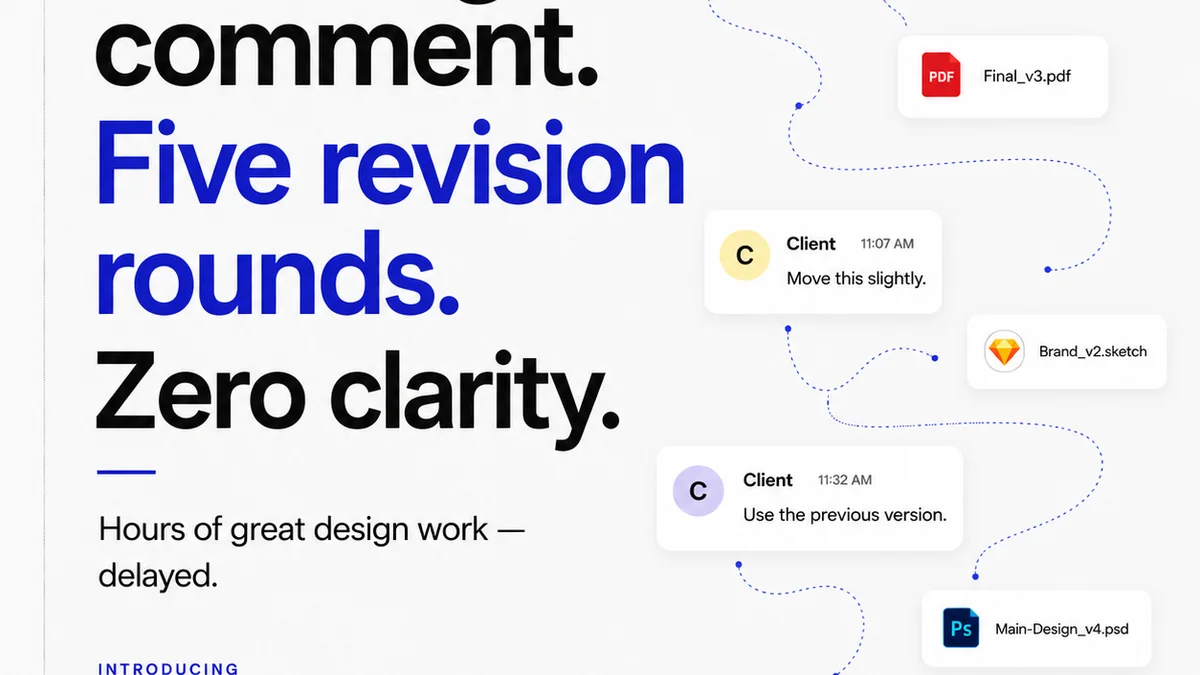
Many agencies treat their digital assets like a glorified dumpster. Files get saved wherever, with names like final_v3_really_final_this_time.psd. It’s chaotic. It’s inefficient. And it’s costing you money.
This approach assumes that once a project is delivered, the assets are done. They’re just sitting there. But that’s rarely the case.
The Real Costs of Poor Asset Management
- Wasted time searching for files.
- Duplicate work because the latest version can’t be found.
- Client frustration when they need a specific asset and no one can locate it.
- Risk of using outdated or incorrect assets.
- Difficulty onboarding new team members who can’t navigate your file system.
- Missed opportunities to repurpose existing assets.
This isn't just an IT problem. This is a business problem.
2. What Effective Asset Management Actually Looks Like
Effective asset management goes beyond mere organization. It’s a system designed to make your creative output more accessible, manageable, and valuable over time.
Think of it as a well-oiled machine, not a messy closet.
Key Components of a Robust System
- Centralized Repository: One single source of truth for all creative assets. No more scattered files across local drives, personal cloud storage, or email threads.
- Consistent Naming Conventions: A clear, logical system for naming files and folders that everyone understands and follows.
- Metadata and Tagging: Adding descriptive information to assets so they can be easily searched and filtered. Think keywords, project names, client names, usage rights, versions, and dates.
- Version Control: A clear way to track and manage different versions of an asset, ensuring everyone is working with the most current iteration.
- Access Control and Permissions: Defining who can view, edit, download, or delete specific assets.
- Archiving and Retrieval Strategy: A plan for how to store older assets and how to access them if needed, without cluttering the active workspace.
- Usage Rights Management: Tracking licensing information for stock photos, fonts, or other third-party assets.
This isn’t about bureaucracy. It’s about building a framework that supports speed, accuracy, and scalability.
3. Building Your Agency's Asset Management Framework
Where do you even start? You don’t need a massive, enterprise-level DAM system from day one. You need a strategy.
Phase 1: Audit and Inventory
First, understand what you have and where it lives. Conduct an audit of your current digital assets. This might involve:
- Mapping out all current storage locations.
- Identifying redundant or obsolete files.
- Assessing the current state of your naming conventions (or lack thereof).
- Understanding how teams currently search for and access assets.
This audit is painful. It’s also essential.
Phase 2: Define Your Structure
Based on your audit, define your ideal file structure and naming conventions. Consider:
- Project-based folders: A clear hierarchy for each client and project.
- Asset type folders: Within projects, organize by type (e.g., graphics, video, copy, source files, final exports).
- Standard naming elements: ClientAbbreviation_ProjectName_AssetDescription_Version_Date.
Involve your team in this process. Their buy-in is critical for adoption.
Phase 3: Implement a System
Now, choose the tools and processes to support your framework. This could range from a meticulously organized shared drive with strict protocols to a dedicated Digital Asset Management (DAM) platform.
The key is consistency. Whatever system you choose, enforce it.
Phase 4: Train and Enforce
Roll out your new system with clear training for your entire team. Document your processes and make them easily accessible.
Enforcement is where many agencies fail. Regularly review adherence to the system. Provide feedback. Make it part of your team’s ongoing workflow, not a one-time project.
4. The Workflow Implications of Great Asset Management
When asset management is done right, it doesn’t just organize files; it transforms your workflow.
Faster Turnarounds
Quickly locating necessary assets means less time wasted searching and more time creating. New briefs can pull existing brand elements, past campaign visuals, or client logos in seconds, not hours.
Seamless Collaboration
With a centralized system, everyone on the team – from designers and copywriters to account managers and project managers – has access to the same, up-to-date files. This reduces miscommunication and errors.
Client Confidence
Imagine a client asking for a specific banner ad from a campaign two years ago. If you can pull it up instantly, with all necessary usage rights clearly documented, you build immense trust. If you can’t, you erode it.
Repurposing Power
Well-managed assets are ready for reuse. A great campaign photo can be easily found and adapted for social media. Brand guidelines and logos are accessible for new marketing collateral. This maximizes the value of creative work.
Reduced Risk
Clear version control and usage rights management prevent costly mistakes, like using unlicensed stock imagery or sending out an old, unapproved design.
5. Where Revue Fits In
While Revue isn’t a traditional Digital Asset Management (DAM) system for storing raw files, it plays a crucial role in the lifecycle of your creative assets, particularly in the context of client feedback, revisions, and approvals.
Think of Revue as the intelligent layer that sits on top of your asset workflow.
Centralized Feedback and Revisions
When you upload creative assets (designs, videos, copy) into Revue for client review, you create a single, trackable record of that asset’s journey. Every comment, every annotation, every revision request is tied directly to the specific version of the asset being reviewed.
Clear Approval Status
Revue provides definitive visibility into the approval status of each asset. No more digging through email chains to find that one ‘approved’ reply. This clarity ensures that only the final, approved versions move forward, reducing the risk of working off outdated materials.
Revision History at Your Fingertips
Revue automatically versions your work as you make revisions. You can easily compare versions, see what changed, and understand the evolution of an asset. This is invaluable for internal reviews, client discussions, and for building a historical record of your work.
This structured approach to feedback and approval is a critical part of ensuring that the right assets, at the right time, are being used and finalized.
6. Final Thought
Asset management isn’t a chore; it’s a strategic advantage. It’s the bedrock upon which efficient creative operations are built. Are you treating your digital assets as valuable resources, or as digital clutter?
Frequently asked questions
What is the primary goal of asset management in a creative agency?
The primary goal is to create a centralized, organized, and easily accessible system for all digital creative assets. This improves workflow efficiency, reduces wasted time searching for files, minimizes errors, enhances collaboration, and builds client trust by ensuring the correct versions and rights are always used.
How does asset management differ from simple file storage?
Simple file storage is just about keeping files. Asset management is a strategic system that includes organization, naming conventions, metadata, version control, access permissions, and usage rights tracking. It's about making assets discoverable, usable, and valuable over their lifecycle, not just stored.
What are the first steps to improving asset management?
Start with an audit to understand your current assets and where they are stored. Then, define a clear file structure and naming convention. Finally, implement a system (whether a well-organized shared drive or a dedicated DAM tool) and train your team on its consistent use.
Can asset management help with client communication?
Absolutely. A robust asset management system allows you to quickly retrieve requested assets, provides clear version history, and ensures you're always working with approved materials. This professionalism and efficiency build client confidence and streamline communication.