The common wisdom about asset management is that it's a necessary evil. A slow, bureaucratic process that eats up billable hours and frustrates creative teams. You need it, but you hate it.
None of that is wrong. But it’s incomplete.
The hard truth is that *bad* asset management slows teams down. Good asset management speeds them up. It’s not about the process itself, but how you implement and manage it.
1. The Illusion of Centralization
Many agencies think that simply putting all their files in one place—a shared drive, a cloud storage folder, a dedicated server—is enough. They call it 'centralized asset management.'
This is where the rot begins.
True centralization isn’t just about location. It’s about accessibility, findability, and control. A massive, unorganized folder dump is not centralization; it’s chaos in a box.
The Symptoms of Bad Centralization
- Team members spending hours searching for the right file version.
- Accidental use of outdated logos or incorrect imagery.
- Duplicated assets scattered across multiple hard drives and cloud accounts.
- Onboarding new hires takes weeks just to understand file structure.
- Constant back-and-forth emails asking, “Where is the latest X?”
This isn't an asset management problem; it's a workflow breakdown masquerading as one. You’ve centralized the *storage*, but not the *system*.
2. Beyond the Folder: Metadata is Your Muscle
Folders and file names are the most basic level of organization. They’re a starting point, but they’re not the whole story. To make assets truly manageable, you need metadata.
Metadata is data about data. In asset management, it means tagging files with keywords, project names, client IDs, usage rights, expiration dates, and more.
Think of it like this: A folder tells you *where* something is. Metadata tells you *what* it is, *who* it's for, and *how* it can be used.
Why Metadata Matters
- Findability: Search by client, campaign, color, or even sentiment, not just file name.
- Compliance: Track usage rights and expiration dates to avoid costly legal issues.
- Efficiency: Quickly identify the correct version or format needed for a specific task.
- Context: Understand the asset’s purpose and history without digging through emails.
Without robust metadata, your 'centralized' library becomes a digital graveyard. Assets are stored, but they’re effectively lost.
3. Version Control: The Unsung Hero
Few things kill creative momentum faster than confusion over file versions. “Is this the final one?” “Which one did they approve?”
This isn't a minor annoyance; it's a direct drain on productivity and a risk to quality.
A solid asset management strategy must have ironclad version control. This means:
- A clear, consistent naming convention that indicates version numbers or dates.
- A system for tracking changes and revisions.
- A method for designating the 'master' or 'approved' version.
- An archive for old versions, preventing them from cluttering active workflows.
Many teams rely on manual processes or vague agreements. This leads to the dreaded scenario: a campaign goes live with an outdated logo, or a client sees a revision that was explicitly rejected.
4. Access and Permissions: Control, Not Restriction
Asset management often gets a bad rap because people associate it with gatekeeping. “Only John can touch the brand assets.”
This is a misunderstanding of control.
The goal isn't to restrict access arbitrarily. It's to ensure the *right* people have access to the *right* assets at the *right* time, with the *right* permissions.
Consider these levels of control:
- Read-only access: For team members who need to view assets but not modify them.
- Download permissions: For those who need to use assets in their work.
- Upload/Edit permissions: For designated individuals responsible for asset updates.
- Approval workflows: For ensuring assets meet standards before being made available.
When permissions are clearly defined and managed, everyone knows their role. This prevents accidental misuse and streamlines workflows. It’s about enabling your team, not hindering them.
5. Integrating Asset Management into Your Workflow
The biggest mistake agencies make is treating asset management as a separate, siloed task. It’s not something you do *after* the creative work is done; it’s part of the creative process itself.
Here’s how to bake it in:
- On Project Kickoff: Define asset requirements, naming conventions, and metadata standards for the project.
- During Creation: Ensure all new assets are tagged and stored correctly as they are created.
- During Revisions: Use version control to track changes and ensure only approved versions are passed on.
- At Project Close: Finalize all assets, ensure they are correctly tagged and archived, and transfer usage rights information.
This requires discipline, but the payoff is immense. Assets become living, breathing parts of your projects, not afterthoughts.
Where Revue Fits In
Managing assets effectively is about more than just storage. It's about visibility, control, and seamless integration into your creative process. This is precisely where Revue excels.
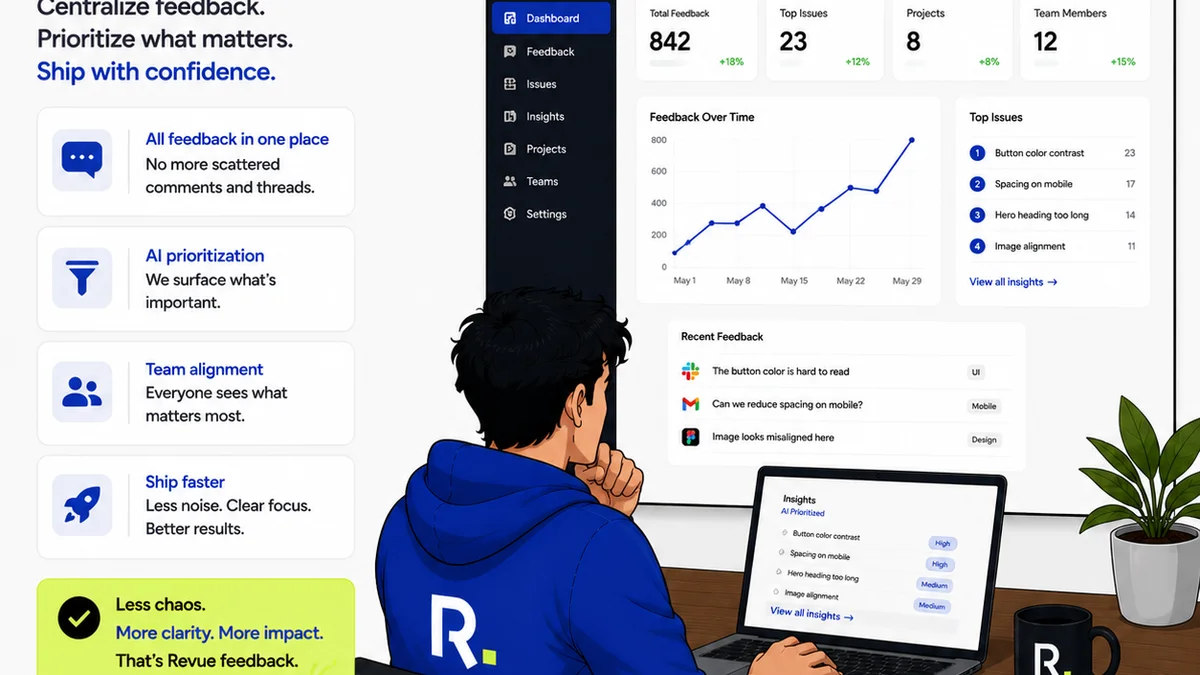
Revue provides a centralized hub for all your creative work. Instead of assets living in disparate folders or scattered cloud storage, they reside within the context of client projects. This offers:
- Centralized Feedback: All client comments and stakeholder approvals are tied directly to the specific assets and versions. No more hunting through email chains.
- Revision and Approval Visibility: Track the history of every revision, see who approved what and when. This eliminates version confusion and ensures accountability.
- Quality Checks: By having all assets and feedback in one place, you can easily conduct quality checks before final delivery, ensuring brand consistency and adherence to client requests.
When your feedback, revision history, and final approvals are all linked to your assets, you create a single source of truth. This dramatically reduces the time spent searching, clarifying, and correcting, allowing your team to focus on what they do best: creating.
Final Thought
Asset management is not a drag on creativity. It’s the engine that powers it. When done right, it’s not about adding steps; it’s about removing friction.
Are you managing your assets, or are your assets managing you?
Frequently asked questions
What's the difference between storing files and true asset management?
Storing files means putting them in a location. True asset management involves organizing, tagging, versioning, and controlling access to those files so they are easily findable, usable, and compliant.
How can metadata help my team save time?
Metadata allows for powerful searching beyond file names. You can search by client, campaign, usage rights, or even specific visual elements, drastically reducing the time spent hunting for the right asset.
What are the biggest risks of poor asset management?
The biggest risks include using outdated or incorrect assets (leading to brand damage or legal issues), wasted time searching for files, duplicated efforts, and decreased overall team productivity.
How do I get my team to adopt new asset management practices?
Integration is key. Make asset management a part of the existing workflow, not a separate task. Provide clear training, establish consistent rules, and highlight the benefits of efficiency and reduced frustration.