Everyone thinks their design handoff is fine. You deliver the files, the developers build it, and if there are issues, it’s because they “didn’t follow the spec.”
None of that is wrong. But it’s incomplete.
The hard truth? Your design handoff process is likely a black box. You throw designs into it, and finished code comes out the other side. What happens in between is a mystery you’re too busy to investigate.
This lack of visibility costs you time, money, and client trust. It’s why small bugs become major reworks and why “pixel-perfect” becomes a punchline.
It’s time to audit your design handoff. Not to point fingers, but to find the real bottlenecks and build a better process.
1. Map Your Current Handoff Workflow
Before you can fix anything, you need to see what you’re actually doing. Most teams *think* they have a process, but it’s often a collection of ad-hoc steps, tribal knowledge, and assumptions.
Grab a whiteboard or a shared doc. Map out every single step from the moment a design is considered “final” to the moment it’s live in production.
Who is involved?
List every role and person. Designers, project managers, QA testers, developers (front-end and back-end), clients, stakeholders.
What are the touchpoints?
Identify every file transfer, every meeting, every email, every Slack message, every comment in a design tool, every bug report.
What are the inputs and outputs at each stage?
What information is needed to start a step? What is produced at the end? Be brutally specific.
- Design files (Figma, Sketch, Adobe XD)
- Style guides
- Asset exports
- Developer notes
- Client approvals
- Bug reports
- QA sign-offs
This exercise often reveals gaping holes. Maybe assets aren’t being exported correctly. Maybe client feedback is getting lost in email chains. Maybe developers are guessing at interactions because the specs are unclear.
2. Identify the Friction Points
Once you have your map, it’s time to find the pain. Where do things slow down? Where do errors creep in? Where does frustration build?
Talk to the people involved. Not just the designers, but the developers, the PMs, the QA team. They are on the front lines of your handoff.
Ask them:
- What’s the most confusing part of receiving design files?
- What information do you consistently have to ask for?
- When do you feel like you’re guessing?
- What takes the most time during handoff?
- What kinds of mistakes do you see most often?
- What could make your job easier during this phase?
Common friction points include:
- Unclear Specs: Vague descriptions of states, interactions, or edge cases.
- Missing Assets: Icons, images, or fonts not provided in the right format or resolution.
- Inconsistent Design Systems: When the final design deviates from the established system without clear documentation.
- Version Control Chaos: Developers working off old versions of mockups or specs.
- Communication Breakdowns: Feedback loops that are too long, involve the wrong people, or get lost.
- Ambiguous Approvals: Clients saying “looks good” without understanding what they’re approving.
These aren’t just minor annoyances. They are direct drains on your agency’s profitability and reputation.
3. Analyze the “Why” Behind the Friction
Identifying friction is step one. Understanding *why* it exists is step two. This is where the real audit happens.
Assumption: Developers don’t read the specs.
Truth: The specs are often unreadable, incomplete, or buried in a tool developers don’t use daily. Or, the specs themselves are a moving target.
Assumption: Designers provide everything needed.
Truth: Designers might be focused on the visual perfection of the happy path, missing crucial edge cases, error states, or accessibility considerations that aren’t explicitly requested.
Assumption: Clients approve designs thoroughly.
Truth: Clients often lack the technical understanding to spot potential implementation issues or may be hesitant to provide critical feedback for fear of delaying the project.
Dig deep. Is the problem a lack of tools? A lack of training? Unrealistic timelines? Poor project management? Cultural issues between teams?
For example, if developers consistently ask for clarification on spacing, it’s not that they *want* to ask. It’s that the spacing information isn’t easily accessible or clear in the design files or accompanying documentation.
4. Define Your Ideal Handoff
Now that you know what’s broken, envision what “working perfectly” looks like. This isn’t about achieving impossible perfection, but about establishing clear, measurable goals for your handoff process.
What does success look like?
- Reduced bug reports related to design implementation.
- Faster development cycles due to clear requirements.
- Fewer revision rounds needed to correct implementation errors.
- Increased confidence from clients and development teams.
- Clear documentation for every design decision.
What are the key components of an ideal handoff?
- Centralized Source of Truth: All design assets, specs, and feedback in one accessible place.
- Clear Interaction Specs: Detailed documentation for animations, transitions, and states.
- Comprehensive Asset Library: Easily exportable assets in required formats and resolutions.
- Defined Review Gates: Clear checkpoints for design, QA, and client approvals.
- Collaborative Environment: Tools that facilitate easy communication between design, development, and stakeholders.
- Version Control: A system to track changes and ensure everyone is working with the latest approved versions.
Think about the ideal state for each step you mapped earlier. What would make that specific step smoother, faster, and more accurate?
5. Implement and Iterate
Auditing is useless without action. Based on your analysis, implement changes to your process. And remember, this isn’t a one-time fix.
Potential Solutions:
- Standardize Documentation: Create templates for interaction specs, component documentation, and state descriptions.
- Invest in Better Tools: Explore tools that bridge the gap between design and development (like Revue, for instance).
- Cross-Functional Training: Hold workshops where designers learn basic development constraints and developers learn design principles.
- Refine Approval Workflows: Implement structured client review sessions with clear objectives.
- Dedicated Handoff Checklists: Create a pre-flight checklist for designers before handing off files.
- Regular Process Retrospectives: Schedule periodic meetings (monthly, quarterly) to review the handoff process and make adjustments.
Start small. Implement one or two key changes. Monitor their impact. Gather feedback. Then, iterate.
Where Revue Fits In
The biggest challenge in any handoff is managing the flow of information and ensuring everyone is working from the latest, approved version. This is where a centralized platform becomes critical.
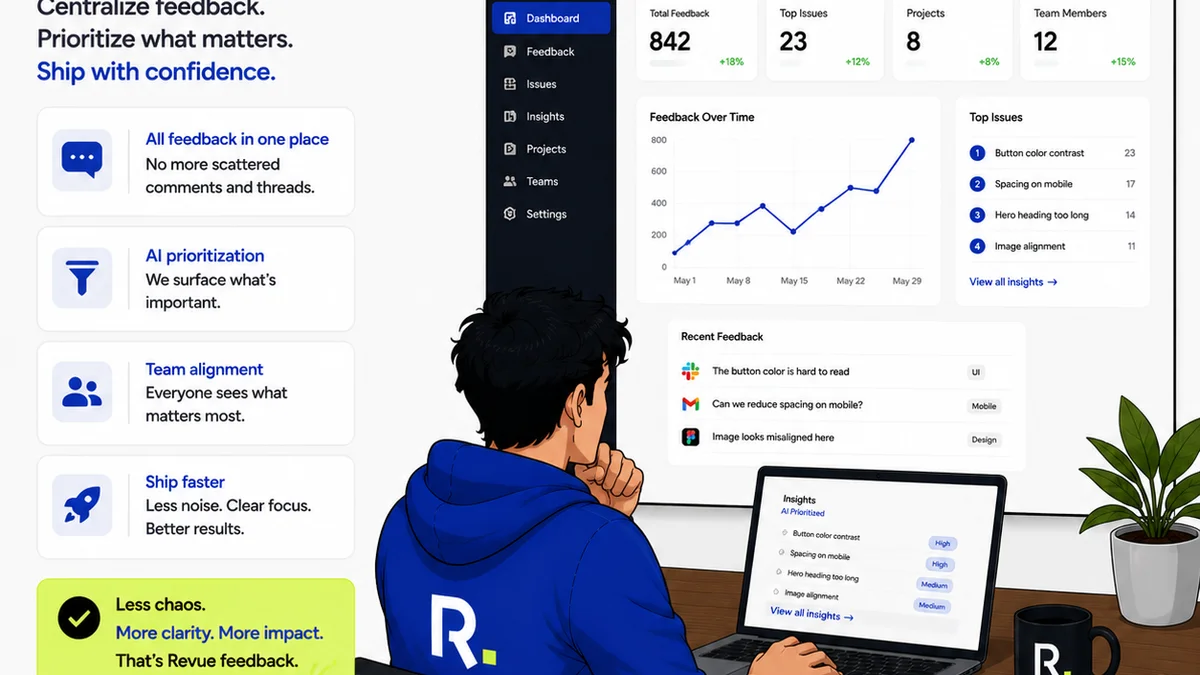
Revue acts as that single source of truth for creative assets and feedback.
Instead of scattered email threads and confusing Slack messages, all client feedback, revision requests, and approval statuses live in one place, tied directly to the creative work.
This means:
- Clear Visibility: Developers can see the exact feedback and decisions that led to the final design, reducing guesswork.
- Streamlined Approvals: Clients and stakeholders can provide clear, contextual feedback and approvals, minimizing ambiguity.
- Version Control: Track revisions and ensure everyone is referencing the most up-to-date versions, preventing costly errors.
- Quality Assurance: Easily run quality checks against approved designs, ensuring the final product matches expectations.
By centralizing these crucial elements, Revue helps eliminate the friction points that plague traditional handoff processes, making the entire workflow smoother and more efficient.
Final Thought
Your design handoff process isn’t just a technical step; it’s a critical business function. It directly impacts your project timelines, your budget, and your client relationships.
Treating it as an afterthought is a recipe for inefficiency and frustration.
Are you ready to stop blaming and start auditing?
Frequently asked questions
What is a design handoff process?
A design handoff process is the systematic transfer of finalized design assets, specifications, and documentation from the design team to the development team for implementation into a live product.
Why is auditing the design handoff process important?
Auditing is crucial because it identifies inefficiencies, communication breakdowns, and potential errors in the handoff workflow. This leads to reduced bugs, faster development, better client satisfaction, and improved profitability.
What are common problems in design handoffs?
Common issues include unclear specifications, missing assets, inconsistent design systems, version control chaos, communication breakdowns between teams, and ambiguous client approvals.
How can I improve my design handoff process?
Improvements can be made by standardizing documentation, using better collaboration tools, conducting cross-functional training, refining approval workflows, creating checklists, and holding regular process retrospectives.
How does a tool like Revue help with design handoffs?
Revue centralizes feedback, revisions, and approvals, acting as a single source of truth. This provides clear visibility for developers, streamlines client approvals, improves version control, and facilitates quality checks, reducing guesswork and errors.