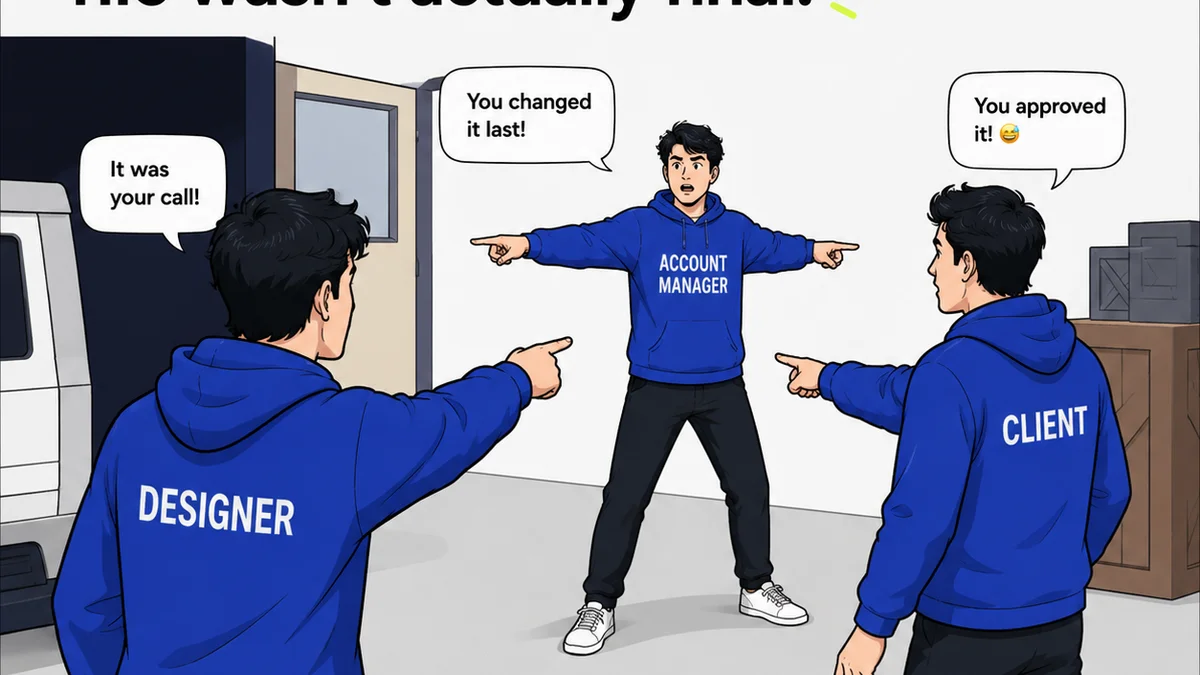
Everyone knows that efficiency is key in a creative agency. You hear it all the time: streamline your workflow, optimize your processes, work smarter, not harder. It’s almost a cliché.
None of that is wrong. But it’s incomplete.
The real hard truth is that relying solely on ‘smarter working’ is a band-aid on a bullet wound. You can’t out-think your way out of fundamentally inefficient, repetitive tasks that drain your team’s creative power.
Automation isn’t a luxury; it’s a necessity for survival. It’s about freeing up your most valuable asset – your people – to do the work that actually matters.
1. File Renaming and Organization
Manually renaming files is a soul-crushing task. Every project, every asset, every version gets a unique, often arbitrary, name. This leads to inconsistencies and makes searching a nightmare.
Consistent naming conventions are crucial for collaboration and asset management. But enforcing them manually is a losing battle.
The Problem with Manual Renaming
- Inconsistent naming across projects and team members.
- Difficulty in searching for specific assets later.
- Wasted time spent on a mundane, error-prone activity.
- Risk of overwriting or losing important files.
Automated Solutions
Scripting tools or plugins can automate this. Define a clear structure (e.g., ProjectName_AssetType_Version_Status.ext) and let the software handle the rest.
2. Image Resizing and Exporting
Need the same image in ten different sizes for web, social, and ads? Exporting each one manually is a time sink. Multiply that by hundreds of assets.
This isn’t creative work. It’s digital grunt work.
Batch processing is your best friend here. Most design software has built-in features or plugins for this, allowing you to define multiple export settings and run them all at once.
3. Color Palette Generation and Application
While mood boards and client input guide color choices, applying them consistently across a large project can be tedious. Especially if the palette needs to change later.
Tools can generate harmonious palettes based on a base color or image. More importantly, they can help apply these palettes consistently across design files.
Consistency is Key
Applying colors manually across multiple artboards or screens introduces errors. A single hex code typo can throw off the entire design system.
Leveraging Design Systems
Building a simple design system with defined color variables in tools like Figma or Sketch makes this process far more robust. Changes update everywhere automatically.
4. Font Management and Consistency
Ensuring the correct fonts are used everywhere, with the right weights and styles, is vital for brand integrity. But tracking this across dozens of documents and assets is difficult.
Font management tools can help. More advanced solutions involve embedding font data or using style guides that reference specific font families and weights.
5. Basic Layout Adjustments
Sometimes, a client wants minor layout tweaks across multiple similar pages. Think adjusting spacing, aligning elements, or repositioning logos.
These are often repetitive, rule-based changes. Scripting or using layout grids and smart guides can automate much of this.
6. Generating Placeholder Content
Need dummy text or placeholder images for mockups? Copy-pasting Lorem Ipsum and finding generic stock photos is inefficient and looks unprofessional.
There are countless online generators for placeholder text and images. Some even allow you to specify dimensions or content types.
Automating this saves time and provides more realistic mockups.
7. Creating Variations of Ad Creatives
Running multiple ad campaigns often means creating dozens of variations of the same creative. Different headlines, calls-to-action, and image crops.
This is prime territory for automation. Tools that allow you to define dynamic fields and data sources can generate these variations programmatically.
8. Formatting Code Snippets
For agencies with web or app development components, ensuring code is consistently formatted is a constant battle. Indentation, spacing, and syntax highlighting all matter.
Prettier, ESLint, and similar tools can automatically format code according to predefined rules, saving developers hours of tedious manual cleanup.
9. Social Media Posting Schedules
Manually posting to different social media platforms at optimal times is inefficient. You’re reacting, not strategizing.
Social media management tools allow you to schedule posts in advance across multiple platforms. This ensures consistent presence and frees up your social media manager for engagement and strategy.
10. Basic Report Generation
Compiling weekly or monthly performance reports can involve pulling data from various sources and formatting it into a digestible format.
Many analytics platforms offer automated reporting features. Dashboards can also provide real-time data, reducing the need for manual compilation.
11. Version Control for Designs
Constantly saving ‘_v2’, ‘_final’, ‘_really_final’ versions is a chaotic way to manage design iterations. It’s prone to error and confusion.
A proper version control system, even a simplified one, tracks changes automatically. It allows you to revert to previous states easily and understand the evolution of a design.
12. Creating Simple Wireframes from Data
For data-heavy projects, manually creating wireframes for every screen can be repetitive. If the data structure is consistent, the visual layout can often be templated.
Tools exist that can generate basic wireframes or prototypes directly from data inputs or sitemaps, speeding up the initial structural design phase.
13. Applying Brand Guidelines Consistently
Ensuring logos, colors, and typography are used correctly across all client materials is paramount. Manual checks are tedious and error-prone.
Automated brand compliance checkers can scan documents and assets, flagging inconsistencies against predefined brand guidelines. This is invaluable for maintaining brand integrity.
14. Generating Client-Ready Presentation Decks
Taking a completed design and formatting it into a polished presentation deck for client review can take significant time.
Using presentation templates with pre-defined layouts and styles allows for rapid population of designs. Automating the import of final assets can further speed this up.
15. Proofreading for Common Typos
While not a replacement for human proofreading, automated tools can catch common spelling errors, grammatical mistakes, and punctuation issues before a human reviewer even sees the document.
This acts as a first-pass filter, allowing your human editors to focus on higher-level copy clarity and tone.
Where Revue Fits In
Many of these repetitive tasks involve managing feedback, revisions, and approvals. This is where manual processes often break down, leading to confusion and delays.
Revue centralizes client feedback directly on your creative assets. Instead of scattered emails and endless spreadsheets, all comments, annotations, and decisions live in one place.
This visibility means less time spent chasing down feedback or clarifying what’s been approved. It streamlines the revision process by making the history and status of changes clear.
Automating the *collection* and *management* of feedback is just as crucial as automating design tasks themselves. It prevents bottlenecks and ensures your team isn’t bogged down by administrative overhead.
Final Thought
If you find yourself or your team spending significant time on tasks that don’t require deep creative thought or strategic decision-making, it’s time to look at automation.
What repetitive tasks are currently draining your team’s energy? And what’s stopping you from automating them today?
Frequently asked questions
What are the biggest benefits of automating design tasks?
The primary benefits include significant time savings, reduced errors from manual input, improved consistency across projects, and freeing up creative professionals to focus on strategic and innovative work rather than mundane busywork.
What kind of tools can I use to automate design tasks?
The tools vary by task. For file management, scripting or dedicated software can help. For image processing, batch export features in design software are common. For workflow management, platforms like Revue can automate feedback and approval processes. General automation tools like Zapier or IFTTT can also connect different applications.
Is automation expensive for a small agency?
Not necessarily. Many design software suites include built-in automation features. Free or low-cost scripting tools and plugins are also widely available. The ROI from time saved often quickly outweighs the initial investment, even for small agencies.
How do I identify which tasks are suitable for automation?
Look for tasks that are performed frequently, involve repetitive steps, follow a clear set of rules, and don't require complex creative judgment. If a task feels like 'busywork' or is prone to human error due to monotony, it's likely a good candidate for automation.