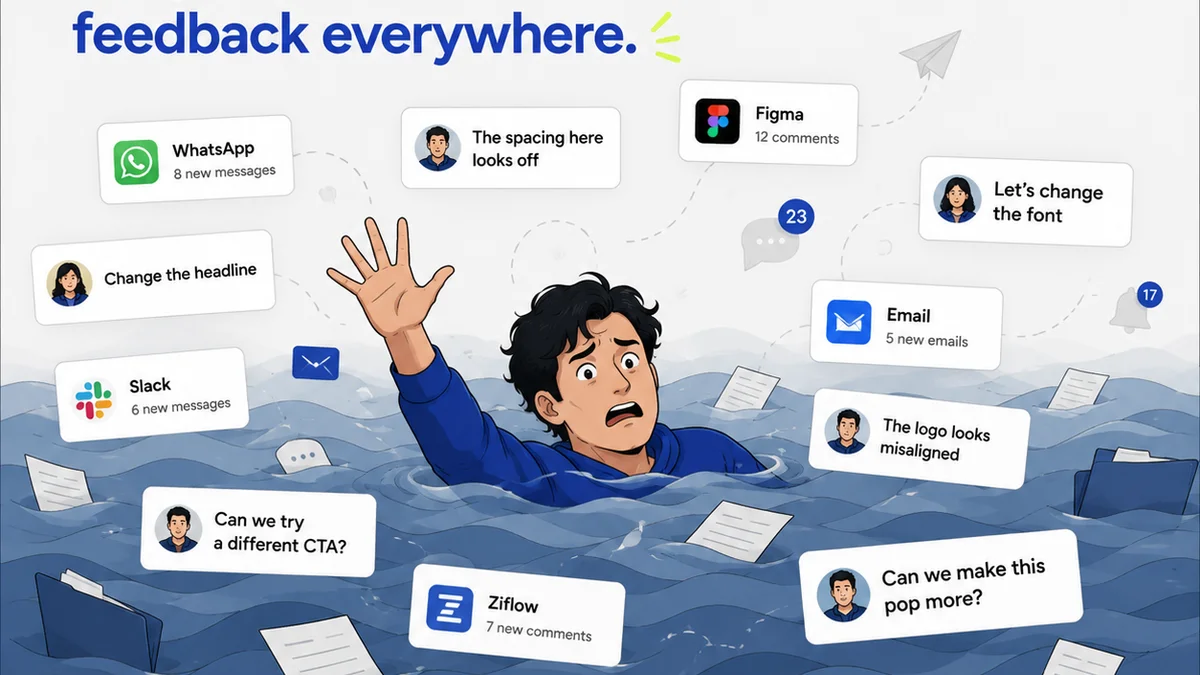
Everyone wants the “best CRM for creative agencies.” You see the ads, you hear the buzzwords: AI-powered, all-in-one, seamless integration. It’s easy to assume that the most feature-rich or the most expensive platform is the answer to your agency’s growth pains.
None of that is wrong. But it’s incomplete.
The hard truth? The best CRM isn’t about a list of capabilities. It’s about how well it fits into your actual, messy, human creative workflow. It’s about reducing friction, not adding another login to your team’s day.
1. The Myth of the Universal Solution
Many CRMs are built for sales teams. They’re geared towards closing deals, managing pipelines, and tracking outbound activity. That’s fine if your agency is purely transactional. But most creative agencies aren’t.
Your work involves collaboration, client feedback loops, revisions, and a creative process that doesn’t always follow a neat, linear path. A CRM that only understands “lead” to “closed-won” misses the entire middle part of your business.
What to Look For Instead
- Project Integration: Does it connect to how you manage projects, not just clients?
- Communication Hub: Can it centralize client conversations related to specific projects or deliverables?
- Team Collaboration: Does it support internal team communication and task assignment beyond just sales follow-ups?
- Customization for Creative Workflows: Can you tailor fields and stages to reflect your unique creative process?
A CRM that forces your creative team into a sales-first mindset is a CRM that will fail.
2. Understanding Your Agency's Actual Workflow
Before you even look at a CRM, map out your real workflow. Be brutally honest.
Where do things get stuck?
- Is it initial client onboarding?
- Is it gathering detailed briefs?
- Is it managing feedback rounds from multiple stakeholders?
- Is it tracking revisions and ensuring scope is managed?
- Is it getting final sign-off?
- Is it invoicing and follow-up?
Each of these stages requires different information and different interactions. A good CRM should support these transitions, not create new bottlenecks.
The Pitfalls of Ignoring Workflow
If your CRM doesn’t align with how your team actually works, you’ll see:
- Low Adoption Rates: Your team will find workarounds, using spreadsheets or email, negating the CRM's purpose.
- Data Silos: Information gets trapped in individual inboxes or disparate tools, leading to missed opportunities and errors.
- Inaccurate Reporting: Without consistent data entry, your insights into agency performance will be flawed.
- Client Frustration: Inconsistent communication and missed details reflect poorly on your agency.
The “best” CRM is the one your team will actually use because it makes their jobs easier, not harder.
3. Key Features for Creative Agencies
Forget the fluff. Focus on what truly moves the needle for a creative business.
Client Communication & Management
This is more than just an address book. You need a system that:
- Stores all client contact information, project history, and key preferences in one place.
- Tracks communication history (emails, calls, meeting notes) linked to specific clients or projects.
- Facilitates easy handoffs between sales, project management, and account teams.
Project Pipeline & Opportunity Tracking
While not purely sales, you need visibility into potential work.
- Track leads from initial contact through to project kickoff.
- Visualize your pipeline of potential projects and their value.
- Forecast upcoming work and resource needs.
Proposal & Contract Management
Streamlining the path to getting work officially started.
- Generate proposals from templates.
- Track the status of sent proposals.
- Integrate with e-signature tools for faster approvals.
Task Management & Internal Collaboration
This is where many sales-focused CRMs fall short.
- Assign tasks to team members.
- Set deadlines and track progress.
- Facilitate internal notes and discussions related to client accounts or projects.
Reporting & Analytics
Data is crucial, but it needs to be relevant.
- Track key metrics like client acquisition cost, project profitability, and client retention.
- Generate reports that inform business decisions, not just sales performance.
4. Integration is King (But Choose Wisely)
No CRM operates in a vacuum. The real power comes from how it connects with your other essential tools.
Think about:
- Project Management Software: How does client contact info flow into your project plans?
- Accounting Software: Does invoicing sync with closed deals or project milestones?
- Communication Tools: Can you log key client conversations from Slack or Teams?
- Creative Tools: While less common for direct CRM integration, consider how project briefs or client assets are referenced.
Look for CRMs with robust APIs or pre-built integrations. If a CRM requires you to manually move data between systems, it’s not an efficiency gain – it’s a new chore.
A connected ecosystem prevents data duplication and ensures everyone is working with the most up-to-date information.
5. Where Revue Fits In
You might be thinking, “This sounds like a lot. Where does feedback and revision management fit?”
That’s where a tool built specifically for creative workflows shines.
While a CRM excels at managing the business side – leads, clients, contracts, and overall account health – it typically doesn’t handle the granular details of creative review.
Revue is designed to centralize client feedback on creative assets. Instead of sifting through endless email chains or Slack messages, all comments, annotations, and version history live in one place. This provides unparalleled clarity on:
- Centralized Feedback: All stakeholder comments on a specific design, video, or copy are gathered in one spot.
- Revision Visibility: Track each iteration, see what changed, and understand the evolution of a piece.
- Approval Tracking: Get clear, documented sign-offs, eliminating ambiguity and disputes.
- Quality Checks: Ensure all feedback has been addressed before final delivery.
By integrating a tool like Revue with your CRM, you create a powerful combination. Your CRM manages the client relationship and project pipeline, while Revue manages the critical, often complex, process of creative review and approval. This synergy ensures both the business and the creative execution run smoothly.
6. Evaluating CRM Options for 2026
As you look at CRMs, ask yourself these tough questions:
- Does this CRM understand that a creative project isn't just a linear sales process?
- Will my *entire* team use this, or just the sales department?
- How much training will it require? Is the interface intuitive?
- What are the real integration capabilities with the tools we already rely on?
- Can it be customized to reflect our agency’s unique stages and terminology?
- What is the total cost of ownership, including implementation and training?
Don’t get dazzled by the latest AI feature if it doesn’t solve a core problem for your agency.
Look for platforms that prioritize user experience and workflow alignment over sheer volume of features.
Final Thought
The “best” CRM for your creative agency in 2026 isn’t a destination; it’s a tool that enables smoother journeys. It’s the system that reduces administrative overhead, clarifies communication, and frees up your team to do their best creative work. Are you choosing a CRM that truly serves your agency’s unique rhythm, or one that forces you to adapt to its beat?
Frequently asked questions
What makes a CRM suitable for a creative agency specifically?
A CRM suitable for a creative agency needs to go beyond basic sales functions. It should support project-based workflows, centralize client communication related to specific projects, facilitate internal team collaboration on creative tasks, and offer customizable fields and stages that reflect the agency's unique creative process, not just a sales pipeline.
How important are integrations for a creative agency's CRM?
Integrations are critical. A CRM should seamlessly connect with your project management tools, accounting software, and communication platforms. This prevents data silos, reduces manual data entry, ensures consistency, and allows your team to access necessary information without switching between multiple applications, thereby improving overall efficiency.
Can a CRM handle creative feedback and revisions?
Typically, a CRM manages client relationships and project pipelines, but it's not designed for granular creative feedback and revision tracking. Tools like Revue are built for this purpose, centralizing annotations, version history, and approvals directly on creative assets. Integrating a CRM with a specialized feedback tool provides comprehensive coverage.
What's the biggest mistake agencies make when choosing a CRM?
The biggest mistake is choosing a CRM based solely on its feature list or perceived prestige, without considering how well it aligns with the agency's actual day-to-day workflow. If the team finds it cumbersome or difficult to use, adoption will be low, and the investment will be wasted.