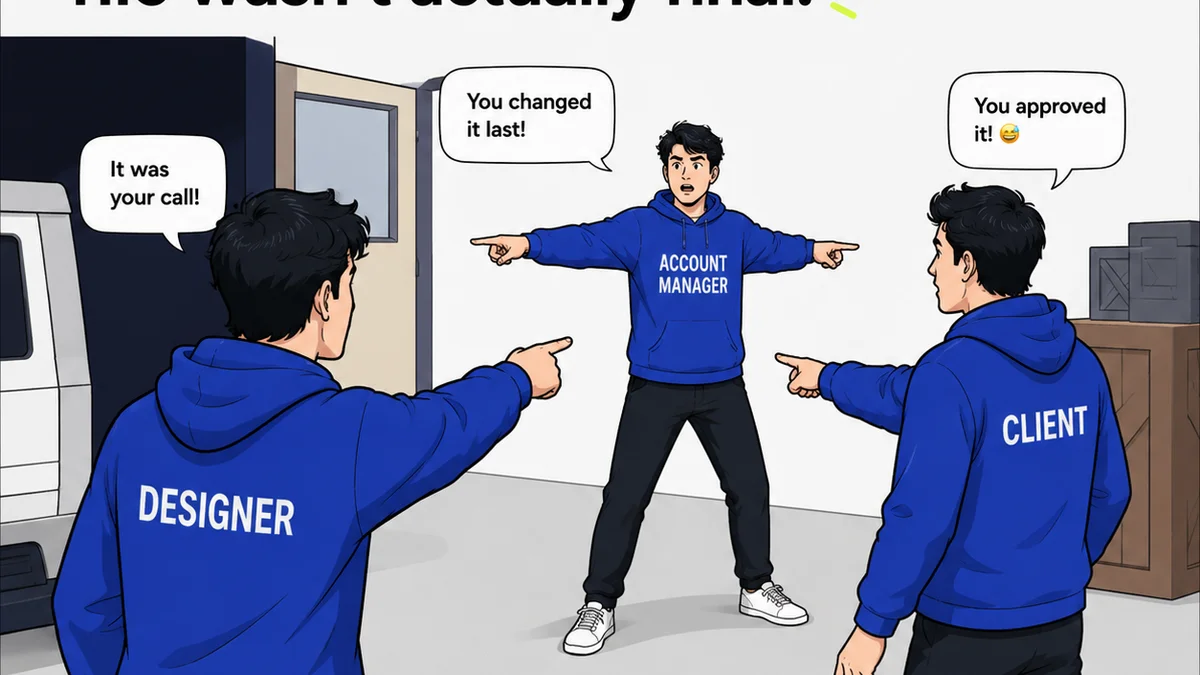
Everyone talks about CRMs for agencies. They push sales pipelines, lead scoring, and marketing automation. And none of that is wrong. But it’s incomplete.
For creative agencies and in-house design teams, the *best* CRM isn't just about closing deals. It's about managing the creative process itself. It’s about clarity. It’s about keeping clients happy and designers sane.
1. The Hard Truth: Your CRM Isn't Just for Sales
Most CRMs are built for sales teams. They track interactions, manage follow-ups, and forecast revenue. Great for selling. Less great for creating.
The real value of a CRM for a design business lies in its ability to centralize client information and project history. It's the single source of truth for everything related to a client relationship and the work you do for them.
This isn't about a glorified contact list. This is about understanding:
- Who is the client, really? What are their business goals?
- What projects have we done for them? What worked? What didn't?
- What is the current project status, and who is responsible for what?
- What feedback has been given, and how was it addressed?
- What are the upcoming needs or opportunities?
When this information is scattered across emails, Slack, spreadsheets, and sticky notes, your agency bleeds efficiency. It creates internal friction and external confusion.
The best CRM for designers in 2026 acknowledges this. It understands that client management is intertwined with project management and creative workflow.
2. Beyond the Contact Card: Client Context is King
Understanding the Client's Business
A designer needs to know more than just a client’s name and email. They need to understand the client's industry, their target audience, their competitors, and their overarching business objectives.
Why? Because great design solves business problems. If your CRM doesn't have a place to easily store and access this context, your design team is working blind.
Think about it:
- Is this client launching a new product or revamping their brand?
- Are they targeting a younger demographic or a more established market?
- What are their key performance indicators (KPIs) for this project?
This isn't just for the account manager. This context should be accessible to the creative lead and the design team. It informs every creative decision.
Project History and Preferences
What was the outcome of the last campaign? What feedback did they give on the previous website redesign? Did they prefer bolder colors or a more minimalist aesthetic for their packaging?
A CRM should log this. Not as a footnote, but as critical data.
This prevents:
- Reinventing the wheel on every project.
- Repeating past mistakes.
- Asking the client the same questions over and over.
- Misinterpreting established brand guidelines.
This is where a CRM becomes a knowledge base. It’s an invaluable asset for onboarding new team members and ensuring consistency across all client work.
3. The Project Lifecycle: From Brief to Approval
Centralizing Briefs and Scope
Where is the latest version of the creative brief? What was the agreed-upon scope of work? These documents are the bedrock of any project.
Your CRM should be the hub where these critical documents are stored and version-controlled. It ensures everyone is working from the same set of requirements.
This means:
- No more hunting through email chains for the final brief.
- Clear visibility of deliverables and deadlines.
- Easy reference for scope changes and their implications.
Managing Feedback and Revisions
This is often the messiest part of the creative process. Client feedback can be vague, contradictory, or arrive piecemeal.
A CRM that integrates with or offers robust feedback management tools is essential. It allows for:
- Consolidated feedback, linking directly to the specific creative asset.
- Clear tracking of revision rounds.
- Accountability for who provided what feedback and when.
- A clear audit trail for approvals.
This isn't just about organization; it's about mitigating risk and managing expectations. It’s about having proof of communication.
Streamlining Approvals
The final hurdle. Getting sign-off. Without a clear process, this can drag on for weeks.
A CRM should facilitate a smooth approval process. This could involve:
- Automated notifications to stakeholders when a review is ready.
- A clear dashboard showing the status of approvals.
- Digital sign-off capabilities.
This keeps projects moving and ensures timely payment, as approvals are often tied to invoicing.
4. Beyond the Project: Nurturing Client Relationships
Proactive Communication
A CRM isn't just for reactive problem-solving. It should enable proactive engagement. By tracking project milestones and client history, you can anticipate needs.
Did a client just finish a major website launch? Your CRM should remind you to check in a few months later about SEO performance or potential updates.
This leads to:
- Identifying new opportunities before the client even asks.
- Demonstrating ongoing value and partnership.
- Building long-term loyalty.
Understanding Client Lifetime Value
For agency owners and directors, a CRM is crucial for understanding which clients are most valuable. Not just in terms of revenue, but also in terms of relationship strength and potential for repeat business.
By tracking project history, communication frequency, and client satisfaction (even anecdotally), you can identify your ideal clients. You can then focus your efforts on attracting and retaining more like them.
5. Where Revue Fits In
While a CRM provides the overarching client and project context, the day-to-day execution of creative work requires specialized tools. This is where platforms like Revue excel.
Revue is built for the realities of creative feedback and revision cycles. It’s not a CRM, but it complements one beautifully by solving the critical problem of managing client input on creative assets.
Centralized Feedback
Instead of wading through endless email threads or Slack messages, all client comments on designs, videos, or websites are captured in one place. This eliminates confusion and ensures no feedback gets lost.
Revision and Approval Visibility
Revue provides a clear, chronological record of all feedback and revisions. Stakeholders can see exactly what changed, who requested it, and when it was implemented. This transparency builds trust and speeds up the approval process.
Quality Checks
By having a documented history of feedback and approvals, teams can easily perform quality checks before final delivery. This ensures that all agreed-upon requirements have been met and that the final output aligns with client expectations.
When integrated with your CRM, Revue provides the granular detail of the creative workflow, while the CRM manages the broader client relationship and business context. It’s a powerful combination for any agency.
6. Choosing the Right CRM: What Designers Actually Need
Forget the bells and whistles of enterprise-level sales platforms. When looking for a CRM for your design agency, focus on these core capabilities:
- Intuitive Contact Management: Easy to add, edit, and find client information, including custom fields for industry, goals, etc.
- Project Tracking Integration: Ability to link contacts to projects, and ideally, to view project status from the contact record.
- Document Storage: A secure place to store briefs, contracts, and other essential project documents.
- Communication Logging: Simple way to log calls, meetings, and key email exchanges.
- Task Management: Basic ability to assign tasks to team members related to client communication or project follow-up.
- Reporting: Understand client acquisition sources, project profitability (if integrated with time tracking), and client retention rates.
- Integrations: Can it connect with your other essential tools? (e.g., accounting software, project management tools, and yes, feedback platforms like Revue).
Consider tools that are flexible and can be customized to your specific agency workflow. You don't need a sledgehammer to crack a nut.
7. Final Thought
The
Frequently asked questions
What makes a CRM good for designers specifically?
A CRM good for designers focuses on centralizing client context, project history, and feedback loops, rather than just sales pipelines. It should support managing the creative lifecycle from brief to approval, making client information accessible to the entire design team.
Can a CRM help manage creative feedback?
While some CRMs offer basic note-taking, they are not specialized for creative feedback. Tools like Revue integrate with CRMs to provide centralized, visual feedback and revision tracking, which is crucial for designers. The CRM then holds the broader client and project context.
What are the key features to look for in a CRM for a design agency?
Key features include intuitive contact management with custom fields, project tracking integration, document storage for briefs and contracts, communication logging, basic task management, useful reporting on client value, and integrations with essential creative tools.
How does a CRM improve client relationships for designers?
By providing a comprehensive view of client history, preferences, and business goals, a CRM enables proactive communication, personalized service, and the identification of future opportunities. This builds trust and fosters long-term loyalty.