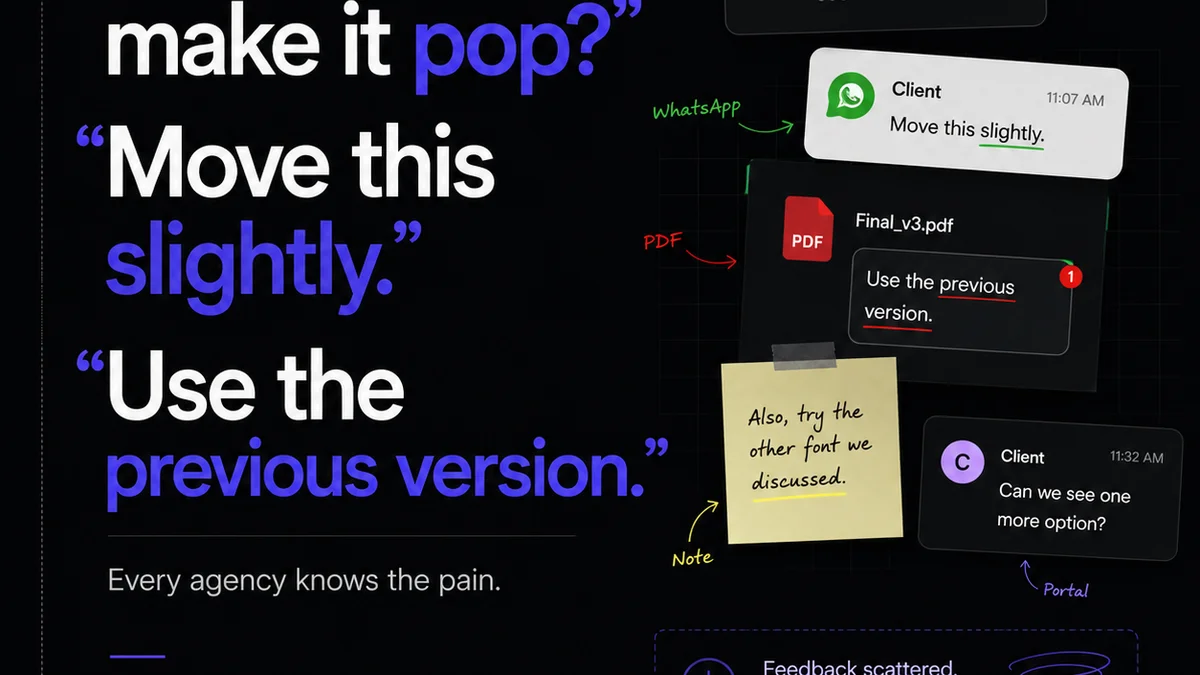
Everyone thinks the best design QA software is the silver bullet. The one tool that magically smooths out all client feedback, eliminates revisions, and guarantees pixel-perfect output. None of that is wrong. But it’s incomplete.
The hard truth? Your workflow dictates the effectiveness of any tool. The best design QA software is the one that fits seamlessly into a robust process, not the other way around.
1. Beyond Bug Squashing: The True Scope of Design QA
Design Quality Assurance. It sounds like just finding bugs. Spotting misaligned pixels or broken links.
But true design QA is much broader. It’s about ensuring the creative output meets strategic goals. Does it align with the brand? Does it resonate with the target audience? Does it fulfill the brief?
It’s Strategic Alignment
This means QA starts long before the final mockups. It begins with understanding the project goals.
- What is the client trying to achieve?
- Who are they trying to reach?
- What message needs to land?
If the design doesn't serve these core objectives, it doesn't matter if it's technically flawless. It's failed QA.
It’s User Experience
Usability is a critical component of design QA. Is the interface intuitive? Is the navigation clear? Can users accomplish their tasks without friction?
Tools like Nielsen Norman Group's heuristics provide a framework for evaluating this. They're not about code errors; they're about human interaction.
It’s Brand Consistency
Maintaining brand integrity across all touchpoints is paramount. This involves checking:
- Color palettes
- Typography
- Tone of voice
- Logo usage
A single off-brand element can dilute the entire message.
2. The Pitfalls of Tool-First Thinking
Many agencies fall into the trap of believing a new piece of software will solve their problems. They implement a new platform, train the team, and expect miracles.
Then, the same old issues resurface. Feedback gets lost. Revisions spiral. Deadlines slip.
Why?
Because the tool is only as good as the process it supports. If your feedback collection is chaotic, even the most advanced QA tool will struggle.
Common Workflow Breakdowns
- Unstructured client feedback (emails, Slack DMs, random calls).
- Lack of a clear review and approval process.
- No centralized source of truth for design assets.
- Inconsistent QA checklists or criteria.
- Poor communication between design, development, and client teams.
These aren't problems a piece of software can solve on its own. They require process refinement.
3. Building a Process That Supports Great QA
Before you even look at design QA software, focus on your internal workflow. A solid process makes any tool more effective.
Define Clear Roles and Responsibilities
Who is responsible for providing feedback? Who approves the final design? Who signs off on QA?
Clarity here prevents bottlenecks and confusion.
Standardize Feedback Collection
Establish a single channel for all feedback. This could be a dedicated tool, a specific project management board, or a structured form.
Avoid scattered communication across email, chat, and calls.
Implement Staged Approvals
Don't wait until the very end for client sign-off. Build in checkpoints at key milestones.
- Concept approval
- Wireframe approval
- Mid-fidelity design approval
- High-fidelity design approval
- Final QA sign-off
This iterative approach catches issues early when they are cheapest to fix.
Create a QA Checklist
Develop a comprehensive checklist tailored to your projects. This ensures consistency and thoroughness.
A good checklist covers:
- Functional requirements
- Usability
- Brand guidelines
- Accessibility standards (e.g., WCAG)
- Technical specifications (e.g., responsive behavior)
- Content accuracy
This isn't just for designers; it’s a guide for everyone involved in the review process.
4. Evaluating Design QA Software: What Really Matters
Once your process is solid, you can look for tools that enhance it. The best design QA software will amplify your existing workflow, not disrupt it.
Key Features to Look For
- Centralized Feedback: A single place to gather, organize, and respond to all comments.
- Visual Annotation: The ability to comment directly on designs (screenshots or live previews).
- Version Control & History: Tracking revisions and seeing the evolution of a design.
- Approval Workflows: Clear mechanisms for clients and stakeholders to approve or reject work.
- Task Management: Assigning action items based on feedback.
- Integrations: Connecting with other tools you use (e.g., project management, design software).
- Reporting: Insights into feedback cycles, revision counts, and project status.
Consider the User Experience (Client & Team)
The tool should be intuitive for both your internal team and your clients. A complex interface will create more friction than it solves.
Look for platforms that simplify the review process, making it easy for clients to provide clear, actionable feedback without needing extensive training.
Where Revue Fits In
Revue is built for this exact challenge. It’s not just another bug tracker or annotation tool. It’s a platform designed to centralize creative collaboration and streamline the entire client feedback and approval lifecycle.
Think of it as the central nervous system for your design projects.
- Consolidated Feedback: All client comments, stakeholder input, and internal reviews live in one organized space, directly linked to the design assets. No more digging through emails or Slack threads.
- Clear Revision Tracking: See every version of a design, understand the changes made, and track the history of feedback and revisions. This transparency is crucial for managing scope and expectations.
- Streamlined Approvals: Implement clear approval gates. Clients can formally approve or reject designs, providing a definitive record and preventing endless back-and-forth.
- Actionable Insights: Identify patterns in feedback, understand common revision points, and gain visibility into the true cost of revisions. This data helps refine your process over time.
Revue helps bridge the gap between creative execution and client satisfaction by making the review and approval process transparent, efficient, and manageable.
Final Thought
The quest for the
Frequently asked questions
What is the primary goal of design QA?
The primary goal of design QA is to ensure that the creative output not only meets technical standards but also aligns with strategic objectives, brand guidelines, and user needs, ultimately delivering a successful and effective final product.
Why is client feedback important in design QA?
Client feedback is crucial because clients are the ultimate stakeholders who define the project's goals and target audience. Incorporating their input ensures the design meets their business objectives and resonates with their intended users, preventing costly rework later.
How can I standardize the feedback process?
Standardize feedback by establishing a single, designated channel for all comments (e.g., a dedicated tool or platform). Define clear guidelines for what constitutes actionable feedback and train clients and internal teams on this process.
What are the key features of effective design QA software?
Effective design QA software typically includes centralized feedback management, visual annotation tools, version control, clear approval workflows, task management, and integrations with other project tools. It should also be user-friendly for both teams and clients.