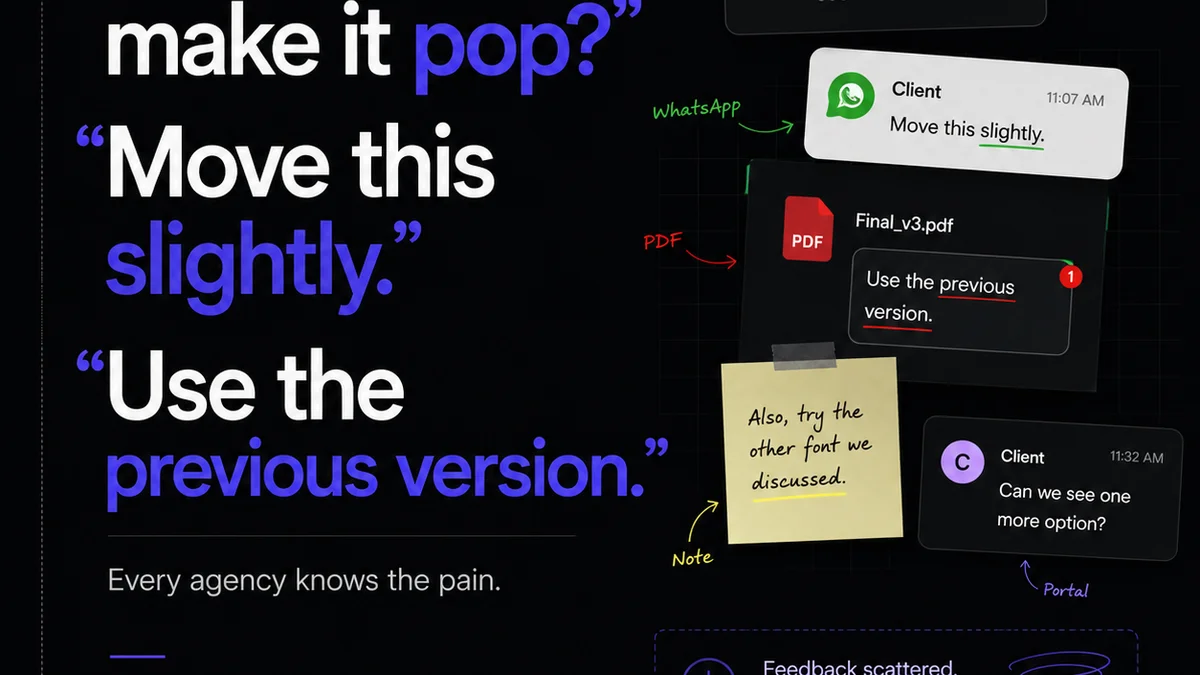
Everyone wants the best design review software. They scour lists, compare features, and chase the next shiny object hoping it’ll magically fix their feedback chaos. None of that is wrong. But it’s incomplete.
The hard truth? The *best* software isn’t a silver bullet. It’s the tool that fits your team’s workflow and forces better communication. Otherwise, you’re just upgrading your mess.
1. Beyond the Feature Checklist: What Design Review Software *Really* Does
You’ve seen the feature lists: annotation tools, version control, approval workflows, reporting. They’re important, sure. But they miss the point.
Good design review software doesn't just *manage* feedback; it *shapes* it. It transforms scattered emails and Slack messages into actionable, organized input. It turns subjective opinions into objective decisions.
Think about the common pain points:
- Endless email chains with conflicting feedback.
- Clients approving work they later dispute.
- Designers drowning in revision requests they don’t understand.
- Missed deadlines because approvals got lost.
- A lack of clear audit trails for client sign-offs.
If this sounds familiar, you're not alone. This is the operational friction that slows agencies and in-house teams to a crawl. The right software tackles this head-on.
2. Core Functionality: The Must-Haves
Let’s break down the essential features you should look for, beyond the buzzwords.
Clear Annotation Tools
This is table stakes. Can users easily point to exactly what they mean? Pixel-perfect annotations are crucial for visual feedback. This includes:
- Clickable hotspots on specific elements.
- Freehand drawing and shape tools.
- Text comments directly on the design.
- Ability to tag specific team members.
Vague feedback like “make it pop more” is useless. Precise annotation forces clarity.
Version Control and Comparison
You need to know which version is being reviewed and approved. Features to look for:
- Automatic version numbering.
- Easy rollback to previous versions.
- Side-by-side or onion-skin comparison of versions.
This prevents confusion and ensures everyone is working from the latest iteration.
Streamlined Approval Workflows
This is where efficiency gains are made. Look for:
- Configurable approval stages (e.g., Internal Review, Client Review, Final Approval).
- Automated notifications for reviewers and designers.
- Clear status indicators (Pending, Approved, Rejected, Needs Revision).
- Ability to set deadlines for feedback.
This moves projects forward predictably.
Centralized Communication Hub
Feedback shouldn’t live in multiple places. The software should be the single source of truth for all project communication related to design assets.
- All comments and discussions tied to specific design elements.
- A searchable history of feedback and decisions.
- Integration with other project management tools (optional but helpful).
This drastically reduces the time spent searching for information.
Reporting and Audit Trails
Proof of approval is vital. You need:
- A clear record of who approved what and when.
- Exportable reports for project documentation.
- Immutable logs of all feedback and changes.
This protects both your agency and your client.
3. Evaluating Your Options: Beyond the Top 10 Lists
Most “best design review software” articles focus on feature parity. They assume all tools function identically. They don't.
The real differentiator is how well a tool integrates into your existing process and how it *changes* behavior.
Consider Your Team Size and Structure
Are you a small agency of 5? Or a large in-house team of 50? A solo freelancer needs different capabilities than a multi-departmental operation.
- Small Teams: Often benefit from simpler, more intuitive tools with fewer bells and whistles. Cost is usually a bigger factor.
- Medium Teams: Need a balance of features, customization, and scalability. Integration with existing stacks becomes more important.
- Large Teams: Require robust permission controls, advanced reporting, and enterprise-level security. Custom workflows and integrations are often non-negotiable.
Factor in Client Experience
Your clients aren't necessarily design experts. The software must be:
- Intuitive for non-technical users. Can your client easily add a comment without needing a tutorial?
- Accessible. Does it require a login or special software? Web-based is usually best.
- Professional. Does the interface reflect the quality of your work?
A clunky client experience can sour the entire project, regardless of your internal efficiency.
Integration Capabilities
Does the software play nice with your other tools? Think about:
- Project management software (Asana, Jira, Trello).
- Creative tools (Figma, Adobe Creative Cloud).
- Communication platforms (Slack, Teams).
Seamless integration saves time and prevents data silos.
Pricing Models
Understand the cost structure:
- Per-user pricing.
- Per-project or storage limits.
- Tiered feature sets.
Ensure the pricing scales with your usage and provides good value.
4. Where Revue Fits In
You might be thinking, “Okay, I get the need for better tools. But how does Revue help with design reviews specifically?”
Revue isn’t a direct annotation tool like some specialized software. Instead, it acts as the central nervous system for your entire creative process, including design reviews.
Here’s how it elevates your workflow:
Centralized Client Feedback Hub
Instead of feedback scattered across emails, Slack, and forgotten documents, Revue brings it all into one, organized place. You can link design assets directly within project briefs or tasks. All communication, feedback, and decisions related to that asset live together.
Streamlined Revision and Approval Visibility
Revue provides a clear, visual overview of project status. When a design is ready for review, you can tag specific stakeholders and track their feedback. The system ensures that approvals are logged, and revisions are clearly requested and accounted for. This eliminates the “who approved what?” ambiguity.
Integrated Quality Checks
Before a design ever reaches the client, Revue helps ensure it meets internal standards. You can build checklists and approval gates directly into your workflows. This means your team can perform necessary quality checks (like accessibility or brand consistency) systematically, reducing errors and rework.
By centralizing communication and providing clear visibility into the entire process—from brief to final approval—Revue ensures that design reviews are efficient, documented, and contribute to higher-quality output, not just more noise.
5. Common Pitfalls to Avoid
Even with the best software, teams stumble. Here are common mistakes:
Assuming Software Solves Process Issues
A tool is only as good as the process it supports. If your internal communication is poor, the software will just make the poor communication more visible.
Over-complicating Workflows
Too many approval steps or complex features can overwhelm clients and your team. Keep it as simple as possible, but no simpler.
Lack of Training
Don’t just roll out new software. Train your team and your clients on how to use it effectively. Show them the *why* behind the tool.
Not Defining Roles and Responsibilities
Who gives feedback? Who approves? Who makes the final call? Clarity here is essential, regardless of the software used.
Ignoring the Human Element
Software can facilitate, but it can’t replace good communication. Foster a culture where feedback is constructive and respectful.
Final Thought
The quest for the “best” design review software often distracts from the real goal: delivering great creative work, efficiently and with happy clients. Instead of chasing features, focus on how a tool can fundamentally improve communication, clarify feedback, and streamline approvals within *your* specific context.
What’s the single biggest bottleneck in your current design review process, and how could a smarter approach—not just a different tool—solve it?
Frequently asked questions
What is the primary benefit of using dedicated design review software?
The primary benefit is streamlining the feedback and approval process. It centralizes communication, provides clear annotation tools, and creates an auditable trail, reducing confusion, errors, and delays often caused by scattered feedback across emails and messages.
How does design review software improve client collaboration?
It makes it easier for clients to provide specific, visual feedback directly on the design assets. Intuitive interfaces and clear workflows reduce the burden on clients, leading to faster approvals and a more positive collaborative experience.
Is design review software only for large agencies?
No, design review software is beneficial for teams of all sizes, from freelancers to large in-house departments. Smaller teams might opt for simpler tools, while larger organizations may require more advanced features like robust permission controls and integrations.
What's more important: features or workflow integration?
Workflow integration is generally more important. The 'best' software is the one that fits seamlessly into your team's existing processes and encourages better communication habits. A tool packed with features is useless if it disrupts your team's efficiency or confuses clients.