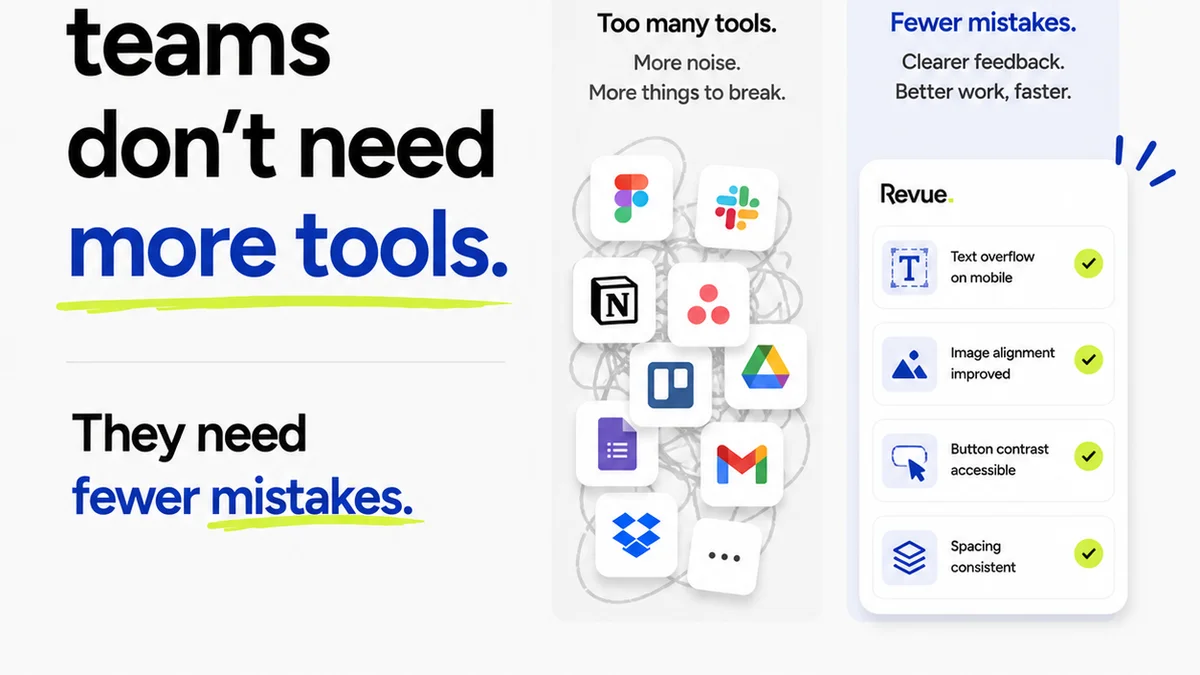
You're looking for the best proofing software for your agency. You want a tool that streamlines client feedback, speeds up revisions, and eliminates those endless email chains. You've probably Googled it a dozen times, scanning lists of features and comparing pricing tiers.
None of that is wrong. But it’s incomplete.
The hard truth is, the 'best' proofing software isn't a magic bullet. It's a component of a much larger, often neglected, system: your feedback and approval workflow. Without a solid process, even the most sophisticated software will just automate chaos.
1. The Illusion of Control: Why Features Aren't Enough
Agencies are drowning in features. We've got annotation tools, version control, deadline tracking, and integration APIs. We buy software that promises to solve our problems, believing that the more buttons and options it has, the better it will be.
But what happens when the client doesn't use the annotation tool correctly? Or when version control gets messy because no one’s following the naming convention? Or when the deadline tracker just becomes another notification to ignore?
The problem isn't the software's limitations. It's our own workflow limitations.
Common Misconceptions About Proofing Tools
- Myth: A dedicated tool eliminates all miscommunication.
- Myth: More features equal faster approvals.
- Myth: If it’s in the software, clients will use it perfectly.
- Myth: Technology alone can fix a broken process.
These tools are only as effective as the process they support. If your process is flawed, the software will simply amplify those flaws.
2. Defining Your Feedback Workflow: The Real Foundation
Before you even think about software, you need to define your workflow. How does feedback enter your system? Who is responsible for collecting and consolidating it? How are revisions assigned? How are final approvals given?
This isn't a one-time setup. It's an ongoing conversation and refinement. Every project, every client, might require slight adjustments.
Key Workflow Components
- Feedback Intake: Where does feedback come from? Email? Slack? A scheduled call? A dedicated portal?
- Consolidation: Who gathers all the feedback? Are they trained to identify conflicting comments?
- Revision Assignment: How are tasks created and assigned to designers or writers?
- Internal Review: Is there a step for a creative director or project manager to review before sending back to the client?
- Final Approval: What constitutes a final sign-off? A click? An email confirmation? A signed PDF?
Document this. Share it with your team. Share it with your clients (where appropriate). Clarity here is non-negotiable.
3. The Critical Role of Internal Review
This is where most agencies stumble. They go straight from client feedback to designer execution. Big mistake.
An internal review step acts as a quality gate. It’s the chance for a senior team member to:
- Ensure the feedback has been understood correctly.
- Check that the proposed revisions align with the original brief and strategy.
- Catch errors or misinterpretations before they reach the client again.
- Consolidate any internal team questions for clarification, rather than sending back a fragmented list.
This step saves time and prevents embarrassing back-and-forths. It protects your team and your client relationship.
4. Standardizing Client Communication
Clients don't think about your workflow. They think about their project and their deadlines. They also have varying levels of tech-savviness and patience.
Your software choice should accommodate this. It should make it *easy* for clients to provide feedback, but also guide them towards providing *useful* feedback.
Tips for Client Communication
- Set Expectations Early: Explain your process, including how and where feedback should be given.
- Provide Clear Instructions: If using a tool, give a brief, simple guide.
- Centralize Everything: Avoid having feedback scattered across emails, Slack, and random documents.
- Be Responsive: Acknowledge feedback promptly, even if you need time to process it.
The goal is to make the client's experience as frictionless as possible, while still maintaining control over the quality and direction of the work.
5. Where Revue Fits In
Revue isn't just another proofing tool. It's a platform designed to manage the entire creative review and approval lifecycle, addressing the workflow gaps that plague agencies.
Instead of just marking up a PDF, Revue helps you:
- Centralize Client Feedback: Bring all comments, annotations, and discussions into one place, eliminating the need to hunt through emails or disparate documents.
- Manage Revisions Visibly: Track every iteration, see what changed, and understand the context behind each revision. This clarity is crucial for both your team and the client.
- Streamline Approvals: Define clear approval stages and get explicit sign-offs, reducing ambiguity and the risk of scope creep.
- Maintain Quality Assurance: By having a structured review process, you build in quality checks at every stage, ensuring work meets both your standards and the client's expectations.
Revue helps you implement and enforce the workflow you need, turning software features into actual process improvements.
6. Choosing the Right Software: A Checklist
When you’ve got your workflow defined, *then* you can look at software. Here’s what to consider:
Must-Have Features (Process-Focused)
- Centralized Commenting: All feedback in one place.
- Version History: Easy to see what changed between versions.
- Clear Approval Tracking: Definitive sign-offs.
- User-Friendly Interface: For both your team and clients.
- Integration Capabilities: Connects with your existing tools.
- Customizable Workflows: Adapts to your process, not the other way around.
Don’t get distracted by flashy features you’ll never use. Focus on tools that support a robust, efficient, and transparent feedback and approval process.
Final Thought
The
Frequently asked questions
What is the most important factor when choosing proofing software?
The most important factor is how well the software supports and streamlines your agency's specific feedback and approval workflow, not just its feature set. A tool is only effective if it integrates seamlessly into a well-defined process.
How can proofing software speed up revisions?
Proofing software speeds up revisions by centralizing feedback, providing clear annotation tools, and tracking versions. This reduces miscommunication and the need for back-and-forth clarification, allowing designers to act on consolidated, accurate feedback more quickly.
Should clients always use the annotation tools provided?
While annotation tools are useful, clients may not always use them effectively. It's crucial to set clear expectations about how and where feedback should be provided, and to have an internal review step to consolidate and clarify any ambiguous client comments before proceeding.
What is an internal review step in the proofing process?
An internal review step is a quality gate where a senior team member or creative director reviews client feedback and proposed revisions before they are sent back to the client or acted upon by the design team. It helps catch errors, ensure strategic alignment, and consolidate feedback.