Everyone talks about building a great UI/UX process. They point to user research, wireframing, prototyping, and testing. They say it’s about empathy and understanding the user journey.
None of that is wrong. But it’s incomplete.
The hard truth? A great UI/UX process isn’t just about the *steps*. It’s about the *system* that holds those steps together. It’s about how you manage information, feedback, and revisions across your team and with clients. Without that, your fancy process becomes a mess of spreadsheets, emails, and missed details.
1. The Myth of the “Agile” UI/UX Process
The common wisdom is that UI/UX design should be agile. Iterative. Responsive to change. And it absolutely should be.
But what does “agile” really mean in practice for a design team?
It’s not just about sprinting through design phases. It’s about having a framework that allows for agility without sacrificing clarity or control.
The Real Problem: Chaos, Not Lack of Iteration
Many teams *think* they’re agile because they revisit designs. They get client feedback and tweak things. But this often devolves into:
- Endless, unmanaged feedback loops.
- Lost revisions in email chains.
- Confusion about which version is the latest.
- Scope creep disguised as “small tweaks.”
- Frustrated designers and confused clients.
This isn’t agility. It’s just reactive firefighting.
What “Agile” UI/UX Really Requires
A truly agile UI/UX process needs structure. It needs:
- Clear communication channels.
- A single source of truth for feedback and assets.
- Defined roles and responsibilities for approvals.
- Visibility into the revision history.
It’s about building a system that supports iteration, not one that collapses under its weight.
2. Defining Your Design Phases (and What Happens Between Them)
Your UI/UX process will have distinct phases. Discovery, research, wireframing, prototyping, visual design, testing, handoff. We all know the stages.
But the real magic—and the real pain—happens in the transitions. How do you move from wireframes to visual design? How is feedback on a prototype collected and actioned?
The Handoffs Are Where Things Break
Think about it. A designer finishes a wireframe set. They send it off for review. The client comments in an email. The designer makes changes. Then what?
Does the client see the revised wireframes? How do they know what changed? Was that feedback addressed?
These aren’t minor details. They are critical junctures where miscommunication can derail the entire project.
Establishing Clear Gates and Deliverables
Each phase needs defined gates. What constitutes a “completed” wireframe? What specific feedback is required at the prototype stage?
Crucially, you need a system for capturing and organizing feedback at each gate. Not just a pile of emails, but structured input tied to specific design elements.
This clarity prevents:
- Scope creep disguised as “clarifications.”
- Disagreements over what was agreed upon.
- Wasted time chasing down lost comments.
3. The Feedback Loop: From Input to Actionable Insight
Client feedback is the lifeblood of good design. But it’s often a chaotic mess. Clients don’t always know how to articulate their needs. Designers can misinterpret feedback.
The assumption is that more feedback is always better. The reality? Unstructured, unmanaged feedback is a liability.
The Danger of “Just Make It Pop”
We’ve all heard it. “Can you make this button pop more?” “I don’t like the feel of this page.”
This vague feedback is impossible to act on effectively without a structured way to probe deeper. It leads to endless, aimless revisions.
A Process for Productive Feedback
Your process must guide feedback. This means:
- Specifying feedback types: Are you looking for usability issues, aesthetic comments, or functional concerns?
- Using visual annotation: Tools that let clients click directly on an element to leave feedback are gold.
- Centralizing all comments: No more hunting through emails, Slack messages, and random documents.
- Assigning feedback: Clearly indicate who is responsible for addressing each piece of input.
- Tracking resolution: Ensure every piece of feedback is acknowledged, actioned, or explicitly rejected with a reason.
This turns vague feelings into concrete tasks. It transforms a potential quagmire into a clear path forward.
4. Revision Management: Tracking What Matters
Design is iterative. But “iteration” can quickly become “churn” if not managed.
The assumption is that designers will keep track of changes. They’ll remember what was asked for and what was done.
That’s a huge ask. And it’s a recipe for errors.
The Hidden Cost of Revision Chaos
When revisions aren’t meticulously tracked, you risk:
- Implementing the wrong change.
- Reverting a necessary fix.
- Creating inconsistencies across the design.
- Clients questioning your professionalism when errors surface.
This isn’t about blaming designers. It’s about acknowledging the complexity of managing multiple feedback cycles on evolving assets.
Versioning and Audit Trails are Non-Negotiable
A robust process demands clear version control. Every significant iteration should be logged.
This means:
- A clear naming convention for design files.
- A system for tracking which version corresponds to which client approval.
- An audit trail of who requested what, when, and who approved the final version.
This protects your team, your client, and the integrity of the design.
5. Quality Assurance: The Final Checkpoint
The final QA phase is often treated as an afterthought. A quick once-over before launch.
This is a mistake.
The assumption is that if design and development were done correctly, QA will be a breeze. But this overlooks the inherent complexity of modern digital products.
Why QA Can’t Be a Quick Scan
Even with the best intentions, errors creep in:
- Inconsistent spacing or alignment.
- Typographical errors missed in previous reviews.
- Broken links or interactive elements.
- Responsiveness issues across different devices.
- Accessibility failures.
These aren’t just cosmetic issues. They impact user experience, brand perception, and even legal compliance.
Building QA into the Process
Effective QA needs its own defined steps and checklists.
It should include:
- Cross-browser and cross-device testing.
- Usability checks against user flows.
- Content accuracy verification.
- Accessibility audits (WCAG compliance).
- Performance checks.
This isn’t about finding fault; it’s about ensuring the quality that reflects your agency’s standards.
Where Revue Fits In
Building a robust UI/UX process isn’t about reinventing the wheel. It’s about implementing the right tools to support your workflow.
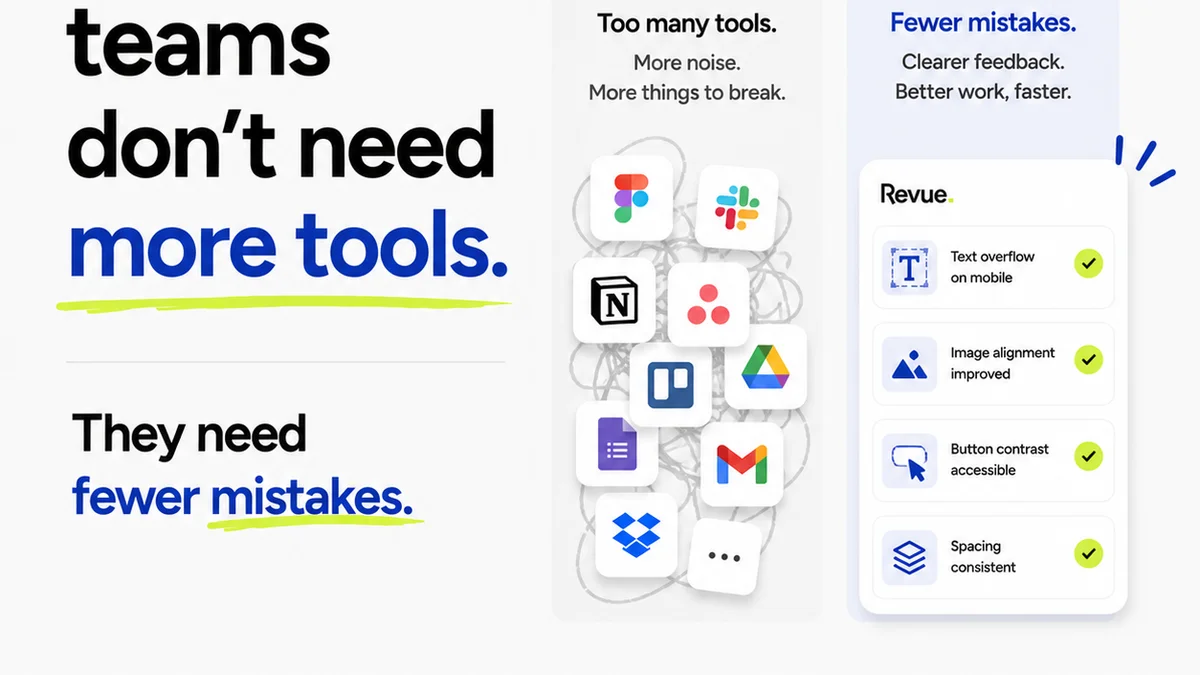
This is where Revue becomes essential. It’s not just another file-sharing tool. It’s a central hub designed to streamline the entire feedback and approval cycle.
Imagine:
- Clients leaving precise, annotated feedback directly on your designs.
- All feedback, revisions, and approvals tracked in one place, creating an undeniable audit trail.
- Your team having absolute clarity on the latest version and the status of each revision.
- Designers and developers working from a single source of truth, reducing errors and miscommunication.
Revue helps you move beyond chaotic email chains and scattered documents. It provides the structure needed for true process efficiency, allowing your team to focus on great design, not managing messy feedback.
Final Thought
A brilliant UI/UX design is only as good as the process that creates it. You can have the most talented designers and the most innovative ideas, but without a solid, manageable process, your work will inevitably suffer.
Are you building a process that supports your team’s creativity, or one that stifles it with chaos? The answer lies not in the design steps themselves, but in the system you build around them.
Frequently asked questions
What are the core stages of a UI/UX design process?
Typically, a UI/UX process includes discovery, user research, wireframing, prototyping, visual design, user testing, and final handoff to development. However, the transitions and management of feedback between these stages are often more critical than the stages themselves.
How can I make client feedback more productive?
To make feedback more productive, specify the types of feedback you need, use visual annotation tools for precise comments, centralize all feedback in one place, assign responsibility for each comment, and track the resolution of every piece of input. This transforms vague comments into actionable tasks.
What is the biggest challenge in managing design revisions?
The biggest challenge is often the lack of a clear system for tracking changes, which can lead to confusion about the latest version, accidental reversion of fixes, and inconsistencies. Implementing clear version control and an audit trail is crucial.
How does a tool like Revue help with UI/UX process management?
Revue acts as a central hub for the entire feedback and approval cycle. It allows for precise, annotated feedback directly on designs, tracks all revisions and approvals, provides a single source of truth for the team, and reduces miscommunication by eliminating scattered emails and documents.