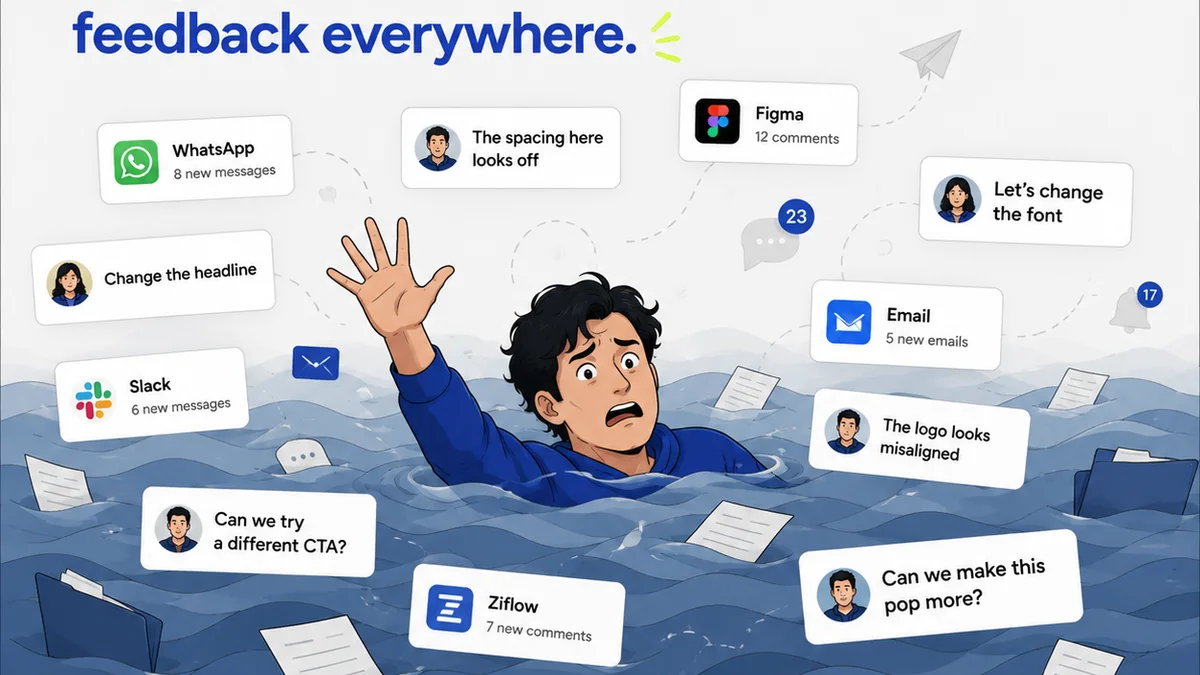
Everyone wants the best tools for design collaboration. You see the ads, the feature lists, the shiny demos. They promise to streamline feedback, speed up approvals, and make your team sing in perfect harmony. It’s easy to think that if you just find the *right* software, all your collaboration headaches will vanish.
None of that is wrong. But it’s incomplete.
The hard truth is that the best tool is the one that fits your specific workflow, not the one with the most bells and whistles. Features are secondary to function. Your team’s process dictates the tech, not the other way around.
1. The Illusion of the All-in-One Solution
Many agencies chase the dream of a single platform that does everything. Project management, asset storage, client feedback, version control, time tracking – all under one roof. It sounds like paradise.
But reality bites.
These platforms often try to be too many things to too many people. The project management module is basic. The feedback tools are clunky. The asset library is a black hole. You end up with a Frankenstein’s monster of software that’s mediocre at everything and exceptional at nothing.
This forces your team to cobble together workarounds, use multiple tools anyway, and introduces more friction than it solves.
The Symptom: Feature Bloat
- You’re paying for features you never use.
- Your team complains about the complexity of the tool.
- Key functions feel tacked-on rather than integrated.
- Critical workflow steps are still happening outside the tool.
The real enemy here isn’t a lack of features. It’s a lack of focused functionality that genuinely serves your core collaboration needs.
2. Workflow First, Tools Second
Before you even *look* at a software demo, map your actual workflow. How does a project move from brief to final delivery?
Where does feedback typically get stuck? Who is responsible for what at each stage? What are the common points of confusion or delay?
Be brutally honest. Don’t map the workflow you *wish* you had. Map the one you *actually* have, warts and all.
Mapping Your Process
- Briefing: How are client briefs received and interpreted?
- Concepting: Where do initial ideas get shared and discussed internally?
- Development: How are designs iterated upon? What tools are used for creation?
- Internal Review: How does the team provide feedback to each other?
- Client Presentation: How are designs shown to the client?
- Client Feedback: Where does client feedback come in? How is it consolidated?
- Revisions: How are client comments actioned? How are new versions tracked?
- Approvals: How is final sign-off secured?
- Delivery: How are final assets handed over?
Once you have this map, you can identify the specific bottlenecks and pain points. Then, and only then, can you look for tools that solve those exact problems.
3. The Right Tool for the Right Job
Instead of searching for one tool to rule them all, consider a best-of-breed approach. Identify specialized tools that excel at specific parts of your workflow.
For example:
- Creative Production: Adobe Creative Cloud, Figma, Sketch. (These are your creation tools, obviously.)
- Internal Communication: Slack, Microsoft Teams.
- Project Management: Asana, Trello, Monday.com.
- Asset Management: Dropbox, Google Drive, specialized DAMs.
- Client Feedback & Approvals: This is where things get interesting.
The mistake is assuming your project management tool or your chat app can handle this effectively. Client feedback is different. It needs structure, context, and a clear audit trail. Trying to wrangle client comments from a Slack thread or a scattered email chain is a recipe for disaster.
Key Features for Client Feedback Tools
- Visual Annotation: Pin comments directly on images, videos, or PDFs.
- Version Control: Easily compare revisions and see what changed.
- Centralized Inbox: All client feedback in one place, organized by project and version.
- Clear Approval Workflows: Formal sign-off process with notifications.
- Client-Side Simplicity: Easy for clients to use without training.
A tool that does *just this* well is often far more valuable than a general project management tool that offers a watered-down version.
4. Integration is Key, Not All-in-One
The best-of-breed approach doesn't mean silos. It means smart integration.
Your specialized feedback tool should talk to your project management system. Your asset manager should link easily to your design files.
Think of it like a stereo system. You buy great speakers, a great amplifier, and a great turntable. They all work together to produce amazing sound. You don’t buy a single, giant speaker that *also* plays music and amplifies it.
Look for tools that offer robust APIs or native integrations with the other software you rely on. This creates a connected ecosystem where data flows freely, reducing manual entry and eliminating duplicate work.
Questions to Ask About Integration
- Does it integrate with our existing PM tool?
- Can we link directly to design files (e.g., Figma, Adobe)?
- Is there an API for custom connections?
- How easy is it to transfer approved assets to our storage?
Seamless integration turns a collection of tools into a cohesive workflow engine.
5. Onboarding and Adoption: The Human Element
You can have the most technically perfect toolset, but if your team doesn't use it, it's worthless.
Consider the learning curve. How intuitive is the interface? How much training will be required?
This applies to both your internal team and your clients. A tool that’s too complex for clients will lead to frustration and workarounds – defeating the purpose.
Choose tools that are:
- Intuitive: Easy to understand and use with minimal instruction.
- Accessible: Works across different devices and operating systems.
- Well-Documented: Good help resources and tutorials available.
Involve your team in the selection process. Get their input on potential tools. When people feel ownership, adoption rates soar.
Where Revue Fits In
This is precisely why Revue was built. We saw agencies drowning in email threads, endless spreadsheets, and messy cloud storage folders trying to manage client feedback and approvals.
The assumption was that a project management tool or a general file-sharing service could handle it. The reality? It’s a specialized problem requiring a specialized solution.
Revue centralizes all your client feedback, regardless of the source, directly against the creative work. No more hunting for that crucial comment buried in an email chain.
Our visual annotation tools let clients pinpoint feedback directly on designs, videos, and web pages. Version control is built-in, so you always know exactly which revision you’re working on and what feedback applies to it.
The approval process becomes clear and auditable, eliminating ambiguity and speeding up sign-offs. We integrate with your existing tools, creating a smooth handoff from feedback to production and delivery.
Revue isn’t trying to be your project manager or your file storage. It’s built to solve the critical bottleneck of client feedback and approvals, making your entire creative workflow more efficient and less painful.
Final Thought
The relentless pursuit of the “perfect” tool can distract from the real work: building clear, efficient processes and fostering strong communication. Technology is an enabler, not a silver bullet.
Are you choosing tools to fit your workflow, or forcing your workflow to fit your tools?
Frequently asked questions
What's the biggest mistake agencies make when choosing collaboration tools?
The biggest mistake is chasing tools with the most features or assuming an all-in-one solution will solve all problems. The reality is that specialized tools, chosen to fit specific, mapped workflows, are far more effective than bloated, generic platforms.
Should I use a single tool for all my design collaboration needs?
Not necessarily. A 'best-of-breed' approach, where you select specialized tools for key functions like project management, communication, and client feedback, and then ensure they integrate well, is often more powerful than a single, do-it-all platform.
How important is client adoption when selecting feedback tools?
Client adoption is critical. If a tool is too complex for your clients to use, they'll revert to email or other less efficient methods, negating the benefits. Prioritize intuitive, accessible tools for both your internal team and your clients.
What are the essential features for a client feedback tool?
Key features include visual annotation (pinning comments directly on the work), robust version control, a centralized feedback inbox, clear approval workflows, and a simple, intuitive interface for clients.