Everyone wants to automate creative reviews. It sounds like the magic bullet for agency burnout. Faster feedback, fewer revisions, quicker sign-offs. It’s the dream.
None of that is wrong. But it’s incomplete.
The hard truth is, simply buying new software won't fix broken review processes. Automation isn't a substitute for clear communication or a defined workflow. It’s an amplifier. If your process is chaos, automation will just make the chaos faster.
The real challenge isn’t finding the *right* automation tool. It’s understanding what problems you need it to solve first. And then, choosing a tool that aligns with your actual workflow, not some idealized version of it.
1. Define Your Bottlenecks, Not Just Your Wishlist
Before you even look at a demo, get brutally honest about where your creative review process breaks down. What’s costing you the most time? What’s causing the most friction?
Common culprits include:
- Endless email chains with scattered feedback.
- Client stakeholders who don't know who’s supposed to approve what.
- Version control nightmares – is this the final final final?
- Manual tracking of revision requests and approvals.
- Lack of visibility into the review status for the whole team.
- Difficulty consolidating feedback from multiple sources.
Think about the last few projects that went sideways. What were the symptoms?
Your automation tool should target these specific pain points. Don’t buy a hammer because you want to automate things; buy a hammer because you have nails to drive.
2. Understand the Spectrum of Automation
Review automation isn't a single feature. It's a spectrum of capabilities. Tools range from simple annotation and versioning to complex workflow builders and AI-powered quality checks.
Consider what level of automation you actually need and can manage:
Basic Annotation and Versioning
This is the entry point. Tools that let stakeholders leave comments directly on the creative asset (PDF, image, video) and track different versions. This stops the email guessing game.
Centralized Feedback Hubs
These go a step further by bringing all feedback into one place. They often include features for organizing feedback by stakeholder, status, or asset.
Workflow Automation
This is where things get serious. These tools allow you to build custom workflows, defining who needs to review what, in what order, and by when. Think automated notifications, approval gates, and task assignments.
AI-Powered Insights
The cutting edge. Some tools are starting to use AI to identify potential issues (like accessibility problems or brand guideline violations) before human review even begins.
Be realistic about your team's capacity to adopt new technology. A tool with too many features you don't need can be as paralyzing as one that doesn't do enough.
3. Evaluate Tool Integration and Scalability
Your review tool doesn't live in a vacuum. It needs to play nice with the other software you rely on.
Think about your current tech stack:
- Project management tools (Asana, Monday.com, Jira)
- Communication platforms (Slack, Microsoft Teams)
- File storage and asset management (Dropbox, Google Drive, DAMs)
- Design software (Figma, Adobe Creative Cloud)
Seamless integration saves massive amounts of time and prevents data silos. If you have to manually export and import files or feedback, you’ve defeated half the purpose of automation.
Also, consider scalability. Will the tool grow with your agency? Can it handle more users, more projects, and more complex workflows as you expand?
4. Prioritize User Experience (for Everyone)
This is critical and often overlooked. The best automation tool in the world is useless if your clients or your team find it confusing or cumbersome.
Think about the different user types:
- Your internal team: Designers, project managers, account managers. They need efficiency and clarity.
- Your clients: Marketing managers, VPs, external stakeholders. They need simplicity and ease of use.
A complex interface will lead to adoption resistance. Clients will revert to email. Your team will find workarounds. Look for intuitive UIs. Can a client leave a comment on a video without a tutorial?
Test it. Get a few clients (or internal stakeholders who act like clients) to try it out before committing. Their real-world feedback is invaluable.
5. Look Beyond Features: Support and Training
A tool is only as good as the support behind it. When things go wrong – and they will – you need reliable help.
What kind of support does the vendor offer?
- Is there a knowledge base or documentation?
- Are they responsive via email, chat, or phone?
- Do they offer onboarding and training sessions?
- What’s their typical response time for critical issues?
For complex workflow automation, robust training and ongoing support are non-negotiable. You’re not just buying software; you’re entering a partnership.
Where Revue Fits In
The goal of review automation is to streamline the path from creative concept to client approval. It’s about reducing friction and increasing visibility.
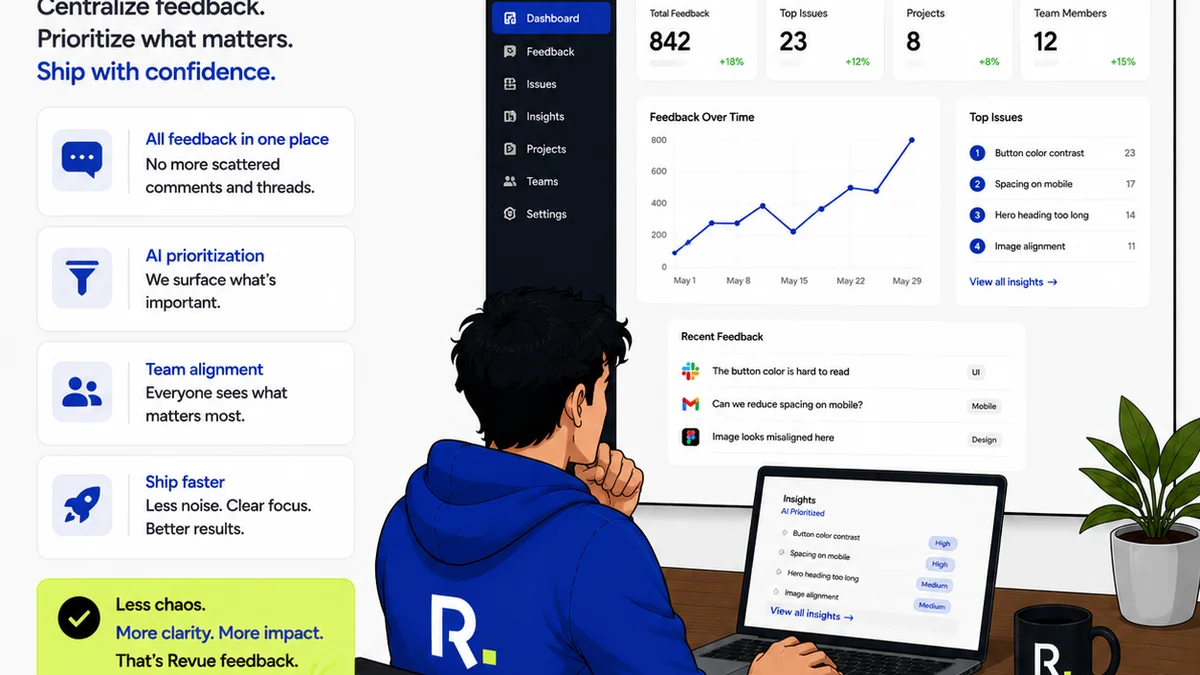
Revue is built for this. It centralizes client feedback on creative assets, making it easy to consolidate comments, track revisions, and manage approvals in one place. No more hunting through emails or Slack messages.
You can define clear review stages, assign responsibilities, and get real-time visibility into where every project stands. This clarity reduces ambiguity and speeds up decision-making.
By providing a single source of truth for feedback and approvals, Revue helps ensure that everyone is working from the same page, minimizing costly misunderstandings and rework.
Final Thought
Automation isn't about replacing human judgment or creative oversight. It's about freeing up your team's time and mental energy from the drudgery of administrative tasks.
It’s about building a more efficient, less stressful, and ultimately more profitable creative process.
But the tool is just the beginning. Are you ready to build the process that makes automation truly work?
Frequently asked questions
What is the biggest mistake agencies make when choosing review automation tools?
The biggest mistake is focusing on features without first identifying and understanding their specific workflow bottlenecks. Buying a tool to 'automate everything' without knowing what needs fixing leads to wasted investment and frustration.
How important is client user experience for review automation tools?
Extremely important. If clients find the tool confusing or difficult to use, they'll revert to old methods like email, negating the benefits of automation. Prioritize tools with intuitive interfaces that require minimal training for external stakeholders.
Do review automation tools need to integrate with other software?
Yes, integration is crucial for efficiency. Tools that connect with your existing project management, communication, and file storage systems prevent data silos and manual work, maximizing the time-saving benefits of automation.
What should I look for in vendor support for automation tools?
Look for comprehensive support options including a robust knowledge base, responsive communication channels (chat, email, phone), and dedicated onboarding or training sessions, especially for complex workflow automation.