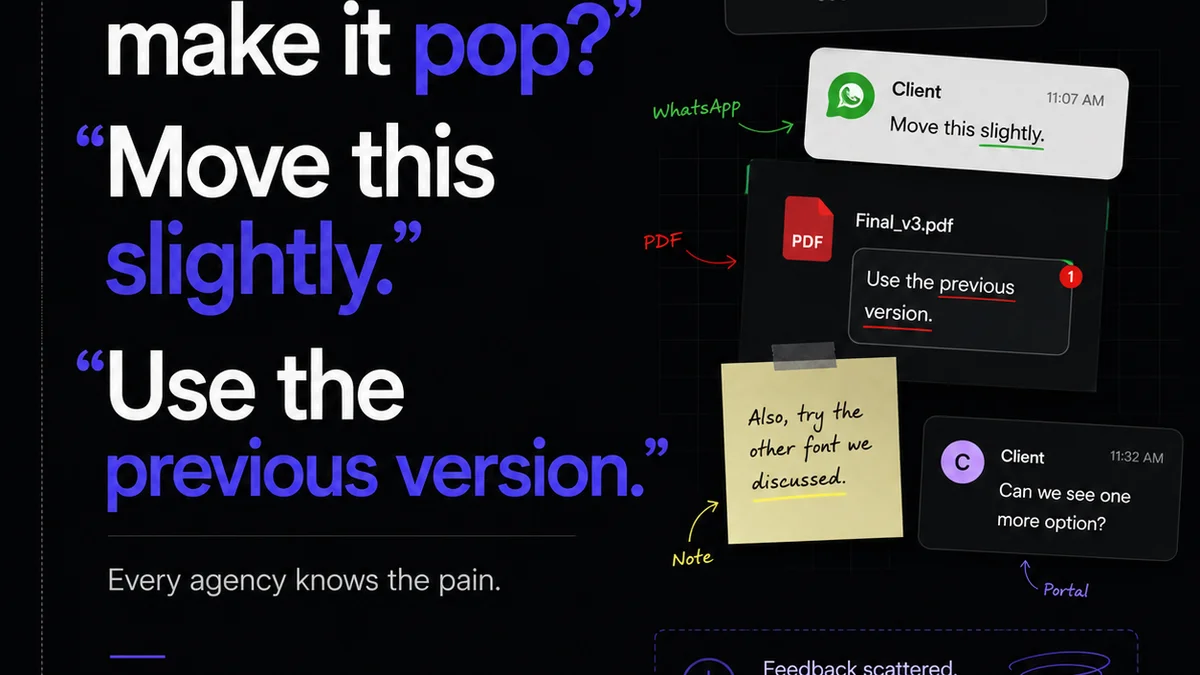
Everyone talks about creative automation. They promise magic wands that wave away tedious tasks, freeing up your brilliant minds for what truly matters. And none of that is wrong. But it’s incomplete.
The hard truth? True creative automation isn’t about replacing humans with bots. It’s about intelligently augmenting your team’s capacity by removing friction points and streamlining workflows. It’s about systems, not just software.
1. Define Your Bottlenecks, Not Just Your Buzzwords
Before you even think about tools, you need to know where your process is actually breaking. Forget the industry jargon for a moment. Where does your team get bogged down?
Is it:
- Endless rounds of feedback that go in circles?
- Manual file organization and version control nightmares?
- Chasing down approvals from busy stakeholders?
- Repetitive design tasks that eat up billable hours?
- Quality assurance checks that feel like a lottery?
These aren't just annoyances; they're profit leaks. Identifying them is the first, most critical step.
2. Map Your Current Workflow – The Brutal Truth
You can’t automate what you don’t understand. Take the time to map out your *actual* creative process, from brief to final delivery. Don’t draw the ideal path; draw the one you walk every day.
Be granular. Who touches what? What are the handoffs? What tools are currently in play, and how do they interact (or fail to interact)?
This exercise will reveal:
- Redundant steps
- Unnecessary complexity
- Points of communication breakdown
- Opportunities for standardization
This isn't about blame. It's about clarity. Without this map, any automation you implement will be guesswork, likely creating more problems than it solves.
3. Identify Automatable Tasks: The Low-Hanging Fruit
Once you have your workflow map and know your pain points, you can start identifying tasks ripe for automation. Think about actions that are:
Repetitive: The same action performed hundreds of times.
Rule-Based: Follows a clear, predictable set of steps.
Data-Driven: Relies on structured information.
Time-Consuming but Low-Cognitive Load: Doesn't require deep strategic thinking or creative problem-solving.
Examples abound:
- Automated file naming conventions
- Scheduled social media posts
- Basic asset resizing or format conversion
- Automated client notification for new feedback
- Generating standard reports
Start small. Tackle the easiest wins first to build momentum and demonstrate value.
4. Choose the Right Tools: Augmentation, Not Replacement
This is where the shiny objects come in, but approach them with a clear head. The goal is to *augment* your team, not replace them.
Consider tools that:
- Integrate seamlessly: Do they play nice with your existing stack?
- Are user-friendly: Can your team actually use them without extensive training?
- Address specific bottlenecks: Do they solve a problem you’ve identified?
- Offer visibility: Can you track progress and outcomes?
This might include:
- Project management software with automation rules
- Digital asset management (DAM) systems
- Client feedback and approval platforms
- AI-powered design assistance tools (use with caution!)
- Workflow automation platforms (Zapier, Make, etc.)
Resist the urge to buy every new tool. Focus on solutions that solve *your* problems.
5. Implement and Iterate: The Agile Approach
Automation isn't a one-and-done project. It’s an ongoing process of refinement.
Phased Rollout: Don’t try to automate everything at once. Implement changes in stages, starting with the highest-impact, lowest-complexity areas.
Team Training: Ensure your team understands the new tools and processes. Provide adequate support.
Gather Feedback: Actively solicit input from the people using the automated systems. What’s working? What’s not?
Monitor Performance: Track key metrics. Are you seeing the efficiency gains you expected? Are errors decreasing?
Adjust and Optimize: Based on feedback and performance data, make necessary adjustments. Automation is a journey, not a destination.
6. Where Revue Fits In
Many of the biggest automation headaches in creative agencies stem from managing feedback, revisions, and approvals. This is where manual processes create massive friction and risk.
Revue is built to tackle these specific bottlenecks. It centralizes client feedback, providing a single source of truth that eliminates confusion and endless email chains. Track every revision, see who approved what and when, and maintain clear visibility throughout the entire project lifecycle.
This isn't just about keeping clients happy; it's about operational efficiency. Reducing the time spent chasing feedback and clarifying revisions directly translates to more time for creative work and fewer costly errors.
Final Thought
Automation in creative fields isn't about sacrificing the human touch. It’s about creating the space for that touch to be more impactful. Are you building systems that empower your team, or just buying more software?
Frequently asked questions
What is creative automation?
Creative automation refers to using technology to streamline repetitive, rule-based tasks within the creative process, freeing up human teams for more strategic and complex work. It's about augmenting human capacity, not replacing it.
How do I know which tasks to automate?
Start by mapping your current workflow to identify bottlenecks. Focus on tasks that are repetitive, rule-based, data-driven, and time-consuming but require low cognitive load. Prioritize tasks that cause the most friction or errors.
What are the benefits of creative automation for agencies?
Benefits include increased efficiency, reduced errors, faster turnaround times, improved team morale by eliminating tedious tasks, better client communication through streamlined processes, and ultimately, increased profitability.
Do I need expensive software for creative automation?
Not necessarily. While specialized tools exist, you can start with automation features in your existing project management software, or use integration platforms like Zapier or Make. The key is to choose tools that address your specific bottlenecks and integrate well.
How does client feedback relate to automation?
Managing client feedback is often a major bottleneck. Automating the collection, organization, and tracking of feedback, and ensuring clear visibility of revisions and approvals, significantly reduces manual effort and confusion, making the entire process more efficient.