Everyone’s talking about creative automation for marketing teams. It’s the hot new thing, promising to slash production times, cut costs, and unleash designers from mundane tasks. Sounds great, right?
None of that is wrong. But it’s incomplete.
The deeper truth? Creative automation isn't about replacing humans or magically fixing broken processes. It's a powerful lever, but only when you apply it to well-understood, efficient workflows. Without that foundation, automation just makes bad processes faster.
1. The Real Problem: Workflow Chaos
Most marketing teams are drowning in inefficiencies. They *think* the problem is too much manual work, too many repetitive tasks. That’s part of it.
But the real killer is a lack of clarity and control over the entire creative lifecycle. Think about it:
- Endless rounds of feedback, often contradictory.
- Revisions that get lost or misunderstood.
- Difficulty tracking project status and approvals.
- Inconsistent brand application across assets.
- Manual QA checks that are time-consuming and error-prone.
These aren't just minor annoyances. They are systemic bottlenecks that kill productivity and creative output.
Automation tools can’t fix this inherently. They can only automate what’s already there.
2. What Creative Automation *Actually* Is
Let’s strip away the hype. Creative automation, in practice, is about using technology to:
a. Streamline Repetitive Tasks
This is the obvious part. Think:
- Automatically resizing assets for different platforms (social, web banners, etc.).
- Generating multiple variations of an ad based on a template.
- Automating basic image adjustments or color correction.
- Populating metadata or file naming conventions.
These are tasks that drain designer time and offer little creative value.
b. Standardize Outputs
Automation helps enforce brand consistency. This means:
- Ensuring correct logos, colors, and typography are used.
- Applying predefined layouts and templates reliably.
- Reducing human error in the final output.
This is crucial for maintaining brand integrity across a high volume of creative assets.
c. Facilitate Data-Driven Decisions
Some advanced tools can analyze performance data and suggest or even generate creative variations optimized for engagement. This moves beyond simple production to intelligent content generation.
d. Integrate Systems
Connecting your creative tools with DAMs, project management software, or ad platforms can automate data transfer and reduce manual juggling.
The goal isn't just speed; it's about freeing up creative talent for higher-value work.
3. The Automation Fallacy: Tools Won’t Save You
Many teams jump into buying automation software expecting miracles. They think a new tool will magically fix their chaotic review process or their slow turnaround times.
That’s the automation fallacy.
If your internal review process is a black hole of Slack messages, scattered emails, and unclear feedback, automating *that* process will just create a faster black hole.
You need to fix the underlying workflow first.
a. Map Your Current Process
Before you automate anything, you need to understand exactly how creative work gets done now. Document every step:
- Briefing
- Concepting
- Design
- Internal Reviews
- Client Reviews
- Revisions
- Final Approvals
- Asset Delivery
Where are the delays? Where does feedback get lost? Who is signing off when?
b. Identify Bottlenecks
Look for the choke points. Is it always the same person holding up approvals? Does feedback consistently come late? Are revisions unclear?
These are the areas where automation *could* help, but only after they are defined and optimized.
c. Define Clear Standards
Automation relies on rules and parameters. You need clear guidelines for:
- Brand assets and their usage.
- File formats and specifications.
- Review and approval stages.
- Feedback protocols (e.g., using a single platform).
Without this clarity, automation tools become another source of confusion.
4. Implementing Automation Strategically
Once your workflow is mapped and optimized, you can start layering in automation.
a. Start Small, Think Big
Don’t try to automate everything at once. Pick one or two high-impact areas. Maybe it’s resizing social assets or generating banner ad variations.
Prove the concept, learn from it, and then expand.
b. Choose the Right Tools
The market is flooded with options. Look for tools that:
- Integrate with your existing stack (e.g., Adobe Creative Cloud, Figma, DAM).
- Offer the specific automation capabilities you need.
- Are user-friendly for your team.
- Provide clear reporting and analytics.
Consider tools for dynamic creative optimization (DCO), template-based generation, or automated resizing.
c. Train Your Team
New tools require new skills and new habits. Ensure your team understands how to use the automation tools effectively and how they fit into the revised workflow.
Adoption is key.
d. Measure and Iterate
Track the impact of your automation efforts. Are turnaround times improving? Are costs decreasing? Is team satisfaction higher?
Use this data to refine your processes and identify new opportunities for automation.
5. Where Revue Fits In
Creative automation tools focus on the *production* and *delivery* of assets. But a huge chunk of inefficiency happens *before* and *during* the feedback and approval stages.
This is where Revue excels.
Revue provides a centralized hub for all client feedback. Instead of scattered emails and messages, feedback lives alongside the creative asset itself. This clarity alone can dramatically reduce revision cycles.
With Revue, you get:
- Centralized Feedback: All comments, annotations, and discussions in one place. No more hunting for lost feedback.
- Version Control: Easily track revisions and see how feedback has been addressed, or missed.
- Clear Approval Workflows: Define and manage who needs to approve what, and when. Get clear sign-offs, not ambiguous nods.
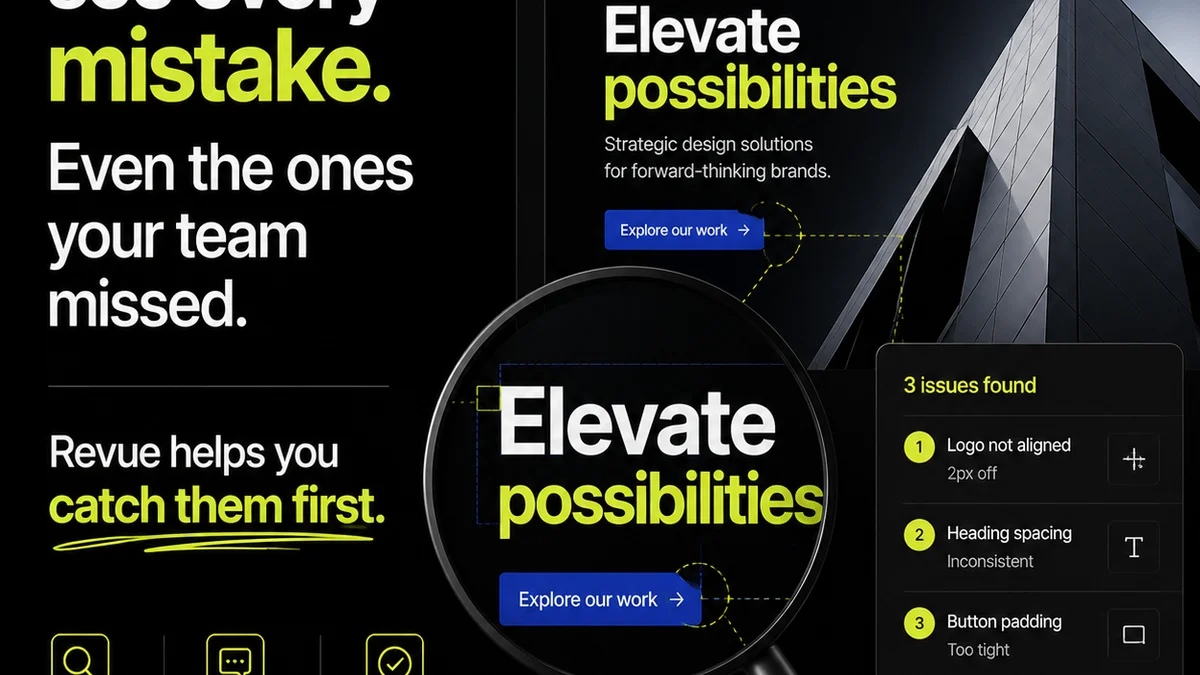
- Quality Assurance: Ensure all requirements are met before final delivery.
By bringing structure and visibility to the feedback and approval process, Revue creates the solid foundation that makes *actual* creative automation more effective. It tackles the human element of collaboration that pure production automation often overlooks.
6. Final Thought
Creative automation isn't a magic wand. It’s a powerful enhancement for well-defined, efficient creative workflows. The real gains aren't just in faster production, but in freeing up your team's creative energy by removing friction and ambiguity.
Are you automating your workflow, or just automating your chaos?
Frequently asked questions
What is the main benefit of creative automation for marketing teams?
The primary benefit is streamlining repetitive tasks, standardizing outputs, and freeing up creative talent for higher-value strategic and conceptual work. However, this is only effective if applied to well-defined and efficient workflows.
Can creative automation replace designers?
No, creative automation is designed to augment, not replace, human creativity. It handles repetitive, rules-based tasks, allowing designers to focus on strategy, concept development, and complex creative problem-solving.
What are the biggest challenges in implementing creative automation?
The biggest challenges often stem from existing workflow inefficiencies. Implementing automation without first mapping, optimizing, and standardizing processes can lead to automating chaos rather than efficiency. Lack of team training and integration issues are also common hurdles.
How does feedback management relate to creative automation?
Effective creative automation relies on clear inputs and defined outputs. Centralized and structured feedback management, like that provided by Revue, ensures that the revision and approval stages—often major bottlenecks—are clear and efficient, providing a solid foundation for production automation.