Everyone talks about creative automation like it’s a magic wand. Wave it, and suddenly your team is churning out personalized assets at lightning speed. That’s the dream, right?
None of that is wrong. But it’s incomplete.
The real magic isn’t in the tools themselves. It’s in the process you build *around* those tools. Without a solid process, automation tools become expensive paperweights, or worse, create more chaos than they solve.
The hard truth? Creative automation isn’t a plug-and-play solution. It’s a strategic operational shift that requires deliberate planning and a robust workflow.
1. Define What You’re Automating and Why
Before you even look at software, you need to get brutally honest about your current workflows. Where are the bottlenecks? What tasks are repetitive, time-consuming, and prone to human error?
Think beyond just 'making more ads faster.' Dig deeper:
- Are you spending too much time on asset resizing and repurposing for different platforms?
- Is client feedback scattered across emails, Slack, and Google Docs, making revisions a nightmare?
- Are QA checks a manual, tedious process that delays final delivery?
- Do you have a consistent brand voice and visual identity across all outputs?
The 'why' is crucial. Are you trying to:
- Increase output volume?
- Improve campaign performance through personalization?
- Reduce operational costs?
- Free up creative talent for higher-value work?
- Standardize brand consistency?
Answering these questions will guide your technology choices and, more importantly, the process you design.
2. Map Your Current State Workflow
You can’t automate a process you don’t understand. Take the time to map out exactly how things work *now*.
Get granular. For a specific task (e.g., creating social media ad variations), document:
- Who is involved at each step?
- What tools are they using?
- What are the inputs and outputs for each stage?
- How is feedback collected and incorporated?
- How is the final asset approved and delivered?
Use flowcharts, diagrams, or even a simple spreadsheet. The goal is clarity. You need to see the current state with absolute precision before you can identify what to change.
Identify Automation Opportunities
As you map, highlight the areas ripe for automation. These are typically:
- Repetitive tasks: Resizing, cropping, reformatting, basic copy variations.
- Data-driven tasks: Inserting personalized text, images, or offers based on user data.
- Workflow management: Routing approvals, sending notifications, tracking progress.
- Content generation: Basic copywriting, headline variations, meta descriptions.
Don’t try to automate everything at once. Pick one or two high-impact areas to start.
3. Design Your Future State Workflow
Now, redesign the process with automation in mind. This isn't just about slotting in a new tool; it’s about rethinking the flow.
Consider how automation will:
- Streamline handoffs: How does an asset move from creation to approval to final delivery seamlessly?
- Centralize information: Where will all the project assets, feedback, and approvals live?
- Enable personalization at scale: How will data be fed into the system to drive variations?
- Ensure quality control: What checks are built in *before* an asset goes out the door?
Choose the Right Tools (and Integrate Them)
Your tool selection should be driven by your designed workflow, not the other way around.
You might need:
- Dynamic Creative Optimization (DCO) platforms: For personalized ad variations.
- Digital Asset Management (DAM) systems: For centralized storage and version control.
- Project Management (PM) tools: For workflow orchestration and task management.
- Client Feedback & Approval tools: For streamlined review cycles.
Crucially, these tools need to talk to each other. Integration is key to a truly automated workflow. If you’re manually exporting from one system to import into another, you’ve already broken the chain.
4. Implement and Train Your Team
Rolling out a new process and tools requires careful management.
Phased Rollout: Start with a pilot project or a single team. Gather feedback, identify kinks, and refine the process before a full agency-wide launch.
Clear Documentation: Create simple, accessible guides for the new workflow. What are the steps? Who is responsible for what? What are the expected outputs?
Comprehensive Training: Don’t just show people the buttons. Explain the *why* behind the new process. Train them on how the tools work within the larger workflow. Ongoing training and support are essential.
This is where cultural change happens. Your team needs to trust the new system and understand its benefits.
5. Monitor, Iterate, and Optimize
Automation isn't a 'set it and forget it' operation. Your process needs continuous improvement.
Track Key Metrics: Refer back to your 'why.' Are you seeing improvements in output volume, cost reduction, or turnaround time? Measure what matters.
Gather Feedback: Regularly solicit input from your team and even clients. What’s working well? What’s still clunky?
Stay Updated: Technology evolves rapidly. Keep an eye on new features within your existing tools and emerging solutions that could further enhance your automation strategy.
Your process should be a living thing, adapting to new challenges and opportunities. Treat it like a creative project itself.
Where Revue Fits In
Many agencies assume automation is purely about *creation*. But the real bottleneck is often *communication* and *approval*.
Revue plays a critical role in bridging that gap and ensuring your automated workflows don’t break down at the final hurdle.
- Centralized Feedback: Instead of scattered comments, all client feedback lives in one place, directly on the creative assets. This means your team knows exactly what needs to be changed, and why.
- Clear Revision & Approval Visibility: Track every version, every comment, and every approval status. No more guessing who signed off on what, or chasing down missing approvals. This clarity is vital when dealing with high volumes of automated variations.
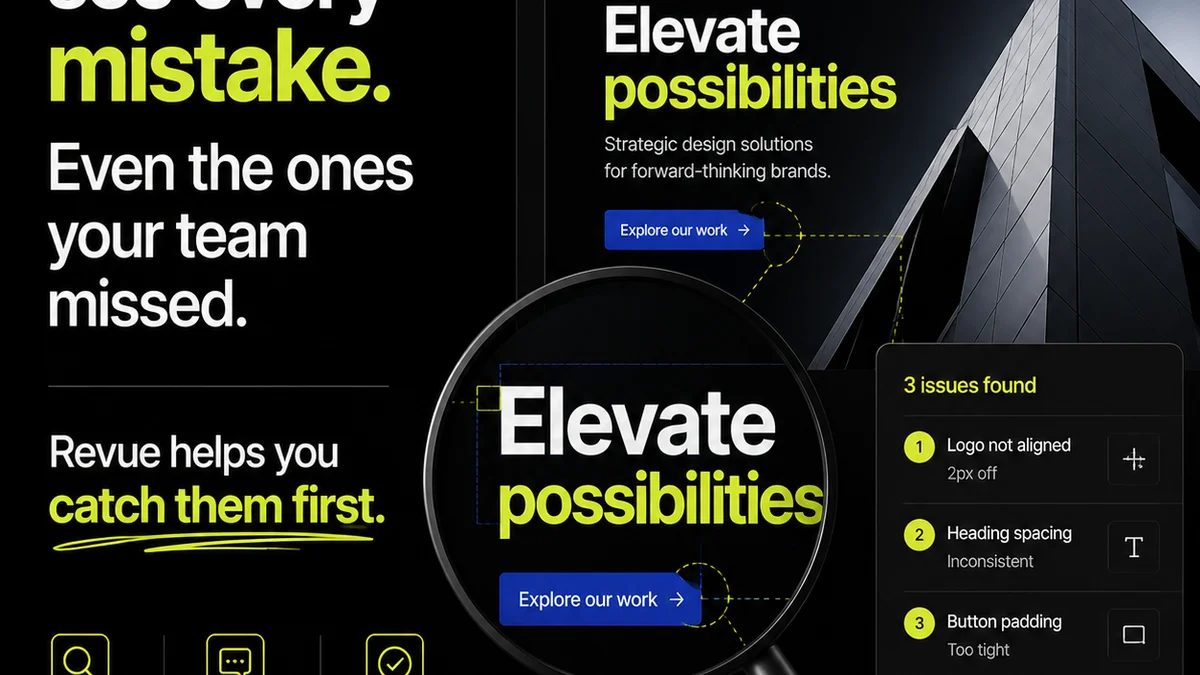
- Streamlined Quality Checks: Ensure brand consistency and adherence to briefs before final delivery. Automated workflows can generate many assets, but Revue helps you maintain oversight and catch errors that automation might miss.
By integrating Revue into your automated workflow, you ensure that the output of your automation is managed, approved, and delivered with maximum efficiency and minimal friction.
Final Thought
Creative automation is powerful, but its true potential is unlocked not by the technology itself, but by the human-designed process that governs it.
Are you building a system that truly serves your creative output, or just adopting new tools?
Frequently asked questions
What is the biggest mistake agencies make with creative automation?
The biggest mistake is treating automation as a purely technological solution. Agencies often buy tools without fundamentally rethinking their existing workflows. This leads to tools being underutilized, creating more confusion, or simply automating inefficient processes.
How do I identify which creative tasks to automate first?
Start by mapping your current workflow and identifying bottlenecks. Focus on tasks that are highly repetitive, time-consuming, prone to error, or involve significant manual data entry or asset manipulation, such as resizing, reformatting, or generating basic copy variations.
What kind of tools are typically involved in creative automation?
It varies, but common tools include Dynamic Creative Optimization (DCO) platforms for personalized ads, Digital Asset Management (DAM) systems for storage and version control, Project Management (PM) tools for workflow orchestration, and specialized software for automated content generation or asset manipulation.
How important is team training for creative automation?
Extremely important. Team members need to understand not just how to use the tools, but why the new process is in place and how it benefits their work. Comprehensive training, clear documentation, and ongoing support are crucial for adoption and success.
Can automation help with client feedback and approvals?
While automation primarily focuses on asset creation and delivery, tools like Revue can significantly streamline the feedback and approval stages. By centralizing feedback and providing clear version tracking, they ensure that the output of your automated processes is managed effectively and efficiently.