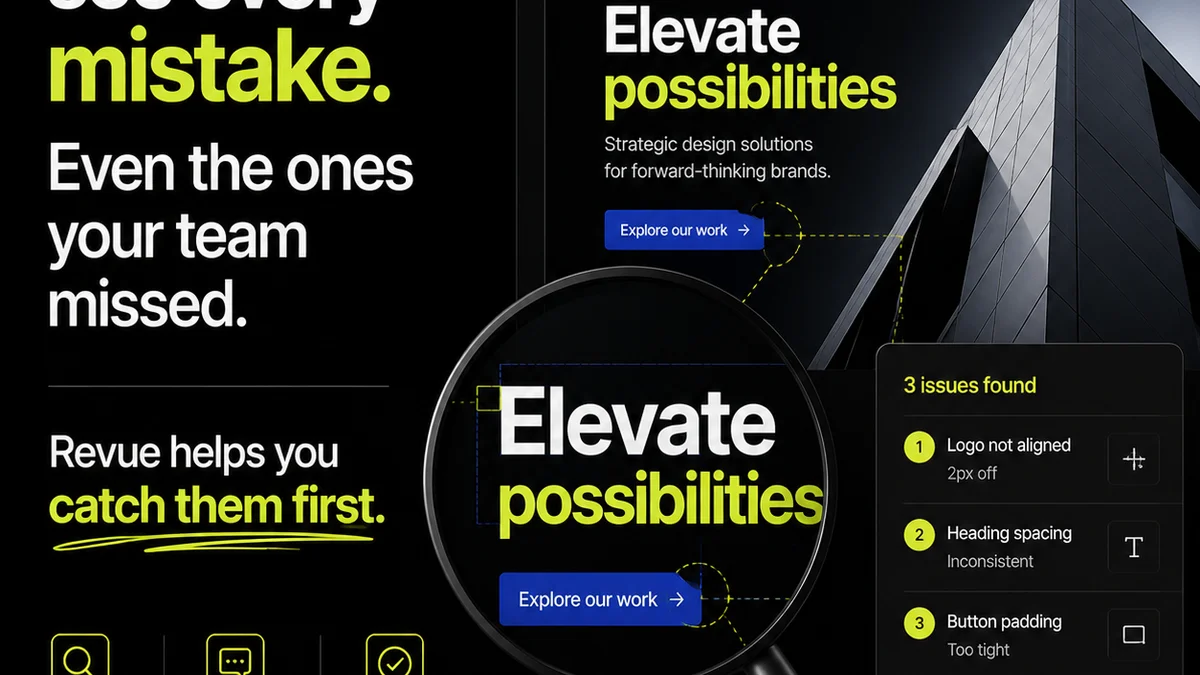
Everyone talks about the creative handoff. They say it needs to be clear, detailed, and organized. And none of that is wrong.
But it’s incomplete.
The real truth? A successful creative handoff isn't about having *more* information. It’s about having the *right* information, in the *right* format, at the *right* time, and ensuring everyone agrees on what it means. It’s about de-risking the entire process for both your agency and your client.
Think of it less as a checklist of deliverables and more as a checklist of assumptions you’re actively eliminating.
1. Define 'Done' Before You Start
This sounds obvious, but it’s where most projects falter. What does a completed asset *actually* look like? What are the non-negotiables? What are the nice-to-haves?
A vague definition of 'done' is a recipe for scope creep and late-night revisions. It allows for subjective interpretation, which is the enemy of efficient creative production.
Establish Clear Acceptance Criteria
Before the first pixel is designed, agree on the specific, measurable, achievable, relevant, and time-bound (SMART) criteria for each deliverable. This means:
- Specific file formats required (e.g., JPG, PNG, SVG, MP4, HTML5 banner code).
- Resolution and dimension requirements for each format.
- Color profiles (e.g., RGB, CMYK, Pantone references).
- Font embedding rules or outlines.
- Accessibility standards (e.g., WCAG compliance).
- Performance metrics (e.g., load times for web assets).
- Browser or device compatibility.
This isn't just for the final output. It applies to intermediate stages too. What constitutes a 'final' draft for client review?
If you’re not defining 'done' upfront, you’re setting yourself up for conflict down the line.
2. Document Everything. Then Document It Again.
The common assumption is that clients understand creative jargon and internal agency processes. They don't. And they shouldn't have to.
Your job is to translate. Every decision, every revision, every approval needs a clear, unambiguous record. This isn't about creating busywork; it’s about creating an irrefutable audit trail.
The Core Documentation Pillars
Your handoff should include, at minimum:
- Project Brief Recap: A concise summary of the original goals, target audience, and key messages.
- Asset Inventory: A clear list of all final assets, including naming conventions and intended use.
- Technical Specifications: Detailed notes on file types, dimensions, color modes, resolution, and any specific technical requirements (e.g., for ad platforms or CMS integration).
- Usage Rights and Licensing: Clear information on how the assets can and cannot be used, including any third-party assets or stock imagery licenses.
- Brand Guidelines (if applicable): A link to or summary of relevant brand guidelines that were followed or should be considered for future use.
Think of this as a user manual for the creative assets you’ve produced. The clearer it is, the less likely someone is to break it.
Standardize Your Templates
Don't reinvent the wheel for every project. Develop standard templates for your briefs, project summaries, and handoff documents. This ensures consistency and saves significant time.
Consistency reduces errors. Errors cost money.
3. Define the Roles and Responsibilities
Who is responsible for what at each stage of the handoff? Ambiguity here leads to dropped balls and finger-pointing.
It’s not just about your internal team; it’s about the client’s team too. Who signs off? Who provides technical implementation? Who is the final gatekeeper?
Internal Clarity is Paramount
Ensure your project manager, creative lead, designer, and any other involved team members understand their specific roles in the handoff process. This includes:
- Who is responsible for compiling the final assets?
- Who performs the final quality assurance (QA) check?
- Who communicates with the client during the handoff?
This clarity prevents tasks from falling through the cracks.
Client-Side Accountability
Clearly communicate to the client:
- Who on their team is the primary point of contact for questions or approvals.
- What their responsibilities are (e.g., providing timely feedback, final sign-off).
- What the expected turnaround time is for their input.
Setting these expectations upfront is crucial for a smooth transition.
4. Build in Quality Assurance (QA) Gates
The handoff isn't the end of the line; it's a critical checkpoint. A robust QA process ensures that what you're handing over meets all agreed-upon specifications and is free of errors.
This isn't just about checking for typos. It's about verifying functionality, adherence to specs, and overall quality.
The QA Checklist is Your Friend
Your QA process should include checks for:
- Technical Accuracy: File formats, dimensions, resolution, color profiles, and naming conventions are correct.
- Functional Testing: For interactive assets (websites, apps, banners), ensure all links, animations, and functionalities work as intended across specified browsers/devices.
- Content Verification: All copy is correct, all imagery is properly licensed, and all legal disclaimers are present and accurate.
- Brand Consistency: The assets align with established brand guidelines.
- Accessibility Standards: Basic checks for contrast, keyboard navigation, and alt text where applicable.
- Design Integrity: The final output matches the approved design mockups without degradation.
A thorough QA process catches issues *before* they become client problems.
Automate Where Possible
Leverage tools to automate checks for file naming, resolution, and even basic code validation. This frees up human reviewers to focus on more nuanced quality aspects.
5. Plan for Revisions and Feedback Loops
No project is entirely perfect on the first try. The handoff process needs to account for potential revisions and how feedback will be managed.
The assumption that feedback will be simple and direct is often a dangerous one.
Establish a Clear Feedback Protocol
How will feedback be collected? Email? A specific platform? Who consolidates it? What constitutes a
Frequently asked questions
What is a creative handoff?
A creative handoff is the formal process of transferring completed creative assets and all necessary documentation from the creative team to the client or the next production/implementation team. It ensures the recipient has everything they need to use, deploy, or build upon the work successfully.
Why is a creative handoff checklist important?
A checklist ensures consistency, reduces errors, and clarifies expectations during the asset transfer. It acts as a safeguard against missed details, scope creep, and miscommunication, leading to a smoother client experience and more efficient project completion.
What are the essential components of a creative handoff document?
Key components include a project brief recap, an asset inventory with file details, technical specifications, usage rights, and brand guideline references. Essentially, any information needed to understand and correctly use the delivered assets.
How can I improve my agency's creative handoff process?
Improve by clearly defining 'done' upfront, standardizing documentation with templates, establishing clear roles and responsibilities for both internal teams and clients, building robust QA gates, and implementing a structured feedback and revision protocol. Centralizing this information can also significantly help.