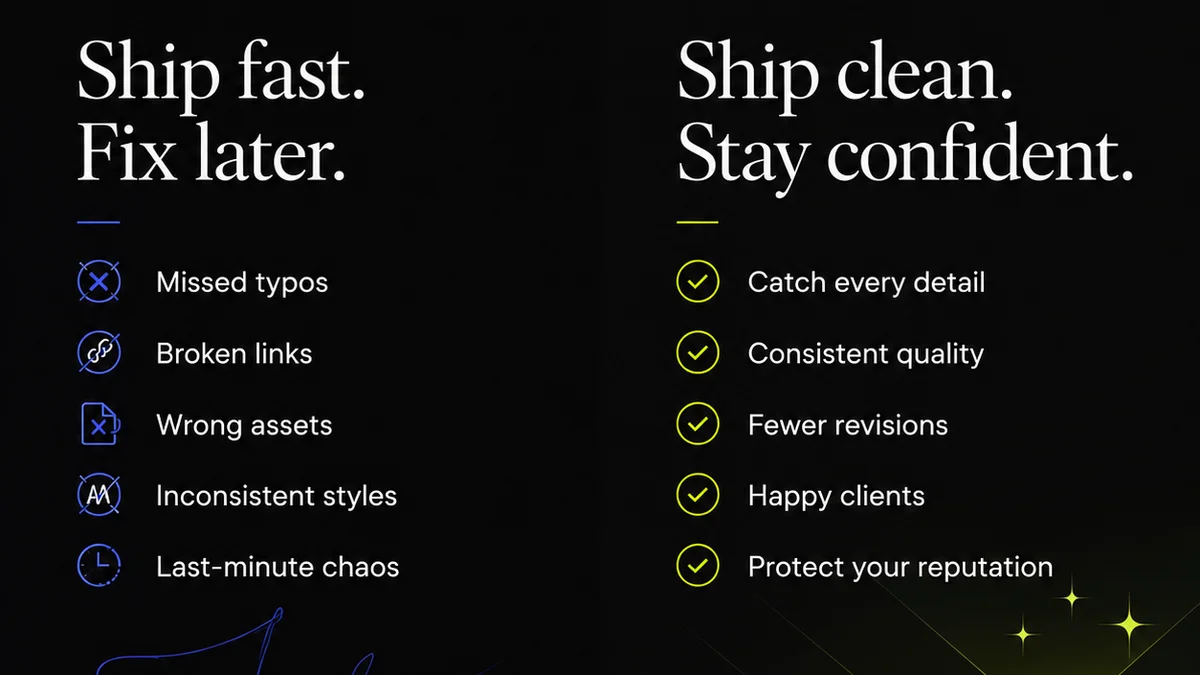
Everyone talks about the creative handoff like it’s a single, discrete event. A moment when design files are tossed over the fence to development. It’s a necessary evil, a point of friction.
None of that is wrong. But it’s incomplete.
The truth is, a broken creative handoff isn’t a single moment. It’s a symptom of a much larger, systemic problem that starts long before the final files are exported.
The Hard Truth: Handoff is a Process, Not a Point
Your creative handoff workflow is failing because you treat it like an endpoint. You focus on the *delivery* of assets, not the *context* and *collaboration* that should surround them.
This leads to:
- Endless rounds of “clarifications” that should have been addressed earlier.
- Misinterpretations of design intent that require costly rework.
- A general sense of distrust between design and development teams.
- Missed deadlines and budget overruns.
The real problem isn’t the final export. It’s the lack of a cohesive, integrated workflow that bridges the gap between initial concept and final build.
1. Documenting the Unspoken
Designers often rely on implicit knowledge. They understand the brand, the user, the business goals in ways that aren't always obvious from the screen designs alone.
This is where documentation becomes critical. But it’s not just about listing fonts and colors. It’s about capturing the *why*.
The Core Components of Good Handoff Docs
- User Flows: Show how users navigate through the product. What are the key paths? What are the edge cases?
- Interaction States: Clearly define hover states, active states, disabled states, loading states, error states. Don't assume developers will guess.
- Component Libraries: If you have a design system, ensure it’s well-documented and accessible. This is your single source of truth for UI elements.
- Accessibility Notes: Specify focus order, ARIA labels, color contrast requirements (WCAG AA is the minimum).
- Brand Guidelines: Beyond logos and colors, include tone of voice, imagery style, and overall brand personality.
- Rationale: Briefly explain *why* certain design decisions were made, especially for complex interactions or non-obvious choices.
Think of it as building a bridge, not just dropping a file on the other side.
2. Bridging the Design-Dev Chasm
The biggest killer of a smooth creative handoff is the artificial separation between design and development. They operate in silos, often with different tools and different priorities.
This leads to miscommunication and rework. Developers get files, they build, they ask questions. Designers answer, sometimes with delays. Rinse and repeat.
Strategies for Seamless Collaboration
- Early and Frequent Involvement: Get developers involved in the design process *early*. Let them see wireframes, prototypes, and early mockups.
- Shared Understanding of Tools: While they might use different primary tools, can they access and understand each other’s work? Tools like Figma and Sketch offer developer modes.
- Cross-Functional Reviews: Schedule joint review sessions where designers and developers look at the work together. This catches issues when they are cheapest to fix.
- Prototyping for Clarity: Interactive prototypes are invaluable. They demonstrate intended behavior far better than static screens. Tools like Figma or Adobe XD excel here.
- Design System as the Rosetta Stone: A well-maintained design system, with clear documentation and code snippets, is the ultimate bridge. It speaks both design and development languages.
It’s about fostering a shared ownership of the final product.
3. The Role of Prototyping
Static mockups are a starting point, but they rarely tell the whole story. How does this element animate? What happens when I click here? How quickly does this transition?
Prototypes answer these questions. They bring designs to life and provide a clear, interactive blueprint.
Types of Prototypes and Their Uses
- Low-Fidelity Wireframes: Great for early-stage concept testing and user flow validation.
- Clickable Prototypes: Essential for demonstrating basic navigation and user journeys.
- High-Fidelity Interactive Prototypes: These mimic the look, feel, and interaction of the final product. They are invaluable for detailed handoffs.
- Animated Prototypes: Crucial for conveying micro-interactions, transitions, and complex animations.
A good prototype is worth a thousand static screens. It reduces ambiguity and ensures everyone is aligned on the intended user experience.
4. Quality Assurance: The Forgotten Step
Many teams skip QA for the *design* itself, assuming it’s perfect when it leaves the designer’s desk. This is a mistake.
Design QA should happen *before* handoff, and then again *after* development. It ensures the built product matches the approved design intent.
Pre-Handoff Design QA Checklist
- Visual Consistency: Are spacing, typography, and color used consistently across all screens?
- Element Accuracy: Are all buttons, icons, and form fields correctly implemented?
- State Coverage: Are all defined states (hover, active, disabled, error) present and correct?
- Responsiveness: Does the design adapt correctly to different screen sizes and breakpoints?
- Accessibility Checks: Are color contrasts sufficient? Is the tab order logical?
This isn't about nitpicking. It's about ensuring the quality and integrity of the user experience.
Where Revue Fits In
A robust creative handoff workflow requires clear communication, centralized feedback, and visible revision history. It’s about ensuring that the context and intent behind the design aren't lost in translation.
Revue helps by providing a single source of truth for creative assets and client feedback. Instead of scattered email threads and endless Slack messages, you have a clear, documented trail.
- Centralized Feedback: All client comments and stakeholder input are gathered in one place, linked directly to the relevant design version. No more hunting for that one crucial email.
- Revision Visibility: Easily track changes, compare versions, and see exactly what was approved when. This clarity is essential for both design and development.
- Streamlined Approvals: Formalize the approval process. Ensure that sign-offs are clear and recorded, reducing ambiguity and potential disputes.
- Quality Control: Use Revue to conduct your pre-handoff design QA. Ensure all feedback has been addressed and the design meets requirements before it ever reaches development.
By bringing structure and transparency to the feedback and approval cycle, Revue helps ensure that when a design *is* handed off, it’s the right design, with all the necessary context, and all stakeholders are aligned.
5. Iteration is Not Failure
If your handoff process is rigid, any deviation feels like a failure. But creative work is rarely linear.
Client needs change. Market conditions shift. New insights emerge. Your process needs to accommodate this reality.
A flexible handoff means:
- Embracing Change: Building in points where feedback can be incorporated without derailing the entire project.
- Clear Versioning: Making it easy to track different iterations and understand which version is the current
Frequently asked questions
What is a creative handoff?
A creative handoff is the process of transferring design assets and related information from a design team to a development team or another stakeholder responsible for implementation or production. It's the crucial step where the design vision is translated into a tangible product.
Why are creative handoffs often problematic?
Creative handoffs are often problematic due to poor communication, lack of clear documentation, insufficient context, unrealistic expectations, and a disconnect between design and development teams. Treating handoff as a single event rather than an integrated process exacerbates these issues.
How can I improve my creative handoff process?
Improve your creative handoff by documenting thoroughly (not just specs, but rationale), fostering early and continuous collaboration between design and development, using interactive prototypes, conducting thorough design QA before and after development, and leveraging tools that centralize feedback and approvals.
What is the role of a design system in creative handoffs?
A design system acts as a shared language and single source of truth for both designers and developers. It provides documented UI components, guidelines, and code snippets, significantly reducing ambiguity and ensuring consistency during the handoff process.
How does client feedback impact the handoff?
Unmanaged client feedback can derail a creative handoff. Centralizing feedback, ensuring clear approvals, and tracking revisions meticulously within a structured workflow (like Revue provides) is essential to ensure the final handoff is based on agreed-upon designs, minimizing last-minute changes and misunderstandings.