Everyone thinks the best creative request management tools are about faster approvals. That they’re about ticking boxes and getting sign-offs quicker. None of that is wrong. But it’s incomplete.
The real power of these tools isn't just speed. It's clarity. It’s about creating a single source of truth for every project, every piece of feedback, and every revision.
1. The Assumption: Tools Automate Everything
Many assume that implementing a creative request management tool means all your problems vanish. Just plug it in, and the chaos subsides. It’s a nice thought. But it’s a fantasy.
Technology is only as good as the processes it supports. A tool can’t magically fix bad briefs, unclear feedback, or scope creep if the underlying workflow is broken.
The Hard Truth: Process Fuels Technology
The best creative request management tools don’t *replace* process; they *amplify* it. They provide structure, visibility, and accountability where it’s needed most.
Think of it this way: a fancy sports car is useless without a skilled driver and a clear road. The tool is the car. Your team’s workflow is the driver and the road.
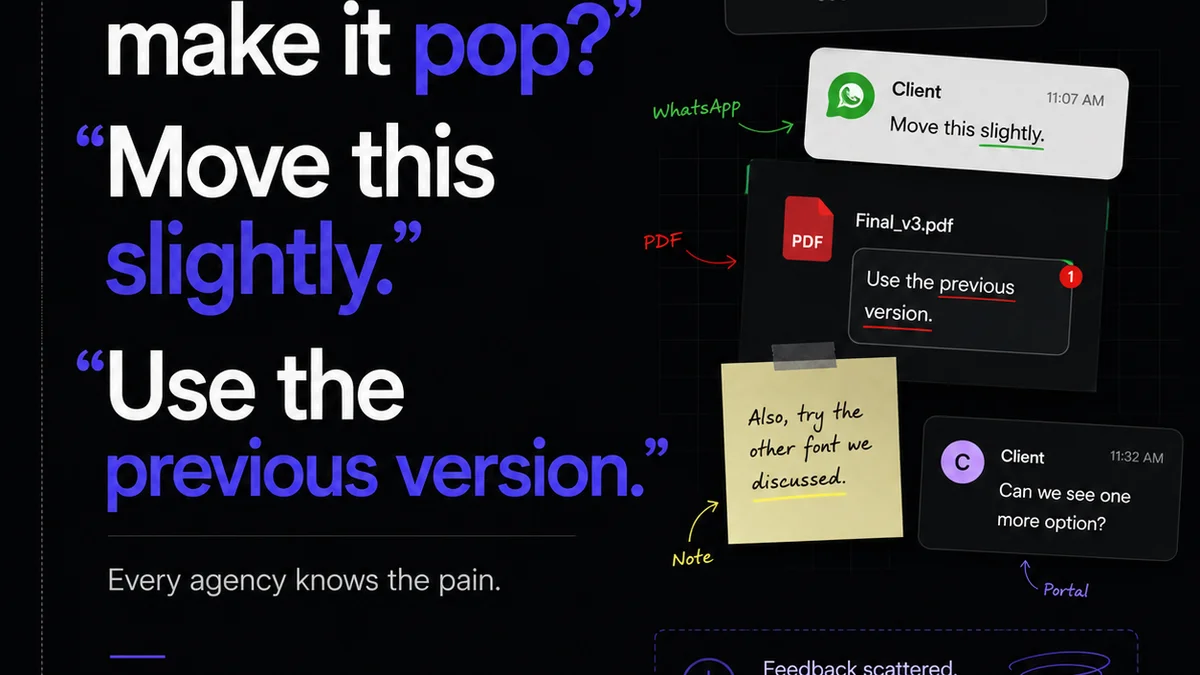
2. The Core Problem: Fragmented Feedback Loops
Where does feedback live in your agency right now?
- Email threads that stretch into infinity?
- Slack messages lost in the noise?
- Scattered notes on shared drives?
- Verbal instructions that get misremembered?
This fragmentation is the enemy of efficient creative work. It’s where misunderstandings fester and valuable time is wasted. Tracking down that one crucial comment can derail an entire project.
This isn’t just an annoyance; it’s a direct hit to profitability and client satisfaction.
Why Email Fails for Creative Feedback
Email chains are terrible for managing creative assets. They’re designed for asynchronous communication, not for iterative visual review. Attachments get lost, versions are unclear, and context quickly disappears.
Trying to manage client approvals this way is a recipe for disaster.
The Cost of Lost Context
Every time a piece of feedback is missed, misinterpreted, or delayed, it costs you.
- More revision rounds than necessary.
- Frustrated clients who feel unheard.
- Stressed-out creative teams working overtime.
- Missed deadlines and project delays.
This is the silent killer of agency margins.
3. Essential Features for US Creative Teams
When evaluating creative request management software for teams in the US, look beyond the basic task management. Focus on features that directly address the pain points of creative collaboration and client interaction.
Centralized Asset Management
Your creative assets need a home. A place where all versions, from initial concepts to final deliverables, are stored and accessible. This prevents the dreaded “which version is this?” question.
Clear Revision and Approval Workflows
The tool must support a defined process for feedback and sign-off. This means clear roles, stages, and notifications. Everyone should know exactly what’s expected of them and when.
Integrated Annotation and Markup Tools
Directly marking up designs, videos, or documents is crucial. This eliminates ambiguity. Visual feedback is almost always clearer than written descriptions alone. Think tools that allow direct-to-image comments or video timecodes.
Version Control and History
You need to see the evolution of a project. What changed, who approved it, and when. This is vital for accountability and for understanding the project’s journey.
Client Collaboration Features
How easy is it for your clients to use? The system should be intuitive enough for external stakeholders to provide feedback without extensive training. This is key for adoption and reducing client friction.
Reporting and Analytics
Understand your bottlenecks. Where are projects getting stuck? Which clients or team members are causing delays? Data provides insights to optimize your process.
4. Evaluating the Landscape of Creative Request Tools
The market offers a spectrum of solutions. Some are broad project management tools with creative add-ons, while others are purpose-built for creative workflows.
General Project Management Tools
Tools like Asana, Monday.com, or Trello can be adapted. They offer flexibility but often lack the specialized features needed for visual feedback and asset management. You’ll likely need to bolt on other integrations, creating complexity.
Dedicated Creative Workflow Platforms
These are built from the ground up for creative teams. They focus on asset review, client approvals, and revision tracking. Examples include Frame.io (for video), Filestage, or Ziflow. They often offer a more streamlined experience for creative tasks.
Digital Asset Management (DAM) Systems
These are primarily for organizing and storing large volumes of creative assets. While essential for asset libraries, they often don't manage the feedback and approval process itself. They complement, rather than replace, workflow tools.
Communication Platforms with Creative Features
Some communication tools are adding creative-specific features. However, relying solely on these for complex project management and approvals can be risky. The core function isn't review and approval.
5. Where Revue Fits In
Revue isn't a direct competitor to every tool in the creative workflow space. Instead, it acts as the central nervous system for your agency’s client communication and feedback, particularly around published content.
Think of it this way: your creative teams might use specialized tools for design, video editing, or internal asset management. But when it comes to collecting and acting on client feedback for your published work – newsletters, articles, reports – Revue provides that crucial layer of structured communication.
Revue excels at:
- Centralizing Client Feedback: Instead of scattered emails or DMs about newsletter drafts, all feedback related to your published content lives within Revue.
- Managing Revisions and Approvals: Track changes, discussions, and final sign-offs on your content directly within the platform. This provides clear visibility into the approval process.
- Running Quality Checks: By having all feedback and revisions in one place, you can more easily conduct final quality checks before publishing, ensuring consistency and accuracy.
Revue integrates your published content with your audience, but it also integrates the *process* of creating and refining that content.
6. Implementing for Success: Beyond the Tool
Choosing a tool is just the first step. Real success comes from thoughtful implementation.
Define Your Workflow First
Before you even look at software, map out your ideal creative request and feedback process. Who is involved? What are the stages? What are the approval gates?
Onboard Your Team Thoroughly
Don't assume everyone will just pick it up. Provide training, create clear guidelines, and designate internal champions to help others. Make it easy to adopt.
Educate Your Clients
Clearly communicate to clients how you’ll be managing feedback using the new tool. Provide simple instructions or a brief walkthrough. Their buy-in is critical.
Iterate and Optimize
No process is perfect from day one. Regularly review how the tool and your workflow are performing. Solicit feedback from your team and clients, and make adjustments.
Final Thought
The best creative request management tools aren't magic wands. They are sophisticated instruments that, when wielded with a clear understanding of process and purpose, can transform how your agency operates. They bring order to the inherent chaos of creative work, ensuring that brilliant ideas reach their full potential without getting lost in translation or buried under endless revisions.
Are you using technology to support your creative process, or are you letting technology dictate it?
Frequently asked questions
What is the main benefit of using creative request management tools?
The primary benefit is establishing a clear, centralized system for managing incoming creative briefs, feedback, revisions, and approvals. This reduces miscommunication, saves time, and ensures all project stakeholders have visibility into the process, leading to more efficient workflows and better client satisfaction.
How do these tools help with client approvals?
Creative request management tools streamline client approvals by providing a dedicated platform for feedback. Features like direct annotation, version control, and clear approval tracking eliminate ambiguity and create an auditable trail, making the sign-off process more efficient and less prone to errors or disputes.
Can any project management tool work for creative requests?
While general project management tools can be adapted, they often lack the specialized features crucial for creative work, such as integrated visual annotation, video feedback tools, and robust version control for creative assets. Purpose-built creative workflow platforms typically offer a more seamless and efficient experience for creative teams.
How important is team training for these tools?
Team training is critical. Even the best tool will underperform if the team doesn't understand how to use it effectively within established workflows. Proper onboarding ensures consistent adoption, maximizes the tool's benefits, and prevents the creation of new bottlenecks.