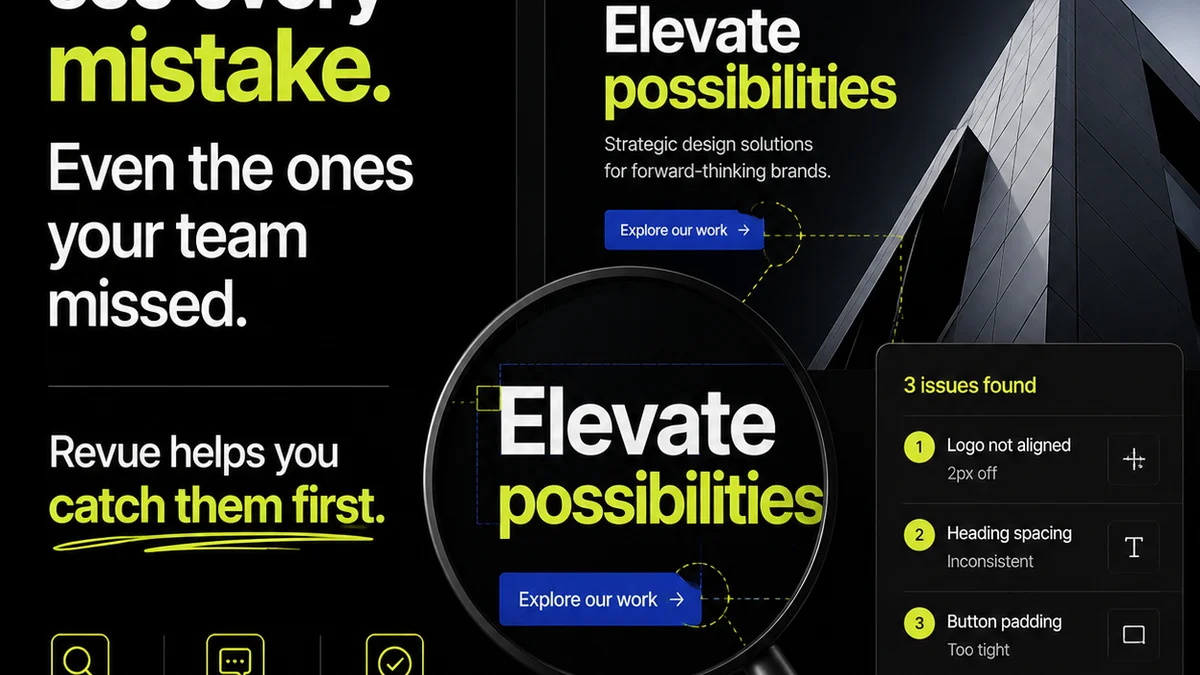
You think you need the best creative review software because your team is struggling with scattered feedback, endless revisions, and missed deadlines. That’s not wrong.
But it’s incomplete.
The hard truth is, the software itself isn't the magic bullet. The real win comes from how it integrates into your *process*. Without a solid workflow, even the fanciest tool becomes just another place for things to get lost.
1. The Real Problem: Feedback Chaos
Creative feedback is notoriously messy. It comes from everywhere: emails, Slack messages, carrier pigeons, scribbled notes on printouts. Each source is a potential point of confusion.
This chaos costs more than just time. It kills creativity, erodes client trust, and leads to expensive rework.
Why Existing Methods Fail
- Email chains: Impossible to track, easy to miss crucial comments.
- Spreadsheets: Static, quickly outdated, lack visual context.
- Shared docs: Can work for text, but terrible for visual assets.
- Verbal feedback: Prone to misinterpretation and memory lapses.
You need a system, not just a tool.
2. Evaluating Creative Review Software: Key Features
When looking at creative review software, it’s easy to get lost in feature checklists. But focus on what actually moves the needle for your agency.
Visual Annotation is Non-Negotiable
The ability to directly mark up images, videos, and PDFs is paramount. This eliminates ambiguity.
Think:
- Clickable hotspots for specific comments.
- Drawing tools for highlighting areas.
- Version comparison to see changes side-by-side.
Centralized Communication Hub
Feedback needs a single source of truth. Your software should consolidate all comments and discussions related to a specific asset.
This means:
- Threading conversations under specific comments.
- Tagging team members for action.
- Activity logs that show who said what, and when.
Version Control and Revision Tracking
Knowing which version is the latest, and seeing the history of changes, is critical. This prevents confusion and ensures everyone is working from the correct files.
Look for:
- Clear version numbering.
- The ability to revert to previous versions if needed.
- A visual history of revisions.
Approval Workflows
Streamlined approvals are the holy grail. Your software should make it easy for stakeholders to approve or reject work, with clear digital sign-offs.
This includes:
- Configurable approval stages.
- Automated notifications for approvers.
- A clear audit trail of approvals.
Integrations
Does the software play nice with your existing tools? Think Adobe Creative Cloud, Figma, project management software, or cloud storage.
Seamless integrations reduce manual work and context switching.
3. The Top Contenders: A Quick Look
Many tools claim to solve creative review woes. Here’s a brief, high-level look at some common types and their strengths.
Note: This is not an exhaustive list, and features evolve rapidly.
Dedicated Proofing Tools
These are built specifically for visual feedback and approvals. They excel at handling static images, videos, and PDFs.
Examples often include:
- Filestage: Strong on workflow automation and client collaboration.
- GoProof: Offers robust annotation and project management features.
- ReviewStudio: Known for its clean interface and comprehensive review tools.
Project Management Suites with Review Features
Some broader project management tools have added creative review capabilities. They can be good if you want an all-in-one solution, but might lack specialized features.
Examples:
- Asana: Basic annotation and commenting on files.
- Monday.com: Customizable workflows can be adapted for reviews.
- Wrike: Offers proofing features within its larger project framework.
Design Collaboration Platforms
Tools like Figma are primarily for design creation but include robust commenting and review features within the design file itself.
This is ideal for:
- Internal design team reviews.
- Real-time collaboration during the design process.
- Feedback directly on interactive prototypes.
However, they may not be ideal for client reviews of final deliverables like static mockups or videos without specific integrations or workarounds.
4. The Hidden Cost: Implementation and Adoption
You’ve picked the software. Now what? The real challenge begins.
Even the most intuitive software requires buy-in from your team and clients. If people don’t use it, or use it incorrectly, it’s worthless.
Training is Key
Don’t assume everyone will just ‘get it’. Provide clear training on how to use the tool for feedback, approvals, and checking revisions.
Client Onboarding
Clients are often the biggest hurdle. Simplify the process for them. Show them how easy it is to provide clear, actionable feedback.
A short demo or a simple walkthrough video can make a world of difference.
Process Over Perfection
Focus on establishing a clear, repeatable review process *first*. Then, implement the software to support that process.
Don’t let the tool dictate your workflow; let your workflow guide your tool choice.
5. Where Revue Fits In
Revue isn’t a visual annotation tool. It’s the central nervous system for your client feedback and creative operations.
Where does it help?
- Centralized Feedback Hub: While other tools capture feedback *on* assets, Revue consolidates the *status* and *history* of that feedback across all projects. You see what’s pending, what’s approved, and what requires action, all in one place.
- Revision & Approval Visibility: Track the entire revision and approval lifecycle. Understand bottlenecks, see who signed off on what, and ensure accountability. No more digging through emails to find the final approval.
- Quality Control Checks: Integrate quality control steps directly into your workflow. Ensure assets meet brand guidelines and project requirements before final delivery.
- Streamlined Communication: Reduce reliance on scattered communication channels. Keep all project-related feedback and decisions documented and accessible.
Revue complements your creative review software by providing the overarching project management and communication layer needed to ensure feedback is acted upon efficiently and effectively.
6. The Review Software Checklist: What to Look For
Use this checklist to evaluate potential creative review software. Focus on how each feature supports your specific agency workflow.
Must-Haves:
- Direct visual annotation (images, video, PDF)
- Comment threading and @mentions
- Clear version control
- Configurable approval workflows
- User roles and permissions
- Audit trail of all activity
Strongly Recommended:
- Integrations with design tools (Adobe, Figma)
- Integrations with project management tools
- Mobile accessibility
- Client-facing simplicity
- Reporting and analytics
Nice-to-Haves:
- White-labeling options
- Time-tracking capabilities
- Advanced search functionality
Remember, the ‘best’ software is the one that best fits your team’s unique needs and integrates seamlessly into your existing processes.
Final Thought
The pursuit of the ‘best’ creative review software often distracts from the core issue: establishing a robust, repeatable process for managing feedback and approvals.
Are you looking for a tool to fix your workflow, or are you ready to fix your workflow and then find the tool that supports it?
Frequently asked questions
What is the primary benefit of using dedicated creative review software?
The primary benefit is centralizing visual feedback and approvals, eliminating confusion from scattered communication channels like email or chat. It allows for direct annotation on assets, clear version control, and streamlined approval workflows.
Can project management tools replace specialized creative review software?
Some project management tools offer basic review features, which can be sufficient for very simple workflows or internal teams. However, specialized creative review software typically offers more robust features for visual annotation, version comparison, and complex approval processes essential for client work.
How important are integrations for creative review software?
Integrations are highly important, especially for agencies. Connecting review software with design tools (like Adobe Creative Cloud or Figma) and project management platforms reduces manual work, prevents data silos, and ensures a smoother overall workflow.
What is the biggest challenge when implementing new review software?
The biggest challenge is often user adoption. Both internal team members and external clients need to be trained and encouraged to use the new tool consistently. Without proper buy-in and training, even the best software can fail to improve efficiency.